
Products compared
Logitech
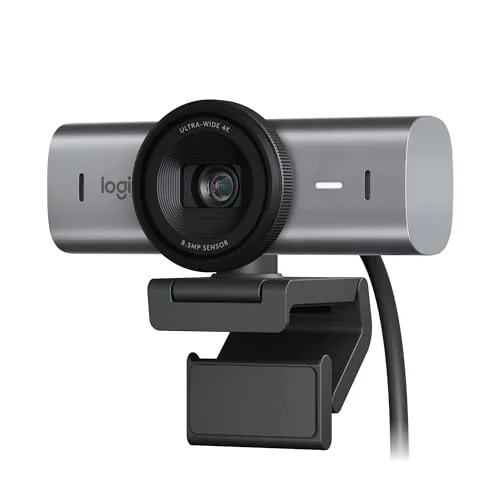
Logitech MX Brio 4K Ultra HD Webcam, Graphite
Exact US listing 558 / ASIN B0BFJ4CRKD, model 960-001545, Graphite. Logitech documents physical tilt-down Show Mode, 4K at 30 fps or 1080p at 60 fps, image adjustment in Logi Options+ or G HUB, and dual beamforming microphones. The support page lists basic UVC operation on Windows, macOS, ChromeOS and Linux; Logitech software is limited to Windows/macOS versions listed by the manufacturer.
Model 960-001545
Amazon ASIN B0BFJ4CRKD
Insta360
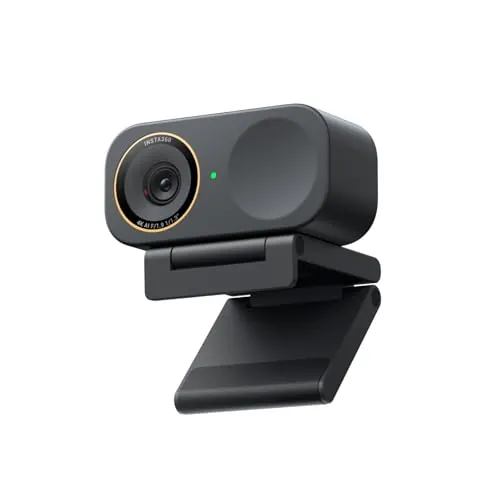
Insta360 Link 2C Pro 4K Webcam, Graphite Black
Exact US listing 6874 / ASIN B0G3SSQMJQ, part CINSABPB-S-B, model family code CINSABPB, Graphite Black. Manufacturer support identifies Link 2C Pro as a fixed-camera model without a gimbal; Auto Framing uses digital zoom and crop. It supports landscape and portrait modes, four documented mic modes and volume/mute controls through Link Controller or computer settings. Its package list shows a magnetic mount and USB cable/adapter; vertical shooting requires a separately sold tripod.
Model CINSABPB-S-B
Amazon ASIN B0G3SSQMJQ
Differences that matter
Sources for Desk presentation and subject framing
Sources for Capture orientation, frame rate and encoding
Sources for Microphone modes and level control
Sources for Privacy and physical placement
Sources for Host and software fit
Start with the way you show things on camera
The MX Brio's Show Mode is a physical move: tilt the camera down to share notes or sketches on the desk. If that is the presentation you repeat in meetings, this is a straightforward choice. Logitech also documents video adjustments through Logi Options+ or G HUB, including exposure and white-balance-related controls.
Link 2C Pro approaches framing through software. Its fixed body uses digital zoom and crop for Auto Framing, while DeskView applies image correction to a temporary top-down view when the camera is placed on the top of a laptop or monitor. DeskView requires Link Controller. The exact 2C Pro is not the gimbal-equipped Link 2 Pro, so expect no physical pan to follow movement.
Match the output mode to the app you actually use
Logitech lists MX Brio at 4K/30 or 1080p/60. Link 2C Pro lists multiple landscape and portrait choices, including those resolutions and rates, but its own table excludes H.264 for portrait 4K and portrait 1080p/60. Link Controller defaults to MJPEG and cannot change encoding inside the client; a third-party app may offer format selection, which you should verify with the precise mode before purchase.
The virtual-camera path adds another constraint: Insta360 says its Virtual Camera effects do not support 50 or 60 fps. If you only need a basic camera source, its manual says direct use in third-party meeting or streaming software is possible. If you need advanced effects, check both the computer requirements and the effect-specific limits first.
Choose microphone controls and privacy steps
The Link 2C Pro's support documentation names Standard, Wide, Focus and Original microphone modes, and describes volume and mute controls in Link Controller or the computer's audio settings. The listed modes define pickup workflows; they do not demonstrate that its microphone sounds better than the MX Brio. Logitech documents dual beamforming mics for MX Brio, but the checked sources do not describe a comparable set of named pickup presets.
For privacy, Logitech describes a rotating shutter that blocks the camera lens. Link 2C Pro has a physical lens privacy switch, while its guide says to mute the microphone separately in software. If a physical action must silence both inputs at once, do not assume the Link 2C Pro lens switch does that.
Check the computer, mount and cable before ordering
Logitech separates native/basic UVC use from its software: the MX Brio support page lists Windows 10 or later, macOS 10.15 or later, ChromeOS and Linux for basic UVC, while Logi Options+ and G HUB require Windows 10 or macOS 12 or later. Logitech separately confirms Logi Tune support. Verify the specific control feature you want in the app and OS you will use.
Insta360 lists Windows and macOS for Link 2C Pro; Windows ARM is unsupported for Link Controller. Linux supports basic UVC/UAC camera operation, but there is no Linux Link Controller. The exact model uses a magnetic mount and USB-C 2.0 cable with a USB-C-to-A adapter in the hardware table. Its setup guide says to secure the mount at the screen edge and center the status LED with the screen. For vertical shooting, a tripod is required through the mount's 1/4-inch point; the support page marks the mini tripod sold separately.
Product details
Logitech MX Brio 4K Ultra HD Webcam, Graphite
- Listed capture modes
- UHD 4K at 30 fps or 1080p at 60 fps Source
- Desk presentation
- Physically tilt the webcam down to share desk notes or sketches in Show Mode Source
- Software controls
- Logi Options+ or G HUB offers image controls; Logi Tune compatibility is also confirmed by Logitech support Source
- Microphones and shutter
- Integrated dual beamforming mics; built-in shutter physically blocks the camera lens Source
Insta360 Link 2C Pro 4K Webcam, Graphite Black
- Portrait and landscape modes
- Landscape and portrait modes include 4K up to 30 fps and 1080p up to 60 fps; H.264 is unavailable in portrait 4K and portrait 1080p at 60 fps Source
- Auto Framing
- Fixed camera body; digital zoom and cropping center the subject rather than gimbal movement Source
- Microphone controls
- Standard, Wide, Focus and Original modes; volume and mute controls are available in Link Controller or computer audio settings Source
- Mount and connection
- Magnetic mount with a 1/4-inch mounting point; USB-C 2.0 cable and USB-C-to-A adapter are listed for this exact model Source
Before you buy
Community discussions
Link 2C Pro user reports a pause when activating its microphone
Insta360 Link 2C Pro 4K Webcam, Graphite Black
A Link 2C Pro user says the microphone takes about one or two seconds to start each time they activate it, causing push-to-talk and speech-to-text tools to miss the first words. The post does not establish the cause or whether other setups behave the same way.
What to check
If you depend on push-to-talk or speech-to-text, test microphone start timing in your intended computer and apps before relying on it. This is one user’s report, not a general audio-performance finding.
Common questions
Does the Link 2C Pro physically pan to follow me?
No. Insta360 documents digital zoom and cropping for Link 2C Pro Auto Framing and lists no gimbal for the exact model. Link 2 Pro is a different camera with a gimbal; do not apply its movement behavior to the 2C Pro.Basic Use (No Client Required)Link Series: Hardware Specifications
Can the Link 2C Pro record portrait 4K or portrait 1080p/60 in H.264?
No. The Link 2C Pro column says H.264 is unavailable in portrait 4K and portrait 1080p/60. Link Controller uses MJPEG by default and does not change encoding inside the app. Confirm your capture app and mode if the codec is important.Link Series: Photo & Video Specifications
Can I use Link 2C Pro without Link Controller?
Yes for direct use as a camera in third-party computer software, according to Insta360. Advanced Virtual Camera features require the software path, which has stated operating-system and frame-rate limits. Check the compatibility list for your host before relying on those effects.Link Series: CompatibilityConnecting to Computer
Can the Link 2C Pro physically block its camera and microphone together?
The physical privacy switch blocks the lens view. Insta360 says to turn off the microphone input separately in Link Controller or third-party software, so treat camera privacy and audio mute as separate controls.Basic Use (No Client Required)
Which webcam has the better picture or microphone?
These manufacturer feature and compatibility sources do not prove a picture-quality or microphone winner. Compare the exact models in a controlled test with the same host, light, app, framing and audio setup if that result is central to your choice.MX Brio 4K Ultra HD Webcam, U.S. product pageLink Series: Photo & Video SpecificationsLink Series: Audio & Microphone
Sources and scope
This is a feature and workflow comparison based on manufacturer documentation, not hands-on testing. It cannot establish which webcam has better video, color, low-light handling, tracking, microphone sound, noise reduction, reliability or privacy. Do not treat resolution labels or microphone modes as quality rankings. Insta360 support pages cover multiple Link models in shared tables; this guide uses the Link 2C Pro column or model-named text. Verify the exact model/part on the live listing and check app/OS requirements for your own computer.
- MX Brio 4K Ultra HD Webcam, U.S. product page
- Do I need a driver to use MX Brio?
- Is MX Brio compatible with Logi Tune?
- Link Series: Photo & Video Specifications
- Basic Use (No Client Required)
- Link Series: Audio & Microphone
- Setting Up the Device
- Link Series: Compatibility
- Link Series: DeskView Mode
- Link Series: Hardware Specifications
- Connecting to Computer
Related comparisons
Logitech C920x vs Insta360 Link 2C Pro: Framing, Mounting and Privacy Fit
The Logitech C920x guide documents an attached USB-A cable, a universal mounting clip and tripod thread, while Link 2C Pro offers documented 4K and portrait modes, a magnetic adjustable mount, DeskView and a physical privacy-cover switch. Start with the resolution and framing tools you need, then check your computer, monitor edge, tripod plan and whether camera privacy must be physical. Logitech’s exact C920x guide does not state its field-of-view angle or current OS/app requirements, so those points need an exact-product check.
Read comparison
Elgato Facecam 4K vs Insta360 Link 2C Pro: 4K60 or Autofocus and Built-In Audio?
These webcams suit different desk routines. Elgato lists Facecam 4K at 2160p60 over USB 3.0 in MJPG, with fixed focus tuned for a desk position and no built-in microphone. Insta360 lists Link 2C Pro at up to 4K30, with autofocus, software auto-framing and two microphones. Your video app, USB port, subject distance, audio setup and privacy routine matter more than the resolution label alone.
Read comparison