
Products compared
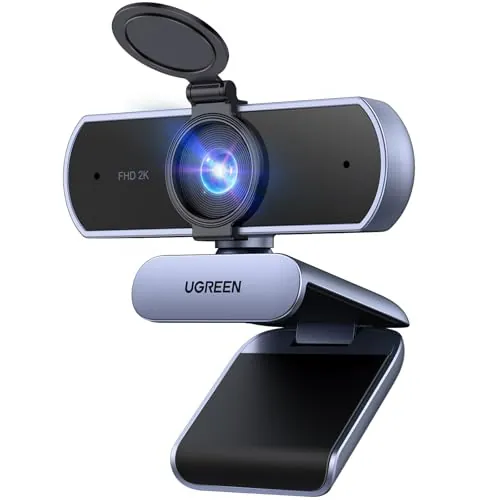
UGREEN
UGREEN 2K Webcam
Exact listed model 55721; gray variant. The manufacturer source available for this SKU is Canada-localized.
Model 55721
Amazon ASIN B0DGXFNVLD

Elgato
Elgato Facecam 4K
Black listed variants; listed model is 20WAF9901. Elgato’s US product page lists SKU 10WAF9901.
Model 20WAF9901
Amazon ASIN B0DVZG36J8
Differences that matter
What matters most to you?
Choose a priority to see what it changes.
Sources for Listed capture mode and USB dependency
Start with the port and mode you will actually use
UGREEN advertises 2K at 30 fps for model 55721. Elgato publishes a broader mode table, but its 2160p60 option is MJPG-only over USB 3.0; its 2160p30 and 1440p60 choices are also limited to specified formats. On USB 2.0, Elgato lists up to 1080p60, and its Quick Start Guide says USB 2.0 video is limited to 1080p with MJPG compression.
The useful check is your actual chain: computer port, any hub or adapter, operating system, and the video-call or recording app. Elgato recommends a direct USB 3.0-or-later connection rather than a hub for its top modes. Choose by a mode your host and software offer, not by a camera headline; no image-quality test was performed.
Decide whether the camera also needs to be your audio device
UGREEN identifies dual microphones built into the 55721. Elgato states that Facecam 4K has no microphone. If you choose Elgato for a listed capture mode, plan which separate microphone or audio input the call or recording app will use. If you want the camera itself to provide microphone input, UGREEN’s documented hardware matches that setup preference.
This is about the devices and selections in your setup. The sources do not establish which webcam sounds better, so choose by whether you want integrated or separate audio and verify the selected input in your app.
Check focus distance, mount and box contents at your desk
Both products are described as fixed focus. Elgato publishes a focus range of 30–120 cm at 4K and 25 cm to infinity at 1080p; UGREEN’s available manufacturer page does not publish a matching numeric range. Preview your normal desk position if exact focus distance matters. Elgato lists a 90° field of view, but UGREEN’s field-of-view figure is withheld because its manufacturer page and tracked offer disagree.
Elgato lists a monitor mount and a 2 m detachable USB-C-to-USB-C USB 3.0 cable in the box, and its camera has a 1/4-inch thread for a desk stand or tripod. Its system requirements say a USB-A host needs a USB-C-to-A adapter, not included. UGREEN describes monitor, laptop, TV or tripod placement and 360° rotation, but the available Canada-localized SKU page does not settle the exact US package or cable. Confirm the US listing before relying on included hardware.
Product details
UGREEN 2K Webcam
Elgato Facecam 4K
- USB 3 capture modes
- Up to 2160p60 in MJPG only; 2160p30 and 1440p60 use NV12 or MJPG only Source
- USB 2 capture modes
- Up to 1080p60; MJPG only Source
- Focus and field of view
- Fixed focus; listed range 30–120 cm at 4K and 25 cm to infinity at 1080p; listed 90° field of view Source
- Mount and cable in box
- Monitor mount and detachable 2 m USB-C to USB-C USB 3.0 cable; camera has a 1/4-inch mounting thread Source
Before you buy
Community discussions
Prospective buyer asks about a long USB-A run to a Prompter-mounted Facecam 4K
Elgato Facecam 4K
A prospective buyer wants to mount a Facecam 4K on an Elgato Prompter while their PC sits far away and its USB-C ports are already occupied. They ask whether a 10-foot USB-C-to-USB-A cable rated for 5 or 10 Gbps would support their streaming and recording routine. The post is unanswered and does not establish a working cable or result.
What to check
Plan the camera's host port, cable route and required data speed together, and test the exact cable and port before relying on a long recording or stream. This post is a setup question, not confirmation that the proposed cable works.
Common questions
Can Facecam 4K capture 2160p60 over USB 2.0?
No. Elgato lists 2160p60 only for USB 3.0 in MJPG. Its USB 2.0 mode list reaches 1080p60, and the Quick Start Guide says USB 2.0 video is limited to 1080p with MJPG compression.Elgato Facecam 4K — US product page and technical specificationsElgato Facecam 4K — Quick Start Guide
Do both cameras include a microphone?
UGREEN lists dual microphones built into model 55721. Elgato says Facecam 4K has no built-in microphone, so plan a separate audio input if choosing it. The sources do not compare microphone quality.UGREEN 2K Webcam for PC Ultra HD 1440P Computer Camera with Microphone (SKU 55721)Elgato Facecam 4K — US product page and technical specifications
Which camera focuses at a particular desk distance?
Both are described as fixed-focus. Elgato publishes a 30–120 cm range at 4K and 25 cm to infinity at 1080p. The UGREEN manufacturer page available for this guide does not state a numeric focus range, so check its exact US documentation if that distance is critical.UGREEN 2K Webcam for PC Ultra HD 1440P Computer Camera with Microphone (SKU 55721)Elgato Facecam 4K — US product page and technical specificationsElgato Facecam 4K — Quick Start Guide
Does the UGREEN page's field-of-view number settle framing?
No. The manufacturer page for SKU 55721 and the tracked exact offer do not agree on the published field-of-view figure. This guide excludes that figure from the recommendation; preview the exact unit in your intended setup if framing width matters.UGREEN 2K Webcam for PC Ultra HD 1440P Computer Camera with Microphone (SKU 55721)
Sources and scope
Check the UGREEN U.S. listing for the exact field of view, cable and package contents. Elgato’s highest listed modes require the specified USB connection and video format. Confirm that your app supports the mode and that you have the audio input you intend to use.
Related comparisons
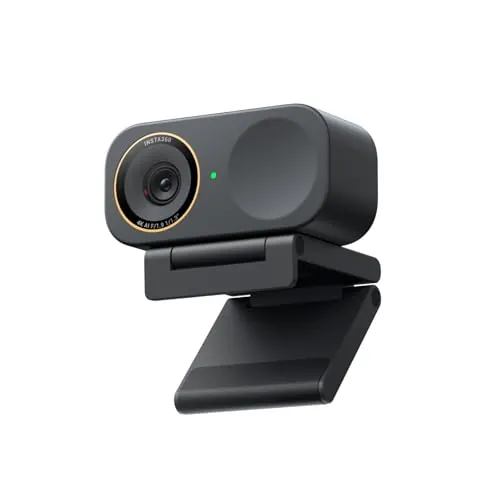
Elgato Facecam 4K vs Insta360 Link 2C Pro: 4K60 or Autofocus and Built-In Audio?
These webcams suit different desk routines. Elgato lists Facecam 4K at 2160p60 over USB 3.0 in MJPG, with fixed focus tuned for a desk position and no built-in microphone. Insta360 lists Link 2C Pro at up to 4K30, with autofocus, software auto-framing and two microphones. Your video app, USB port, subject distance, audio setup and privacy routine matter more than the resolution label alone.
Read comparison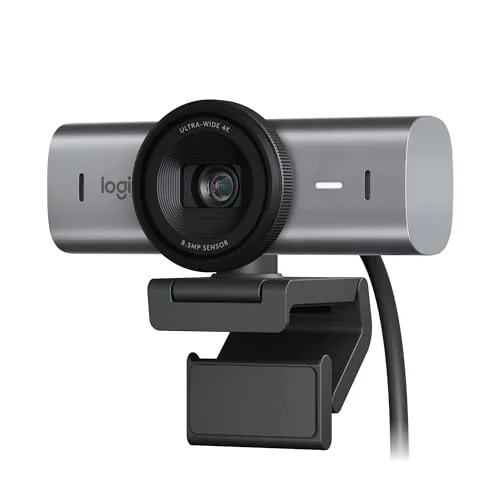
Elgato Facecam 4K vs Logitech MX Brio: Frame Rates, Focus and Desk Use
Elgato Facecam 4K can output 4K60, but only as MJPG over USB 3.0; USB 2.0 tops out at 1080p60. Logitech MX Brio's published maximum is 4K30 or 1080p60 and requires USB-C with USB 3.0 support. The Elgato uses fixed focus and has no built-in mic; MX Brio adds autofocus, dual mics and a rotating privacy shutter.
Read comparison