
Products compared
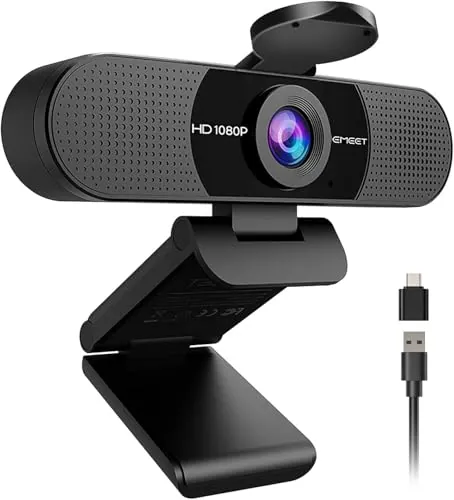
EMEET
EMEET C960 New Version (2025 listing)
The selected listing listing names the New Version/2025 Version and part C960 New Version. EMEET's current product page documents the C960 family, but does not identify this exact retailer revision or ASIN. Verify that the retailer listing is the intended C960 version before buying.
Model C960 (New Version)
Amazon ASIN B0DSPJPRXD
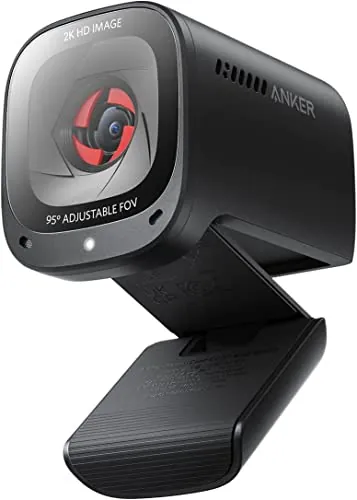
Anker
Anker PowerConf C200 (A3369, black)
The current listing data identifies the assigned black C200 listing as model A3369/part A3369011. Anker's official pages and manual cover PowerConf C200 A3369; they do not directly identify this Amazon ASIN or guarantee the US seller's box contents.
Model A3369011
Amazon ASIN B09MFMTMPD
Differences that matter
What matters most to you?
Choose a priority to see what it changes.
Sources for Field-of-view choice
Sources for Video modes and selecting the camera
Sources for USB path, mounting and privacy
Choose by framing first
Start by deciding what the camera should include. EMEET publishes a 90° C960 field of view. Anker's C200 A3369 supports 65°, 78° and 95° selections through AnkerWork. If your priority is a tighter face-and-shoulders frame, the C200's documented 65° option is the relevant distinction; if you are satisfied with EMEET's listed 90° view, the C960's documented setup is simpler. This is a feature-fit decision, not a claim about which image looks better.
Do not treat EMEET's general EMEETLINK image-adjustment wording as proof of a C960 FOV crop range. Before buying, make sure the exact angle you want is documented and that your computer can run the software needed to set it.
A 2K label is a mode to verify in your app
The C960's listed maximum is 1080p at 30 fps. The C200 manual lists 2K, 1080p, 720p and 320×240 at 30 fps. Those are camera specifications, not a promise that a particular call app, computer or USB configuration will use the highest mode.
Anker's manual describes plug-and-play detection but also says you may need to select the webcam and its microphones in the operating system or app. It directs users to AnkerWork for settings and firmware updates. EMEET says the C960 needs no driver or additional software to join calls, and separately describes EMEETLINK picture adjustments. If software-dependent framing matters, verify the current app requirements for your operating system before purchase.
Check the mount, cable and privacy routine
Both makers describe monitor placement and a 1/4-inch tripod thread. EMEET lists an adjustable base and head; Anker's manual describes a clip/stand that tilts up and down. Compare those documented movements with your monitor edge, laptop lid or tripod position rather than assuming a universal fit.
The C960 is listed with USB-A connectivity. The C200 has USB-C at the camera and its manual's supplied cable connects to USB-A at the computer. Check your actual port and cable route. Both have physical covers: EMEET's flips over the lens, while Anker's slides across it and turns the camera off when closed.
Product details
EMEET C960 New Version (2025 listing)
- Manufacturer-listed capture and view
- Maximum 1080p at 30 fps; 90° field of view; fixed focus. These are C960-page specifications, not a test of delivered meeting video. Source
- Connection and call setup
- EMEET lists USB 2.0, USB-A and plug-and-play use; its page says no drivers or additional software are needed to join calls. EMEETLINK is separately described for image adjustments. Source
- Mount and privacy
- The page describes an adjustable base and head, monitor clip placement, a 1/4-inch tripod thread, and a flippable physical privacy cover. Source
Anker PowerConf C200 (A3369, black)
- Manufacturer-listed capture and view
- The A3369 manual lists 2K, 1080p, 720p and 320×240, all at 30 fps, plus 65°, 78° and 95° fields of view. Anker documents changing FOV in AnkerWork software. Source
- Connection and host setup
- The camera has a USB-C port; the manual's provided cable connects that port to a host USB-A port. It may need to be selected as the camera and microphone in system or app settings. Confirm current AnkerWork support for your OS if you need to change settings. Source
- Mount and privacy
- The manual shows an adjustable monitor clip/stand, up/down framing adjustment, a 1/4-inch tripod thread, and a sliding privacy cover that turns the camera off when closed. Source
Before you buy
Community discussions
Checking whether a webcam keeps its framing
Anker PowerConf C200 (A3369, black)
A PowerConf C200 owner said their crop changed after closing AnkerWork and returned when they opened it again.
What to check
Try the crop you need after opening your meeting app and after restarting the computer. Check which controls require the camera’s own software.
Common questions
Will the C200 always send 2K video in Zoom or Teams?
The A3369 manual lists 2K at 30 fps as a camera mode, but it does not guarantee that every computer, USB path or meeting app will expose that mode. Select the C200 in your system and app, then check the app's video setting in a test call.Anker PowerConf C200 User Manual (A3369)
Can I tighten the C960's view with software?
EMEET's current C960 page lists a 90° field of view and says EMEETLINK can adjust image parameters, but it does not specify a selectable FOV range. Do not assume a crop control from the general adjustment wording. The C200's 65°, 78° and 95° settings are explicitly documented through AnkerWork.EMEET SmartCam C960 | HD 1080P WebcamPowerConf C200 Webcam | AnkerWork CanadaAnker PowerConf C200 User Manual (A3369)
Can either camera mount on a tripod and block its lens physically?
Both manufacturers document a 1/4-inch tripod thread and a physical privacy cover. EMEET describes an adjustable base/head and flippable cover; the C200 manual describes an adjustable clip/stand, a sliding cover, and says the camera turns off when covered. Check the tripod and screen placement against your own setup.EMEET SmartCam C960 | HD 1080P WebcamAnker PowerConf C200 User Manual (A3369)
Sources and scope
This is a manufacturer-documentation comparison, not a matched video, image-quality, microphone or reliability test. EMEET's current C960 page describes the C960 model family but does not identify a hardware revision or map the selected Amazon ASIN to its 2025/New Version label. Anker's official A3369 pages identify the C200 model and black part number, but do not directly map Amazon ASIN B09MFMTMPD to that part. The C200 documentation is from Anker's Canada/Japan pages and manual; it supports model-level facts, not US seller terms or exact US package guarantees. Actual resolution, frame rate and framing depend on the host, USB path, application and software version.
Related comparisons

Elgato Facecam 4K vs Anker PowerConf C200: Capture Modes, Focus Distance and Mic Setup
Facecam 4K supports 2160p60 only over USB 3 and only in MJPG; its USB 2 modes stop at 1080p60. PowerConf C200 (A3369) tops out at 2K30 in its manual, offers autofocus and three framing angles, and includes dual microphones. Measure your camera distance and check the app’s actual input options before choosing.
Read comparison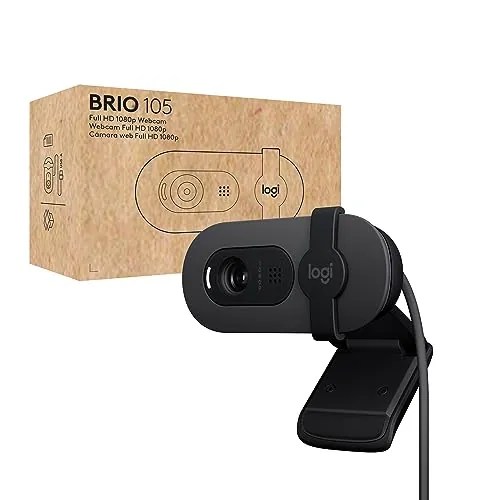
Logitech Brio 105 vs Anker PowerConf C200: Fixed View or Adjustable Framing?
The Logitech Brio 105 (North American Graphite part 960-001579) lists fixed focus, up to 1080p/30, and a 1.5 m attached USB-A cable. Anker's PowerConf C200 (A3369) adds autofocus, selectable 65°, 78° or 95° framing through AnkerWork, and a detachable USB-C camera connection; its supplied cable runs from USB-C at the camera to USB-A at the computer. Before buying, check your real seated camera distance, computer ports and permission to install configuration software. A webcam's listed maximum is not a promise that a meeting app will transmit that mode.
Read comparison