
Products compared
Logitech
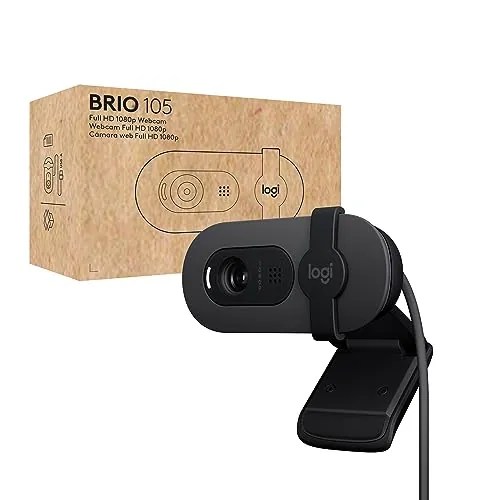
Logitech Brio 105 Full HD Business Webcam
North American Graphite version. Logitech's matching datasheet lists fixed focus, a monitor/laptop clip, an integrated lens shutter and an attached 1.5 m USB-A cable.
Model 960-001579
Amazon ASIN B0CGZJR7WK
Anker
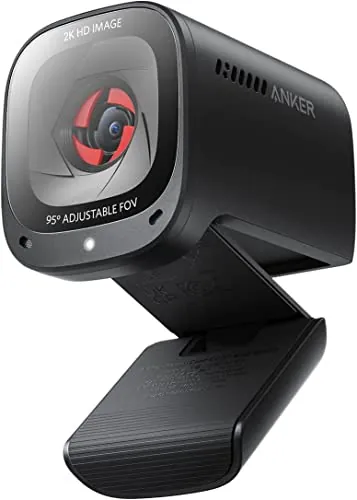
Anker PowerConf C200 2K Webcam
Black PowerConf C200. The A3369 manual shows autofocus, three software-selected fields of view, a detachable USB-C camera end on the supplied USB-C-to-USB-A cable, an adjustable monitor clip and a separate tripod thread.
Model A3369 / A3369011
Amazon ASIN B09MFMTMPD
Differences that matter
Sources for Capture modes and what a meeting app sends
Sources for Cable ends and camera movement
Sources for Mounting and desk distance
Sources for Built-in microphones and lens cover
Sources for Software and host check
Choose the focus and framing behavior that matches your seat
Brio 105 is the fixed-view option: Logitech's North American datasheet lists fixed focus, no camera zoom and 58° diagonal field of view. The datasheet does not give a focus-distance range, so there is no supported numeric Brio distance to compare against the C200. This is a better fit when the chair, monitor and camera position stay consistent and the listed fixed focus works for your setup.
C200 adds autofocus and three selectable framing options, 65°, 78° and 95°, through AnkerWork. Its manual lists a 15 cm–3 m focus distance. Measure where your face will be from the lens before choosing it for close desk placement. Since Anker does not label the measurement basis for its angles the same way Logitech does for 58° diagonal, treat them as separate maker figures rather than a wider/narrower contest.
Check the mode your actual call can use
Logitech lists Brio 105 at 1080p/30 and 720p/30. C200's A3369 manual lists up to 2K/30, with 1080p/30 and 720p/30 options as well. These figures describe manufacturer-listed camera modes, not what every browser or meeting service will send.
Anker support specifically notes that third-party meeting software and network bandwidth can affect C200 output. Before buying for a mode, check the camera resolution control in the meeting service and the computer you will use. This comparison has no matched video capture or image-quality test.
Match cable ends, clip placement and your computer
For the exact North American Brio 105 Graphite part 960-001579, Logitech's datasheet lists a fixed 5 ft / 1.5 m USB-A cable and a clip for monitors, LCD displays and laptops. The Logitech U.S. product page names Graphite and the 960-001579 route. However, a separate Logitech setup article says the Brio 105 has a USB-C plug, without identifying the part or region. Check the plug on the exact selected Amazon offer before ordering; the part-specific North American datasheet is the configuration described here.
The C200 A3369 manual shows a detachable USB-C camera connection on its supplied cable, with USB-A at the computer. Its monitor/laptop clip adjusts up and down; a ¼-inch tripod thread supports off-monitor placement, but the tripod is not included. Both documented host-side cable ends are USB-A, so confirm a supported data path if your computer only has USB-C ports.
Set camera and microphone inputs separately
Both manufacturers document a built-in microphone: Logitech lists one omnidirectional mic, while the C200 manual lists two stereo microphones. This describes the documented hardware, not sound quality. The C200 manual notes you may need to select its camera and built-in microphones in the computer or meeting software. Use the audio-device menu if you intend to use the webcam mic.
Anker's C200 support FAQ says the microphones can still be used while the lens privacy cover is on. Covering the image therefore does not mute its audio. Mute the microphone or switch inputs separately in the system or call app when required. Logitech's Brio shutter is documented as blocking the lens, but its microphone behavior is not established in the cited source.
Product details
Logitech Brio 105 Full HD Business Webcam
Brio 105 fits a stable desk position where its fixed focus and single camera view work for you. Its attached cable keeps the camera and cable together, while the exact North American datasheet gives a concrete USB-A host-side plug to check against your computer or dock.
- Listed capture modes
- 1080p/30 fps and 720p/30 fps; the supported mode may depend on the application and monitor. Source
- Focus and framing
- Fixed focus, no camera zoom, and a 58° diagonal field of view. The datasheet does not state a focus-distance range. Source
- Exact-part cable and box
- For North American Graphite part 960-001579, Logitech lists an attached 5 ft / 1.5 m USB-A cable and documentation. A separate generic setup article says USB-C without naming this part; verify the selected box and plug. Source
Anker PowerConf C200 2K Webcam
C200 fits a setup where you may change framing or camera distance and can use AnkerWork on the computer. Its manual's 15 cm–3 m focus range is a useful check against your actual lens-to-face distance; the tripod is a separate purchase.
- Listed capture modes
- The A3369 manual lists 2K/30, 1080p/30, 720p/30 and 320 × 240/30; a conference application may deliver a lower mode. Source
- Focus and framing
- Autofocus; manual lists a 15 cm–3 m focus distance and 65°, 78° or 95° fields of view. AnkerWork is used to change framing. No numerical comparison to Logitech's diagonal field-of-view figure is made. Source
- Supplied connection and placement
- The manual shows USB-C at the camera and USB-A at the computer on the provided cable. The camera-end cable detaches; its clip adjusts for a monitor or laptop, and a ¼-inch tripod is supported but not included. Source
Before you buy
Community discussions
Planning a crop on a shared webcam
Anker PowerConf C200 2K Webcam
A C200 shopper wanted to use the same field of view across work computers without asking users to install camera software.
What to check
If you are sharing a webcam, test the crop in the meeting app on a second computer. Confirm which adjustments require the companion app.
Common questions
Will C200 always send 2K video in a meeting?
No. The A3369 manual lists 2K at 30 fps as a camera mode, but Anker's support FAQ says output may be affected by third-party software and network bandwidth. Check the resolution available in your exact meeting app and account; the camera's maximum alone does not guarantee the call's transmitted resolution.Anker PowerConf C200 A3369 User ManualPowerConf C200 A3369 FAQ
Does the C200 privacy cover mute its microphones?
No. Anker support says the microphones can still be used with the lens cover on. Mute or select the audio input in the call app or system settings separately.PowerConf C200 A3369 FAQ
Which plug should I expect on Brio 105 Graphite part 960-001579?
Logitech's North American part-specific datasheet lists an attached 5 ft USB-A cable, while a separate Logitech Brio 105 setup article says USB-C without naming a part number or region. Verify the actual 960-001579 listing and package plug before buying, especially if your computer only has USB-C ports.Logitech Brio 105 Datasheet, North America Graphite part 960-001579Logitech Brio 105 Setup
Do I need AnkerWork to use the C200?
The C200 manual describes plug-and-play recognition, then directs users to install AnkerWork to change settings and update firmware. Anker recommends its software for settings such as field of view. If you are buying C200 for those controls, confirm you can install and use the software on the intended computer.Anker PowerConf C200 A3369 User ManualPowerConf C200 A3369 FAQ
Sources and scope
This is a manufacturer-document comparison for the assigned U.S. Brio 105 Graphite part 960-001579 and PowerConf C200 A3369. It is not a camera, call, focus-speed, low-light, microphone or image-quality test. Logitech's exact North American datasheet lists an attached USB-A cable for part 960-001579, while a separate Brio 105 setup article says USB-C and does not identify a regional part number. Confirm the plug in the exact selected package. C200's listed field-of-view numbers are not compared numerically with Logitech's diagonal field-of-view figure because the Anker sources do not state the same measurement basis. Manufacturer earlier product-page information modes may be limited by host and meeting software.
Related comparisons
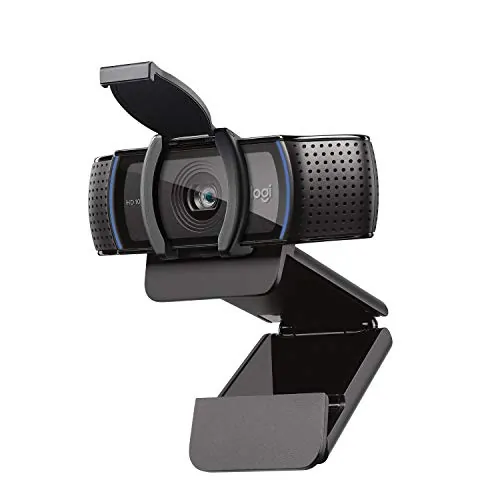
Logitech Brio 105 vs C920s: Camera Modes, Mounting and Privacy
Both webcams list 1080p/30 and 720p/30 video over an attached USB-A cable. Brio 105 uses fixed focus, a 58° diagonal view and an integrated sliding shutter; C920s lists autofocus, a diagonal 78° view, a separate attachable shutter and a ¼-inch tripod thread. Compare the exact desk, privacy and workplace-management needs before choosing.
Read comparison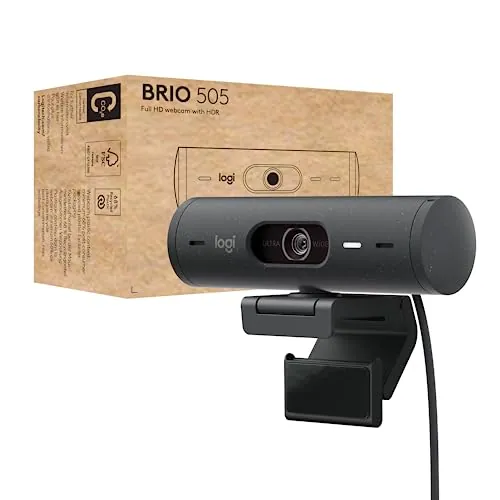
Logitech Brio 505 vs Brio 105: Framing, USB and Host Setup
Both exact U.S. graphite models are listed for Full HD 1080p/30. The purchase difference is the setup around that resolution: Brio 505 adds selectable 65°/78°/90° framing, autofocus, 4x digital zoom and a tilting Show Mode, with Logi Tune and host limitations for its special controls. Brio 105 keeps a fixed 58° view and fixed focus and ships with an attached USB-A cable. Check the computer's port, operating system, camera position and need for listed meeting certifications before choosing. No hands-on image, focus-speed or microphone comparison was performed.
Read comparison