
Products compared
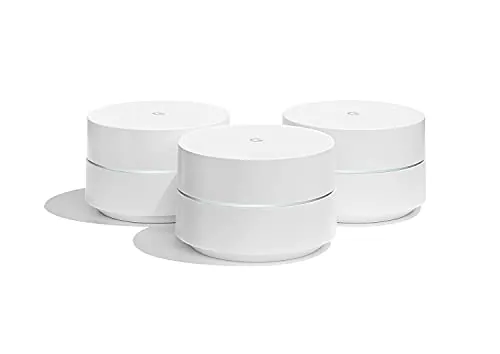
Google Wifi 3-Pack
This is the original Google Wifi three-pack in white. Google's official support index lists model NLS-1304-25 under Google Wifi. Google describes Wifi as a router-replacement mesh system that needs a modem and now uses Google Home for setup and network changes.
Model NLS-1304-25
Amazon ASIN B01MAW2294
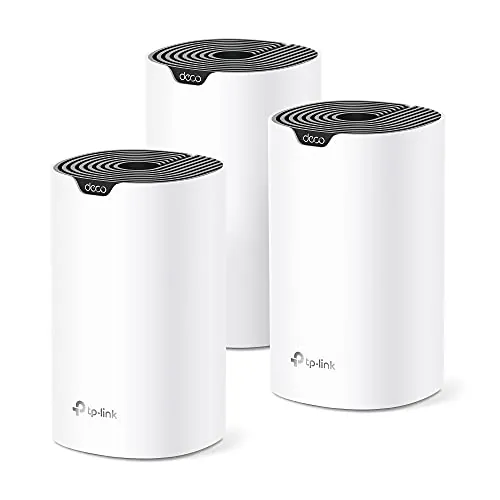
TP-Link
TP-Link Deco S4 3-Pack
This is the white Deco S4 three-pack. TP-Link's U.S. product page lists Router/AP modes, Deco app setup and optional Ethernet backhaul. Its support page lists multiple Deco S4 three-pack hardware revisions, so check the unit label before using revision-specific instructions.
Model Deco S4 (3-Pack; hardware revision not identified in listing data)
Amazon ASIN B084GTH5LL
Differences that matter
What matters most to you?
Choose a priority to see what it changes.
Sources for What happens to the existing router
Sources for Setup and ongoing management
Sources for Wired backhaul and point placement
Sources for Mesh expansion compatibility
Sources for Package and hardware revision
Map the router role before you choose
The most useful difference is whether these units will replace your current router or add Wi-Fi behind an existing wired network. Google describes Google Wifi as a system that replaces a traditional router: the primary Wifi point connects to a modem, and the Google help page says it cannot act as an extender or repeater for a current router. TP-Link lists Deco S4 Router and Access Point modes; its AP description is Wi-Fi access for an existing wired network.
If your current router must continue managing the wired network, Deco's AP mode is the documented path to check, but do not decide from a generic listing alone. TP-Link's Deco S4 three-pack support page lists several hardware revisions, and the selected seller listing does not identify which one is included. Read the unit label and follow the matching manual.
Choose the app your household will maintain
Google Wifi is now managed in Google Home. Google says the old Google Wifi app can no longer make network changes, and an existing network must be transferred to Google Home to keep changing settings. Other household members need Google Home home-member access to Wifi settings. If you already use a Google Wifi network, account for that migration rather than expecting its older app to remain the control panel.
TP-Link's U.S. Deco S4 page directs users to the Deco app for setup and management. This is an account-and-app workflow comparison, not a claim about which interface is easier or more reliable.
Plan wired points and future expansion
Both manufacturers document wired mesh links. Google's wiring guide puts the primary Wifi router upstream of added points; TP-Link lists optional Ethernet backhaul for Deco units. Follow each product's setup order and port guidance. A wired connection is a supported topology, not evidence that either kit will cover more rooms or be faster in your home.
For later Google expansion, distinguish original Google Wifi, Nest Wifi and Nest Wifi Pro. Google says Google Wifi can combine with Nest Wifi, but Nest Wifi Pro cannot join a mesh with Google Wifi or Nest Wifi devices. The Google kit compared here is the original NLS-1304-25 three-pack, not a Nest Wifi Pro kit.
Product details
Google Wifi 3-Pack
- Package
- Three Google Wifi points in the NLS-1304-25 three-pack listing Source
- Primary setup
- Google says the primary Wifi point connects to a modem by Ethernet; the system requires a modem, internet service, Google Account, compatible phone/tablet and Google Home app Source
- App management
- Google Wifi setup, expansion, and network changes use Google Home; the Google Wifi app can no longer make network changes Source
- Wired mesh
- Google documents Ethernet hardwiring of Google Wifi points, with the primary router upstream of added points Source
TP-Link Deco S4 3-Pack
- Package
- Deco S4 three-pack; TP-Link presents 1-pack, 2-pack and 3-pack options Source
- Network mode
- TP-Link lists Router (default) and Access Point modes; check the revision of the units you buy before relying on a specific setting Source
- App management
- TP-Link documents Deco-app setup and home-network management Source
- Wired mesh
- TP-Link lists optional Ethernet backhaul between Deco units Source
- Hardware revisions
- TP-Link's U.S. support selector lists Deco S4 (3-pack) revisions V4.60, V3.60, V2.80, V2.60 and V2 Source
Before you buy
Community discussions
Planning mesh placement in a home with existing Ethernet
Google Wifi 3-Pack
A Google Wifi owner with three floors and existing Ethernet asked how to connect the points to make use of the wiring they already had.
What to check
Sketch where your Ethernet outlets and internet equipment sit. Check the manufacturer’s supported layout and the ports on each point before buying.
Checking the setup steps before moving a mesh system
Google Wifi 3-Pack
An owner moving an original three-pack of Google Wifi pucks had trouble adding the other points again after setting up the main unit.
What to check
Check the current app requirements and the process for adding a second point. If you are reusing equipment, allow time to test the setup at the new location.
Checking how many Ethernet ports you need at a mesh point
TP-Link Deco S4 3-Pack
A Deco S4 buyer wanted to use one point near a television with both a wired connection to the network and a wired streaming device.
What to check
List the wired devices you need at the planned location and check which ports would be available in your intended setup.
Common questions
Is this Google Wifi kit the same product as Nest Wifi?
No. The Google kit compared here is original Google Wifi, model NLS-1304-25. Google's support documentation distinguishes it from Nest Wifi and Nest Wifi Pro; Google Wifi can be combined with Nest Wifi but not Nest Wifi Pro in one mesh.Safety & regulatory information for Google Nest & streaming devicesWhat is Google Wifi?
Can I keep my router and add one of these systems?
Google describes Google Wifi as a router-replacement system with its primary point connected to a modem. TP-Link lists Access Point mode for Deco S4 on an existing wired network. Check the hardware revision of the Deco S4 you buy and its matching setup documentation before relying on a specific setting.What is Google Wifi?Deco S4 | AC1900 Whole Home Mesh Wi-Fi SystemDownload for Deco S4 (3-pack)
Do both kits support Ethernet backhaul?
Yes. Google documents hardwiring Google Wifi points, with the primary router upstream of added points. TP-Link lists optional Ethernet backhaul for Deco units. This documents wiring options only; it does not establish a speed or coverage improvement in your home.Hardwire Nest Wifi Pro, Nest Wifi, or Google Wifi with EthernetDeco S4 | AC1900 Whole Home Mesh Wi-Fi System
Which app will manage the network?
Google Wifi setup, expansion and network changes are handled in Google Home; existing Google Wifi app networks need migration for settings changes. TP-Link directs Deco S4 setup and management through the Deco app.The Google Home app has replaced the Google Wifi appDeco S4 | AC1900 Whole Home Mesh Wi-Fi System
Sources and scope
This is a manufacturer-documented setup and management comparison, not a coverage, speed, roaming, reliability, security or vulnerability test. The Google model compared here is original Google Wifi NLS-1304-25, a three-pack, not Nest Wifi or Nest Wifi Pro. TP-Link lists multiple hardware revisions for the U.S. Deco S4 three-pack, but the selected offer's revision is not identified. Treat Router/AP mode as a family-level documented option and check the unit label and matching instructions before assuming a particular revision's settings.
Related comparisons

Google Wifi (NLS-1304-25) vs TP-Link Deco X55 3-Pack: Should You Replace Your Mesh?
This is a generation and network-layout decision, not a measured speed contest. The assigned Google Wifi is the original NLS-1304-25 three-point system introduced in 2016: Wi-Fi 5, dual-band and two Ethernet ports per point. TP-Link’s US Deco X55 three-pack is Wi-Fi 6, dual-band, supports optional Ethernet backhaul and has three Gigabit ports per node. Your Wi-Fi 5 and Wi-Fi 6 clients can use either system, but the Google points do not become Deco satellites. Before replacing Google Wifi, map your gateway, node cable runs and wired devices; if you keep an ISP router in front of Deco, choose the appropriate Deco operating mode and wiring layout.
Read comparison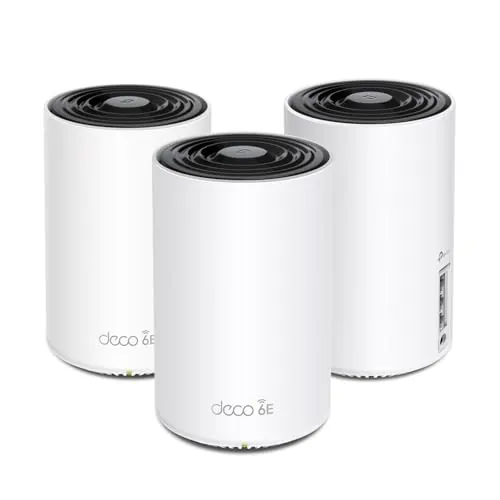
TP-Link Deco XE75 vs Deco S4 3-Pack: Check 6 GHz and Wired Node Plans
Both assigned listings are three-node TP-Link Deco kits. The XE75 family page lists tri-band Wi-Fi 6E on 2.4, 5 and 6 GHz; the S4 is dual-band Wi-Fi 5 on 2.4 and 5 GHz. Both manufacturer pages list optional Ethernet backhaul. Before using either pack for a wired node plan, check the delivered hardware revision: current family pages and revision-specific manuals do not always show the same S4 port count. These published features cannot predict speed or coverage in your home.
Read comparison