
Products compared
TP-Link
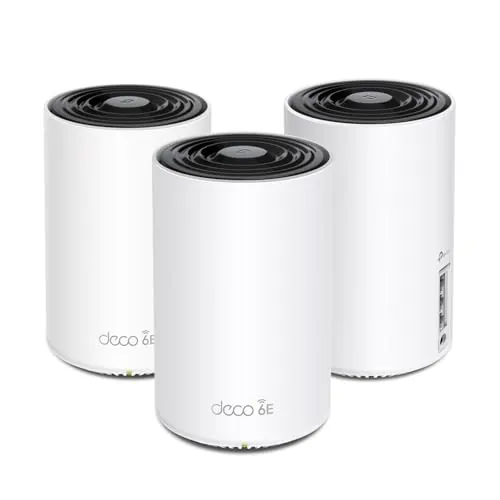
TP-Link Deco XE75 AXE5400 Tri-Band Wi-Fi 6E System, 3-Pack
Assigned U.S. three-pack. TP-Link lists Wi-Fi 6E with 2.4, 5 and 6 GHz, optional Ethernet backhaul and three Gigabit Ethernet ports per Deco on its displayed product specification. The exact hardware revision shipped by the listing is not identified in the cited material.
Model Deco XE75 (3-pack)
Amazon ASIN B0B88T5RDY
TP-Link
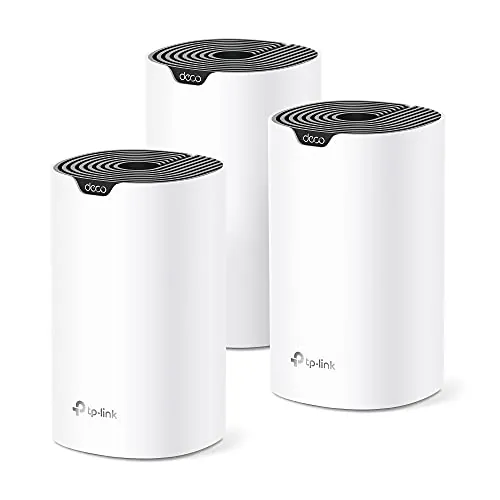
TP-Link Deco S4 AC1900 Dual-Band Wi-Fi System, 3-Pack
Assigned U.S. three-pack. TP-Link describes dual-band Wi-Fi 5 on 2.4 and 5 GHz and optional Ethernet backhaul. Its current displayed S4 family page lists three Gigabit ports per unit, while the S4 V2 guide specifies two ports; the marketplace listing does not show which hardware revision ships.
Model Deco S4 (3-pack)
Amazon ASIN B084GTH5LL
Differences that matter
I own Wi-Fi 6E clients and want the option of a 6 GHz band.
TP-Link Deco XE75 AXE5400 Tri-Band Wi-Fi 6E System, 3-Pack · TP-Link lists 6 GHz for the XE75 Wi-Fi 6E system; S4 is listed as 2.4/5 GHz dual-band Wi-Fi 5. Check client support and the exact XE75 revision guide.
View Deco XE75 on Amazon (paid link)Sources for Three-pack contents
Sources for Mixing with an existing Deco network
Start with the devices you already own
The XE75 and S4 are both three-node Deco kits, but their published wireless bands differ. TP-Link lists Wi-Fi 6E with 2.4, 5 and 6 GHz on XE75; S4 is dual-band Wi-Fi 5 on 2.4 and 5 GHz. If you want to use 6 GHz with a client device, check that device’s Wi-Fi 6E support and consult the guide for the exact XE75 hardware revision before treating the band as available in the way you expect. The XE75 V1 guide’s 6 GHz configuration notes are version-specific.
These are product capabilities, not a prediction that one kit will be faster or cover more of your actual home. TP-Link says real throughput and coverage vary with network conditions, client limits, building materials, obstacles and device location.
Count wired connections at every node
Draw the connections you expect near each node, including the modem/uplink, an Ethernet backhaul cable and any local wired device. TP-Link’s current displayed XE75 and S4 family specifications each show three Gigabit ports per unit, but product revisions matter: the S4 V2 guide shows two RJ-45 ports, while the marketplace three-pack name does not identify a revision. The XE75 support page also lists multiple hardware versions. Confirm the label and matching guide for the actual pack before committing to a multi-port layout.
Both manufacturer pages list optional Ethernet backhaul. This is a documented setup option only; it does not predict the network’s resulting speed.
Check whether these belong in an existing Deco network
If this purchase would extend an existing Deco system, TP-Link’s current compatibility guide lists both XE75 and S4 among models that can mix in one mesh. The same guide says the main Deco determines which app features are available, and the system is affected by each unit’s capabilities. Use its app guidance to select a main unit and confirm the features and bands you actually need. Do not assume a mixed system gives every node the capabilities of the highest-spec unit.
Confirm the three-pack and plan node locations
The assigned listings are both three-packs. TP-Link lists three units, one Ethernet cable and three power adapters in each manufacturer three-pack configuration. Before buying, map where you can place and power the three nodes, and where a wired cable could reach if you want Ethernet backhaul. Do not use the makers’ maximum coverage estimates as a guarantee for a particular home.
Product details
TP-Link Deco XE75 AXE5400 Tri-Band Wi-Fi 6E System, 3-Pack
- Wireless bands
- Wi-Fi 6E; 2.4, 5 and 6 GHz bands listed. Match the node hardware version to its guide before relying on revision-specific settings. Source
- Ethernet and kit
- 3 Gigabit ports per unit listed on the product page; three-pack package contents list 3 Deco XE75 units, 1 Ethernet cable and 3 power adapters. Source
TP-Link Deco S4 AC1900 Dual-Band Wi-Fi System, 3-Pack
- Wireless bands
- Dual-band Wi-Fi 5; 2.4 and 5 GHz are listed. Source
- Ethernet and kit
- Optional Ethernet backhaul is listed. Current displayed family specs show 3 Gigabit ports per unit; the S4 V2 guide specifies 2 RJ-45 ports per unit, so verify the delivered revision. Three-pack contents list 3 Deco S4 units, 1 Ethernet cable and 3 power adapters. Source
Before you buy
Community discussions
Trying your existing smart-home devices on a new mesh
TP-Link Deco XE75 AXE5400 Tri-Band Wi-Fi 6E System, 3-Pack
After switching to a three-pack of Deco XE75 units, an owner reported faster access in a home office alongside repeated connection drops on some smart plugs and a camera.
What to check
If your upgrade is for a faster client or backhaul, test a few existing smart devices on their normal band too. Include the room where the old mesh struggled.
Comparing a mesh satellite’s wireless and wired clients
TP-Link Deco XE75 AXE5400 Tri-Band Wi-Fi 6E System, 3-Pack
An owner of a three-unit non-Pro Deco XE75 system reported repeating interruptions on wireless clients near two satellites. Ethernet-connected devices stayed online in the same setup. They had not isolated the cause.
What to check
Decide whether the satellite needs to serve a wired device, a Wi-Fi 6E client, or both. Test those paths individually at the spot you intend to use.
Common questions
Do both assigned kits include three Deco nodes?
Yes. Both are assigned as three-packs, and TP-Link’s U.S. product pages list three units, one Ethernet cable and three power adapters for the respective three-pack.Deco XE75 | AXE5400 Tri-Band Mesh Wi-Fi 6E SystemDeco S4 | AC1900 Whole Home Mesh Wi-Fi System
Can the Deco S4 three-pack be planned as three ports per node?
Do not assume that from the pack name. The current displayed S4 product-family page lists three Gigabit ports per unit, but TP-Link’s S4 V2 appearance guide specifies two RJ-45 ports. The assigned marketplace listing does not identify the hardware revision; check the delivered label and matching guide.Deco S4 | AC1900 Whole Home Mesh Wi-Fi SystemDownload for Deco S4 V2 | TP-Link US SupportDeco S4 V2 User Guide: Appearance
Can I add an XE75 or S4 to an existing Deco mesh?
TP-Link’s compatibility guide says Deco models can be mixed in one mesh. It also says the main Deco determines which app features are available and the system’s capabilities affect speed; verify the exact network role and revision before planning around 6 GHz or ports.You Can Mix Different Deco Models in One Mesh NetworkDownload for Deco XE75 | TP-Link US SupportDownload for Deco S4 V2 | TP-Link US Support
Will XE75 deliver faster Wi-Fi in my home than S4?
This guide does not predict that. The products use different Wi-Fi standards and bands, but TP-Link says actual throughput and coverage depend on network conditions, clients, building materials and location. Choose by supported bands and verified node wiring, not a promised result.Deco XE75 | AXE5400 Tri-Band Mesh Wi-Fi 6E SystemDeco S4 | AC1900 Whole Home Mesh Wi-Fi System
Sources and scope
This is a feature and setup comparison from manufacturer documentation, not a Wi-Fi speed or home-coverage test. The assigned marketplace model names identify three-packs, but do not identify the hardware version shipped. Check the label on each node and the matching U.S. TP-Link guide, especially before relying on a port count or XE75 6 GHz configuration detail. No XE75 Pro specifications are used.
- Deco XE75 | AXE5400 Tri-Band Mesh Wi-Fi 6E System
- Deco S4 | AC1900 Whole Home Mesh Wi-Fi System
- Download for Deco XE75 | TP-Link US Support
- Deco XE75 User Guide (REV3.0.0)
- Deco XE75 User Guide (V1.0)
- Download for Deco S4 V2 | TP-Link US Support
- Deco S4 V2 User Guide: Appearance
- You Can Mix Different Deco Models in One Mesh Network
Related comparisons

TP-Link Deco X55 vs XE75 (3-Pack): Wired Backhaul or Wi-Fi 6E?
Both assigned packages are three-unit Deco systems with optional Ethernet backhaul and three Gigabit ports on each node. The X55 is dual-band Wi-Fi 6; the XE75 adds a 6 GHz band and tri-band Wi-Fi 6E. If you can wire the satellite nodes and your important devices do not support Wi-Fi 6E, start by asking whether you need the XE75’s extra client band. If nodes must link wirelessly, verify the XE75’s exact hardware and current app behavior first: TP-Link’s Rev 2 guide describes 6 GHz dedicated-backhaul and client-network choices, while its current support page lists a newer guide that does not document the same setting. Published radio and coverage figures are not a head-to-head real-home speed result.
Read comparison
TP-Link Deco XE75 vs X15 3-Pack: Do You Need 6 GHz and Another Port?
Both assigned products are three-node TP-Link Deco kits with optional Ethernet backhaul. The XE75 is tri-band Wi-Fi 6E with a 6 GHz band and three Gigabit ports per unit; the X15 is dual-band Wi-Fi 6 with two Gigabit ports per unit. Pick the XE75 when its extra band or third port solves a specific need. If your devices use 2.4/5 GHz and two ports at each node are enough, the X15 covers those documented needs. Before buying, map the main Deco and two satellite positions, count wired devices at each, and mark any Ethernet cable route. The XE75's older Rev 2 guide describes a 6 GHz dedicated-backhaul setting, but the selected ASIN is not mapped to a hardware revision; verify current hardware and app behavior before relying on that setting. Published rates and coverage figures are not measured results for your home.
Read comparison