
Products compared
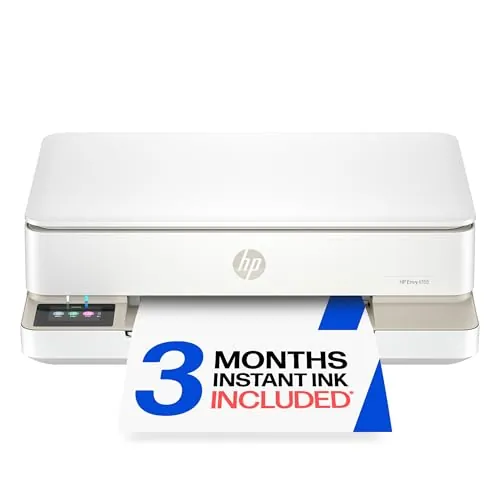
HP
HP Envy 6155 All-in-One Printer
HP's US page identifies product C2WR7A#B1H and lists color print, copy and scan, one 100-sheet input tray, a flatbed scanner and automatic two-sided printing.
Model Envy 6155
Amazon ASIN B0GMKRR64P
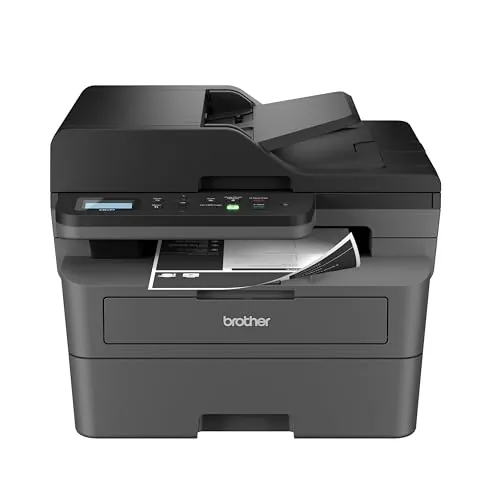
Brother
Brother DCP-L2640DW Wireless Compact Monochrome Laser Multi-Function Printer
Brother's US product page identifies DCP-L2640DW as a black-and-white laser multifunction printer, with a 50-page ADF, 250-sheet tray and Ethernet, dual-band Wi-Fi and USB 2.0 connections.
Model DCP-L2640DW
Amazon ASIN B0CPLFTPCV
Differences that matter
Sources for Color output and print type
Sources for Scanning originals: flatbed or feeder
Sources for Duplex printing versus duplex scanning
Sources for Paper refill and supported originals
Sources for Supplies and desk connection
Start with the output you need
These are different kinds of all-in-one printers. HP's exact Envy 6155 page lists color print, copy and scan; Brother describes the DCP-L2640DW as monochrome black-and-white laser. If color is non-negotiable, that settles the first choice. If your everyday pages are black text, keep comparing the feeder, paper tray and connection workflow rather than treating the Brother's larger document capacity as a color substitute.
The sources support feature and workflow differences, not a head-to-head print-quality or per-page-cost winner. HP lists two cartridge positions, HP 68 black and tri-color. Brother lists TN830-family toner and a separate DR830 drum; its starter toner and drum yields use stated manufacturer conditions. Those supply systems are not directly comparable from names or rated yields alone.
Map your scan job to the hardware
For a one-off page, form or bound item, HP lists a flatbed with a maximum scan size of 8.5 × 11.7 inches. Brother also has a flatbed and adds a 50-page automatic document feeder for multi-page copy and scan jobs. HP's exact 6155 specification page does not confirm an ADF, so do not assume one from another Envy model's specifications.
Both product pages list automatic duplex printing. That is a print-side feature. Brother explicitly lists duplex scanning as No, so its ADF does not automatically capture both sides of a two-sided original; expect to turn/re-feed the pages or scan sides separately. HP's page does not document duplex scanning either. If automatic two-sided capture is a must-have, keep looking for an exact model whose specifications say duplex scanning.
Check paper, supplies and the connection before ordering
HP lists a 100-sheet input tray and the Brother a 250-sheet standard tray; Brother also lists a one-sheet manual feed and specific supported media sizes. If refill frequency or a particular stock matters, confirm the paper type, size and weight against the exact model page. The stated capacities are published limits, not a promise that every paper type loads at that maximum.
For supplies, match Envy 6155 to HP 68 black and tri-color cartridges. Match DCP-L2640DW to Brother TN830-family toner and DR830 drum. Brother's page separately describes starter supplies in the box; HP lists setup cartridges with lower setup-yield estimates. Do not translate these figures into a per-page cost without a same-basis consumption and current supply-price calculation.
For wiring, HP lists dual-band Wi-Fi and a USB 2.0 device port, and says the USB cable is purchased separately. Brother lists dual-band Wi-Fi, Ethernet and USB 2.0. Measure the space for the printer and its paper path, and confirm you have the needed cable or network port before checkout.
Product details
HP Envy 6155 All-in-One Printer
- Color and scan path
- Color print/copy/scan; flatbed scanner, maximum scan size 8.5 × 11.7 in Source
- Paper and duplex printing
- Up to 100 sheets in the input tray; automatic duplex printing Source
- Connection and consumables
- Dual-band Wi-Fi and Hi-Speed USB 2.0 device port; HP 68 black and tri-color cartridges Source
Brother DCP-L2640DW Wireless Compact Monochrome Laser Multi-Function Printer
Before you buy
Community discussions
Comparing a feeder scan with the flatbed
Brother DCP-L2640DW Wireless Compact Monochrome Laser Multi-Function Printer
A Brother DCP-L2640DW owner saw skewed scans through the automatic feeder in macOS Image Capture but reported straight scans on the flatbed. They saw similar skew on the replacement unit, with the cause unresolved.
What to check
Put a short stack of your typical forms through the feeder if that is what would make monochrome worthwhile. Compare with single-sheet flatbed scanning on the HP.
Checking front-and-back alignment on an iPad print job
Brother DCP-L2640DW Wireless Compact Monochrome Laser Multi-Function Printer
A DCP-L2640DW owner printing from an iPad reported that the back of a double-sided sheet printed higher than the front. The printer’s tray position setting shifted both sides in that setup.
What to check
Check both sides of your own form or worksheet if the Brother is replacing a printer for double-sided documents. Compare that need with the HP’s color use.
Common questions
Can the Brother DCP-L2640DW print in color?
No. Brother describes this exact model as a monochrome black-and-white laser multifunction printer. Choose the HP Envy 6155 when color printing is a requirement.Brother DCP-L2640DW Wireless Compact Monochrome Laser Multi-Function Printer — US specificationsHP Envy 6155 All-in-One Printer — US product specifications
Does automatic duplex printing mean it scans both sides automatically?
No. Duplex printing refers to printing on both sides of paper. Brother explicitly lists duplex scanning as unsupported; HP's Envy page lists a flatbed scanner and automatic duplex printing but does not document duplex scanning.HP Envy 6155 All-in-One Printer — US product specificationsBrother DCP-L2640DW Wireless Compact Monochrome Laser Multi-Function Printer — US specifications
Which model is documented for scanning a stack of pages?
Brother specifies a 50-page ADF for multi-page copy and scan jobs. HP's exact 6155 page specifies a flatbed scanner; it does not confirm an ADF. Check HP's exact listing/manual if feeder support is essential.HP Envy 6155 All-in-One Printer — US product specificationsBrother DCP-L2640DW Wireless Compact Monochrome Laser Multi-Function Printer — US specifications
Sources and scope
The guide relies on exact US manufacturer product specifications, not an independent print, scan or reliability test. Brother explicitly documents a 50-page ADF and no duplex scanning; HP's exact 6155 page documents a flatbed and does not confirm an ADF or duplex scanning, so those HP capabilities are left unasserted. No current price, cost-per-page, stock, photo download, or comparative print-quality claim is represented.
Related comparisons
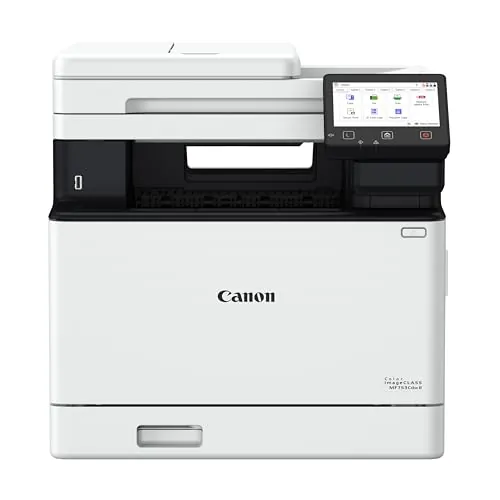
Canon Color imageCLASS MF753Cdw II vs Brother DCP-L2640DW
These are different workflows, not interchangeable laser all-in-ones. Canon's MF753Cdw II prints in color, includes fax, and has a 50-sheet one-pass duplex ADF. Brother's DCP-L2640DW is monochrome, prints on both sides automatically, and its 50-page ADF does not scan both sides automatically. Check your actual scan jobs and toner family before choosing.
Read comparison
Canon PIXMA TS6520 vs Brother DCP-L2640DW: Color Printing or Batch Scanning?
These all-in-ones solve different parts of a home-office workflow. The Canon PIXMA TS6520 prints in color and has automatic two-sided printing, but its scanner is a flatbed with no document feeder, so you place originals one at a time. The Brother DCP-L2640DW prints and copies in black and white, yet it can scan in color and feeds up to 50 pages for multi-page jobs. Its duplex feature is for printing; Brother lists duplex scanning as unavailable. Check both the printed output you need and how you digitize paperwork before choosing.
Read comparison