
Products compared
HP
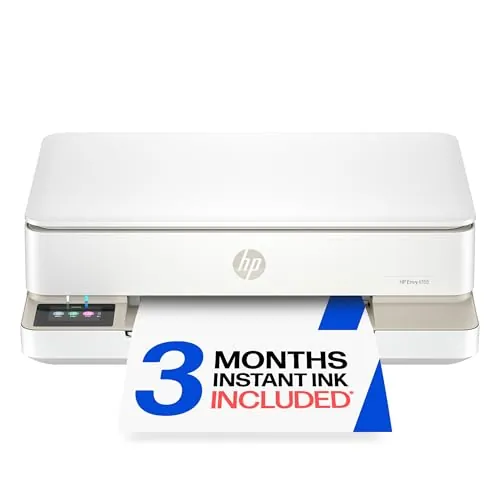
HP Envy 6155 All-in-One Printer
U.S. Envy 6155 color inkjet all-in-one; HP specifies two HP 68 cartridge positions, automatic duplex printing, a flatbed scanner and dual-band Wi-Fi.
Model C2WR7A#B1H
Amazon ASIN B0GMKRR64P
HP
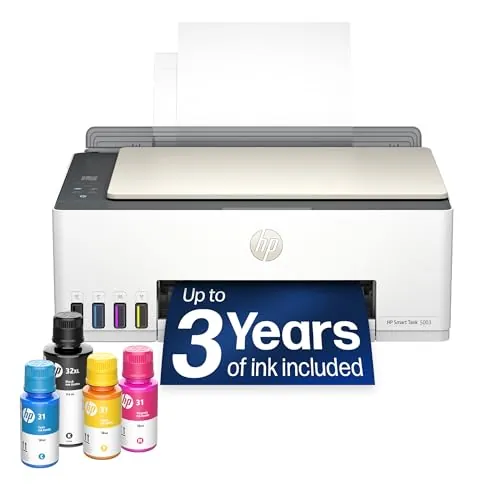
HP Smart Tank 5003 All-in-One Printer
U.S. Smart Tank 5003 listing, identified in the listing data as product number 9B2D3A#B1H. HP specifies a refillable bottle-and-tank system, manual duplex and a flatbed-only scanner. Confirm the seller's package label and included supplies before ordering.
Model 9B2D3A#B1H
Amazon ASIN B0GVKNJ14P
Differences that matter
What matters most to you?
Choose a priority to see what it changes.
Sources for Counter and open-tray clearance
Quick answer: choose by daily work
The most actionable difference is page handling: HP specifies automatic duplex for the Envy 6155 and manual duplex for Smart Tank 5003. If your home often prints school packets, forms or two-sided reference sheets, decide whether you want the printer to reverse the sheets or are willing to follow a manual duplex prompt.
For supplies, the Envy uses two cartridge positions—black and tri-color HP 68. The Smart Tank is refilled from ink bottles into its tanks. Those are different replenishment routines; the HP statements about included ink do not establish what either printer will cost your household over time.
Duplex and scanning: check the steps you repeat
The Envy's automatic two-sided printing avoids manual page-turning for supported jobs. The Smart Tank 5003 uses manual duplex with driver support, so you need to reload the pages according to the print prompt. HP lists a flatbed scanner on the Envy and a flatbed-only scanner on the Smart Tank. If you routinely scan a stack of receipts or forms, verify whether an exact model with an ADF is a better fit; neither all-in-one label should stand in for that check.
Both specifications list scan areas around letter size. For an unusual-size document, compare HP's maximum scan area with your original rather than assuming the paper input and scanner accept the same size.
Ink supply and exact listing check
The Envy specification lists two HP 68 cartridge positions, black and tri-color. HP's 5003 specification lists a refillable tank system with separate black and color bottles. The second listing information carries the model label 510x and product number 9B2D3A#B1H, while the assigned retailer title calls it Smart Tank 5003; the official HP 5003 pages also connect that model to product number 9B2D3A. Match that printed product number and the expected box contents on the seller page before checkout.
HP describes included-ink page yields as estimates that depend on printed content, setup and use. They do not establish what a particular U.S. retail bundle will yield in your household or a matched cost comparison. This guide leaves price and total running cost out.
Counter space and network setup
HP lists similar closed-body widths and depths, but its maximum configuration measurements are larger: Envy depth reaches 20.19 in; Smart Tank depth reaches 22.86 in and height reaches 10.21 in. Leave room for the actual paper/output path and scanner lid, and measure the shelf after allowing for cables and access to paper.
The Envy lists dual-band Wi-Fi. The Smart Tank 5003 specification lists 2.4 GHz Wi-Fi and Wi-Fi Direct. Check the band available on the network where the printer will be placed, especially if your home router separates or disables 2.4 GHz. Network conditions can affect connection behavior; the specs are not a reliability comparison.
Before you buy: four checks
1. Pick your supply routine: HP 68 cartridges or refillable ink bottles. 2. Decide if automatic duplex matters enough to avoid turning paper by hand. 3. Confirm whether you need an ADF for multi-page scanning; these product specs describe flatbeds. 4. Measure maximum clearance and verify the Wi-Fi band at the printer location.
On the Smart Tank listing, check that the seller is offering the 5003 with product number 9B2D3A and confirm which bottles and printheads are in that specific box. HP regional storefronts list more than one 5003 product number, so a similar title alone does not settle the package.
Product details
HP Envy 6155 All-in-One Printer
- Ink format
- Two cartridge positions: black and tri-color; replacement supplies are HP 68 family cartridges. Source
- Two-sided printing and scanner
- Automatic duplex printing; flatbed scanner. Source
- Wireless and footprint
- Dual-band Wi-Fi; 17.05 x 14.21 x 5.35 in body dimensions, up to 20.19 in deep in maximum configuration. Source
HP Smart Tank 5003 All-in-One Printer
- Ink format
- Refillable ink tank with separate black and color bottles; HP describes included-ink page yields as estimates that vary with use and setup. Source
- Two-sided printing and scanner
- Manual duplex with driver support; flatbed-only scanner, up to 8.5 x 11.69 in scan size. Source
- Wireless and footprint
- 2.4 GHz Wi-Fi and Wi-Fi Direct; 17.11 x 14.23 x 6.19 in body dimensions, up to 22.86 in deep and 10.21 in high in maximum configuration. Source
Before you buy
Community discussions
An Envy 6155e owner tries printing from iOS Mail
HP Envy 6155 All-in-One Printer
An owner reported occasional AirPrint jobs from iOS Mail that reached the queue without printing. Other apps sometimes worked.
What to check
If you print from a phone, check your usual app and file type on the network where you will put the printer.
Common questions
Does the Smart Tank 5003 automatically print both sides?
No. HP's U.S. 5003 specification lists manual duplex with driver support. The Envy 6155 specification lists automatic duplex. If automatic two-sided jobs are part of your daily routine, the Envy avoids the manual page-turning step.HP Envy 6155 All-in-One Printer with 3 months free Instant Ink, AI-capable (U.S. product page)HP Smart Tank 5003 All-in-One Printer – U.S. product specifications
Do either of these printers have a document feeder for a stack of pages?
HP describes a flatbed scanner for the Envy 6155 and a flatbed-only scanner for the Smart Tank 5003. If stack scanning matters, verify an ADF in the specifications for the exact listing before ordering; do not infer it from the all-in-one name.HP Envy 6155 All-in-One Printer with 3 months free Instant Ink, AI-capable (U.S. product page)HP Smart Tank 5003 All-in-One Printer – U.S. product specifications
Are the ink bottles included with every Smart Tank 5003 listing?
HP's official 5003 specifications identify the bottle-and-tank supply system, while the exact 9B2D3A product specification lists the regional box contents. Because HP has more than one product number for the 5003, match the product number and the specific bottle/printhead kit shown on the U.S. seller listing. This guide does not calculate ink cost or assume a page-yield outcome.HP Smart Tank 5003 All-in-One Printer – U.S. product specificationsHP Smart Tank 5003 All-in-One Printer (9B2D3A) – technical specifications and regional box contents
Will the Smart Tank 5003 connect to a 5 GHz-only Wi-Fi network?
HP's specification lists built-in 2.4 GHz Wi-Fi and Wi-Fi Direct. If your printer network is 5 GHz-only, check network compatibility or use another supported connection before choosing it. The Envy 6155 specification lists dual-band Wi-Fi.HP Envy 6155 All-in-One Printer with 3 months free Instant Ink, AI-capable (U.S. product page)HP Smart Tank 5003 All-in-One Printer – U.S. product specifications
Sources and scope
This guide covers the assigned U.S. product listings: HP Envy 6155 C2WR7A#B1H (ASIN B0GMKRR64P) and HP Smart Tank 5003 (ASIN B0GVKNJ14P; listing data part number 9B2D3A#B1H). HP's U.S. support page identifies the Smart Tank 5003 and publishes its specifications; HP's exact 9B2D3A product page is also available in other regions. Regional box contents and promotions can vary, so confirm the exact Amazon listing's included bottles and product-number label. This is a feature and setup comparison, not a measured print-quality, speed, reliability or lifetime-cost test.
- HP Envy 6155 All-in-One Printer with 3 months free Instant Ink, AI-capable (U.S. product page)
- HP Envy 6155 All-in-One Printer – U.S. product specifications
- HP Smart Tank 5003 All-in-One Printer – U.S. product specifications
- HP Smart Tank 5003 All-in-One Printer (9B2D3A) – technical specifications and regional box contents
Related comparisons

Canon PIXMA TR7120 vs HP Envy 6155: ADF, Ink, and Setup
For a home printer that also scans, the key split is how you handle originals: Canon's PIXMA TR7120 lists a 35-sheet ADF (five legal-size sheets), while HP's exact Envy 6155 listing specifies a flatbed. The HP has the larger color touchscreen; both list automatic two-sided printing, but the cited specifications do not establish automatic two-sided scanning.
Read comparison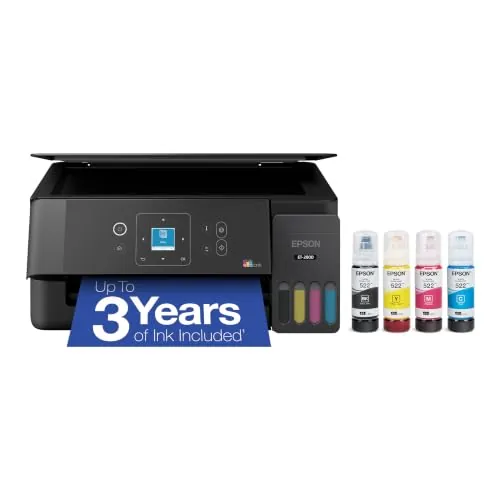
Epson EcoTank ET-2900 vs HP Envy 6155: Refill Tanks or Replace Cartridges?
The Epson ET-2900 uses refillable ink tanks and a button-driven display; its manual describes a bottle refill and ink-level reset routine. The HP Envy 6155 C2WR7A#B1H uses two HP 68 cartridges, adds automatic two-sided printing and a larger color touchscreen, and advertises an optional Instant Ink trial. Both are flatbed-first choices for originals: the Epson guide says its ADF belongs to other models in the grouped manual, and HP lists a flatbed for this exact product number.
Read comparison