
Products compared
LG
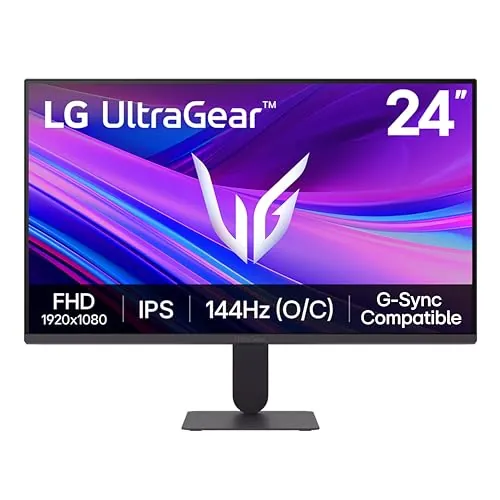
LG UltraGear 24G411A-B 24-inch Full HD IPS Monitor
U.S. LG support model 24G411A-B.AUS; product-family identifier 24G411A-B.
Model 24G411A-B.AUS
Amazon ASIN B0FLL354M2
LG
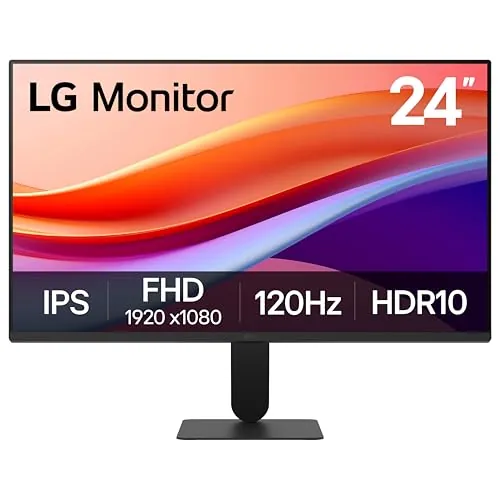
LG 24U411A-B 24-inch Full HD IPS Monitor
U.S. LG support model 24U411A-B.AUSQ; product-family identifier 24U411A-B.
Model 24U411A-B.AUSQ
Amazon ASIN B0FHKDC59F
Differences that matter
What matters most to you?
Choose a priority to see what it changes.
Sources for Inputs positively listed by LG
Sources for Resolution and refresh options
Sources for Variable refresh and HDMI caveat
Sources for Desk stand and mounting
Start with the connector on your computer
For a desktop with DisplayPort, the 24G411A-B is the model with DisplayPort 1.4 positively listed by LG. The 24U411A-B page instead positively lists D-Sub alongside HDMI 2.0. Both list HDMI 2.0, so an HDMI-only source can connect to either on paper; the pages do not establish a port advantage for that shared path.
Before ordering, check the back of your PC or dock and write down the output type. If you plan to use an adapter, verify its exact resolution and refresh support too. A model page not listing a connector is not enough to say the monitor lacks it, so confirm with LG when a legacy input is essential.
Treat 144Hz as an optional setup target, not a result
LG lists Full HD 1920 × 1080 and 120Hz for both models. Only the 24G411A-B page names an optional 144Hz overclock. That is a specification difference, not proof of lower blur, lower latency or a better gaming experience. If you want to use it, check the exact display manual, GPU output, connection and operating-system refresh setting before buying.
The 24G411A-B page also carries a variable-refresh footnote: it describes NVIDIA VRR over DisplayPort with GTX 10-series-and-newer GPUs, but names HDMI 2.1 for RTX 30-series-and-newer GPUs while its input table lists HDMI 2.0. Treat A's HDMI VRR route as unresolved and confirm it with LG. The 24U411A-B page lists 120Hz but does not state VRR; do not treat an unlisted feature as proven absent.
Plan the stand, arm and software separately
LG lists tilt adjustment and a 100 × 100 mm wall-mount pattern for both monitors, so the published information does not support choosing one for a more adjustable stand. If your desk requires a height-adjustable screen, check the exact manual or select an appropriately rated arm and verify the mounting instructions before purchase.
Both pages promote LG Switch, and both exact U.S. support pages provide Windows and macOS downloads. The product pages say software installation is required; Their exact U.S. support pages provide the app downloads. Use the app for its stated screen-layout workflow, then confirm refresh and input settings in the monitor and operating system rather than assuming a software menu guarantees a particular signal mode.
Product details
LG UltraGear 24G411A-B 24-inch Full HD IPS Monitor
Before you buy
Community discussions
Check the input for a computer you use for work and games
LG 24U411A-B 24-inch Full HD IPS Monitor
A shopper comparing the LG 24U411A-B and 24G411A lines wanted one display for coding, reading and occasional gaming.
What to check
Check the video output on your computer and look up the exact display suffix. Confirm which resolution and refresh modes are available for the cable you plan to use.
Common questions
Is 144Hz native on the LG 24G411A-B?
No. LG describes a 120Hz refresh rate with an optional 144Hz overclock. Check the manual and your computer's output path before relying on that mode; no motion test is represented here.24 Inch UltraGear FHD IPS 120Hz (O/C 144Hz) Monitor — 24G411A-BLG U.S. product support — 24G411A-B.AUS
Does the 24G411A-B support variable refresh over HDMI 2.0?
The U.S. page is internally inconsistent: its table lists HDMI 2.0, while the general NVIDIA footnote names HDMI 2.1 for RTX 30-series-and-newer GPUs. The same footnote names DisplayPort for GTX 10-series-and-newer GPUs. Confirm your exact HDMI setup with LG before depending on VRR.24 Inch UltraGear FHD IPS 120Hz (O/C 144Hz) Monitor — 24G411A-B
Which model lists a D-Sub input?
LG's 24U411A-B U.S. specifications list D-Sub. The displayed 24G411A-B input list does not show D-Sub; treat that as unknown rather than confirmed absence if it matters to your setup.24 Inch FHD IPS 120Hz HDR10 Monitor — 24U411A-B24 Inch UltraGear FHD IPS 120Hz (O/C 144Hz) Monitor — 24G411A-B
Can either monitor be mounted on a monitor arm?
LG lists 100 × 100 mm wall mounting for both. Check the exact manual for fastener details and your arm's load limits; the product comparison does not verify a particular arm or installation.24 Inch UltraGear FHD IPS 120Hz (O/C 144Hz) Monitor — 24G411A-B24 Inch FHD IPS 120Hz HDR10 Monitor — 24U411A-B
Sources and scope
This is a model-feature and setup-fit comparison based on LG U.S. product and support pages, not a hands-on display test. LG's 24G411A-B page lists HDMI 2.0 but its G-SYNC footnote describes HDMI 2.1; verify HDMI variable-refresh support for your exact GPU and cable path. A feature not listed on a page is treated as unknown, not absent. No current price or comparative picture-quality result is represented.
Related comparisons
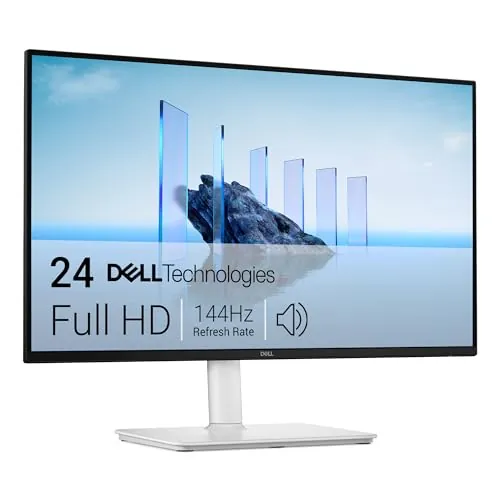
LG 24U411A-B vs Dell S2425HSM: Refresh Inputs and Stand Movement
For a desk or laptop setup, check the connection and positioning you will actually use. LG's 24U411A-B manual lists 1920×1080 at 120 Hz over HDMI; its D-Sub preset list tops out at 75 Hz. Dell specifies 1920×1080 at 144 Hz on both HDMI inputs. The Dell stand also explicitly lists height, pivot, swivel and tilt adjustment, while LG explicitly describes tilt. These are input-mode and stand specifications, not a measured picture or motion-quality comparison.
Read comparison

ASUS ProArt PA279CRV vs PA278QV: 4K USB-C or QHD Legacy Inputs?
Both are 27-inch ASUS ProArt IPS monitors, but they solve different desk problems. PA279CRV is 3840×2160 (4K) and its USB-C input supports DisplayPort Alt Mode and up to 96 W Power Delivery; with a compatible laptop it can carry video and USB data through one cable while connecting the monitor's hub. PA278QV is 2560×1440 (QHD), lists HDMI, DisplayPort, Mini DisplayPort and dual-link DVI-D, and has a four-port USB-A hub that needs a separate USB-B upstream connection. Before buying, check the laptop's USB-C video support and power needs, or check which legacy video port your desktop uses. ASUS lists different color-space coverage on the two models; these manufacturer specifications do not predict a user's calibrated result.
Read comparison