
Products compared
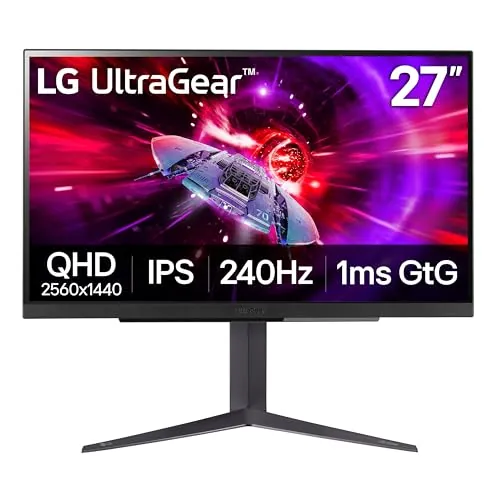
LG
LG UltraGear 27GR83Q-B.AUS
U.S. black 27-inch UltraGear monitor; exact support listing carries the .AUS suffix.
Model 27GR83Q-B.AUS
Amazon ASIN B0C63HDHPR

ASUS
ASUS ProArt PA279CRV
U.S. 27-inch ProArt 4K monitor with USB-C video, power delivery and hub ports.
Model PA279CRV
Amazon ASIN B0BQPSX5CR
Differences that matter
What matters most to you?
Choose a priority to see what it changes.
Sources for Listed resolution and refresh ceiling
Sources for Video input choices
Sources for Laptop and peripheral desk workflow
Sources for USB hub connection counts
Start with the output mode you actually need
These two 27-inch monitors start from different published modes. LG lists 2560 × 1440 QHD and up to 240Hz, with DisplayPort 1.4 or HDMI 2.1 graphics support required to reach that refresh setting. ASUS lists 3840 × 2160 4K and a maximum 60Hz refresh rate.
Write down the resolution and refresh setting your computer must drive, then verify its GPU, selected output and cable. LG's 240Hz rating is a display-mode ceiling; it does not promise that a game will render at 240 frames per second. ASUS's 60Hz maximum likewise describes the listed panel signal ceiling, not a measured visual-quality result.
Map the ports to the desk before you buy
LG lists two HDMI 2.1 inputs and DisplayPort for video, plus one upstream USB and two downstream USB ports. If the monitor will hold USB accessories for a desktop, include the USB upstream cable to the host in addition to the display cable.
ASUS lists two HDMI 2.0 inputs and two DisplayPort 1.4 ports. It also lists USB-C video through DisplayPort Alt Mode, up to 96W Power Delivery, a USB-C hub port and three USB-A hub ports. Those are useful connection options when they match the laptop or desktop you already own; the port list alone does not verify host compatibility or transfer speed.
A laptop one-cable setup needs two checks
For an ASUS USB-C desk, first confirm the laptop's exact USB-C port supports DisplayPort Alt Mode video. Then check whether up to 96W from the monitor fits the laptop's power requirement. ASUS describes this as up to 96W, so do not treat it as a guarantee that every laptop will charge at its normal rate.
If those checks fail, the PA279CRV also lists HDMI and DisplayPort inputs, but the laptop may need a different video cable and a separate power adapter. Choose by the full dock-and-cable routine rather than the USB-C connector shape alone.
What the published specs do not settle
This is a source-based fit comparison, not a paired test. It does not establish which panel looks better, which has lower latency, or which produces a particular game frame rate. ASUS's professional color specifications are not a head-to-head measurement against LG.
If the decision depends on measured color, HDR, brightness, motion or latency, look for comparable independent measurements of both exact models. For a specification-based choice, confirm the U.S. model suffix, host ports, planned cable and power needs on the listing and computer you will use.
Product details
LG UltraGear 27GR83Q-B.AUS
The LG is the fit to consider when the planned output is QHD at a high refresh setting and the graphics card/input path meets LG's stated condition. Its listed USB upstream and downstream ports can also fit a desktop peripheral plan when the host-side USB connection is accounted for.
ASUS ProArt PA279CRV
The ASUS is the fit to consider when 4K at its listed 60Hz maximum is the target or when a compatible laptop can use USB-C DisplayPort Alt Mode, up to 96W delivery and the monitor's hub. The laptop must support video over that USB-C path, and 96W may not meet every laptop's power requirement.
Before you buy
Community discussions
Sharing a monitor across a Windows workstation and MacBook
ASUS ProArt PA279CRV
A PA279CRV owner who did design and photo work on a Windows workstation sometimes connected a MacBook Air and was planning a second display.
What to check
List the display connections on both computers and decide which one will use the monitor most.
Choosing a monitor for web and projection work
ASUS ProArt PA279CRV
A shopper considering the PA279CRV wanted a monitor for work that would be viewed on the web and through a projector. They were also comparing a different LG model.
What to check
List where your work will be viewed and which listed display features match that work. Consider how often you will also want a gaming-oriented setup.
Common questions
Will the LG always show games at 240 frames per second?
No. LG lists a display refresh mode up to 240Hz and says the graphics card must support DisplayPort 1.4 or HDMI 2.1 to achieve it. The game's actual frame rate depends on the computer and game; this guide does not test it.27-inch UltraGear QHD 1440P 240Hz Gaming Monitor — 27GR83Q-B
Can I connect any laptop to the ASUS monitor with one USB-C cable?
Only if the laptop's USB-C connection supports DisplayPort Alt Mode for video. ASUS lists up to 96W Power Delivery, which may not satisfy every laptop's power needs; check the laptop specifications before relying on a one-cable setup.ProArt Display PA279CRV technical specifications — ASUS USAProArt Display PA279CRV — ASUS USA
What cable plan should I make for USB peripherals?
LG lists an upstream USB connection and two downstream USB ports, so plan the host-side upstream link if you want to use its monitor USB ports. ASUS lists three USB-A hub ports and one USB-C hub port. Port counts alone do not establish actual transfer speeds.27-inch UltraGear QHD 1440P 240Hz Gaming Monitor — 27GR83Q-BProArt Display PA279CRV technical specifications — ASUS USA
Does the ASUS's professional color wording prove it looks more accurate than the LG?
No. This comparison does not include matched calibration or picture-quality measurements, so it does not rank color accuracy or image quality. If that is the deciding factor, seek comparable independent measurements for the exact models.ProArt Display PA279CRV — ASUS USA27-inch UltraGear QHD 1440P 240Hz Gaming Monitor — 27GR83Q-B
Sources and scope
This guide compares manufacturer-listed display modes and connection specifications. It does not compare measured color accuracy, brightness, HDR, motion, latency or image quality. A monitor refresh limit is not a promise of the frame rate a computer or game will produce.
Related comparisons

ASUS ProArt PA279CRV vs PA278QV: 4K USB-C or QHD Legacy Inputs?
Both are 27-inch ASUS ProArt IPS monitors, but they solve different desk problems. PA279CRV is 3840×2160 (4K) and its USB-C input supports DisplayPort Alt Mode and up to 96 W Power Delivery; with a compatible laptop it can carry video and USB data through one cable while connecting the monitor's hub. PA278QV is 2560×1440 (QHD), lists HDMI, DisplayPort, Mini DisplayPort and dual-link DVI-D, and has a four-port USB-A hub that needs a separate USB-B upstream connection. Before buying, check the laptop's USB-C video support and power needs, or check which legacy video port your desktop uses. ASUS lists different color-space coverage on the two models; these manufacturer specifications do not predict a user's calibrated result.
Read comparison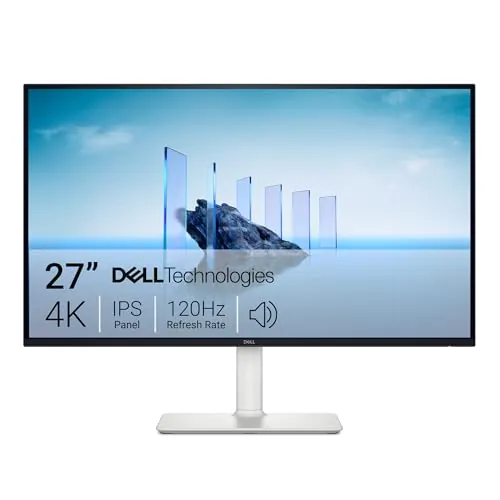
Dell S2725QS vs ASUS ProArt PA279CRV: Pick the Right Laptop Connection
Both are 27-inch 4K monitors, but their port layouts answer different desk needs. Dell S2725QS lists two HDMI 2.1 inputs and DisplayPort 1.4, with supported signals up to 120 Hz. ASUS PA279CRV supports 60 Hz and adds USB-C DisplayPort video with up to 96 W power delivery, a USB hub and DisplayPort daisy-chain output. Check your computer's ports and charging needs before buying; a retailer listing title that calls the S2725QS USB-C is not supported by Dell's exact-model port list.
Read comparison