
Products compared
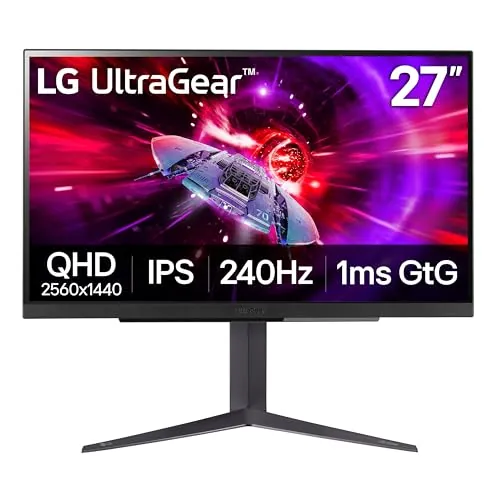
LG
LG 27GR83Q-B 27-inch UltraGear QHD Gaming Monitor
U.S. 27-inch QHD 2560×1440 monitor, exact support model 27GR83Q-B.AUS.
Model 27GR83Q-B.AUS
Amazon ASIN B0C63HDHPR
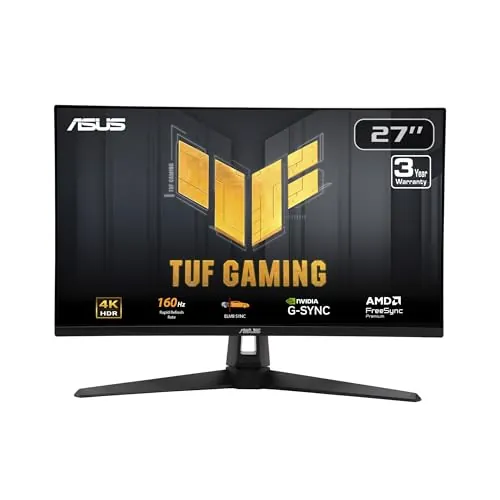
ASUS
ASUS TUF Gaming VG27UQ1A 27-inch 4K Gaming Monitor
U.S. black 27-inch 4K TUF Gaming VG27UQ1A; exact model and monitor series appear in ASUS's U.S. product page and user guide.
Model VG27UQ1A
Amazon ASIN B0DHG1GTG2
Differences that matter
What matters most to you?
Choose a priority to see what it changes.
Sources for Resolution and stated maximum mode
Sources for Port-specific timing and source requirements
Sources for Variable refresh support
Sources for Included stand and mounting plan
Start with the resolution your source can send
The LG lists 2560×1440 QHD and up to 240Hz. ASUS lists 3840×2160 4K and up to 160Hz on a PC with a suitable graphics card. These are different priorities: use your GPU and the games or applications you actually run to decide whether QHD at the listed higher refresh target or 4K is the better fit for your setup.
Neither specification promises that a game will render at the monitor's maximum refresh rate. Check the exact GPU or console, its output resolution and the cable/input combination before choosing based on the headline number.
Match the port and mode, not just the HDMI label
LG lists two HDMI 2.1 ports and DisplayPort, and says a graphics card supporting DP 1.4 or HDMI 2.1 is required to achieve up to 240Hz. For G-SYNC Compatible VRR, LG specifies GeForce GTX 10-series and later on DisplayPort and RTX 30-series and later on HDMI 2.1.
ASUS lists two HDMI 2.1 ports and one DisplayPort 1.4 with DSC. It markets up to 4K/160Hz PC use and 4K/120Hz console visuals via HDMI 2.1; the user guide's supported timing table lists 3840×2160 at 160Hz on both HDMI and DisplayPort. Confirm that your source has the matching output and settings. ASUS lists Adaptive-Sync, FreeSync Premium and G-SYNC Compatible, but the reviewed sources do not establish a directly comparable VRR frequency range.
Check the stand before arranging your desk
LG lists tilt, height and pivot on its included stand. ASUS's manual specifies tilt from +20° to −5° and says the stand has no height adjustment, pivot or swivel. It supports a 100×100 mm VESA wall mount, but that mount is obtained separately.
If the screen must sit higher or rotate to portrait without an extra mount, the LG's included adjustments address that need in the published specifications. If 4K is the priority, make a separate mounting plan for the ASUS and measure the desk and arm/wall-mount requirements before ordering.
Product details
LG 27GR83Q-B 27-inch UltraGear QHD Gaming Monitor
The LG fits a buyer whose source can drive QHD at the intended refresh rate and who wants height or portrait-pivot adjustment from the included stand. Verify the GPU output and selected cable before expecting 240Hz.
- Resolution and maximum refresh
- QHD 2560×1440; listed refresh rate up to 240Hz. LG says the graphics card must support DisplayPort 1.4 or HDMI 2.1 to achieve up to 240Hz. Source
- Video connections and VRR
- Two HDMI 2.1 ports and DisplayPort. LG lists NVIDIA G-SYNC Compatible and AMD FreeSync Premium; its page scopes G-SYNC by connection and GPU generation. Source
- Included stand
- Tilt, height and pivot adjustment. Source
ASUS TUF Gaming VG27UQ1A 27-inch 4K Gaming Monitor
The ASUS fits a buyer prioritizing its documented 4K modes: up to 160Hz on a suitable PC connection or up to 4K/120Hz from a compatible HDMI 2.1 console. Plan for tilt-only adjustment or a separately obtained VESA mount if height or portrait positioning matters.
- Resolution and maximum refresh
- 4K UHD 3840×2160; up to 160Hz on a PC with a suitable latest-generation graphics card. ASUS's user guide lists 3840×2160 at 160Hz for both DisplayPort and HDMI timing. Source
- Console mode and inputs
- ASUS describes up to 4K/120Hz console visuals via HDMI 2.1. The monitor has two HDMI 2.1 inputs and one DisplayPort 1.4 with DSC. Source
- VRR and included stand
- ASUS lists Adaptive-Sync, AMD FreeSync Premium and G-SYNC Compatible. The supplied stand tilts +20° to −5°; the manual lists no height adjustment, pivot or swivel. VESA 100×100 mm mounting is supported; the wall-mount kit is sold separately. Source
Before you buy
Community discussions
Fitting the monitor at a lower desk height
LG 27GR83Q-B 27-inch UltraGear QHD Gaming Monitor
A shopper who bought the LG 27GR83Q-B found that its stand did not go as low as they wanted.
What to check
Measure the height from the desktop to where you want the center of the screen. Check the stand’s minimum height and available mount options.
Matching a monitor to an Xbox setup
ASUS TUF Gaming VG27UQ1A 27-inch 4K Gaming Monitor
An Xbox Series S shopper included the VG27UQ1A on a shortlist and was comparing it with a larger monitor.
What to check
Look up the video modes your console outputs, then compare what the exact monitor accepts over the port you plan to use.
Common questions
Does either monitor guarantee the maximum refresh rate in every game?
No. These pages describe monitor modes and required connection conditions. They do not guarantee that a game, PC or console will render at the same frame rate. Check the source device's output and use the correct port and cable.27 Inch UltraGear QHD 1440P 240Hz Gaming Monitor with NVIDIA G-SYNC Compatible - LG USATUF Gaming VG27UQ1A - ASUS USA product page
Which one has a 4K/120Hz console mode?
ASUS describes up to 4K/120Hz console visuals via HDMI 2.1. Confirm your console, cable and game output settings support the desired mode.TUF Gaming VG27UQ1A - ASUS USA product page
Can the ASUS stand adjust height or rotate to portrait?
The VG27UQ1A manual lists tilt from +20° to −5°, no height adjustment and no pivot or swivel. It supports a 100×100 mm VESA wall mount, sold separately.VG27UQ1A Series User Guide - ASUS
Are the VRR frequency ranges directly comparable from these sources?
No. The cited pages list VRR technologies, and LG gives GPU-generation conditions for G-SYNC by input. They do not provide one like-for-like supported frequency range across both monitors. Check the exact source and port documentation.27 Inch UltraGear QHD 1440P 240Hz Gaming Monitor with NVIDIA G-SYNC Compatible - LG USATUF Gaming VG27UQ1A - ASUS USA product page
Sources and scope
This guide covers the U.S. LG 27GR83Q-B.AUS and ASUS TUF Gaming VG27UQ1A. Maximum monitor modes are manufacturer specifications, not a promise that a PC, console, cable, game or application will deliver that frame rate. The listed VRR and sync features do not establish a shared supported frequency range or comparative image quality. No image-quality, response, input-lag, frame-rate, gaming-performance or reliability testing was performed.
Related comparisons

ASUS ROG Strix XG27ACS vs LG 27GR83Q-B.AUS: Refresh Rate, USB-C, and Stand Fit
Both are 27-inch QHD gaming displays, but the useful refresh ceiling depends on your cable path. ASUS XG27ACS carries video over USB-C DisplayPort Alt Mode and supports 180Hz through USB-C/DisplayPort, with HDMI listed to 144Hz. LG 27GR83Q-B.AUS offers two HDMI 2.1 inputs and DisplayPort, with up to 240Hz when the graphics card supports the required interface. Check the exact host output, cable and stand movement your desk needs before buying.
Read comparisonASUS XG27ACS vs VG27UQ1A: Check Your Input and Desk Setup
These black 27-inch ASUS monitors differ in resolution, input-specific refresh ceilings, VRR menu options, and included-stand movement. The XG27ACS is 2560×1440 and lists up to 180Hz over DisplayPort or USB-C DisplayPort Alt Mode, with HDMI listed up to 144Hz. The VG27UQ1A is 3840×2160, with up to 160Hz listed and HDMI 2.1 inputs; ASUS describes 4K/120Hz console use over HDMI 2.1. Check the exact source output, cable path, and whether the VG27UQ1A's fixed-height stand fits your desk. These are manufacturer specifications, not paired performance tests.
Read comparison