
Products compared
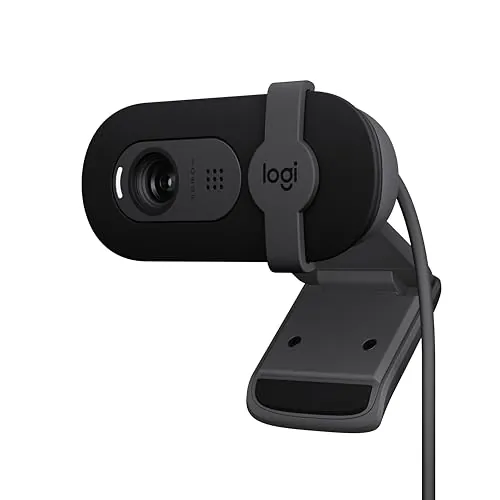
Logitech
Logitech Brio 101
U.S. USB-A webcam with fixed focus, a narrower published field of view and an integrated privacy shutter.
Model 960-001589
Amazon ASIN B0BXGFFSL1
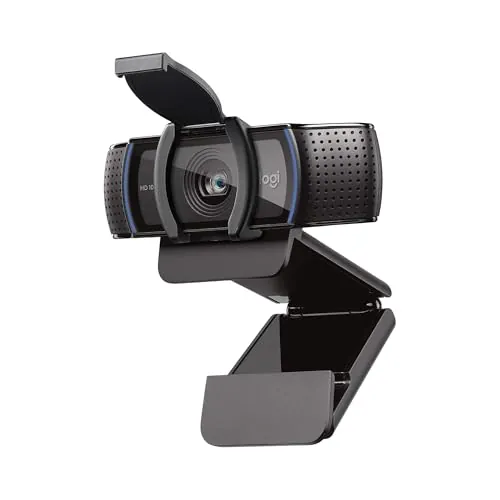
Logitech
Logitech C920e Business Webcam (Mic Enabled)
Exact mic-enabled U.S. part; wider published field of view, autofocus and an attachable privacy shutter.
Model 960-001401
Amazon ASIN B09DVGV7BH
Differences that matter
What matters most to you?
Choose a priority to see what it changes.
Sources for Published field of view and focus
Sources for Privacy shutter and mounting
Sources for Host connection and listed video mode
Plan the frame before choosing the webcam
Logitech lists Brio 101 at a 58.9° diagonal field of view with fixed focus, while the exact C920e 960-001401 is listed at 78° with autofocus. From the same desk position, C920e's wider published angle includes more of the scene; Brio 101 gives a tighter composition. Neither figure predicts sharpness or image quality, so check how much of your room you want in frame.
Both list USB-A and up to 1080p at 30 fps. Brio 101's published OS requirements are Windows 10 or later, macOS 10.15 or later, and ChromeOS; the C920e page lists Windows 8 or later, macOS 10.10 or later, and ChromeOS. Verify the computer and meeting app you actually use, especially on a managed work device.
Choose by shutter and mounting workflow
Brio 101 has an integrated privacy shutter. Logitech documents the C920e with an attachable privacy shutter, an adjustable universal clip and a 1/4-inch tripod thread. Pick the setup that fits your monitor or tripod placement; the C920e's listed mounting parts do not prove that either model fits a particular screen or stand.
Before ordering, measure the intended mounting point and check that the camera can face the desired direction without blocking the display. If a physical shutter is part of your routine, decide whether you prefer it integrated or attachable.
Treat microphone setup as a pre-call check
Brio 101's spec lists one mono microphone; the C920e datasheet lists two integrated microphones. Logitech's part-number flyer identifies 960-001401 as Mic Enabled and 960-001384 as Mic Disabled, so the exact ASIN in this comparison maps to the mic-enabled part. These counts and labels do not show which sounds better in a real room.
There is a setup caveat: Logitech's general C920e microphone article says the microphones are deactivated by default but does not identify a part number and includes a translation-quality caveat. To avoid assuming behavior for this exact SKU, select the C920e input and verify its activation in Logi Tune and the meeting app before an important call.
Product details
Logitech Brio 101
Logitech C920e Business Webcam (Mic Enabled)
Before you buy
Community discussions
Confirming your meeting app detects the microphone
Logitech C920e Business Webcam (Mic Enabled)
A C920e buyer setting up several desks said the camera video worked while the microphone on two units was initially absent from Windows 10’s input list.
What to check
If you plan to skip a separate mic, check the camera as both a video source and an audio input. Verify that the setup software you need is available on your computer.
Checking whether your framing is remembered
Logitech C920e Business Webcam (Mic Enabled)
A C920e owner reported that the zoom setting they used in OBS did not carry over after they closed the program.
What to check
If you crop a wide view for calls or recording, reopen your preferred app and check that it restores the framing you want.
Common questions
Do both webcams list 1080p video?
Yes. Logitech lists up to 1080p at 30 fps for both exact models. That shared mode does not establish equal image quality or identical behavior in every meeting app.Specification – Brio 101 | Logitech SupportC920e Business Webcam, part 960-001401 | Logitech US
Is this C920e the microphone-enabled version?
Look for part number 960-001401, which Logitech lists as Mic Enabled. Logitech lists 960-001384 as Mic Disabled. If the microphone doesn’t appear during setup, check its activation in Logi Tune and select it in your calling app.Logitech TAA-compliant products: C920e microphone part numbersHow do I activate the microphones on my webcam? | Logitech Sync Community
Which model has a wider published view?
The C920e lists a 78° diagonal field of view, compared with 58.9° for Brio 101. Use that difference to plan framing from your intended camera position; it is not a test of image quality.Specification – Brio 101 | Logitech SupportC920e Business Webcam, part 960-001401 | Logitech US
Can either connect to USB-C directly?
The exact Logitech sources specify USB-A for both. If your computer only has USB-C, check the adapter or hub requirements for your operating system and setup before buying.Specification – Brio 101 | Logitech SupportC920e datasheet | Logitech
Sources and scope
This is a feature and setup comparison, not an image, voice, compatibility or reliability test. Logitech identifies C920e part 960-001401 as mic-enabled, while a general C920e support article says the microphones are deactivated by default without identifying the part number; verify the selected microphone in Logi Tune and your meeting app before an important call. Field-of-view numbers describe the published framing angle and do not establish image quality.
Related comparisons
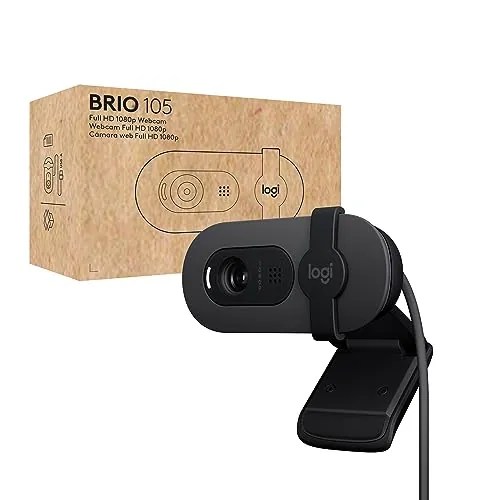
Logitech Brio 105 vs C920e: Focus, Framing, Microphones and Setup
Both are USB-A business webcams with 1080p/30 fps video, but the day-to-day setup differs. Brio 105 (960-001579) is fixed focus, lists a 58° diagonal field of view, has one built-in microphone and an integrated sliding shutter. C920e (960-001401, mic-enabled SKU) lists a 78° view and autofocus, plus manual focus and microphone activation through Logi Tune. Its built-in microphones are deactivated by default according to Logitech's support instructions. Check your monitor framing, available USB-A connection and ability to run the desktop setup app before choosing.
Read comparison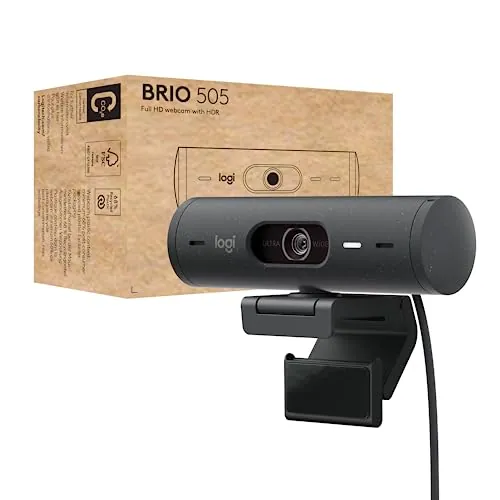
Logitech Brio 505 vs C920e: Show Mode, Framing and Cable Fit
These Logitech webcams suit different desk workflows. Brio 505 adds Show Mode for pointing the camera at physical items and selectable framing, but the named presentation controls depend on Logi Tune and its attached cable is USB-C. C920e keeps a fixed 78° view and includes a USB-A cable. Before buying, match the connector to your computer, check whether your operating system can run the controls you need, and verify the exact microphone part and setup state.
Read comparison