
Products compared
Logitech
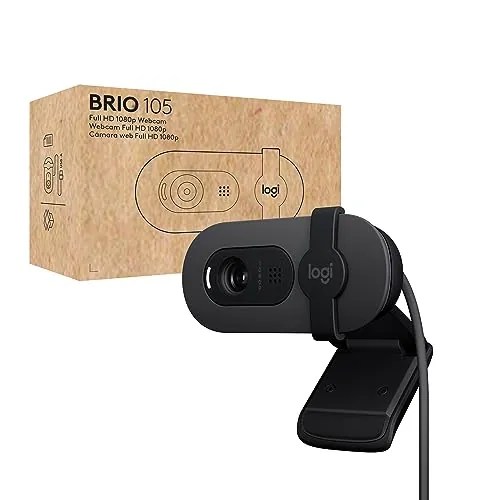
Logitech Brio 105 Full HD Business Webcam, Graphite
North American Graphite Brio 105 with fixed focus, integrated sliding lens shutter, one built-in microphone and attached USB-A cable.
Model 960-001579
Amazon ASIN B0CGZJR7WK
Logitech
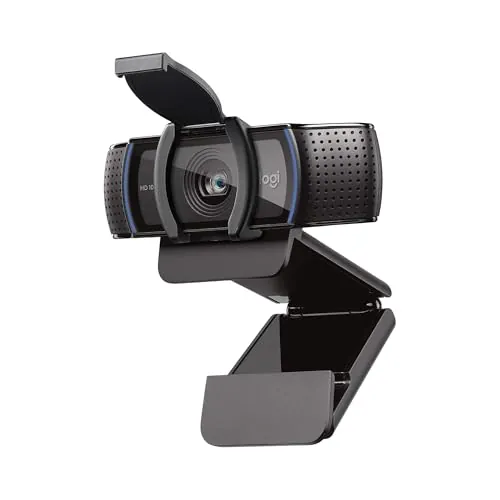
Logitech C920e HD Webcam, Mic-Enabled
Black C920e mic-enabled part with autofocus, an attachable flip privacy shade and attached USB-A cable. The support specifications distinguish this 960-001401 SKU from mic-disabled part 960-001384.
Model 960-001401
Amazon ASIN B09DVGV7BH
Differences that matter
What matters most to you?
Choose a priority to see what it changes.
Sources for Field of view and focus
Sources for Basic USB connection and host setup
Sources for Microphone hardware and first-use step
Sources for Physical lens-cover routine
First check your frame and focus needs
Logitech lists a 58° diagonal field of view and fixed focus for Brio 105. C920e lists a 78° fixed diagonal field of view and autofocus, with manual focus available in Logi Tune. If your camera sits close to your face and you want a tighter listed frame, Brio's angle may fit the brief; if you want more space around the subject or a manual focus option, C920e offers those controls. The field-of-view figures describe specifications, not a side-by-side picture-quality result.
For manual focus, make a host check before ordering: C920e's datasheet assigns manual focus to Logi Tune. Brio 105 also supports Logi Tune image adjustments, but Logitech states Tune is unavailable on ChromeOS. Basic USB video compatibility and access to app-based controls are separate questions.
Plan the microphone setup before a meeting
Brio 105 specifies one built-in omnidirectional microphone with a listed range up to 1 m; Logitech describes plugging it into USB-A and starting a call. C920e's mic-enabled 960-001401 part specifies two built-in omnidirectional microphones, but Logitech's support instructions say the microphone is deactivated by default. The first-use steps require connecting the camera, opening Logi Tune desktop and enabling Built-in-Mic in Settings.
If you are buying C920e to use its microphones, confirm your work computer allows Logi Tune desktop and complete activation before a meeting. The specification does not establish audio superiority, nor does the selected part number mean its mic is already enabled in software.
Choose the cover and check the desk connection
Brio 105's shutter is integrated and slides over the lens. C920e includes an attachable shade that flips over the lens, so attach and keep that separate piece with the webcam if you want to use the cover. Neither cover is documented as an audio mute or a USB disconnect.
Both cameras have attached USB-A cables. Brio 105's datasheet describes plugging into an available USB-A port on a computer or dock; C920e's datasheet lists a 5 ft (1.5 m) cable. Check the port and reach on your own desk, and verify your operating system and calling client. Do not assume an adapter, managed-device permission or app-specific setting from the connector alone.
Product details
Logitech Brio 105 Full HD Business Webcam, Graphite
- Video focus and framing
- Fixed focus; 58° diagonal field of view; supports up to 1080p/30 fps. Source
- Connection and basic setup
- Attached USB-A cable; Logitech describes plug-and-play connection to an available USB-A port on a computer or dock. Source
- Microphone and lens cover
- One built-in omnidirectional microphone with listed range up to 1 m; integrated slider blocks the lens when not in use. Source
- App and host notes
- Logi Tune image adjustments are listed for Windows and macOS; Logitech says Logi Tune is not available on ChromeOS. The webcam itself is listed as compatible with Windows, macOS and ChromeOS. Source
Logitech C920e HD Webcam, Mic-Enabled
- Video focus and framing
- Autofocus; 78° fixed diagonal field of view; supports up to 1080p/30 fps. Source
- Connection and software controls
- Attached 5 ft USB-A cable; Logi Tune supports zoom, color adjustment, manual focus and firmware updates. Source
- Microphone setup
- Two integrated omnidirectional microphones are specified, but Logitech says the built-in mic is deactivated by default and gives Logi Tune desktop steps to enable it. Source
- Lens cover and exact SKU
- The supplied attachable shade flips over the lens; 960-001401 is the mic-enabled part and 960-001384 is the mic-disabled part. Source
Before you buy
Community discussions
Confirming your meeting app detects the microphone
Logitech C920e HD Webcam, Mic-Enabled
A C920e buyer setting up several desks said the camera video worked while the microphone on two units was initially absent from Windows 10’s input list.
What to check
Match the part number on the listing and verify the microphone in the meeting app on a computer with your workplace settings.
Common questions
Is the C920e microphone ready to use as soon as I plug it in?
Check the input in your meeting app first. Logitech’s C920e support instructions say the microphone may require activation through Logi Tune desktop. Use those steps if your selected microphone is unavailable.How do I activate the microphones on my webcam?
Does Brio 105 have autofocus or manual focus?
No autofocus is listed; Logitech identifies Brio 105 as fixed focus. C920e lists autofocus and manual focus through Logi Tune. This is a controls difference, not a measured sharpness or focus-speed comparison.Brio 105 DatasheetC920e HD Webcam Datasheet
Does closing the lens cover also mute the microphone?
The manufacturer describes each cover as blocking or covering the camera lens. It does not document either physical cover as a microphone mute or USB disconnect; use your computer or meeting app audio control for muting.Brio 105 DatasheetC920e HD Webcam Datasheet
Sources and scope
This comparison uses Logitech's published specifications for Brio 105 Graphite part 960-001579 and the C920e mic-enabled part 960-001401. It does not test image sharpness, autofocus behavior, low-light output, audio quality, privacy or reliability. The C920e support page states that the built-in microphones are disabled by default and instructs users to enable them through Logi Tune desktop; confirm that activation can be completed in your environment. A physical lens cover only documents covering the lens and should not be treated as microphone mute or device disconnection.
Related comparisons
Logitech Brio 105 vs C920s: Camera Modes, Mounting and Privacy
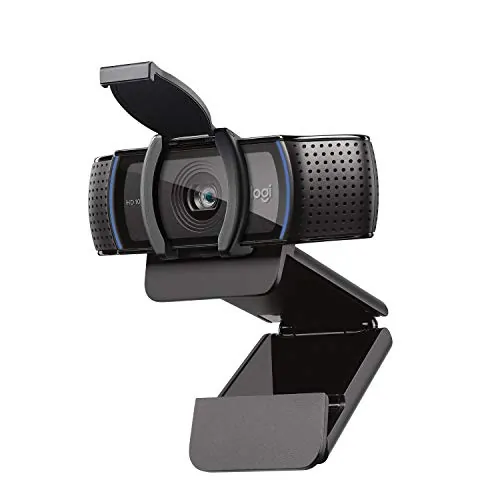
Both webcams list 1080p/30 and 720p/30 video over an attached USB-A cable. Brio 105 uses fixed focus, a 58° diagonal view and an integrated sliding shutter; C920s lists autofocus, a diagonal 78° view, a separate attachable shutter and a ¼-inch tripod thread. Compare the exact desk, privacy and workplace-management needs before choosing.
Read comparison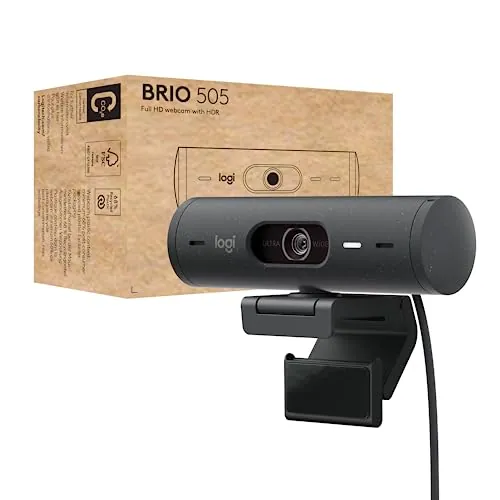
Logitech Brio 505 vs Brio 105: Framing, USB and Host Setup
Both exact U.S. graphite models are listed for Full HD 1080p/30. The purchase difference is the setup around that resolution: Brio 505 adds selectable 65°/78°/90° framing, autofocus, 4x digital zoom and a tilting Show Mode, with Logi Tune and host limitations for its special controls. Brio 105 keeps a fixed 58° view and fixed focus and ships with an attached USB-A cable. Check the computer's port, operating system, camera position and need for listed meeting certifications before choosing. No hands-on image, focus-speed or microphone comparison was performed.
Read comparison