
Products compared
Logitech
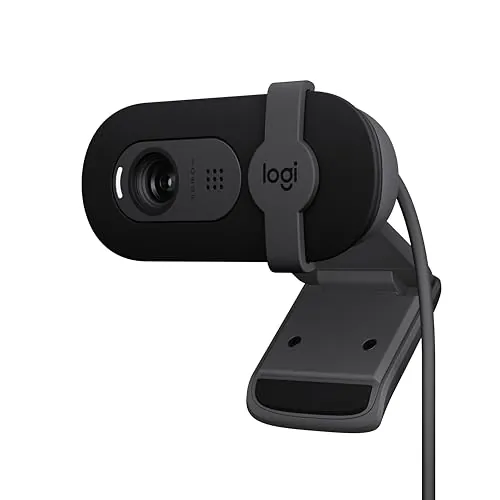
Logitech Brio 101 Full HD Webcam, Black
Black Brio 101, part 960-001589. Logitech lists 1080p/30fps, fixed focus, a 58.9° diagonal field of view, one built-in mono microphone with a listed range up to 4 feet, an integrated privacy shutter and an available USB-A port requirement. These are specifications and compatibility notes, not a test of framing, room lighting or voice pickup.
Model 960-001589
Amazon ASIN B0BXGFFSL1
Logitech
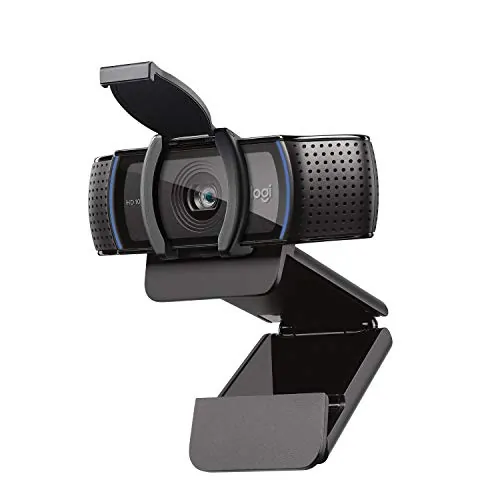
Logitech C920S PRO HD Webcam, Black
Black C920s, part 960-001257. Logitech's exact part page lists a fixed 78° native field of view, autofocus, 1080p/30fps or 720p/30fps, dual microphones described as stereo, and a physical privacy shutter. Logitech says Logi Tune can adjust software zoom and field of view; this does not change the fixed optical field. The C920s support specifications also list a tripod mounting option.
Model 960-001257
Amazon ASIN B07K986YLL
Differences that matter
What matters most to you?
Choose a priority to see what it changes.
Sources for Native framing and focus
Sources for Resolution mode and software requirements
Sources for Microphone information available from Logitech
Sources for Privacy cover and mounting information
Choose the framing workflow you want
Brio 101 is the simpler listed framing specification: fixed focus and a 58.9° diagonal field. C920S lists autofocus and a fixed 78° native field. Logitech also says Logi Tune can adjust C920S zoom and field of view, which is software framing rather than a variable optical lens. If your background or subject distance is sensitive, sketch the camera location and visible area before picking; the angle alone does not show the exact crop in your room or meeting app.
Both list 1080p at 30fps as a supported mode. That common label does not establish matched image quality, lighting performance or meeting-app output, so choose between the documented framing controls and host requirements instead of assuming one produces a better picture.
Check microphone details without assuming call quality
Logitech lists one mono microphone and a range up to 4 feet for Brio 101. On its C920S page, Logitech specifies two microphones, one on either side, described as stereo; it does not give a pickup-distance value. If distance is important for desk layout, Brio 101 is the one with a published number. That number does not show how either mic will sound in your room, so test your own setup if voice pickup is a deciding factor.
Pre-buy desk and connection check
Before ordering, verify four things: (1) your computer has an available USB-A port; (2) its OS is in the maker's current support list; (3) your video application can select the camera and microphone; and (4) the camera's clip or C920S tripod option fits the monitor or stand you will use. Both models list a physical privacy shutter. The specifications are compatibility and mounting information, not a promise that a particular hub, monitor lip or meeting app will work without checking.
Product details
Logitech Brio 101 Full HD Webcam, Black
- Resolution, focus and framing
- 1080p/30fps or 720p/30fps; fixed focus; 58.9° diagonal field of view Source
- Microphone and shutter
- One mono microphone, with manufacturer-listed range up to 4ft (1.22m); integrated privacy shutter Source
- Host connection and OS
- Requires an available USB-A port; Logitech lists Windows 10+, macOS 10.15+, and ChromeOS Source
Logitech C920S PRO HD Webcam, Black
- Resolution, focus and framing
- 1080p/30fps or 720p/30fps; autofocus; fixed 78° diagonal optical field; Logi Tune software can adjust zoom and field of view Source
- Microphone and privacy
- Two microphones, one on each side, described as stereo; physical privacy shutter. Logitech does not list microphone pickup distance on this exact model page. Source
- Tripod and host setup
- C920s support specification lists a tripod-mounting option, USB connection and USB 2.0; Logitech setup guide lists C920S Pro HD with USB-A and Windows 10+/macOS 10.15+/ChromeOS. Source
Before you buy
Community discussions
A proctoring setup needed a wider desk frame
Logitech C920S PRO HD Webcam, Black
A Logitech C920s user needed to place it several feet away to fit their face, keyboard and part of the monitor into a proctoring frame.
What to check
If you need more than a close-up, check where a camera could sit and whether you need a separate stand.
Making room for a webcam away from the top of the monitor
Logitech Brio 101 Full HD Webcam, Black
A buyer in the Netherlands compared the Logitech Brio 101 and 100 for video calls. During their search they asked about placing a camera on a flat surface.
What to check
If you prefer your webcam on a shelf or desk, check the exact model’s mounting options and where the camera will point at that height.
Common questions
Do both webcams list 1080p at 30fps?
Yes. Logitech lists 1080p/30fps for both Brio 101 and C920S. This is the stated video mode, not a comparison of image quality or low-light performance.Specification - Brio 101C920s PRO Full HD Webcam with Privacy Shutter (part 960-001257)
Does the C920S have a wider frame than Brio 101?
Logitech lists a fixed 78° diagonal field for C920S and a 58.9° diagonal field for Brio 101. C920S also offers Logi Tune software adjustments to zoom and framing; the field values do not predict the exact crop at your chosen distance or app settings.Specification - Brio 101C920s PRO Full HD Webcam with Privacy Shutter (part 960-001257)
Do both webcams have a privacy cover and a USB-A connector?
Both Logitech pages document a physical privacy shutter. Logitech's Brio 101 specification and its C920S Pro HD setup table identify USB-A for host connection. Confirm your computer has a compatible available port.Specification - Brio 101C920s PRO Full HD Webcam with Privacy Shutter (part 960-001257)How to set up your webcam and connect your headphones
Which one is documented for a tripod?
Logitech's C920s technical specification lists a tripod-mounting option. The cited Brio 101 specification does not mention tripod mounting, so check with Logitech or your intended mounting hardware if that is a requirement.C920s HD Pro Webcam Technical SpecificationsSpecification - Brio 101
Sources and scope
This is a manufacturer-specification comparison, not a webcam image, audio or low-light test. Field-of-view and focus labels do not establish how a particular room or person will appear. C920S's 78° optical field is listed as fixed; Logi Tune software can adjust zoom/framing, which is not a variable optical lens. Logitech lists Brio 101's mono-microphone range as up to 4 feet but gives no comparable C920S pickup-distance figure; this is not evidence that either sounds better. Both are listed for USB-A, but confirm your computer has a compatible available port and verify current software/app support for your host.
Related comparisons
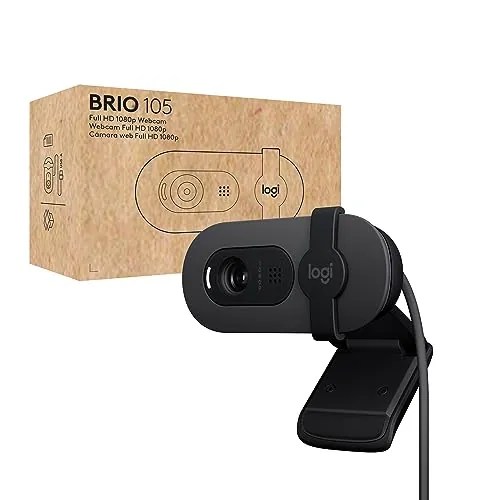
Logitech Brio 105 vs C920s: Camera Modes, Mounting and Privacy
Both webcams list 1080p/30 and 720p/30 video over an attached USB-A cable. Brio 105 uses fixed focus, a 58° diagonal view and an integrated sliding shutter; C920s lists autofocus, a diagonal 78° view, a separate attachable shutter and a ¼-inch tripod thread. Compare the exact desk, privacy and workplace-management needs before choosing.
Read comparison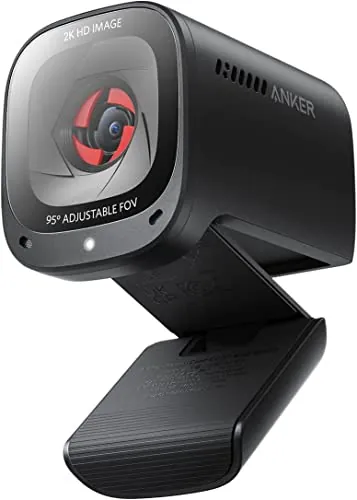
Anker PowerConf C200 vs Logitech C920s: Framing, Cable and Privacy Setup
The Anker PowerConf C200 publishes 65°, 78° and 95° framing presets in AnkerWork, and its manual says the camera turns off when its cover blocks the lens. The Logitech C920s lists a 78° diagonal view and promotes Logi Tune zoom and field-of-view settings, but does not state their adjusted range; its attached shutter is opened and closed by hand. Choose by the setup controls you want, then confirm your meeting app and host connection.
Read comparison