
Products compared
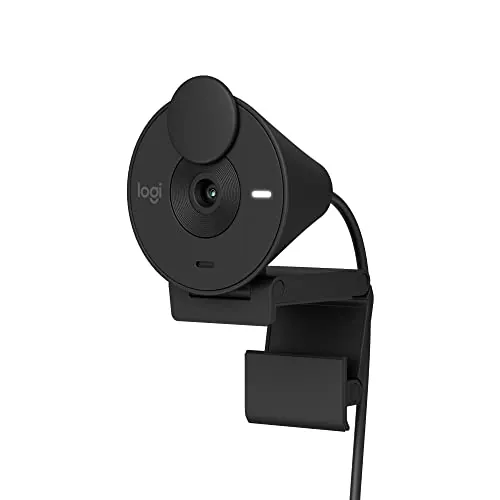
Logitech
Logitech Brio 301 Full HD Webcam for PC with Privacy Shutter - Black
Black listed variants with fixed focus, an attached USB-C cable and an integrated privacy shutter.
Model Brio 301 / 960-001513
Amazon ASIN B09WHRSJ83
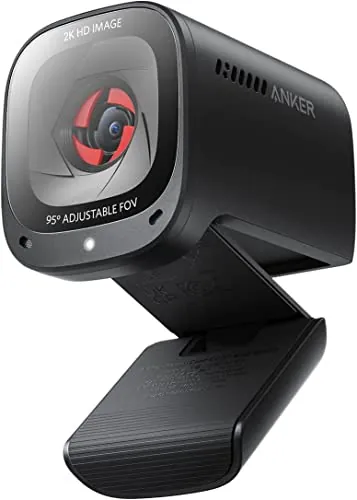
Anker
Anker PowerConf C200 2K Webcam - Black
Black C200 listed variants with autofocus, a sliding privacy cover and a supplied USB-C-camera-to-USB-A-computer cable.
Model PowerConf C200 / A3369 / A3369011
Amazon ASIN B09MFMTMPD
Differences that matter
Sources for Computer port and cable in the box
Sources for Framing and focus controls
Sources for Listed video modes
Sources for Privacy-cover routine
Start with the port on the computer used for calls
Brio 301's cable is attached and ends in USB-C; Logitech says an available USB-C port is required. The C200's supplied cable ends in USB-A at the computer and USB-C at the webcam. Check the actual laptop or desktop, including whether that port is available while other devices are connected.
If the included connector does not fit your computer, verify an exact adapter, hub or cable with the computer and camera documentation before buying. Neither source promises that every connector conversion preserves camera operation or meeting-app support.
Choose whether fixed or adjustable framing matches the desk
Logitech specifies Brio 301 as fixed focus with a 70° diagonal field of view. The C200 manual lists autofocus and Anker's product page says its field of view can be selected among 65°, 78° and 95° in AnkerWork. Those differences help identify a setup workflow: one documented fixed view, or a camera whose framing setting you can change in software.
The listed modes do not establish sharper video, better focus, less distortion or suitability at a particular distance. Position the camera and check the resulting frame in the app you use; confirm software support for your host before relying on adjustment features.
Check the video mode and privacy routine you will actually use
The Brio 301 specification lists 1080p/30 and 720p/30 modes. The C200 manual lists up to 2K/30. Treat these as published capability listings: a computer, call application, bandwidth choice or camera setting can determine which mode is active, and no comparative video test is included here.
For privacy, Brio 301 has an integrated shutter. The C200 manual describes a sliding cover and says the camera turns off when it is covered. Decide which physical routine you prefer, then verify the camera selected by your meeting application after setup. A lens cover is not a general device-security guarantee.
Product details
Logitech Brio 301 Full HD Webcam for PC with Privacy Shutter - Black
Before you buy
Community discussions
Checking whether a webcam keeps its framing
Anker PowerConf C200 2K Webcam - Black
A PowerConf C200 owner said their crop changed after closing AnkerWork and returned when they opened it again.
What to check
If you need a particular field of view, verify the setup on the computer you bring to calls. Try disconnecting the camera and reconnecting it before choosing.
Common questions
Which webcam has a USB-C connector for the computer?
The Brio 301 has an attached USB-C cable, and Logitech specifies an available USB-C port. The C200 manual shows the supplied cable connecting USB-C at the webcam to USB-A at the computer. Verify any alternate cable or adapter for your exact host rather than assuming it will work.Specification - BRIO 301PowerConf C200 User Manual (A3369)
Can I change the C200's field of view?
Anker lists 65°, 78° and 95° selections through AnkerWork software. That describes available settings, not which framing fits your room. Check the current software requirements for your computer.PowerConf C200 2K Webcam - soundcore US
Does the C200 record at a higher listed resolution than the Brio 301?
The C200 manual lists up to 2K at 30 fps; Logitech lists Brio 301 modes up to 1920 × 1080 at 30 fps. These are manufacturer specifications, not a side-by-side image-quality result, and a call app or host may use a different mode.PowerConf C200 User Manual (A3369)Specification - BRIO 301
How do their privacy covers work?
Logitech lists an integrated privacy shutter for Brio 301. The C200 has a sliding cover; its manual says the camera turns off when the lens is covered. These are physical lens-cover features, not a guarantee about other device or account security.Specification - BRIO 301PowerConf C200 User Manual (A3369)
Sources and scope
This guide compares manufacturer documentation and listing identity; it is not a webcam image, microphone, autofocus, low-light or reliability test. Resolution, frame rate and field-of-view listings do not establish which camera will look or sound better in a particular room, app or computer setup. Verify current operating-system, port, hub and meeting-app requirements for your own host.
Related comparisons
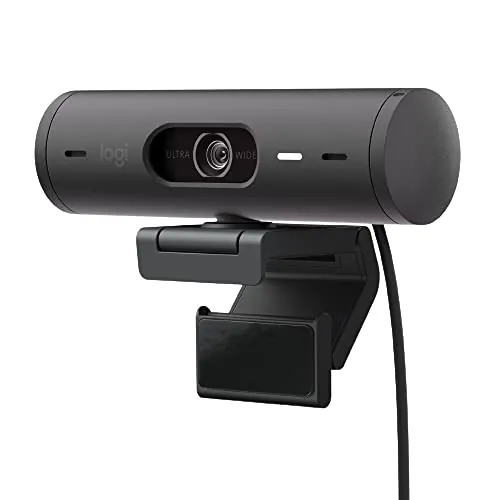
Logitech Brio 501 vs Brio 301: Framing Controls, USB-C and IT Fit
The Brio 501 guide documents autofocus, auto-framing, Show Mode and Logi Tune field-of-view choices of 90°, 78° or 65°. Logitech lists the Brio 301 with fixed focus and a 70° diagonal view, plus explicit Windows, macOS and ChromeOS support and certifications for Teams, Zoom, Google Meet and Works With Chromebook. Both documented setups use attached USB-C cables and physical privacy shutters. The 301’s certification list is documented; the 501 guide reviewed here does not establish an equivalent platform or certification list, so verify that exact requirement with Logitech or your IT team before deployment. This is a feature and setup comparison, not an image-quality test.
Read comparison
Elgato Facecam 4K vs Anker PowerConf C200: Capture Modes, Focus Distance and Mic Setup
Facecam 4K supports 2160p60 only over USB 3 and only in MJPG; its USB 2 modes stop at 1080p60. PowerConf C200 (A3369) tops out at 2K30 in its manual, offers autofocus and three framing angles, and includes dual microphones. Measure your camera distance and check the app’s actual input options before choosing.
Read comparison