
Products compared
Logitech
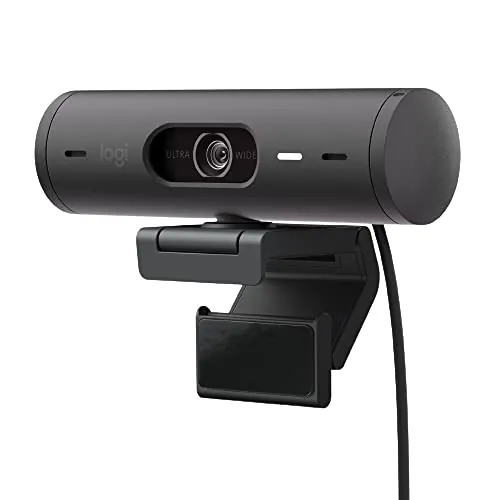
Logitech Brio 501 Full HD Webcam
US Black Brio 501 listing. Logitech's Brio 501 guide describes an attached USB-C cable, physical privacy shutter, 90° lens, dual noise-reduction microphones, auto-framing, autofocus, Show Mode and adjustable framing options in Logi Tune.
Model Brio 501
Amazon ASIN B09WHTMF23
Logitech
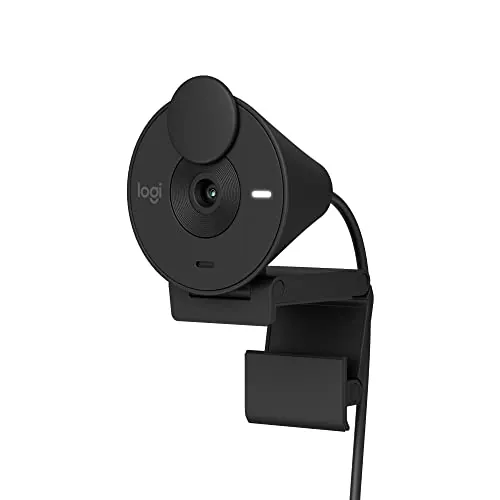
Logitech Brio 301 Full HD Webcam
US Black Brio 301 listing. Logitech lists fixed focus, a 70° diagonal field of view, attached USB-C cable, integrated privacy shutter and support and certification details for named platforms.
Model Brio 301
Amazon ASIN B09WHRSJ83
Differences that matter
What matters most to you?
Choose a priority to see what it changes.
Sources for Focus and lens framing
Sources for Showing a person versus an object on the desk
Sources for USB connection and privacy shutter
Sources for Microphone setup and device-management needs
The quick choice: adjustable framing or a fixed view with listed platform support
The Brio 501 is the option to investigate when you expect to move around in frame, change the view width or point the camera down at desk work. Logitech's exact guide documents autofocus, auto-framing, Show Mode and 90°/78°/65° viewing choices through Logi Tune. The Brio 301 specification instead lists fixed focus and a 70° diagonal view, along with a concrete host-platform and certification list.
Do not assume the 501 label settles enterprise compatibility
Logitech's Brio 301 page names Windows, macOS and ChromeOS, and lists Teams, Zoom, Google Meet and Works With Chromebook certifications. The exact Brio 501 guide covers connection, mounting and Logi Tune controls but does not give a matching operating-system or certification table. If procurement requires a named certification, validate the exact Brio 501 SKU with Logitech or the organization's approved-device list. The source gap does not mean the 501 is incompatible.
USB-C and lens privacy are shared basics
Both sources show an attached USB-C cable and a physical privacy shutter. The 301 specification gives a five-foot cable and says Logi Tune is unavailable on ChromeOS; the 501 guide shows its shutter dial and Tune controls. Check your host port and whether app controls are available in your operating system. Do not pay a premium solely for USB-C or a shutter, and do not treat listed microphone counts or optical controls as proof of call quality.
Product details
Logitech Brio 501 Full HD Webcam
The Brio 501 is the documented fit for someone who wants to adjust framing, use auto-framing or present an object on the desk with Show Mode. Logi Tune is part of that documented control path. Confirm operating-system, app certification and enterprise-management requirements for this exact configuration if your workplace requires them; the guide reviewed here does not list them.
- Focus and field of view
- The Brio 501 guide lists autofocus and Logi Tune field-of-view options of 90°, 78° and 65°. Source
- Framing and mounting
- Show Mode tilts the camera down to show desk objects; the guide describes a magnetic camera mount, monitor clip and micro-suction pad. Logi Tune lists auto-framing and zoom adjustment. Source
- Connection and privacy
- Attached USB-C cable and dial-operated physical privacy shutter. Source
Logitech Brio 301 Full HD Webcam
The Brio 301 is a clearly specified option when fixed focus and a 70° diagonal view suit your seated-call framing. Its official specification gives a concrete OS and certification checklist, while noting that Logi Tune is unavailable on ChromeOS. The reviewed 501 guide does not provide a matching certification list, so check the exact 501 configuration if procurement status matters.
- Focus and field of view
- Fixed focus; 70° diagonal field of view; 1080p/30 fps or 720p/30 fps. Source
- Connection and privacy
- USB-C plug-and-play with attached 5 ft cable; integrated privacy shutter. Source
- Platforms and certifications
- Logitech lists Windows, macOS and ChromeOS; certified for Microsoft Teams, Zoom, Google Meet and Works With Chromebook. Logi Tune is unavailable for ChromeOS. Source
Before you buy
Community discussions
Checking the model number when listings group similar cameras
Logitech Brio 501 Full HD Webcam
A shopper comparing several Logitech Brio listings linked the exact Brio 501 offer and asked how the names related to the other models.
What to check
Match the model and part number on the offer to the manufacturer’s product details. Check the mount, connector and controls for that version.
Measuring the monitor where the webcam clamp will sit
Logitech Brio 501 Full HD Webcam
A shopper considering the Brio 501 and related models asked if the clamp would fit a thicker section on the back of their monitor.
What to check
Measure the monitor at the exact mounting point. Check nearby edges and protrusions and see whether your setup needs a separate mount.
Planning the cable route for a camera across the room
Logitech Brio 301 Full HD Webcam
A Brio 301 user had the camera mounted below a conference display and asked about the connection to a laptop farther away.
What to check
Measure the route to your computer and check which cable setup the exact webcam supports. Decide where the camera and computer should sit first.
Common questions
Is the Brio 501 formally certified for the same platforms listed for the Brio 301?
The Brio 301 specification lists Windows, macOS and ChromeOS and names Teams, Zoom, Google Meet and Works With Chromebook certifications. The Brio 501 guide reviewed here documents USB-C and Logi Tune controls but does not provide a comparable OS/certification matrix. That is an evidence gap, not proof that Brio 501 is unsupported; verify the exact model and SKU with Logitech or your IT team.Brio 501 Setup Guide (English guide identifies Brio 501 on cover and diagrams)Specification - BRIO 301
Do I need Brio 501 to get USB-C or a physical privacy shutter?
No. Logitech documents an attached USB-C cable and physical privacy shutter on Brio 501, and the Brio 301 specification also lists USB-C plug-and-play and an integrated privacy shutter. Pick between them based on the framing, mounting and verified platform requirements you need.Brio 501 Setup Guide (English guide identifies Brio 501 on cover and diagrams)Specification - BRIO 301
Sources and scope
The sources identify and describe Brio 501 and Brio 301 but do not substantiate an exclusive enterprise-versus-consumer certification boundary. The Brio 501's exact setup guide documents its physical controls, mounting and Logi Tune options; it does not provide a comparable OS or formal certification list. The Brio 301 specification lists its focus, diagonal field of view, USB-C, privacy shutter, OS platforms and certifications. A missing 501 platform or feature statement is unknown, not proof of incompatibility or absence. No matched image, autofocus, framing, microphone, low-light or reliability test was performed.
Related comparisons
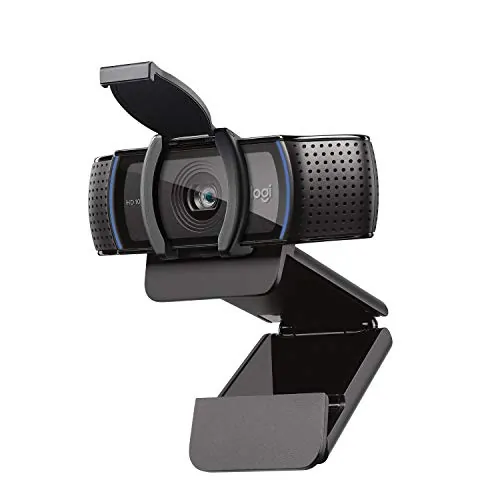
Logitech Brio 301 vs C920s: Match Focus, USB Port and Privacy Setup
These Logitech webcams answer different desk setup needs. The Brio 301 uses fixed focus and an attached USB-C cable; the C920s pairs autofocus with an attached USB-A cable and a separate privacy shutter. Check the computer you will use, how much the subject moves, and how you want to cover the lens before choosing.
Read comparison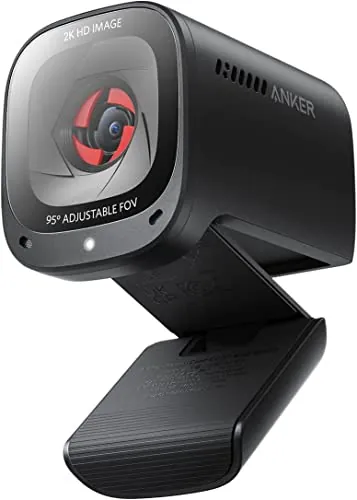
Logitech Brio 301 vs Anker PowerConf C200: Match the Camera to Your Desk Setup
Both are monitor-ready webcams with physical privacy covers, but the setup differs. Brio 301 has fixed focus, a listed 70° diagonal field of view and an attached USB-C cable. PowerConf C200 lists autofocus, 2K at up to 30 fps, three software-selectable fields of view and an included USB-C-to-USB-A cable. Check the port on the computer you will use, whether you need to adjust framing, and how you want to close the camera before buying.
Read comparison