
Products compared
Logitech
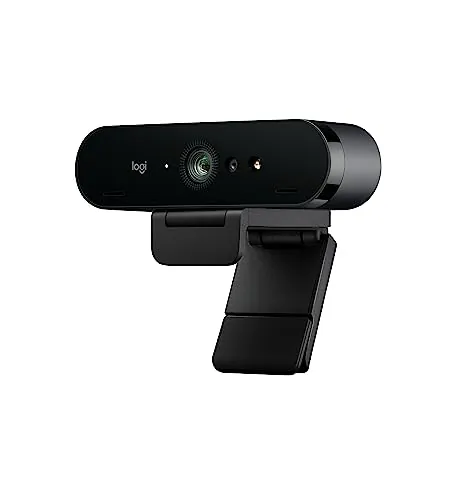
Logitech Brio 4K Webcam
selected listing 13832. The current Logitech US Brio page and manufacturer datasheet identify part 960-001105. The datasheet identifies this as the America part number.
Model Brio; America part number 960-001105
Amazon ASIN B01N5UOYC4

Elgato
Elgato Facecam 4K
selected listing 5455. The listing data part_number 10WAF9901 matches Elgato's exact Facecam 4K product-page SKU; the listed model is 20WAF9901. Product order follows the frozen assignment.
Model Facecam 4K; listed model 20WAF9901, manufacturer SKU/part 10WAF9901
Amazon ASIN B0DVZG36J8
Differences that matter
What matters most to you?
Choose a priority to see what it changes.
Sources for Listed capture modes and 4K60 connection condition
Sources for Diagonal field of view and framing controls
Sources for Host, cable and control-app path
Sources for Meeting features, mount and listed box contents
Match the advertised mode to the host connection
For Facecam 4K's 2160p60 mode, Elgato specifies USB 3.0 and MJPG only. Its USB 2.0 mode list stops at 1080p60. Check both the port's data standard and the capture app's support for that exact resolution and encoding; a USB-C-shaped port or cable alone does not prove USB 3.0 support.
Brio's manufacturer page lists 4K/30 fps, 1080p/60 fps and 720p/90 fps, and calls it UVC/plug-and-play. Pick it if these modes fit your application or if you prefer its documented 1080p/720p alternatives. Neither mode table says which camera will deliver better-looking footage in your room or app.
Compare framing controls, not camera quality
Brio's listed diagonal framing options are 65°, 78° and 90°, adjusted with Logi Tune on Windows or macOS. Logitech describes 65° as the tighter head-and-shoulders option and 78°/90° as including more of the room. Facecam 4K's product page lists a 90° field of view; Elgato's comparison chart labels it diagonal and gives no alternate preset list for this model.
If the workstation location is fixed but you want different framing choices, Brio has documented presets. If 90° is the framing you want and Facecam's other controls suit your workflow, verify the app controls and capture software first. These specifications do not compare image quality.
Plan for the cable, software and audio path
Brio's box lists a 1.5 m USB-A-to-USB-C cable. Logitech describes UVC/plug-and-play use, and Logi Tune is an optional control app for Windows and macOS when you need FOV and other adjustments. Facecam 4K's exact product page lists a detachable 2 m USB-C-to-USB-C USB 3.0 cable; for USB-A, Elgato says an adapter is needed and is not included. Its 4K60 mode requires USB 3.0/MJPG.
Elgato's current Studio app supports Facecam 4K and provides camera controls; the current software page and older Camera Hub pages may have different OS requirements. Check the current supported OS before installing rather than relying on a legacy compatibility line. Elgato says there is no built-in Facecam microphone, whereas Logitech lists two built-in Brio microphones.
Check the mount and physical cover in the box list
Logitech lists a removable universal mounting clip, a 1/4-inch tripod thread, the USB cable and an attachable privacy shutter. The tripod itself is not included. Elgato lists Facecam 4K with a monitor mount and a 2 m detachable USB-C cable, and identifies a 1/4-inch thread when the monitor mount is removed.
Elgato's exact Facecam 4K box list does not mention a privacy cover. That omission does not prove a seller cannot bundle one, so confirm contents with the exact seller if you need a physical lens cover.
Product details
Logitech Brio 4K Webcam
Elgato Facecam 4K
- 4K60 mode
- 2160p60 is available over USB 3.0 using MJPG only; USB 2.0 modes listed top out at 1080p60 Source
- Framing and lens support
- 90° diagonal FOV listed by Elgato; supports standard 49 mm filters Source
- In-box basics
- Monitor mount and detachable 2 m USB-C-to-USB-C 3.0 cable; exact page lists SKU 10WAF9901 Source
Before you buy
Community discussions
Facecam 4K owner reports 4K unavailable while the host sees USB 2.0
Elgato Facecam 4K
An owner says their Facecam 4K is identified as USB 2.0 and that Camera Hub consequently does not offer 4K. They report testing multiple USB ports, cables and adapters and another computer, but the connection still appears as USB 2.0. The post does not identify the cause or compare the Brio 4K.
What to check
If 4K capture is important, verify the negotiated USB link and 4K selection on your exact host, port and cable before settling on a setup. This is one unresolved owner's report, not proof of a Facecam hardware defect or a Brio 4K advantage.
Facecam 4K streamer asks about effects and OBS stability in one production setup
Elgato Facecam 4K
A Facecam 4K owner describes frame-rate changes and OBS crashes in their streaming and recording setup, and says 4K with effects did not meet their expectation. They list their PC and apps but do not establish a general limitation or compare the Brio 4K.
What to check
Before building around a specific resolution and effects chain, test the exact camera, host, app and effects combination you plan to use. This report describes one setup and should not be treated as a current universal software limitation.
Common questions
Can Facecam 4K record 4K at 60 fps over USB 2.0?
No. Elgato lists 2160p60 only over USB 3.0 using MJPG. Its USB 2.0 mode list tops out at 1080p60. Verify that your host and capture application support the specified USB 3.0/MJPG mode.Facecam 4K | Premium 4K 60FPS Webcam
Which camera lets me select a narrower field of view?
Logitech lists Brio presets of 65°, 78° and 90° diagonal through Logi Tune. Elgato lists Facecam 4K at up to 90° diagonal; the cited specs do not list alternate FOV presets for it.Logitech BRIO Webcam with 4K Ultra HD Video & HDRElgato Facecam Products Comparison Chart
Does Facecam 4K include a privacy shutter or microphone?
Elgato explicitly says it has no built-in microphone. Its product-page box list names a monitor mount and USB-C cable but does not name a privacy cover; check the exact offer if one is required. Logitech lists two microphones and an attachable privacy shutter for Brio.Facecam 4K | Premium 4K 60FPS WebcamLogitech BRIO Webcam with 4K Ultra HD Video & HDR
What cable comes with each webcam?
Logitech lists a 1.5 m USB-A-to-USB-C cable with Brio. Elgato lists a detachable 2 m USB-C-to-USB-C USB 3.0 cable with Facecam 4K; its page says a USB-A connection needs a separate C-to-A adapter.Logitech BRIO Webcam with 4K Ultra HD Video & HDRFacecam 4K | Premium 4K 60FPS Webcam
Sources and scope
This is a manufacturer-feature comparison, not a test of image quality, stream stability, microphone quality, privacy effectiveness or camera performance in a particular app. Facecam 4K's 2160p60 mode is specified for USB 3.0 and MJPG only; confirm that the host and capture application support that mode. Logitech's Logi Tune controls and adjustable FOV are listed for Windows and macOS. Elgato's current Studio software supports Facecam 4K, while some older support pages still refer to Camera Hub; verify the current software and OS requirements before relying on manual controls. Elgato's exact product page lists the mount and cable in the box, but does not list a privacy cover; exact-cover inclusion is not verified here.
Related comparisons
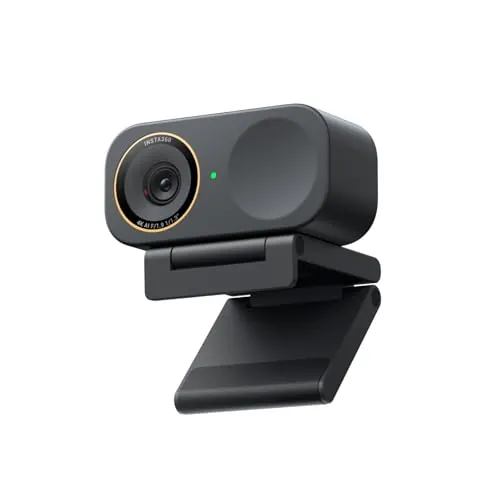
Elgato Facecam 4K vs Insta360 Link 2C Pro: 4K60 or Autofocus and Built-In Audio?
These webcams suit different desk routines. Elgato lists Facecam 4K at 2160p60 over USB 3.0 in MJPG, with fixed focus tuned for a desk position and no built-in microphone. Insta360 lists Link 2C Pro at up to 4K30, with autofocus, software auto-framing and two microphones. Your video app, USB port, subject distance, audio setup and privacy routine matter more than the resolution label alone.
Read comparison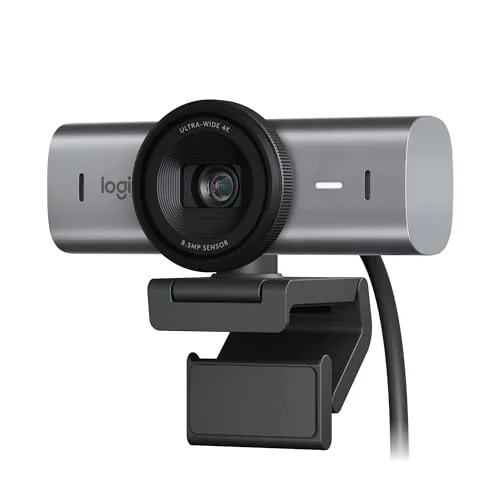
Elgato Facecam 4K vs Logitech MX Brio: Frame Rates, Focus and Desk Use
Elgato Facecam 4K can output 4K60, but only as MJPG over USB 3.0; USB 2.0 tops out at 1080p60. Logitech MX Brio's published maximum is 4K30 or 1080p60 and requires USB-C with USB 3.0 support. The Elgato uses fixed focus and has no built-in mic; MX Brio adds autofocus, dual mics and a rotating privacy shutter.
Read comparison