
Products compared
Logitech
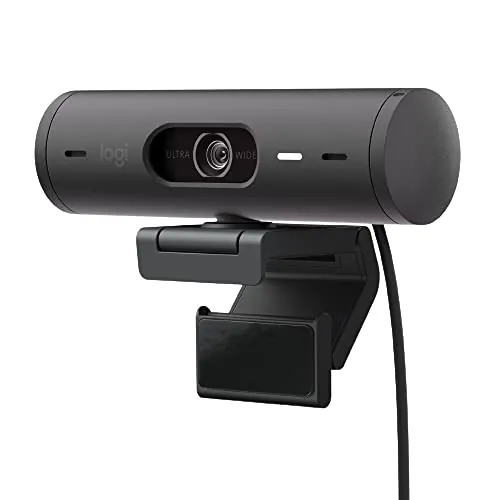
Logitech Brio 501 Webcam (Black)
Black U.S. Brio 501 for Amazon; attached USB-C cable and removable magnetic monitor mount
Model 960-001514
Amazon ASIN B09WHTMF23
Logitech
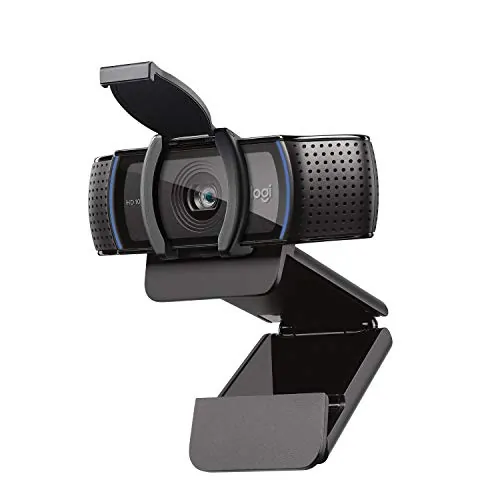
Logitech C920s PRO HD Webcam (Black)
Black U.S. C920s; attached USB-A cable, fixed universal clip, and separate privacy shutter in the box
Model 960-001257
Amazon ASIN B07K986YLL
Differences that matter
Sources for Cable plug and host port
Sources for Monitor mount and camera removal
Sources for Privacy-cover setup
Match the attached cable to the computer
The Brio 501 for Amazon lists an attached 5 ft (1.5 m) USB-C cable and an available USB-C port requirement. The C920s setup guide shows its attached 5 ft (1.5 m) USB-A cable connecting to a USB-A computer port. Look at the actual computer's free ports before ordering; neither model's source documents certify every adapter or dock path.
For either camera, matching the connector is only one check. If the computer will use Logitech software controls, confirm current support for its operating system and the exact model. Brio's support page says RightSight is currently available only for Windows; do not assume that this particular control transfers to other operating systems.
Compare what stays on the monitor
Brio 501's camera attaches to its mount magnetically, and its mounting adapter is removable. The micro-suction pad is optional: Logitech's guide says it enables the one-handed Show Mode tilt routine; without it, hold the mount while moving the camera. This makes detach-and-reposition a documented feature, not a promise that the mount fits every monitor.
C920s uses a universal mounting clip under the webcam. Its guide says to adjust the clip foot until it sits flush against the rear of the device, then tilt the camera manually. If the display edge is unusual, compare its shape and clearance with the diagrams and placement steps in the model's guide. Both guides document a quarter-inch tripod thread and say the tripod is not included.
Check the privacy cover and framing controls
Brio 501's privacy shutter is integrated. C920s includes a separate privacy shutter that you snap over the front of the camera and adjust by hand. This is a useful box-content distinction if the webcam is used or comes from a seller bundle; verify the detachable cover is present.
For framing, Brio's setup guide lists Logi Tune settings for 90°, 78°, and 65° field of view, as well as Show Mode and zoom. Logitech lists a 78° diagonal field for C920s and its current U.S. product page describes Logi Tune zoom and field-of-view adjustments. These source descriptions do not establish identical control ranges or comparative image quality, so base the decision on the specific control and host support you need.
Product details
Logitech Brio 501 Webcam (Black)
- Host connection
- Attached 5 ft (1.5 m) USB-C cable; Logitech lists an available USB-C port as required. Source
- Mount and privacy
- Camera separates from a magnetic mount; privacy shutter is integrated. The setup guide documents the micro-suction pad as optional for the one-handed Show Mode tilt routine. Source
- Documented framing controls
- Logi Tune adjustment options include 90°, 78°, and 65° field of view; Logitech says RightSight is currently available only for Windows on the product support page. Source
Logitech C920s PRO HD Webcam (Black)
- Host connection
- Attached 5 ft (1.5 m) USB-A cable; the setup guide directs the plug to a USB-A computer port. Source
- Mount and privacy
- Universal clip remains with the camera; a separate manual privacy shutter is included in the box and snaps onto the front. Source
- Documented framing controls
- Product page lists a fixed diagonal 78° field of view and says Logi Tune can adjust settings such as zoom and field of view; the setup guide shows manual up/down tilt. Source
Before you buy
Community discussions
Comparing privacy controls for a meeting camera
Logitech C920s PRO HD Webcam (Black)
A remote worker asked about webcams for Teams meetings. A C920s Pro user described the physical shutter they can flip up and down.
What to check
Compare how the shutter is operated and where it sits after you mount each camera. Check whether the webcam’s cable fits your desk layout.
Common questions
Can I plug either webcam into any USB port with an adapter?
The Brio 501 has an attached USB-C cable and Logitech lists an available USB-C port as required. The C920s has an attached USB-A cable and its setup guide shows that connector going to a USB-A computer port. If you need an adapter, hub, or dock, verify the exact host path and software support; these sources do not certify every adapter combination.Specification - BRIO 501 for AmazonLogitech C920s PRO HD Webcam Complete Setup Guide
Is the C920s privacy cover built in like the Brio 501 shutter?
No. Logitech describes an integrated shutter for Brio 501. The C920s setup guide lists a separate privacy shutter in the box and shows it snapping onto the webcam; it opens and closes manually.Specification - BRIO 501 for AmazonLogitech C920s PRO HD Webcam Complete Setup Guide
Does the Brio 501's Show Mode work one-handed on every monitor?
The setup guide makes that routine conditional: it documents one-handed camera tilt when the mount is secured with the micro-suction pad; without that pad, it says to hold the mount with one hand and tilt with the other. Check the guide against your monitor placement rather than assuming a universal fit.Logitech BRIO 501 Setup Guide
Which webcam has better image quality?
The sources here establish documented modes and controls, not a matched image-quality test. Choose based on cable, mounting and framing needs unless you find a controlled comparison for the exact models and conditions you care about.Specification - BRIO 501 for AmazonLogitech C920s PRO HD Webcam U.S. product page, 960-001257
Sources and scope
No specific host computer or monitor was supplied, so port, software support and physical fit cannot be confirmed for an individual setup. The manufacturer materials establish feature and mounting differences, not comparative image or microphone quality.
Related comparisons
Logitech Brio 501 vs Brio 301: Framing Controls, USB-C and IT Fit
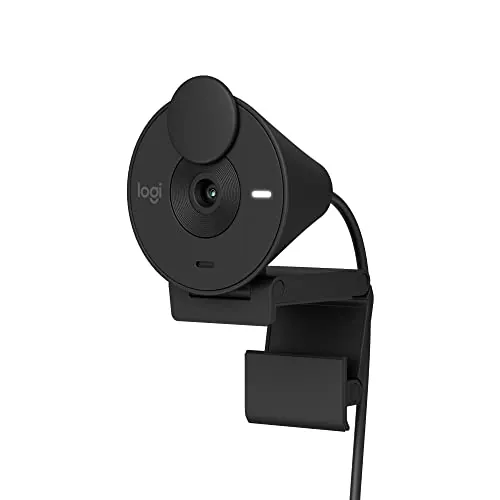
The Brio 501 guide documents autofocus, auto-framing, Show Mode and Logi Tune field-of-view choices of 90°, 78° or 65°. Logitech lists the Brio 301 with fixed focus and a 70° diagonal view, plus explicit Windows, macOS and ChromeOS support and certifications for Teams, Zoom, Google Meet and Works With Chromebook. Both documented setups use attached USB-C cables and physical privacy shutters. The 301’s certification list is documented; the 501 guide reviewed here does not establish an equivalent platform or certification list, so verify that exact requirement with Logitech or your IT team before deployment. This is a feature and setup comparison, not an image-quality test.
Read comparison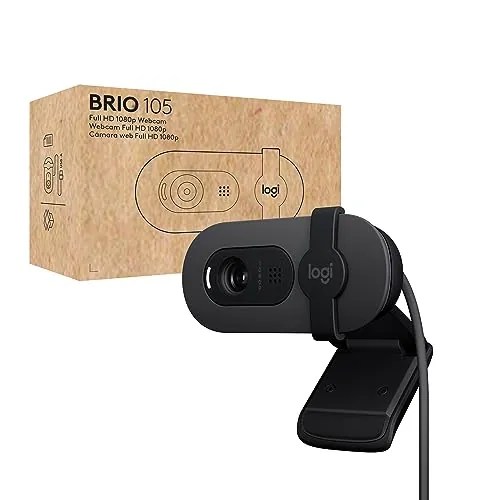
Logitech Brio 105 vs C920s: Camera Modes, Mounting and Privacy
Both webcams list 1080p/30 and 720p/30 video over an attached USB-A cable. Brio 105 uses fixed focus, a 58° diagonal view and an integrated sliding shutter; C920s lists autofocus, a diagonal 78° view, a separate attachable shutter and a ¼-inch tripod thread. Compare the exact desk, privacy and workplace-management needs before choosing.
Read comparison