
Products compared
Logitech
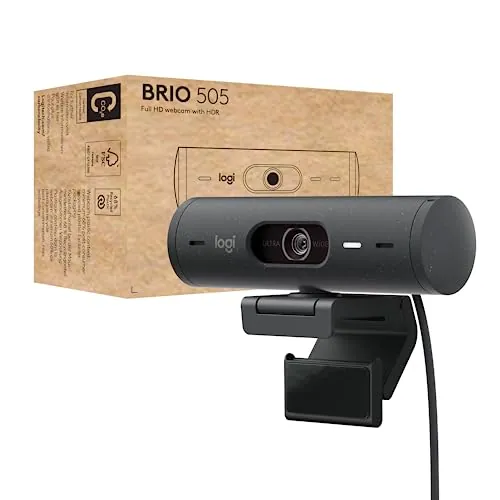
Logitech Brio 505 Full HD Webcam
Graphite U.S./Canada part; TAA-compliant Brio 505 with attached USB-C cable, detachable monitor/laptop clip and privacy shutter.
Model 960-001522
Amazon ASIN B0BMQQQHC2
Anker
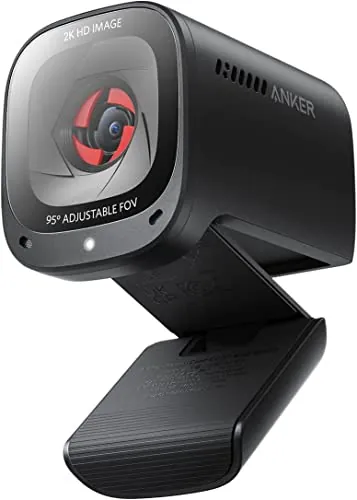
Anker PowerConf C200 2K Webcam
Black U.S. listing for the A3369 PowerConf C200 family; Anker Japan identifies black part A3369011, but its regional bundle and warranty are not transferred to the US offer.
Model A3369
Amazon ASIN B09MFMTMPD
Differences that matter
What matters most to you?
Choose a priority to see what it changes.
Sources for Presenter movement and framing workflow
Sources for Host operating system and companion software
Sources for Manufacturer-listed video modes
Sources for Cable, mounting and privacy setup
Match the framing feature to the way you present
Logitech describes RightSight as centering a presenter who stands and moves, and Show Mode as tilting the camera down to show physical items. Those are useful meeting workflows when you demonstrate something at your desk or change position while talking. Both functions require Logi Tune, and RightSight is unavailable on ARM computers; Logi Tune is unavailable on ChromeOS.
Anker's published C200 workflow is to use AnkerWork to select a 65°, 78° or 95° view. That gives you a documented manual framing choice for a seated desk setup. It is not a claim that the C200 lacks other software features or a comparison of how well either model tracks a person.
Check the app, host port and room setup before checkout
The makers list different capture modes: Brio 505 supports 1080p/30 and 720p/30 or 60; the C200 manual lists 2K/30, 1080p/30 and 720p/30. Treat those as camera capabilities, not an image-quality ranking or a promise that your video-call service transmits the top mode. Check the camera selection and resolution options in the app you use.
Then trace the physical connection. Brio 505's attached cable is USB-C and 1.5 m long; using a USB-A computer requires a third-party adapter that Logitech says is not included. The C200 manual's supplied-cable diagram connects USB-C to the camera and USB-A to the computer, but the US product page does not guarantee every seller's package. Verify the exact listing. Both have physical lens covers. For desk mounting, C200's manual shows a 1/4-inch tripod thread but says the tripod is not provided.
Product details
Logitech Brio 505 Full HD Webcam
- Listed video modes
- 1080p at 30 fps; 720p at 30 or 60 fps. Source
- Presenter features
- RightSight Auto Framing and Show Mode; each requires Logi Tune. RightSight is unavailable on ARM computers; Logi Tune is unavailable on ChromeOS. Source
- Cable and mounting
- Attached 1.5 m USB-C cable; USB-A connection needs a third-party adapter not included. Detachable universal monitor/LCD/laptop mounting clip. Source
Anker PowerConf C200 2K Webcam
- Listed video modes
- Up to 2K at 30 fps; manual also lists 1080p and 720p at 30 fps. Source
- Framing control
- AnkerWork software can manually select 65°, 78° or 95° fields of view. Source
- Cable and mounting
- The C200 manual shows USB-C at the webcam and USB-A at the computer on its provided cable; the adjustable clip/stand also has a 1/4-inch tripod thread (tripod not included). Confirm the US listing's box contents. Source
Before you buy
Community discussions
Choosing the field of view on a Linux computer
Anker PowerConf C200 2K Webcam
A C200 owner said the camera worked on Ubuntu but they could not use AnkerWork there to narrow their framing.
What to check
Confirm whether the camera software supports the operating system you use. Test the desired field of view in the meeting app on that computer.
Common questions
Can the Brio 505's presenter features be used on every computer it connects to?
No. Logitech says RightSight Auto Framing is unavailable on ARM computers, and its datasheet says Logi Tune is unavailable on ChromeOS. RightSight and Show Mode require Logi Tune. Those limits concern the named features and do not prove that basic webcam video is unavailable on those computers.Brio 505 Datasheet (includes U.S. Graphite part 960-001522)Is Logi Tune supported on ARM-based Windows PCs?
Does the PowerConf C200's USB-C socket mean the cable plugs into a USB-C computer port?
Not according to the exact-model manual's cable diagram: it shows USB-C at the C200 and USB-A at the computer. If your computer has only USB-C, confirm the exact U.S. box contents and arrange a suitable data cable or adapter if needed.Anker PowerConf C200 User Manual (A3369; multilingual manufacturer-hosted manual)
Will the C200 always send 2K video in a meeting?
The manual lists 2K at 30 fps as a camera mode, but that does not guarantee that a particular conferencing app, account, host or call sends 2K. Check the mode available in your software before treating it as a reason to choose the C200.Anker PowerConf C200 User Manual (A3369; multilingual manufacturer-hosted manual)
Do both webcams have a physical privacy cover?
Yes. Logitech describes an integrated shutter that hides the Brio 505 lens. The C200 manual describes a sliding cover that blocks the lens and turns the camera off when covered.Brio 505 Datasheet (includes U.S. Graphite part 960-001522)Anker PowerConf C200 User Manual (A3369; multilingual manufacturer-hosted manual)
Sources and scope
This guide compares documented features for Logitech Brio 505 Graphite U.S. part 960-001522 (the TAA-compliant variant) and Anker PowerConf C200 Black A3369. It is not a webcam image, autofocus, microphone or reliability test. Camera modes listed by a maker do not guarantee a meeting app will send that resolution. Anker's exact-model manual documents its supplied cable arrangement, but the US manufacturer page does not guarantee that every US retailer's current box contains the same cable; verify the selected listing.
- Brio 505 Datasheet (includes U.S. Graphite part 960-001522)
- Is Logi Tune supported on ARM-based Windows PCs?
- Anker PowerConf C200 2K Webcam (U.S. manufacturer product page)
- Anker PowerConf C200 User Manual (A3369; multilingual manufacturer-hosted manual)
- Anker PowerConf C200 official Japan product information (black part A3369011)
Related comparisons
Logitech Brio 505 vs Brio 105: Framing, USB and Host Setup
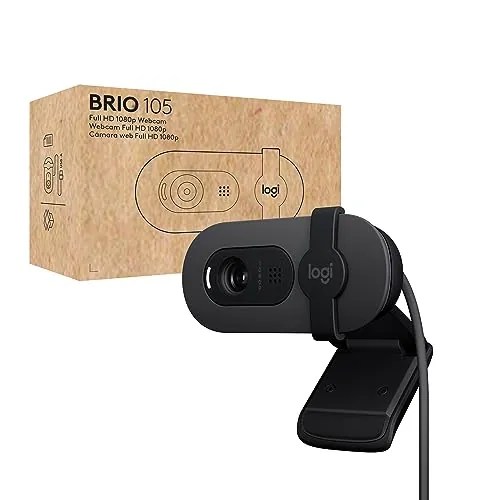
Both exact U.S. graphite models are listed for Full HD 1080p/30. The purchase difference is the setup around that resolution: Brio 505 adds selectable 65°/78°/90° framing, autofocus, 4x digital zoom and a tilting Show Mode, with Logi Tune and host limitations for its special controls. Brio 105 keeps a fixed 58° view and fixed focus and ships with an attached USB-A cable. Check the computer's port, operating system, camera position and need for listed meeting certifications before choosing. No hands-on image, focus-speed or microphone comparison was performed.
Read comparison
Elgato Facecam 4K vs Anker PowerConf C200: Capture Modes, Focus Distance and Mic Setup
Facecam 4K supports 2160p60 only over USB 3 and only in MJPG; its USB 2 modes stop at 1080p60. PowerConf C200 (A3369) tops out at 2K30 in its manual, offers autofocus and three framing angles, and includes dual microphones. Measure your camera distance and check the app’s actual input options before choosing.
Read comparison