
Products compared
Logitech
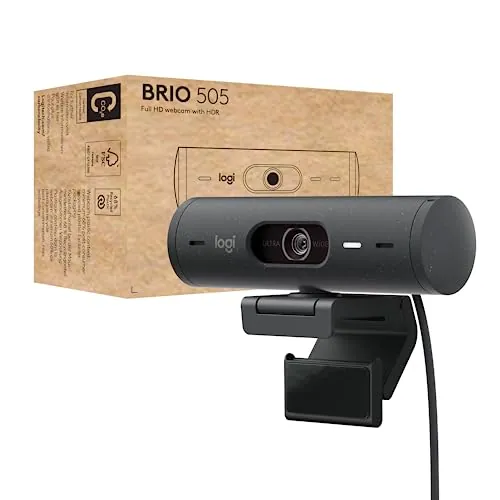
Logitech Brio 505 Graphite
US Graphite variant; Logitech datasheet maps US/Canada Graphite to part 960-001522.
Model Brio 505 (US/Canada part 960-001522)
Amazon ASIN B0BMQQQHC2

Elgato
Elgato Facecam 4K Black
Black variant in the current listing data. Elgato identifies hardware model 20WAF9901; the technical page lists retail SKU 10WAF9901.
Model Facecam 4K (hardware model 20WAF9901; retail SKU 10WAF9901)
Amazon ASIN B0DVZG36J8
Differences that matter
What matters most to you?
Choose a priority to see what it changes.
Sources for Documented resolution and frame-rate modes
Sources for Microphone planning
Sources for Focus control and working distance
Sources for Host software, cable and mounting
Choose the capture mode before the camera
Brio 505’s US/Canada Graphite datasheet identifies part 960-001522 and lists 1080p at 30 fps plus 720p at 30 or 60 fps. Facecam 4K’s current specifications list higher modes, but tie 2160p60 to USB 3 and MJPG only. With USB 2, its listed modes top out at 1080p60 and use MJPEG. These are supported camera modes, not promises about what a particular call or recording application will deliver.
Before comparing other features, note your actual app, operating system and port. If you need Facecam 4K’s 2160p60 mode, Elgato recommends connecting directly to a USB 3-or-later port and cable rather than a hub. Its current system requirements list Windows 11+, macOS 13+ or iPadOS 17+ on an iPad with native USB-C. Check the app’s own mode selection separately.
Audio is part of the setup, not a camera-quality ranking
Logitech lists two built-in microphones on Brio 505. Elgato explicitly states that Facecam 4K does not include a microphone. If you already use a headset or computer microphone, Facecam may not require another purchase; select the intended input in your app and verify the combination you use.
The published specifications do not compare microphone clarity, background-noise handling in real rooms or recorded audio quality. Choose by whether the camera needs to supply an audio device at all, then keep audio testing separate from this feature comparison.
Measure distance and check the way the camera mounts
Brio 505 lists autofocus and manual focus through Logi Tune, available for Windows and macOS; Logitech says Tune is not available on ChromeOS. The datasheet does not give Brio’s minimum or maximum focus distance. Facecam 4K is fixed focus: Elgato lists 30–120 cm at 4K and 25 cm to infinity at 1080p. Measure where you will sit, especially if you plan to use Facecam’s 4K mode.
The mounting options differ too. Brio includes a detachable universal clip listed for monitors, displays and laptops. Facecam’s technical page lists a monitor mount and 1/4-inch thread, and its quick-start guide describes using that thread with a desk stand, tripod or other compatible mount. Confirm your monitor or stand setup and cable route before ordering.
Product details
Logitech Brio 505 Graphite
The US Graphite datasheet identifies part 960-001522 and documents dual microphones, autofocus and capture modes up to 1080p30. Logi Tune is available for Windows and macOS, not ChromeOS; RightSight auto-framing is not available on ARM processors.
- Listed video modes
- 1080p at 30 fps; 720p at 30 or 60 fps Source
- Audio and focus
- Two built-in microphones; autofocus; manual focus controls available through Logi Tune Source
- Host and cable
- Works with Windows, macOS and ChromeOS; attached USB-C cable, USB-A requires a third-party adapter not included Source
- Mount
- Detachable universal mounting clip for monitors, LCD displays or laptops Source
Elgato Facecam 4K Black
Elgato separates camera video from audio: its product page explicitly says no microphone. Check the mode-specific format and USB connection, fixed-focus distance for the selected resolution, and whether the included monitor mount or a separate 1/4-inch stand suits the desk.
- USB 3 video modes
- Up to 2160p60 (MJPG only); other listed modes depend on encoding format Source
- USB 2 video modes
- Up to 1080p60; MJPEG only when connected below USB 3.0 Source
- Focus
- Fixed focus; 30–120 cm at 4K and 25 cm to infinity at 1080p Source
- Audio
- No built-in microphone; plan another audio input Source
- Mount and box cable
- 1/4-inch thread, monitor mount and detachable 2 m USB-C-to-USB-C 3.0 cable listed Source
Before you buy
Community discussions
Streaming buyer already has a separate microphone and wants a video upgrade
Elgato Facecam 4K Black
A prospective buyer considering the Facecam 4K says their current webcam is 1080p30, their video image is the part they want to improve, and their audio setup already uses a HyperX QuadCast 2S. They also plan to use a ring light. This is a buyer scenario, not a test of either webcam's built-in audio.
What to check
If you already have a separate microphone, decide whether a webcam mic is a backup or a feature you need for calls. Check the mounting and lighting setup you plan to use; this buyer's external audio arrangement does not test the Brio 505 microphone.
Common questions
Does Facecam 4K provide 4K60 on any USB connection?
No. Elgato lists 2160p60 as USB 3 and MJPG only. Its USB 2 mode list tops out at 1080p60. Also confirm that the host and application support the mode and encoding you intend to select.Elgato Facecam 4K Technical SpecificationsElgato Facecam 4K Quick Start Guide
Can I use a separate headset microphone with Facecam?
The camera has no built-in microphone, so use an audio input chosen in your operating system or application, such as a headset microphone you already own. Verify that the particular application accepts that video and audio-device combination.Elgato Facecam 4K Product Page (US)
Which webcam can refocus when my subject distance changes?
Brio 505 lists autofocus, with manual focus adjustment through Logi Tune on Windows/macOS. Facecam 4K is fixed focus, with a 30–120 cm range at 4K and 25 cm to infinity at 1080p. These specifications do not compare focus accuracy.Logitech Brio 505 Datasheet (US/Canada part numbers and specifications)Elgato Facecam 4K Technical Specifications
Sources and scope
This is a comparison of manufacturer specifications, not a hands-on image, microphone, autofocus or low-light test. The Brio 505 datasheet does not establish a minimum or maximum focusing distance. Facecam 4K capture modes depend on USB connection and encoding format; meeting, recording and streaming applications may expose a subset. Confirm the actual host, app, cable/adapter and distance before buying.
Related comparisons
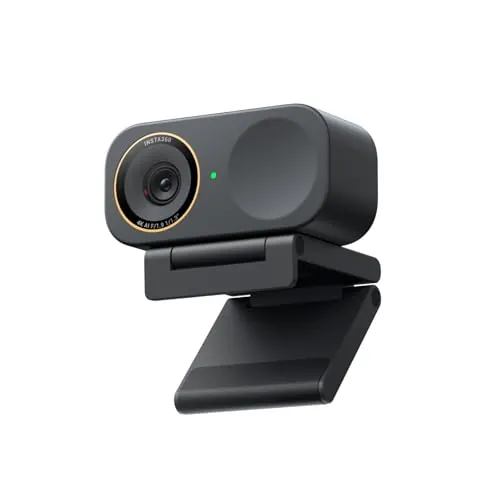
Elgato Facecam 4K vs Insta360 Link 2C Pro: 4K60 or Autofocus and Built-In Audio?
These webcams suit different desk routines. Elgato lists Facecam 4K at 2160p60 over USB 3.0 in MJPG, with fixed focus tuned for a desk position and no built-in microphone. Insta360 lists Link 2C Pro at up to 4K30, with autofocus, software auto-framing and two microphones. Your video app, USB port, subject distance, audio setup and privacy routine matter more than the resolution label alone.
Read comparison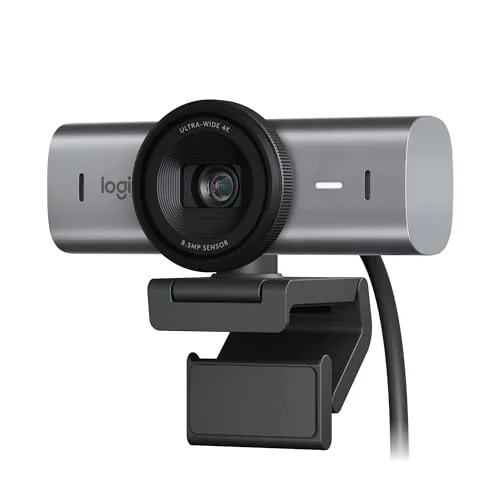
Elgato Facecam 4K vs Logitech MX Brio: Frame Rates, Focus and Desk Use
Elgato Facecam 4K can output 4K60, but only as MJPG over USB 3.0; USB 2.0 tops out at 1080p60. Logitech MX Brio's published maximum is 4K30 or 1080p60 and requires USB-C with USB 3.0 support. The Elgato uses fixed focus and has no built-in mic; MX Brio adds autofocus, dual mics and a rotating privacy shutter.
Read comparison