
Products compared
Logitech
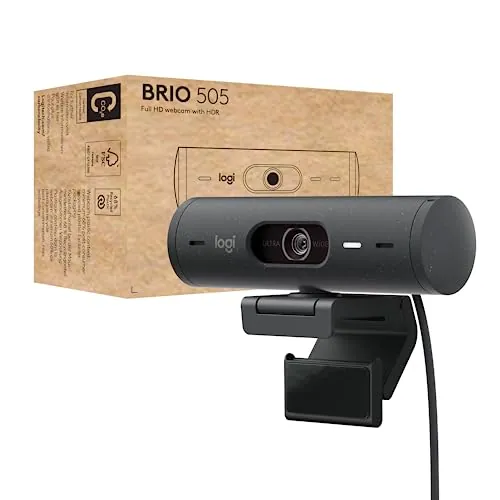
Logitech Brio 505 Graphite
US/Canada Graphite variant; Logitech's datasheet maps this regional part number to Graphite and identifies the attached USB-C cable, mount clip and removable mount adapter in the box.
Model 960-001522
Amazon ASIN B0BMQQQHC2
EMEET
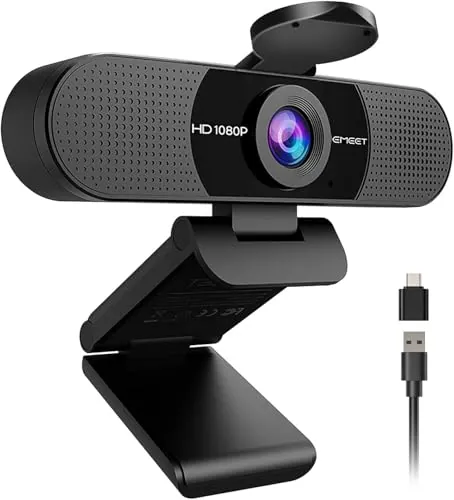
EMEET C960 1080p Webcam (2025 Version listing)
The EMEET listing compared here is titled C960 2025 Version and advertises USB Type-A plus an A-to-C adapter. EMEET’s official C960 documentation covers the generic family and does not confirm revision-specific technical or box details for this offer.
Model C960 · 2025 version
Amazon ASIN B0DSPJPRXD
Differences that matter
Sources for USB connector and included adapter
Sources for Focus and framing controls
Start with the port and the exact box
For the Brio 505 Graphite 960-001522, Logitech's datasheet is specific: the cable is attached and USB-C, and a USB-A connection requires a third-party adapter that is not in the box. This matters if the webcam will stay connected to a desktop with only USB-A ports.
The EMEET listing compared here is titled C960 2025 Version and advertises USB Type-A plus an A-to-C adapter. EMEET’s official C960 documentation reviewed for this guide describes the generic family but does not identify this newer revision or its package. If the adapter is why you are considering it, confirm the box contents for the exact offer.
Software framing versus manually setting the camera
Logitech documents autofocus and three diagonal FOV settings for this Brio model. It also describes RightSight auto-framing and Show Mode, which tilts the camera down to present objects; those features require Logi Tune. Logitech lists Logi Tune for Windows and macOS, not ChromeOS, and says RightSight is unavailable on ARM computers.
The C960 2025 listing describes fixed focus and a 90° field of view. EMEET’s generic C960 page lists those same details and manual mount adjustment, but does not say whether they apply unchanged to the newer listing. Treat them as details to confirm for the exact unit if they matter to your setup.
Privacy cover and placement
The Brio 505 uses an integrated side dial for its privacy shutter and includes a detachable universal mounting clip. EMEET’s C960 family FAQ describes an adhesive privacy cover, and its product page/manual show an adjustable mount. The C960 2025 listing also describes a cover, but EMEET’s generic documents do not confirm that this revision uses the same cover or mount. Check the selected offer’s photos and box details if either accessory matters.
A practical pre-buy check
Write down your host computer’s operating system, processor family and available USB ports. If you want Brio auto-framing or Show Mode, confirm that Logi Tune supports your host; Logitech lists ChromeOS and ARM limitations for those controls. The C960 offer advertises an adapter, while EMEET’s available generic documentation does not identify the 2025 revision. Confirm the exact unit if its features or included connector matter.
Product details
Logitech Brio 505 Graphite
- Connection and box
- Attached 1.5 m USB-C cable; Logitech says USB-A connection requires a third-party adapter, not included. Source
- Framing
- Autofocus; diagonal FOV choices of 65°, 78° or 90°; RightSight and Show Mode require Logi Tune. Source
- Privacy and placement
- Integrated side-dial privacy shutter and detachable universal mounting clip. Source
EMEET C960 1080p Webcam (2025 Version listing)
- Offer model and package
- Exact Amazon ASIN B0DSPJPRXD is titled C960 1080p Webcam, 2025 Version; its listing advertises USB Type-A and an A-to-C adapter. This package statement is retailer listing evidence. Source
- Official family documentation
- EMEET’s generic C960 page describes a fixed-focus 90° view, USB-A connection, adjustable mount and privacy cover. It does not state that these specifications or included items apply unchanged to the C960 2025 Version listing compared here. Source
Before you buy
Community discussions
Check the host port and exact adapter package
Logitech Brio 505 Graphite
A Brio 505 buyer asked which USB-C-to-USB-A adapter to use with their computer. Their post links to Brio 505 part 960-001411.
What to check
Check the ports on your host and the connector included with the webcam. If you need an adapter, verify its requirements and whether it comes with the exact offer.
Common questions
Does the Brio 505 include a USB-A adapter?
No. Logitech lists an attached USB-C cable and says a third-party adapter is needed for USB-A; that adapter is not included.Brio 505 Product Specifications
Can I rely on the C960 2025 listing's advertised adapter and fixed-focus details?
The Amazon offer compared here advertises USB Type-A plus an A-to-C adapter and is titled C960 2025 Version. EMEET’s available public C960 page and manual do not identify that revision. Verify those details against the selected offer before purchase.Amazon listing for EMEET C960 2025 Version (ASIN B0DSPJPRXD)EMEET SmartCam C960 product page (generic C960 family)
What does Brio 505's auto-framing require?
Logitech's datasheet says RightSight and Show Mode require Logi Tune, which is available on Windows and macOS but not ChromeOS. RightSight is also unavailable on ARM computers.Brio 505 Product Specifications
Do these documents show which webcam has better image or microphone quality?
Logitech’s datasheet footnote limits its TAA statement to part 960-001522. This comparison is for the U.S./Canada Graphite Brio 505 with that part number; verify the exact part if procurement requirements matter.Brio 505 Product SpecificationsEMEET SmartCam C960 product page (generic C960 family)
Sources and scope
This guide uses Logitech’s specifications and does not report a hands-on image, microphone, low-light, call-quality, autofocus or privacy comparison. Logitech’s cited Brio information maps to the U.S./Canada Graphite part 960-001522. EMEET’s available pages and manual describe the generic C960 and do not identify the offer titled C960 2025 Version; retailer-advertised adapter and feature details should be checked against the selected unit.
- Brio 505 Graphite (US/Canada part 960-001522)
- Brio 505 Product Specifications
- EMEET SmartCam C960 product page (generic C960 family)
- EMEET SmartCam C960 FAQ (generic C960 family)
- EMEET C960 support and EMEETLINK compatibility (generic model listing)
- Amazon listing for EMEET C960 2025 Version (ASIN B0DSPJPRXD)
Related comparisons
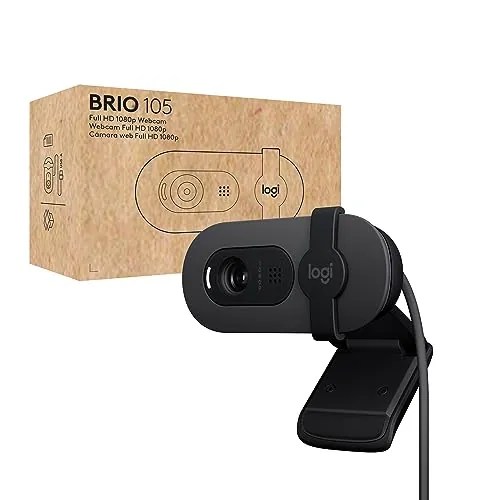
Logitech Brio 505 vs Brio 105: Framing, USB and Host Setup
Both exact U.S. graphite models are listed for Full HD 1080p/30. The purchase difference is the setup around that resolution: Brio 505 adds selectable 65°/78°/90° framing, autofocus, 4x digital zoom and a tilting Show Mode, with Logi Tune and host limitations for its special controls. Brio 105 keeps a fixed 58° view and fixed focus and ships with an attached USB-A cable. Check the computer's port, operating system, camera position and need for listed meeting certifications before choosing. No hands-on image, focus-speed or microphone comparison was performed.
Read comparison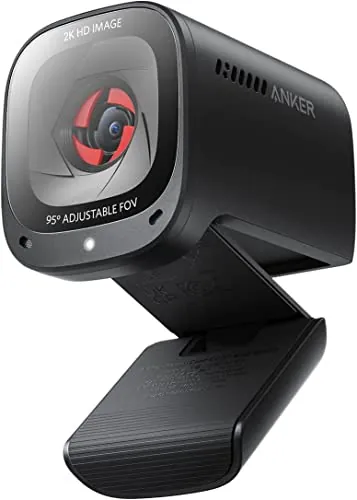
Logitech Brio 505 vs Anker PowerConf C200: Meeting Framing and Setup
These exact U.S. webcams solve different meeting setups. Logitech documents RightSight to keep a moving presenter centered and Show Mode for tilting the camera toward desk items, but those features require Logi Tune; RightSight is unavailable on ARM computers, and Tune is unavailable on ChromeOS. Anker documents the PowerConf C200’s 65°, 78° and 95° views selected through AnkerWork and 2K/30 capture. Before choosing, check the host OS, the app feature you need, and the cable at the computer end.
Read comparison