
Products compared
Logitech
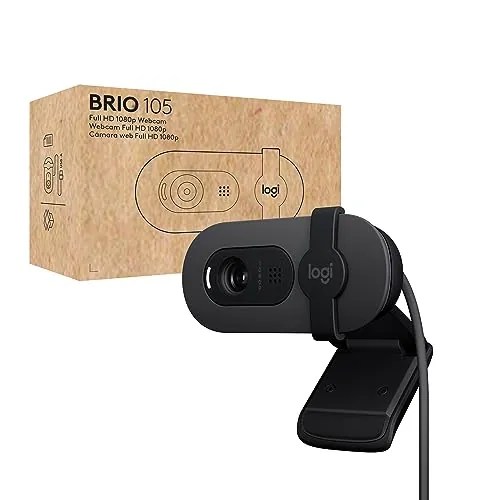
Logitech Brio 105 Business Webcam (Graphite)
North America Graphite variant, manufacturer part 960-001579; confirm the part number and color on the seller listing.
Model Brio 105 / 960-001579
Amazon ASIN B0CGZJR7WK
NexiGo
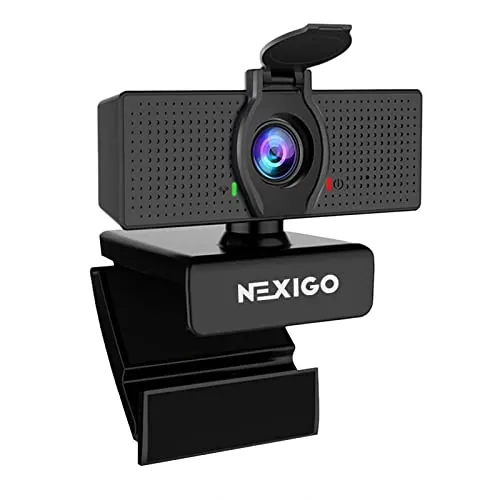
NexiGo N60 1080p Webcam (Black)
Black N60. NexiGo lists the privacy-cover attachment as included; verify that the exact seller offer still matches this N60 variant and box contents.
Model N60
Amazon ASIN B088TSR6YJ
Differences that matter
What matters most to you?
Choose a priority to see what it changes.
Sources for Desk framing before checkout
Sources for Focus at your normal seat
Sources for Lens-cover routine
Sources for Mounting and connection check
Make the framing decision at your desk
Brio 105's 58° diagonal field of view gives a defined reference point. NexiGo advertises 110° for N60, but the N60 technical table does not label the measurement axis. Treat these as manufacturer specifications, not a side-by-side coverage test. Put each camera at the same intended height and distance, open the app you plan to use, and check whether the frame includes the person, desk surface and background you actually want.
NexiGo's N60 material also conflicts about software zoom: the product page says 2× digital zoom while the exact-model technical table says zoom in/out is unavailable. This guide does not use software zoom to select a winner. Both cited specifications list fixed focus, so confirm the normal seated position in preview instead of expecting either webcam to refocus as you move.
Compare cover handling and camera placement
Brio 105 puts a sliding shutter on the webcam itself. NexiGo lists a separate N60 cover attachment and instructs users to press it firmly onto the camera before opening or closing it. If your routine is to cover the lens after a call, consider whether you prefer operating an integrated slider or fitting an accessory first. Neither instruction describes microphone muting; use the meeting application's audio control when needed.
For a monitor or laptop edge, Logitech documents an attached clip and a 5 ft USB-A cable. NexiGo lists an N60 mounting clip and 1/4-inch tripod compatibility, with the tripod sold separately in the cited technical table. Check the actual cable route, screen edge and tripod position before choosing.
Match the listed capture mode to the app you use
The cited documents list 1080p at 30 fps for both exact cameras. That shared maximum is useful for screening out a resolution mismatch, but it does not show which mode a video-call application will select or send. Verify the camera selection and capture settings in your own setup; no call, lighting, image or microphone comparison was conducted.
If you need automatic focus or a tested picture-quality winner, continue comparing other models. Neither manufacturer's cited specification establishes autofocus for these two webcams, and manufacturer feature listings are not a substitute for matched testing.
Product details
Logitech Brio 105 Business Webcam (Graphite)
Choose Brio 105 when its preview from the planned desk position shows the framing you want and an integrated sliding shutter is the simpler routine. Its USB-A cable is attached, so check the computer or dock for a suitable port.
- Published capture modes
- Includes 1920 × 1080 at 30 fps and 1280 × 720 at 30 fps. Source
- Field of view and focus
- 58° diagonal field of view; fixed focus; no zoom listed. Source
- Lens-cover routine
- Integrated sliding shutter; slide it across the lens when the camera is not in use. Source
- Desk connection and placement
- Attached monitor/LCD/laptop mounting clip and 5 ft attached USB-A cable; Logitech lists the camera and attached cable in the box. Source
NexiGo N60 1080p Webcam (Black)
Choose N60 if its own app preview at your planned desk position suits the scene you want and you are comfortable fitting a separate lens-cover attachment. Check your seat distance in the preview because the camera is fixed focus and NexiGo's pages conflict on numeric focus range.
- Published capture mode
- 1920 × 1080 at 30 fps. Source
- Field of view and focus
- NexiGo lists a 110° field of view and fixed focus; the technical table does not specify the angle axis. Source
- Lens-cover routine
- Separate cover attachment is listed as included; NexiGo says to attach it firmly and then open or close it as needed. Source
- Desk placement
- NexiGo lists a clip and 1/4-inch tripod compatibility; its technical table says the tripod is not included and lists 30° tilt and 360° rotation. Source
Before you buy
Community discussions
Choosing a framing option for a shallow desk
NexiGo N60 1080p Webcam (Black)
A shopper with a small desk put the NexiGo N60 on their shortlist for a webcam that could sit on top of a monitor for video calls.
What to check
Check the mount and the distance from the camera to where you sit. Compare how much of the background each camera would include at that distance.
Common questions
Which one shows more of my desk?
NexiGo advertises the N60 with a 110° field of view, while Logitech specifies 58° diagonal for Brio 105. NexiGo's N60 technical table does not identify the axis, so the figures are not a matched measurement. Check both in the same app and at the same placement before choosing.Brio 105 DatasheetN60 Technical InformationNexiGo N60 1080p Webcam
Will either webcam refocus when I move an object closer?
Both manufacturers specify fixed focus. NexiGo recommends a consistent, suitable desk position and checking the preview. If automatic focus is required for your workflow, these exact model specifications do not show it for either camera.Brio 105 DatasheetN60 SupportN60 Technical Information
Does the lens cover mute the microphone?
The cited controls cover the lens. NexiGo tells N60 users to use the calling app's separate mute control when audio also needs to stop. Do not treat a lens cover as a microphone mute.Brio 105 DatasheetN60 Support
Does N60 software zoom settle the choice?
No. NexiGo's current N60 product page lists 2× digital zoom, but its N60 Technical Information page says zoom in/out is unavailable. Treat that feature as unresolved and verify the exact software behavior before relying on it.NexiGo N60 1080p WebcamN60 Technical Information
Sources and scope
Manufacturer-document comparison, not a camera, microphone, focus-speed or reliability test. The N60 zoom statements and stated focus ranges conflict across NexiGo pages, so neither is used as a deciding advantage or a numeric distance promise. NexiGo's N60 technical table gives a 110° field-of-view figure without an axis; the Logitech sheet explicitly labels its 58° figure diagonal. These are not treated as directly matched measurements. A lens cover blocks the lens, not the microphone.
Related comparisons
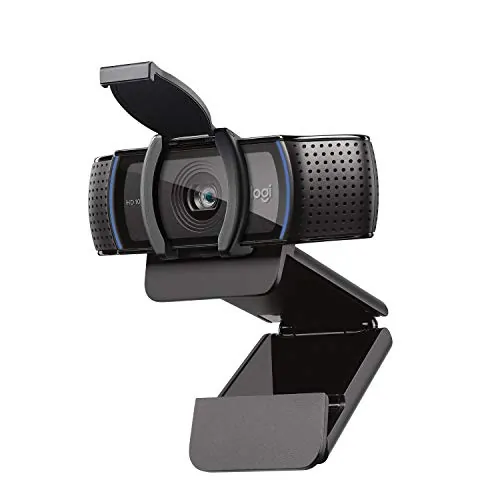
Logitech Brio 105 vs C920s: Camera Modes, Mounting and Privacy
Both webcams list 1080p/30 and 720p/30 video over an attached USB-A cable. Brio 105 uses fixed focus, a 58° diagonal view and an integrated sliding shutter; C920s lists autofocus, a diagonal 78° view, a separate attachable shutter and a ¼-inch tripod thread. Compare the exact desk, privacy and workplace-management needs before choosing.
Read comparison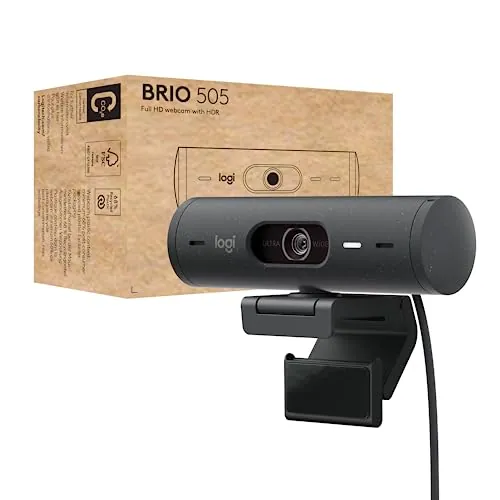
Logitech Brio 505 vs Brio 105: Framing, USB and Host Setup
Both exact U.S. graphite models are listed for Full HD 1080p/30. The purchase difference is the setup around that resolution: Brio 505 adds selectable 65°/78°/90° framing, autofocus, 4x digital zoom and a tilting Show Mode, with Logi Tune and host limitations for its special controls. Brio 105 keeps a fixed 58° view and fixed focus and ships with an attached USB-A cable. Check the computer's port, operating system, camera position and need for listed meeting certifications before choosing. No hands-on image, focus-speed or microphone comparison was performed.
Read comparison