
Products compared
Logitech
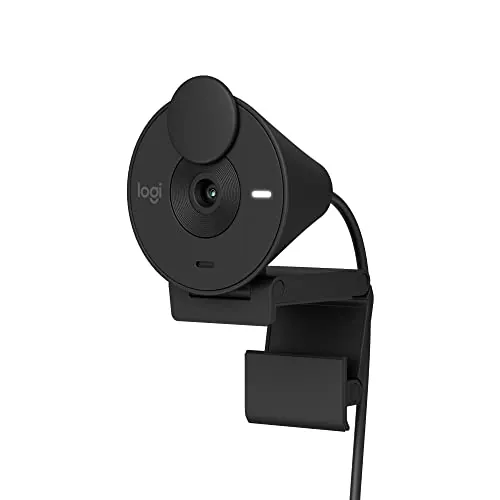
Logitech Brio 301 Full HD Webcam
The assigned Brio 301 uses an attached USB-C cable and needs an available USB-C port. Logitech lists fixed focus, a 70° diagonal field of view, one digital noise-reducing microphone and an integrated privacy shutter. Logitech’s model specification lists Windows 10 and later, macOS 10.15 and later, and Chrome OS; it notes Logi Tune is not available for Chrome OS.
Model Brio 301, Black, 960-001513
Amazon ASIN B09WHRSJ83
Logitech
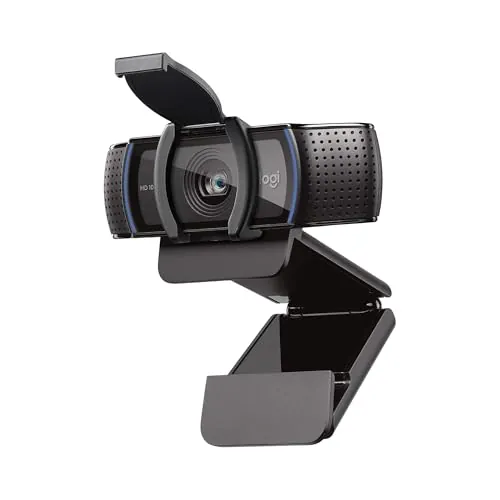
Logitech C920e Business Webcam (Mic Enabled)
The assigned U.S. listing is the Mic Enabled C920e. Logitech’s U.S. product page identifies part 960-001401 and describes dual integrated omnidirectional microphones, autofocus and a 78° diagonal view. Its attached cable is USB-A; the box lists an attachable privacy shutter and documentation. Logitech also documents a standard 1/4-inch tripod thread, with the tripod sold separately. Logitech support lists Windows 10+, macOS 10.10+ and ChromeOS for camera compatibility; current Logi Tune Desktop has newer host requirements. An older general C920e document describes software activation for microphones but does not clarify behavior by Mic Enabled versus Mic Disabled part number, so verify the exact unit in the planned call setup.
Model C920e, 960-001401, Mic Enabled
Amazon ASIN B09DVGV7BH
Differences that matter
What matters most to you?
Choose a priority to see what it changes.
Sources for Native cable, host OS and managed setup
Sources for Microphone selection before a managed rollout
Sources for Focus and field of view for the planned frame
Check the connector and the managed computer first
Brio 301 has an attached USB-C cable and Logitech requires an available USB-C port. The compared C920e part, 960-001401, has an attached 5-foot USB-A cable. If your laptop or dock exposes only the other connector, verify an appropriate adapter or dock connection separately; Logitech's listed C920e box does not include a USB-C adapter.
Basic camera support and device-control software have different requirements. Logitech lists Brio 301 for Windows 10 and later, macOS 10.15 and later and Chrome OS, but specifically says Logi Tune is unavailable on Chrome OS. Logitech's current Logi Tune Desktop page lists Windows 11+ (x64 23H2), Windows on ARM 11+ (24H2) and macOS 13.0+ as desktop requirements. On a managed computer, check the current OS and whether IT allows the app if you rely on its controls; do not infer software eligibility from the camera's connector or OS list.
Treat the C920e mic label as an SKU clue, then test the actual setup
This comparison uses the C920e Mic Enabled part 960-001401, not the separate Mic Disabled 960-001384. Logitech's current U.S. C920e page describes dual integrated omnidirectional microphones; Brio 301's spec lists one built-in digital noise-reducing mic. Those counts and descriptions do not establish a sound-quality winner.
There is a setup nuance for managed environments: Logitech's C920e datasheet generally says to download Logi Tune to activate microphones, while the support specification separates Mic Enabled and Mic Disabled part numbers without explaining whether the Mic Enabled unit needs that procedure. Do not assume the compared SKU is shipped disabled. Before deployment, plug in the exact unit, choose its microphone in the intended call app, check permissions and use only software permitted by the administrator.
Choose framing from your actual desk position
Brio 301 is fixed focus with a listed 70° diagonal view. C920e lists autofocus and a fixed 78° diagonal view. The wider listed view can include more of the surroundings; the narrower listed view can be a better starting point for a tighter seated frame. These are feature descriptions, not a test of which image is clearer. If the use case involves a badge, document or fine print, ask the app or exam provider what is permitted and test the exact distance and lighting first.
Both have a physical lens cover, but they are different parts of the setup: Brio 301's shutter is integrated, while C920e's attachable shade is listed in the box. C920e also has a documented 1/4-inch tripod thread, but its tripod is not included. Logitech documents an adjustable hinged monitor clip for the Brio 300/301/305 family. Verify that the intended screen and placement work with the included clip before rollout.
A pre-buy check for a work laptop or shared desk
1) Read the port on the computer or dock where the camera will connect: Brio 301 is USB-C; C920e 960-001401 uses USB-A. 2) Confirm the OS version supports the camera and separately check current Logi Tune Desktop requirements if configuration is needed. 3) Test the C920e's Mic Enabled part in the intended app and verify the right input is selected under the organization's software and permission rules. 4) Choose the framing and physical privacy workflow: integrated shutter and monitor clip, or attachable shade and an optional separate tripod.
Product details
Logitech Brio 301 Full HD Webcam
- Connection and supported hosts
- Attached USB-C cable; available USB-C port required. Logitech lists Windows 10+, macOS 10.15+ and Chrome OS. Source
- Focus and view
- Fixed focus; 70° diagonal field of view; 1080p/30fps and 720p/30fps listed. Source
- Microphone and privacy
- One digital noise-reducing built-in microphone; integrated privacy shutter. Source
- Monitor mounting
- Logitech documents an adjustable monitor clip with tilt and angle hinges for Brio 300/301/305; this cited guide does not document a tripod thread for Brio 301. Source
Logitech C920e Business Webcam (Mic Enabled)
- Exact part and microphone label
- Logitech lists 960-001401 as Mic Enabled and distinguishes 960-001384 as Mic Disabled. Source
- Camera OS list
- Logitech C920e support lists Windows 10+, macOS 10.10+ and ChromeOS; confirm current compatibility for the particular host and call app. Source
- Connection and package
- Attached 5 ft (1.5 m) USB-A cable, attachable privacy shutter and user documentation; USB-A host port listed. Source
- Focus and view
- Autofocus; fixed 78° diagonal field of view; up to 1080p/30fps listed. Source
- Microphones and placement
- Two integrated omnidirectional microphones; universal clip and 1/4-inch tripod thread. Tripod is not included. Source
Before you buy
Community discussions
Office buyer reports checking the C920e microphone before rollout
Logitech C920e Business Webcam (Mic Enabled)
An office buyer of eight C920e cameras reports that the first two had working video but no microphone input until they enabled the mic in Logitech software. The post does not establish that those units were the same mic-enabled retail configuration compared here.
What to check
If you need the webcam microphone, verify that the listing is for the mic-enabled C920e version and confirm the input appears in your computer and meeting app before deploying multiple units. This is one buyer’s report, not proof that the compared configuration has the same issue.
Common questions
Is the Logitech C920e in this comparison the Mic Enabled version?
Yes. The selected listing is part 960-001401, and Logitech's C920e support specifications identify 960-001401 as Mic Enabled and 960-001384 as Mic Disabled. A general datasheet describes microphone activation in Logi Tune but does not distinguish how those SKUs behave on first use. Confirm the mic input in the actual call app before a managed rollout.Specifications - C920e Business Webcam — Logitech HubC920e Key Features and Product Specifications — Logitech data sheet
Does Brio 301 work with Logi Tune on a Chromebook?
Logitech lists Chrome OS camera compatibility for Brio 301 but explicitly says Logi Tune is not available for Chrome OS. So distinguish using the webcam from relying on Tune controls.Specification - BRIO 301 — Logitech Support
Does the C920e tripod come in the box?
No. Logitech documents the webcam's 1/4-inch tripod thread and says the tripod is not included. Its listed package includes the webcam with attached USB-A cable, privacy shutter and user documentation.C920e Key Features and Product Specifications — Logitech data sheet
Will autofocus make C920e better for an exam ID or fine print?
Autofocus is a documented feature, not proof of readability. Check the exam rules and test the exact distance, lighting and application before relying on either webcam for fine text.C920e Key Features and Product Specifications — Logitech data sheetSpecification - BRIO 301 — Logitech Support
Sources and scope
This is a source-based comparison of the exact assigned models, not a hands-on image or microphone test. No claim is made about image sharpness, audio quality, autofocus results, video-call reliability or performance in a particular room. Logitech’s general C920e microphone activation document does not distinguish the Mic Enabled 960-001401 from the Mic Disabled 960-001384; verify the microphone in the actual app and device policy instead of inferring its initial state. Check operating-system and software requirements against the current computer because camera compatibility and Logi Tune Desktop compatibility are different questions.
- Specification - BRIO 301 — Logitech Support
- Set and mount BRIO 300/301/305/1080p Webcam on a monitor — Logitech Support
- C920e Business Webcam — Logitech U.S.
- Specifications - C920e Business Webcam — Logitech Hub
- C920e Key Features and Product Specifications — Logitech data sheet
- The Logi Tune App: Custom Device Controls — Logitech U.S.
- Logi Tune Supported Devices — Logitech Hub
Related comparisons
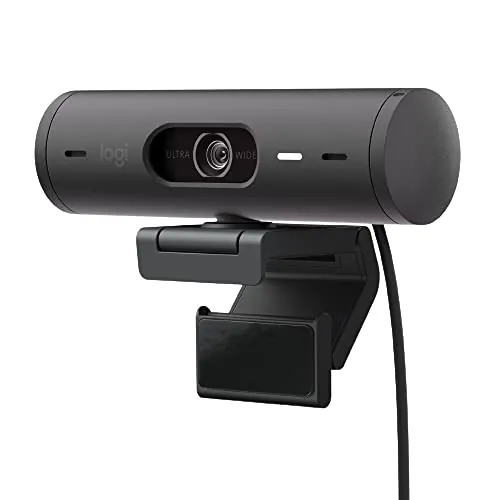
Logitech Brio 501 vs Brio 301: Framing Controls, USB-C and IT Fit
The Brio 501 guide documents autofocus, auto-framing, Show Mode and Logi Tune field-of-view choices of 90°, 78° or 65°. Logitech lists the Brio 301 with fixed focus and a 70° diagonal view, plus explicit Windows, macOS and ChromeOS support and certifications for Teams, Zoom, Google Meet and Works With Chromebook. Both documented setups use attached USB-C cables and physical privacy shutters. The 301’s certification list is documented; the 501 guide reviewed here does not establish an equivalent platform or certification list, so verify that exact requirement with Logitech or your IT team before deployment. This is a feature and setup comparison, not an image-quality test.
Read comparison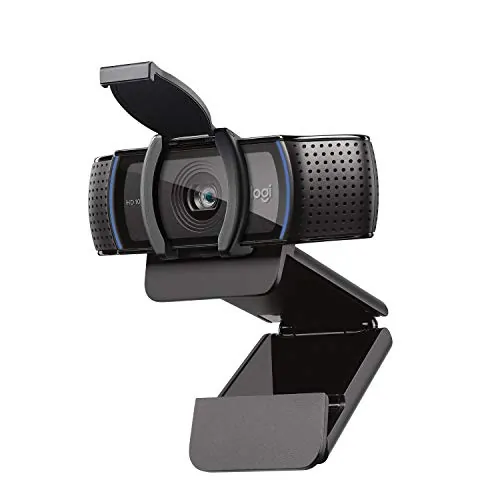
Logitech Brio 301 vs C920s: Match Focus, USB Port and Privacy Setup
These Logitech webcams answer different desk setup needs. The Brio 301 uses fixed focus and an attached USB-C cable; the C920s pairs autofocus with an attached USB-A cable and a separate privacy shutter. Check the computer you will use, how much the subject moves, and how you want to cover the lens before choosing.
Read comparison