
Products compared
Logitech
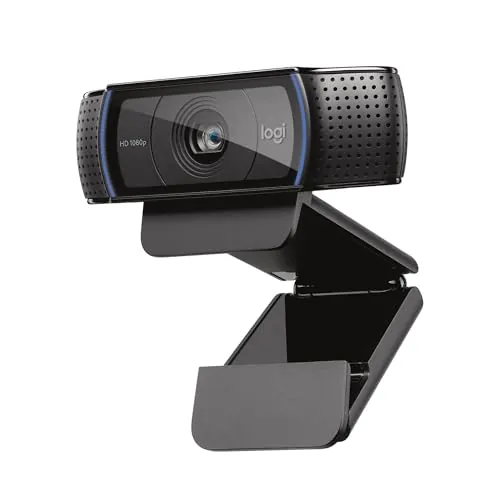
Logitech C920x HD Pro Webcam
Black U.S. listing; fixed 5 ft USB-A cable and universal mounting clip documented in the Logitech C920X setup guide.
Model 960-001335
Amazon ASIN B085TFF7M1
Logitech
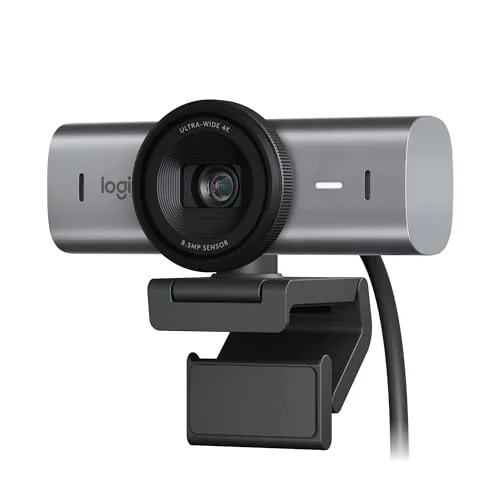
Logitech MX Brio 4K Webcam, Graphite
Graphite U.S. model. Check for a USB-C port supporting USB 3.0; Logitech specifies a USB-C-to-C cable.
Model 960-001545
Amazon ASIN B0BFJ4CRKD
Differences that matter
What matters most to you?
Choose a priority to see what it changes.
Sources for Capture mode you will actually use
Sources for Host port and cable
Sources for Monitor framing and desk sharing
Sources for Between-call camera block
Start with the mode and software you will use
The C920X guide identifies an HD 1080p lens and says the webcam provides Full HD 1080p video calling; the reviewed pages do not provide a frame-rate table for the exact camera. Logitech lists MX Brio at UHD 4K/30 or 1080p/60. That makes MX Brio the clearer documented fit when one of those modes is specifically needed, while C920x can fit a routine HD setup. The specifications do not establish a visible quality winner.
Before buying, check the mode selector in your actual call, recording, or streaming app and confirm the host and cable path can supply it. The official MX Brio specs list Logitech software support at release for Windows 10 or later and macOS 10.15 or later; ChromeOS and Linux receive basic UVC webcam support, without Logitech software. Do not assume that every app or platform offers every camera mode.
Check the connector before you clear a desk space
C920x's guide documents an attached 5 ft USB-A cable. MX Brio's support FAQ says its included cable is USB-C to USB-C and supports USB 3.0; its specification page requires a USB-C port supporting USB 3.0 and cautions that another cable must meet that standard for 4K use. If your computer or dock has only one type of port available, resolve that connection question before comparing other features.
The same guide shows C920x on a monitor clip, adjusted manually up or down, with a tripod thread also provided. For a desk demonstration, MX Brio's Show Mode is specifically described as tilting down to share notes or sketches during a call. Measure where the clip can sit and check that the desk area below is visible; the feature name is not a guarantee that every monitor or room layout will frame the page the way you want.
Decide whether a physical shutter changes your routine
Logitech describes MX Brio's built-in rotating shutter as a way to block the camera between meetings. The reviewed C920X guide documents the lens, clip and cable but does not establish whether a privacy cover is included with the exact C920x package. If that physical block is a must-have, verify the current C920x box contents rather than treating an undocumented detail as absent.
Logitech's MX Brio page also lists advanced adjustment controls through Logi Options+ and G HUB. This is a documented software feature, not a promise of better output. The reviewed sources do not compare image quality, autofocus behavior, microphone pickup, low-light performance or streaming results under matching conditions.
A quick before-you-buy check
1. Write down your host OS, the USB port at the place you will plug in, and the camera mode you want from your app. For MX Brio, match the USB-C 3.0 requirement; for C920x, account for its attached USB-A cable.
2. Mark the screen edge where the camera will sit and the area on the desk that you might show. C920x documents a manually adjustable clip and tripod thread; MX Brio documents a tilt-down Show Mode and built-in shutter.
3. Decide whether a shutter is required and verify the exact C920x package if so. Do not assume an unmentioned cover is either included or absent.
4. If your choice depends on which picture, microphone, autofocus, or low-light handling is superior, wait for a comparable test of these exact models. The manufacturer sources reviewed here describe features, not a head-to-head result.
Product details
Logitech C920x HD Pro Webcam
- Documented video
- The C920X setup guide identifies an HD 1080p lens; it does not provide a matching output-mode or frame-rate table in the reviewed sections. Source
- Connection and cable
- Attached 5 ft (1.5 m) USB-A cable. Source
- Mounting
- Universal mounting clip and tripod thread; manual up/down camera adjustment is shown. Source
Logitech MX Brio 4K Webcam, Graphite
- Listed capture modes
- UHD 4K at 30 fps or 1080p at 60 fps. Source
- Connection requirement
- USB-C port supporting USB 3.0; Logitech's support specification lists Windows 10 or later and macOS 10.15 or later for Logitech software, with basic UVC webcam support on ChromeOS and Linux. Source
- Included cable type
- USB-C-to-C cable supporting USB 3.0. Source
- Desk and privacy hardware
- Show Mode tilts the camera down to share notes or sketches during a call; the product page documents a built-in rotating shutter. Source
Before you buy
Community discussions
Testing a high-resolution webcam mode
Logitech MX Brio 4K Webcam, Graphite
An MX Brio owner reported a momentary freeze and a settings warning after selecting 4K or 1080p at 60 frames per second.
What to check
Start with the video mode your meeting software will send. Check the cable and port before choosing a camera for a higher capture mode.
Common questions
Does MX Brio's 4K listing prove that it will look better on every call?
No. Logitech lists MX Brio capture modes, but this research does not include a same-condition image comparison. The meeting app, selected output mode, host, connection, display path, lighting and framing can affect the result.Buy MX Brio UHD 4K Webcam (Graphite, part 960-001545)C920X PRO HD Webcam Complete Setup Guide
What port should I check before buying MX Brio?
Logitech specifies a USB-C port supporting USB 3.0 and says MX Brio includes a USB-C-to-C USB 3.0 cable. Confirm the host port and the connection path you plan to use.Specification - MX BRIOCan I use any type of cable to connect my MX Brio?
Can MX Brio show a sheet of notes during a meeting?
Logitech describes Show Mode as tilting the webcam down to share desk notes or sketches on a call. Check your mount position and clear desk area before choosing it for that workflow.Buy MX Brio UHD 4K Webcam (Graphite, part 960-001545)
Does the C920x have a privacy cover?
The reviewed Logitech C920X setup guide does not establish whether the exact package includes a cover. Logitech documents a built-in rotating shutter for MX Brio; verify the C920x box or current exact-model listing if a physical block is required.C920X PRO HD Webcam Complete Setup GuideBuy MX Brio UHD 4K Webcam (Graphite, part 960-001545)
Sources and scope
This is a manufacturer-document comparison, not a hands-on webcam test. Logitech documents 1080p HD for C920x but the reviewed guide does not provide a matching frame-rate/mode table. MX Brio’s published modes, Show Mode, shutter, cable and software requirements do not establish comparative image, microphone, autofocus, low-light, or streaming performance. C920x privacy-cover inclusion remains unknown from the reviewed exact-model guide.
Related comparisons
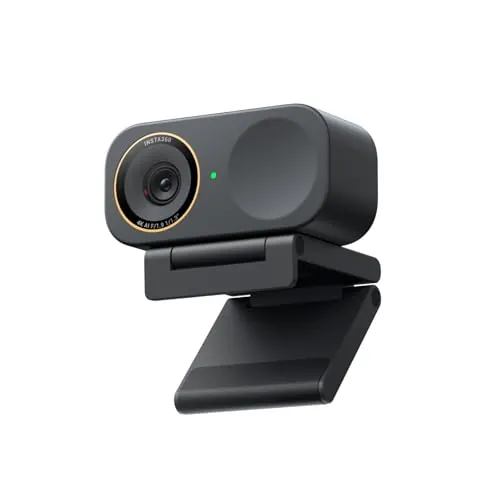
Logitech C920x vs Insta360 Link 2C Pro: Framing, Mounting and Privacy Fit
The Logitech C920x guide documents an attached USB-A cable, a universal mounting clip and tripod thread, while Link 2C Pro offers documented 4K and portrait modes, a magnetic adjustable mount, DeskView and a physical privacy-cover switch. Start with the resolution and framing tools you need, then check your computer, monitor edge, tripod plan and whether camera privacy must be physical. Logitech’s exact C920x guide does not state its field-of-view angle or current OS/app requirements, so those points need an exact-product check.
Read comparison
Elgato Facecam 4K vs Logitech MX Brio: Frame Rates, Focus and Desk Use
Elgato Facecam 4K can output 4K60, but only as MJPG over USB 3.0; USB 2.0 tops out at 1080p60. Logitech MX Brio's published maximum is 4K30 or 1080p60 and requires USB-C with USB 3.0 support. The Elgato uses fixed focus and has no built-in mic; MX Brio adds autofocus, dual mics and a rotating privacy shutter.
Read comparison