
Products compared
Logitech G
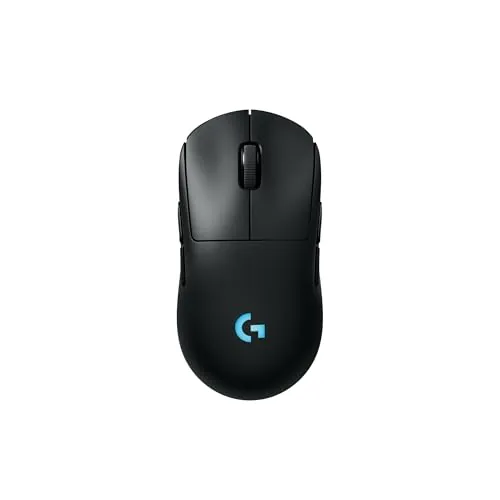
Logitech G PRO 2 LIGHTSPEED Wireless Gaming Mouse
Black U.S. listing; exact PRO 2 part number 910-007246
Model 910-007246
Amazon ASIN B0CJ4TPLRM
Logitech G
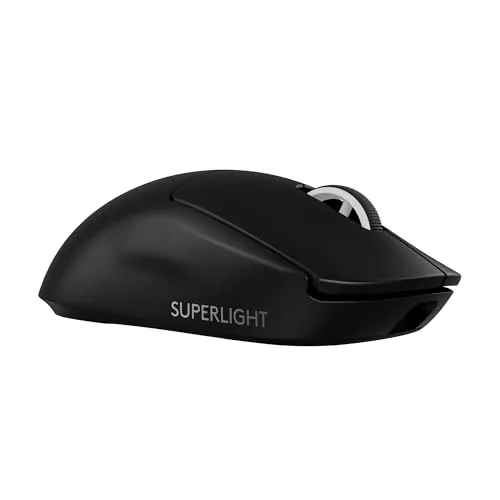
Logitech G PRO X SUPERLIGHT 2 LIGHTSPEED Wireless Gaming Mouse
Black U.S. listing; exact part number 910-006628
Model 910-006628
Amazon ASIN B09NBWL8J5
Differences that matter
What matters most to you?
Choose a priority to see what it changes.
Sources for Receiver, cable, and charging setup
Sources for Manufacturer-listed mouse weight
The purchase decision is mostly about button choice
For a buyer who needs to choose where side buttons go, PRO 2 is the better-documented option. The exact 910-007246 specification lists a 4–8 button range and optional magnetic side-button pairs for both left and right sides. Its guide shows right-handed, left-handed, no-side-button, and full-button configurations. That is a practical hardware choice, not evidence of better control.
The black PRO X SUPERLIGHT 2, part 910-006628, is listed at five buttons. Its checked specifications do not establish where those buttons sit or whether they can be moved. If its layout must match a particular hand or game, verify that physical arrangement before buying instead of reading more into the total.
Receiver placement and charging are straightforward, with a package check
The PRO 2 exact-part sheet includes its LIGHTSPEED receiver, extension adapter, and USB-A to USB-C charging/data cable. Logitech's setup guide illustrates using the receiver with the adapter and cable, or connecting it directly to a PC; when the mouse is connected directly to a PC, the cable carries data and can also charge it.
For the PRO X SUPERLIGHT 2, Logitech Support documents a USB-A LIGHTSPEED receiver/adapter, receiver extension adapter, and USB-A to USB-C charging/data cable for model M/N MR0097. The support page says the product number varies by region. Check the exact U.S. offer contents, then check that your PC or hub has a USB-A port available for the receiver path you plan to use.
Use the weight numbers as a spec, not a result
Logitech lists the PRO 2 at 80 g and the black PRO X SUPERLIGHT 2 at 60 g. The 20 g difference can help shortlist by stated mouse mass. It does not tell you which shape will feel better in your hand, move more accurately, or perform better in a game; no controlled comparison of those outcomes is supplied here.
A quick pre-buy check
Read the part number on the exact listing: 910-007246 for PRO 2 or 910-006628 for black PRO X SUPERLIGHT 2. If button placement matters, compare a top-and-side view of the exact model and confirm the wanted set is documented; five buttons alone is not a layout specification. Check the package list for receiver, extension adapter, and USB-A-to-C cable, and verify your computer has the receiver port you intend to use. If you are choosing from weight alone, remember the numbers describe listed mass, not comfort.
Product details
Logitech G PRO 2 LIGHTSPEED Wireless Gaming Mouse
The exact-part Logitech sheet names 910-007246 and lists optional left- and right-side button pairs, a USB-A to USB-C cable, receiver and extension adapter. The setup guide explains how to attach the receiver and how to charge or use the mouse over cable.
- Documented button range
- 4–8 programmable buttons; replaceable magnetic side-button options for both sides Source
- Included wireless and charging hardware
- LIGHTSPEED receiver, receiver extension adapter, and USB-A to USB-C charging/data cable listed for part 910-007246 Source
- Listed mouse weight
- 80 g Source
Logitech G PRO X SUPERLIGHT 2 LIGHTSPEED Wireless Gaming Mouse
Logitech identifies the U.S. black product as PRO X SUPERLIGHT 2, part 910-006628, and lists 60 g. Its support specification covers the standard PRO X SUPERLIGHT 2 model (M/N MR0097; product number varies by region) and describes the connection, cable and receiver package. It does not specify the physical layout or adjustability of the five listed buttons.
- Listed button count
- 5 buttons; the total does not establish side-button placement or changeability Source
- Listed wireless and charging hardware
- The PRO X SUPERLIGHT 2 support specification (M/N MR0097; regional P/N varies) lists a USB LIGHTSPEED adapter, receiver extension adapter, and USB-A to USB-C charging/data cable Source
- Listed mouse weight
- 60 g for the black U.S. 910-006628 product page Source
Before you buy
Community discussions
Checking the receiver and computer ports
Logitech G PRO X SUPERLIGHT 2 LIGHTSPEED Wireless Gaming Mouse
A new SUPERLIGHT 2 owner asks what the receiver adapter is for and how it connects, including whether it uses USB-C. The post is a question, so it does not verify the adapter’s function or answer the speed question.
What to check
Compare the included receiver and cable listed for the exact mouse with the ports on your computer or dock. Confirm any adapter you plan to use from the manufacturer or seller package details.
Common questions
Can the PRO 2 be set up for left-handed use?
Logitech describes the PRO 2 as ambidextrous and its setup guide shows replaceable magnetic side-button configurations for right-handed, left-handed, no-side-button, and full-button setups. The exact part sheet lists optional button pairs for both sides.Logitech G PRO 2 LIGHTSPEED exact-part product specification, 910-007246Logitech PRO 2 LIGHTSPEED setup guide
Does the PRO X SUPERLIGHT 2 have five buttons?
Logitech lists five buttons for the PRO X SUPERLIGHT 2. That total does not tell you where its side buttons sit or whether they can be changed, so check the exact model material if that detail is essential.Logitech Support specification: G PRO X SUPERLIGHT 2 LIGHTSPEED Gaming MouseLogitech G U.S. PRO X SUPERLIGHT 2 specifications page
Are the PRO 2 and PRO X SUPERLIGHT 2 the same weight?
No. Logitech lists 80 g for exact PRO 2 part 910-007246 and 60 g for the black PRO X SUPERLIGHT 2 product page, part 910-006628. The published difference does not establish comfort or performance.Logitech G PRO 2 LIGHTSPEED exact-part product specification, 910-007246Logitech G U.S. black PRO X SUPERLIGHT 2 product page, P/N 910-006628
What should I check about the cable and receiver before buying?
Both Logitech documents describe USB-A receiver hardware and a USB-A to USB-C charging/data cable. The PRO X SUPERLIGHT 2 support spec says its product number varies by region, so compare the exact U.S. offer’s package details with the accessories you expect.Logitech G PRO 2 LIGHTSPEED exact-part product specification, 910-007246Logitech PRO 2 LIGHTSPEED setup guideLogitech Support specification: G PRO X SUPERLIGHT 2 LIGHTSPEED Gaming Mouse
Sources and scope
This is a comparison of manufacturer-published model and setup details, not a hands-on or controlled test. The SUPERLIGHT 2’s five-button total does not establish button placement or adjustability. Logitech’s support specification says its product number varies by region, so check the current U.S. listing for the included package. Listed weights do not establish comfort, tracking, latency, or game results.
- Logitech G PRO 2 LIGHTSPEED exact-part product specification, 910-007246
- Logitech PRO 2 LIGHTSPEED setup guide
- Logitech Support specification: G PRO X SUPERLIGHT 2 LIGHTSPEED Gaming Mouse
- Logitech G U.S. black PRO X SUPERLIGHT 2 product page, P/N 910-006628
- Logitech G U.S. PRO X SUPERLIGHT 2 specifications page
Related comparisons

Logitech G502 HERO vs PRO X SUPERLIGHT 2: More Controls or Wireless Simplicity?
This comparison covers the black, wired Logitech G502 HERO (910-005469) and the standard black Logitech G PRO X SUPERLIGHT 2 (910-006628), not the DEX or 2c. G502 HERO puts more programmable actions, wheel controls and optional tuning weights on a wired mouse. SUPERLIGHT 2 uses a LIGHTSPEED receiver, charges over USB-C, and has five mapped physical inputs with a manufacturer-listed 60 g design. Make a quick inventory of the actions you need and decide whether you want a cable at the mouse or a rechargeable wireless setup; no source here establishes a gaming, comfort or aiming winner.
Read comparison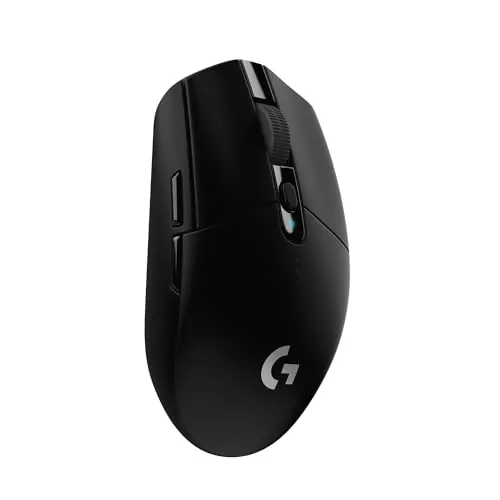
Logitech G305 vs PRO X SUPERLIGHT 2: AA, Shape and Charging
The black G305 (910-005280) uses one replaceable AA and has a shorter published body. The standard black PRO X SUPERLIGHT 2 (910-006628) recharges by USB-C and is listed at 60 g, but its shell is longer and both setups still use a USB receiver.
Read comparison