
Products compared
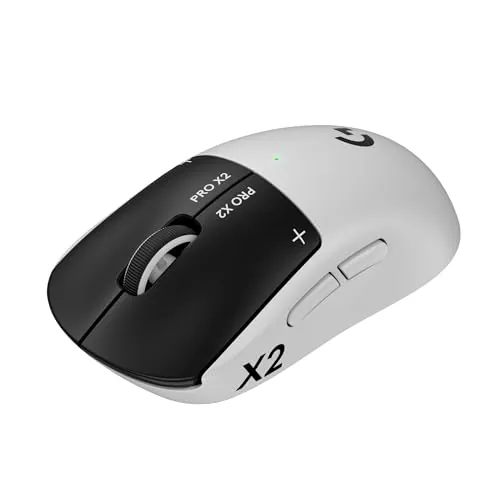
Logitech G
Logitech G PRO X2 SUPERSTRIKE Wireless Gaming Mouse — 910-007700
Logitech G PRO X2 SUPERSTRIKE, part 910-007700. Logitech’s U.S. product page calls the color Lunar Eclipse; confirm the exact retailer listing and package.
Model 910-007700
Amazon ASIN B0G12HGHGM
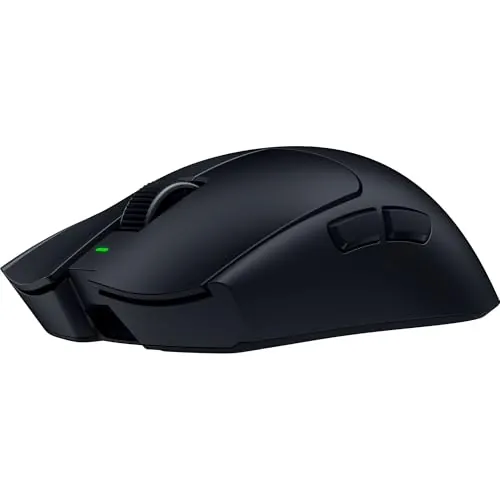
Razer
Razer Viper V4 Pro Wireless Esports Gaming Mouse — Black, RZ01-05630100-R3U1
Black U.S. Razer Viper V4 Pro, part RZ01-05630100-R3U1. Check that code on the seller listing.
Model RZ01-05630100-R3U1
Amazon ASIN B0GMLBSSTD
Differences that matter
Sources for Wireless receiver, cable and setup items
Sources for Published external dimensions
Start with the click behavior you want to configure
The Logitech page and setup guide give the PRO X2 SUPERSTRIKE a specific main-click tuning workflow: select an actuation point, select a rapid-trigger reset point, and adjust click-haptics intensity in G HUB. That is a meaningful reason to prefer it if you want to experiment with those controls or turn haptics off. The sources describe settings; they do not establish a competitive advantage in play.
Razer documents Gen-4 optical main switches, six programmable controls and one onboard profile for the last-used Synapse settings. Its cited product information does not list controls equivalent to Logitech’s HITS actuation/reset and haptic menu. If those specific adjustments are not part of your plan, compare the Razer control and software routine against the features you expect to use; the missing equivalent in the product description does not imply a defect.
Make the button-mapping routine concrete
Logitech’s setup guide labels left and right click, middle click/scroll, browser forward and browser back, and points users to G HUB for configuration. Razer advertises six programmable controls and says its onboard profile saves last-used Synapse button mappings. The numbers are not a like-for-like count of the same controls; think through the actions you need and the software you will use.
Razer says Synapse Web can adjust settings and switch onboard profiles. If you plan to use one saved profile, check that the settings you need are supported in that workflow and that it suits your setup. No software-usability or multi-computer test is available.
Check the receiver, cable and exact package
Both product families document a USB-A-to-USB-C cable. Logitech’s setup guide shows its LIGHTSPEED receiver in an extension adapter and the support specification lists a 1.8 m charging/data cable. Razer lists wired operation and HyperSpeed Wireless Gen-2, and its U.S. page describes the wireless dongle and status indicators.
Before checkout, check that your computer or dock has the port you plan to use and confirm the retailer’s exact part number and included items. Razer’s U.S. Viper V4 Pro product page does not give a complete box list for ASIN B0GMLBSSTD, so verify the offer before expecting a particular extension or grip accessory.
Use dimensions as a desk check, not a grip promise
The published external dimensions are close but not identical: the Logitech support table gives 125 × 63.5 × 40 mm and labels its axes height, width and depth; Razer gives 127.1 × 63.9 × 39.9 mm as length, width and height. That can help if a tray or narrow storage space is close to the mouse’s outline. Keep the source axes straight and measure your available clearance.
These overall numbers do not describe the shape of the hump, button reach or a person’s preferred grip. This guide has not measured either mouse in hand, so the dimensions should not be read as evidence that one will be more comfortable.
Product details
Logitech G PRO X2 SUPERSTRIKE Wireless Gaming Mouse — 910-007700
- Main-click controls
- The maker lists ten actuation points, five rapid-trigger reset points and six haptic intensity levels for the main keys. Source
- Configuration path
- The setup guide directs users to G HUB for actuation, rapid-trigger, DPI and report-rate settings. Source
- Published body size
- 125 × 63.5 × 40 mm (height × width × depth in Logitech Support’s table). Source
Razer Viper V4 Pro Wireless Esports Gaming Mouse — Black, RZ01-05630100-R3U1
- Main-switch type
- Razer lists Optical Mouse Switches Gen-4; its US product page describes them as designed to work without heavy configuration. Source
- Button configuration
- Razer lists six programmable controls and one onboard profile that stores last-used Synapse settings, including button mappings. Source
- Connection types and cable
- The manufacturer lists HyperSpeed Wireless Gen-2 and wired use, with a USB Type-A to USB Type-C cable. Source
- Published body size
- 127.1 × 63.9 × 39.9 mm (length × width × height). Source
Before you buy
Community discussions
Comparing how each mouse balances in your grip
Razer Viper V4 Pro Wireless Esports Gaming Mouse — Black, RZ01-05630100-R3U1
A shopper comparing the Viper V4 Pro and G Pro X2 Superstrike wonders how a more front-weighted feel would affect their preference.
What to check
Try each shape with the grip you use most. Check where your fingers land and how the mouse feels when you lift it to reposition.
Common questions
Which one documents adjustable main-click actuation and haptic level?
Logitech’s PRO X2 SUPERSTRIKE page and setup guide document ten actuation points, five rapid-trigger reset points and six haptic levels for the main keys, configured in G HUB. The reviewed Razer sources identify Gen-4 optical switches but do not document the same adjustment set.PRO X2 SUPERSTRIKE — U.S. product page (part 910-007700)PRO X2 SUPERSTRIKE Setup Guide (English section and package diagram)Razer Viper V4 Pro — U.S. product page (feature and configuration details)
Does one mouse have a proven click-speed advantage?
Not from this comparison. It reports manufacturer-listed switch and configuration features, not a controlled, independently measured head-to-head result.PRO X2 SUPERSTRIKE — U.S. product page (part 910-007700)Razer Viper V4 Pro — U.S. product page (feature and configuration details)
Do both connect to a computer with USB-C?
Both manufacturers list USB-A-to-USB-C cables. Logitech’s guide calls its cable charging/data and documents a separate LIGHTSPEED receiver; Razer lists wired use and HyperSpeed Wireless Gen-2. Check the ports and connection method you plan to use.Specification — PRO X2 SUPERSTRIKE, Logitech SupportPRO X2 SUPERSTRIKE Setup Guide (English section and package diagram)Razer Viper V4 Pro — Asia-Pacific technical specifications
Which shape will feel better in my hand?
The published dimensions can help compare the outside envelope, but they do not establish how the hump, button reach or grip will feel to you. Try the exact shapes if possible; no hand-size fit is promised here.Specification — PRO X2 SUPERSTRIKE, Logitech SupportRazer Viper V4 Pro — Asia-Pacific technical specifications
Are the exact colors and included items certain for these ASINs?
Logitech’s U.S. product page identifies part 910-007700 and calls the color Lunar Eclipse; confirm the exact seller listing’s color and package. Razer’s U.S. page identifies the black RZ01-05630100-R3U1 option; check that code and included items on the listing.PRO X2 SUPERSTRIKE — U.S. product page (part 910-007700)Razer Viper V4 Pro — U.S. product page and black SKU option
Sources and scope
This comparison uses manufacturer-published features and setup information; it is not a side-by-side test. Manufacturer performance and durability claims were not independently measured. Published dimensions do not establish grip fit or comfort. Logitech’s U.S. product page calls part 910-007700 Lunar Eclipse; confirm the seller’s color description and exact package. Razer’s detailed dimensions are on its Asia-Pacific regional specification page, while its U.S. page confirms the black RZ01-05630100-R3U1 product code; verify package contents for the exact offer.
- PRO X2 SUPERSTRIKE — U.S. product page (part 910-007700)
- Specification — PRO X2 SUPERSTRIKE, Logitech Support
- PRO X2 SUPERSTRIKE Setup Guide (English section and package diagram)
- Razer Viper V4 Pro — U.S. product page and black SKU option
- Razer Viper V4 Pro — Asia-Pacific technical specifications
- Razer Viper V4 Pro — U.S. product page (feature and configuration details)
Related comparisons
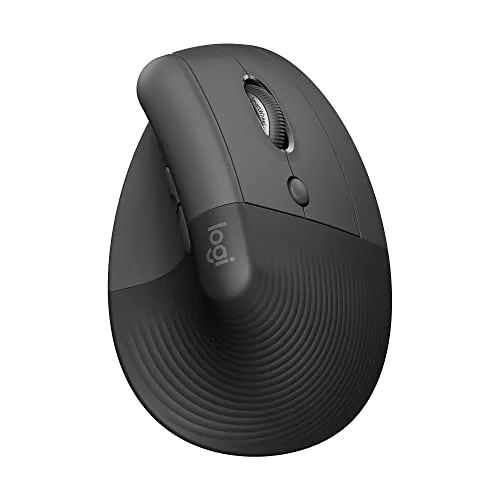

Logitech Lift vs MX Vertical: Hand Fit, Receiver and Charging
These are both right-handed Logitech vertical mice, but Logitech positions them for different hand-size ranges. Lift uses one AA battery and a Logi Bolt receiver; MX Vertical recharges over USB-C, can stay connected by cable while charging, and uses a Unifying receiver. Bluetooth is available on both.
Read comparison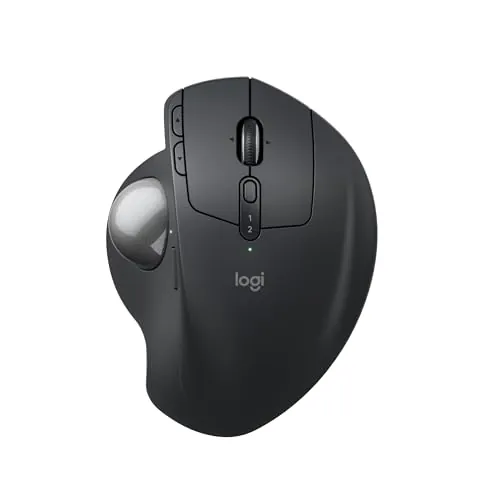
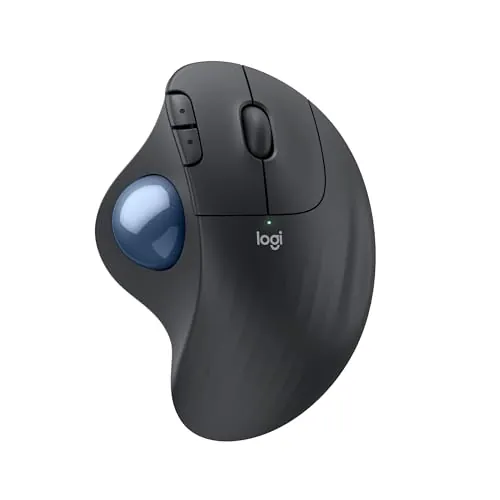
Logitech MX Ergo S vs ERGO M575S: Tilt, Thumb Controls and Power
Both are thumb-operated Logitech trackballs with Bluetooth and a Logi Bolt receiver in the manufacturer-listed box. The MX Ergo S adds a stated 20-degree tilt, a physical button for switching between speed and high-precision tracking, six customizable buttons and two-channel Easy-Switch; it recharges over USB-C, but the cable is not included. The ERGO M575S uses Logi Options+ for cursor-speed changes, offers three customizable buttons, and runs on one replaceable AA battery rated by Logitech for up to 18 months. Logitech's M575S support pages checked here do not state its saved-host count, so verify that requirement before relying on it for multi-computer switching.
Read comparison