
Products compared
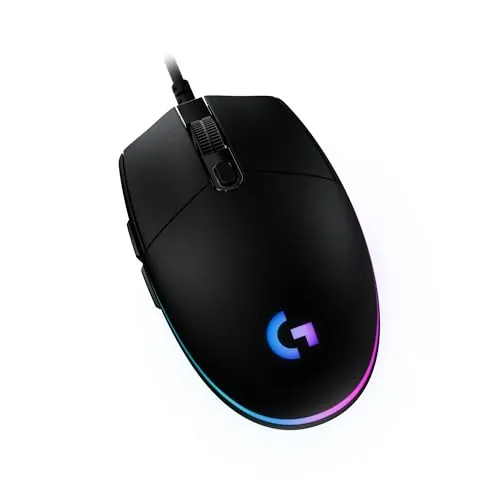
Logitech G
Logitech G203 LIGHTSYNC Wired Gaming Mouse - Black
Assigned black U.S. listing and exact Logitech part number 910-005790. This is the G203 LIGHTSYNC version, not the older G203 Prodigy. Logitech identifies it as a wired six-button mouse with customizable LIGHTSYNC RGB.
Model G203 LIGHTSYNC / 910-005790
Amazon ASIN B07YN82X3B
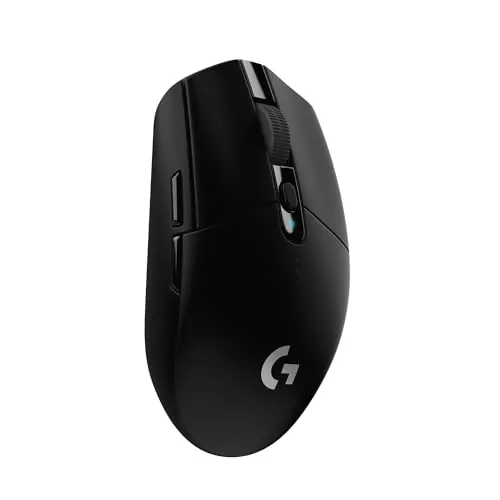
Logitech G
Logitech G305 LIGHTSPEED Wireless Gaming Mouse - Black
Assigned black G305 LIGHTSPEED listing. Logitech documents a USB receiver stored in the battery cage, one replaceable AA battery, a bottom power switch and no RGB lighting. G HUB is optional for basic operation; advanced settings use the software.
Model G305 LIGHTSPEED / 910-005280
Amazon ASIN B07CMS5Q6P
Differences that matter
What matters most to you?
Choose a priority to see what it changes.
Sources for Lighting, buttons and configuration
One stays tethered; the other needs a receiver and AA
The exact black G203 LIGHTSYNC 910-005790 is the wired choice. It avoids a mouse-battery change, but its cable remains part of the desk setup. The exact black G305 LIGHTSPEED 910-005280 connects through the included USB receiver. Logitech stores that receiver in the battery compartment and documents an AA battery plus an underside power switch.
If the G305 fits your routine, the first-use checklist is short: install the AA, take the receiver out of its storage cage, plug the receiver into the computer or extension cable and turn the mouse on. If you move computers, put the receiver back in its compartment before packing. These setup steps do not establish comparative response performance.
Choose lighting only if you will use it
Logitech documents customizable LIGHTSYNC RGB on the G203, including color/effect choices and synchronization with compatible LIGHTSYNC gear. Its U.S. product page also describes screen- and audio-driven effects. The G305 support specification lists RGB lighting as none.
That makes the G203 the clear fit only when wired operation is acceptable and the lighting customization matters to you. If wireless movement matters more, choose the G305 with the expectation that the black model has no RGB. Neither claim implies a gaming or tracking advantage.
Map the controls you actually use
Both are six-button mice, so button count is not the deciding difference. Logitech documents six programmable buttons including a DPI button on the G305. The G203 page documents a six-button layout and up to five DPI presets through G HUB. Before purchasing, list your needed side-button actions and sensitivity steps, then verify the exact assignments and profile behavior in G HUB for the exact SKU.
The G305 spec lists one hardware memory profile; this is not the same measure as the G203 page's number of DPI presets. Check whether the settings you care about stay available on another computer instead of assuming the profile features are identical. No claim about tracking accuracy, latency or game performance follows from these specifications.
Product details
Logitech G203 LIGHTSYNC Wired Gaming Mouse - Black
- Connection
- Wired gaming mouse Source
- Lighting and customization
- LIGHTSYNC RGB; Logitech documents customizable colors/effects, compatible LIGHTSYNC synchronization, and G HUB-based settings Source
- Buttons and DPI presets
- Six-button design; Logitech's page lists software-adjustable 200-8,000 DPI and up to five DPI presets through G HUB Source
Logitech G305 LIGHTSPEED Wireless Gaming Mouse - Black
- Connection and included receiver
- LIGHTSPEED 2.4 GHz wireless through an included USB receiver; one USB 2.0+ port is listed as the system requirement Source
- Power and receiver storage
- One accessible, replaceable AA battery (one alkaline included); receiver storage is built into the mouse Source
- Lighting and controls
- RGB lighting: none; six programmable buttons including a DPI button; advanced settings require Logitech G HUB Source
Before you buy
Community discussions
Getting used to a battery-powered mouse
Logitech G305 LIGHTSPEED Wireless Gaming Mouse - Black
A first-time wireless G305 owner asked whether other users turn it off when leaving it idle for several hours.
What to check
Compare the wired desk setup with the G305’s battery and receiver routine. Check how easily you can reach the power switch when you pack it.
Common questions
Is the selected G203 a G203 Prodigy?
No. The selected ASIN is tied to the black G203 LIGHTSYNC page with Logitech part number 910-005790. This guide uses that LIGHTSYNC product page and does not transfer the older Prodigy model's specifications.Logitech G203 LIGHTSYNC RGB 6 Button Gaming Mouse
What does initial G305 setup involve?
Logitech's G304/G305 support article explicitly names the G305: install one AA battery, remove the LIGHTSPEED receiver from its battery compartment, connect it to USB directly or using the extension cable, switch on the mouse and allow it to connect. The technical specifications list an included USB receiver and one included AA alkaline battery.Connect the G304 or G305 gaming mouse to a computerG305 LIGHTSPEED Wireless Gaming Mouse Technical Specifications
Which one has RGB lighting?
The G203 LIGHTSYNC product page documents customizable LIGHTSYNC RGB. Logitech's G305 technical specification explicitly lists RGB lighting as none.Logitech G203 LIGHTSYNC RGB 6 Button Gaming MouseG305 LIGHTSPEED Wireless Gaming Mouse Technical Specifications
Does one have more buttons?
No button-count advantage is documented here. Logitech describes a six-button G203 layout and lists six G305 buttons, including programmable buttons and a DPI button. If a specific remap matters, verify the setting for the exact model in G HUB.Logitech G203 LIGHTSYNC RGB 6 Button Gaming MouseG305 LIGHTSPEED Wireless Gaming Mouse Technical Specifications
Sources and scope
This guide covers the assigned black U.S. Logitech G203 LIGHTSYNC 910-005790 and G305 LIGHTSPEED 910-005280. It does not transfer specifications from the older G203 Prodigy or newer G305 X variants. The G305 setup instructions also name the regional G304; only steps explicitly shared with and applicable to G305 are used. No matched test of latency, tracking, comfort or gaming performance was performed. The G305 battery-life figure is not used as a comparative outcome; battery life can vary by use and settings.
Related comparisons
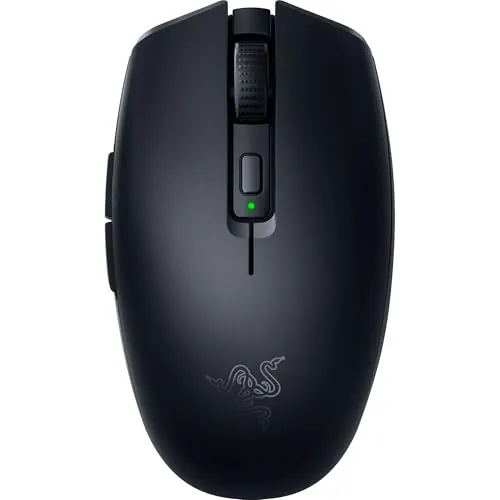
Razer Orochi V2 vs Logitech G305: Bluetooth, Receiver, and Battery Setup
The Razer Orochi V2 gives you Bluetooth or its stored 2.4 GHz dongle and accepts one AA or one AAA cell. The Logitech G305 uses its included LIGHTSPEED USB receiver and one AA cell. Compare the host connection, replacement-battery routine, and listed body dimensions before choosing.
Read comparison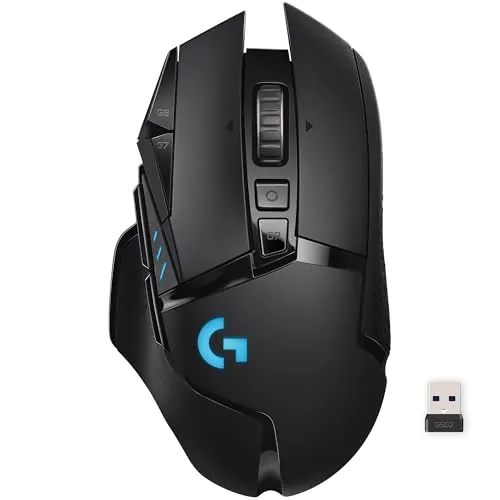
Logitech G305 vs G502 LIGHTSPEED: Receiver, Battery and Button Setup
Both are black, single-mouse Logitech G LIGHTSPEED models that use a USB wireless receiver. The G305 uses one replaceable AA and stores its nano receiver in the mouse; Logitech lists six programmable buttons and says advanced button settings use G HUB. G502 LIGHTSPEED has a built-in rechargeable battery, eleven programmable buttons, and a box list that includes a receiver extension adapter, charging/data cable and six adjustable weights. Logitech's setup directions let the G502 receiver sit on an extension cable near the mouse or plug directly into the computer, and the mouse can send data over its cable while charging. Before buying, check that you have a usable USB-A port for the listed receivers or a suitable adapter, decide whether you prefer AA replacement or charging, and map the shortcuts you actually need. Neither set of specifications proves tracking, latency, comfort or gaming superiority.
Read comparison