
Products compared
Logitech G
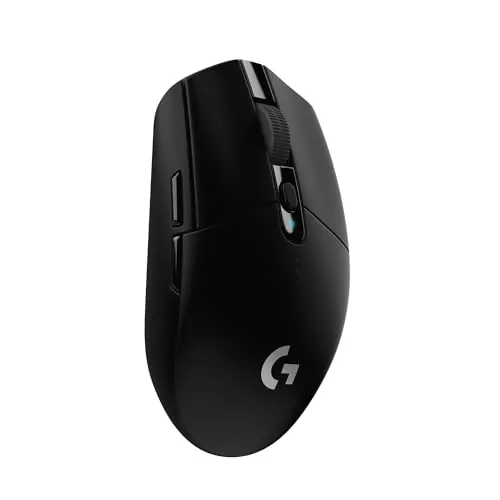
Logitech G305 LIGHTSPEED Wireless Gaming Mouse, Black
The U.S. Black G305 (Logitech part 910-005280) uses a LIGHTSPEED USB nano receiver and one replaceable AA cell. Logitech lists one alkaline AA in the box and a built-in compartment for the receiver. Its six programmable buttons cover left/right click, wheel click, Forward and Back; advanced settings use G HUB. Logitech lists dimensions of 116.6 × 62.15 × 38.2 mm; those figures do not establish hand fit.
Model 910-005280
Amazon ASIN B07CMS5Q6P
Logitech G
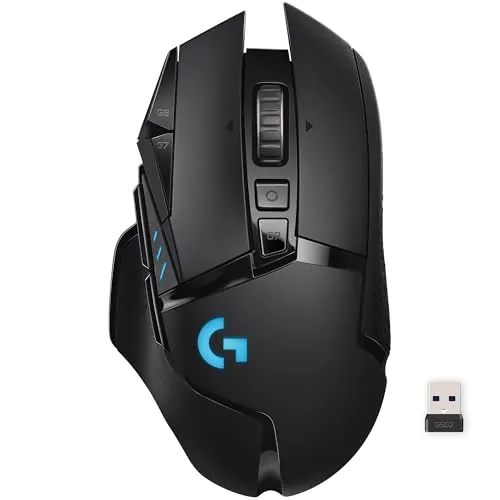
Logitech G502 LIGHTSPEED Wireless Gaming Mouse, Black
The black G502 LIGHTSPEED is identified in the compared listing as Logitech part 910-005565; Logitech's technical specification identifies the mouse as M/N MR0076. It has eleven programmable buttons and an internal rechargeable Li-polymer battery. Logitech lists a LIGHTSPEED USB receiver, receiver extension adapter, charging/data cable and six adjustable weights in the box, but confirm the current offer's package. Logitech documents data-over-cable use when the mouse is connected directly to a PC. Dimensions are 131.2 × 75.2 × 40 mm and 114 g for the mouse alone; optional weights add up to 16 g, and these figures do not predict fit or comfort.
Model 910-005565
Amazon ASIN B07L4BM851
Differences that matter
What matters most to you?
Choose a priority to see what it changes.
Sources for Receiver and desk connection
Sources for Buttons and optional weight adjustment
Sources for G HUB and desk footprint
Start with your desk and USB port
Both mice use Logitech's LIGHTSPEED USB receiver connection. G305's support specification requires a USB 2.0+ port and lists a LIGHTSPEED nano receiver in the box; the receiver stores inside the mouse. G502's package list adds a receiver extension adapter and charging/data cable.
For a desktop or laptop with a cramped rear USB port, decide whether you want G502's included extension pieces to position the receiver near the mouse. Logitech's setup directions recommend close placement and also allow direct receiver connection. A USB-C-only computer needs a separately checked host adapter or hub; neither guide treats the included receiver as USB-C.
Choose how you want to maintain power
G305 uses a standard replaceable AA and Logitech lists one alkaline cell included. G502 uses a built-in rechargeable Li-polymer battery. Its USB cable is both a charging and data cable, and Logitech says the mouse operates in data-over-cable mode when connected directly to a PC.
This makes upkeep the useful distinction: carry a spare AA for a replaceable-cell routine, or charge G502 over USB and use the cabled data path when plugged into a PC. The maker runtime estimates use different modes and conditions and are not treated as a battery-life contest.
Map the controls you actually use
Logitech lists six programmable buttons for G305 and eleven for G502. Before buying, write down the shortcuts, app commands or game actions you expect to assign. If six inputs cover the list, G305's AA workflow and receiver storage may be enough. If you expect to use more mapped controls, G502 has the larger documented count.
G502 also includes six adjustable weights in its official product and support documentation. Treat that as an adjustment option for buyers who want it, not proof that it will improve aim or suit every hand. The cited G305 sources don't settle whether it has any weight-adjustment feature, so this guide doesn't frame the kit as a proven absence on G305.
Check software and seller contents
G305's support page calls G HUB optional but says advanced button settings require it; G502's support page lists G HUB and its setup workflow tells users to install it. Logitech changes supported operating systems over time, so check the current G HUB download information against your computer before buying if software remapping is a requirement.
Logitech's G502 model specification lists the receiver extension, charging/data cable and six-weight set. Check the current black offer to confirm the seller's box contains the expected pieces. No current prices, seller conditions or bundle photos are part of this guide.
Product details
Logitech G305 LIGHTSPEED Wireless Gaming Mouse, Black
- Wireless receiver and computer connection
- LIGHTSPEED 2.4 GHz wireless through a USB nano receiver; Logitech lists a USB 2.0+ port as a system requirement and receiver storage inside the mouse. Source
- Battery
- One accessible, replaceable AA cell; Logitech lists one alkaline AA included. Runtime estimates depend on mode and use and are not compared here. Source
- Programmable controls and software
- Six programmable buttons; Logitech says advanced settings require Logitech G HUB. G HUB is optional in the G305 specification. Source
- Approximate mouse dimensions
- 116.6 × 62.15 × 38.2 mm; 75 g without battery and 99 g with one AA according to Logitech. Weight is not compared with G502 because the G502 figure is mouse-only and has optional weights. Source
Logitech G502 LIGHTSPEED Wireless Gaming Mouse, Black
- Wireless receiver and included setup accessories
- Logitech lists a LIGHTSPEED USB receiver, receiver extension adapter, charging/data cable, accessory box and six weights (four 2 g plus two 4 g). The setup page recommends the cable and adapter to position the receiver near the mouse; it also says the receiver can plug directly into the PC. Source
- Battery and wired operation
- Internal rechargeable Li-polymer battery; Logitech specifies USB charging/data cable and says the mouse operates in data-over-cable mode when directly connected to a PC. Source
- Programmable controls and weight kit
- Eleven programmable buttons and six included adjustable weights: four 2 g weights and two 4 g weights. The added weight range and balance are a user-adjustment option, not evidence of improved aim or performance. Source
- Approximate mouse dimensions
- 131.2 × 75.2 × 40 mm; 114 g mouse only, with optional extra weights up to 16 g according to Logitech. This is not compared as an equal-condition weight claim against G305's 99 g figure with AA installed. Source
Before you buy
Community discussions
Checking G305 hand contact before sizing up
Logitech G305 LIGHTSPEED Wireless Gaming Mouse, Black
A G305 owner with 19 × 10.5 cm hands and a relaxed-claw grip says the mouse feels too small and that its rear hump does not reach the part of the hand they want supported.
What to check
Hold each mouse in your usual grip and see where the back of the shell meets your palm and where your fingers fall on the buttons.
Sizing a G305 for a larger hand
Logitech G305 LIGHTSPEED Wireless Gaming Mouse, Black
A shopper with 20 × 10 cm hands considered the G305 alongside a G502 for the same desk they use for work and gaming. They wondered how a larger mouse would feel over longer sessions and whether it would be heavier than they wanted for games.
What to check
If you use one mouse for both work and gaming, compare each model’s listed weight with its battery installed and try lifting and repositioning it at your usual sensitivity.
Common questions
Do these mice connect over Bluetooth?
Logitech's cited specifications describe both mice as LIGHTSPEED 2.4 GHz models using USB wireless receivers. Bluetooth is not listed for either, so plan on a compatible USB port or adapter.G305 LIGHTSPEED Wireless Gaming Mouse Technical SpecificationsG502 LIGHTSPEED Wireless Gaming Mouse Technical Specifications
Can the G502 be used while it is charging?
Logitech's setup page says the G502 operates in data-over-cable mode when plugged directly into a PC. This gives it a wired data path while connected; it does not mean the G305 uses the same charging cable workflow.G502 LIGHTSPEED Setup Instructions
Does the G502 include its receiver extension and weight kit?
Logitech's G502 LIGHTSPEED technical specification lists a receiver extension adapter, charging/data cable and six weights (four 2 g and two 4 g). Confirm the contents of the current black offer at checkout; Logitech's product page does not tie that package list to this ASIN.G502 LIGHTSPEED Wireless Gaming Mouse Technical Specifications
Do I need Logitech G HUB?
Logitech calls G HUB optional for G305 but says its advanced button settings require the software. G502's support specification lists G HUB, and its setup instructions direct users to install it. Check Logitech's current download page for your OS before relying on G HUB; the support pages' operating-system-at-release tables are not a promise of current compatibility.G305 LIGHTSPEED Wireless Gaming Mouse Technical SpecificationsG502 LIGHTSPEED Wireless Gaming Mouse Technical SpecificationsG502 LIGHTSPEED Setup InstructionsLogitech G HUB
Sources and scope
This guide compares Logitech model specifications and setup instructions, not measured tracking, latency, click feel, comfort, hand fit, battery endurance in matched use or game outcomes. Logitech identifies the G305 U.S. Black item as part 910-005280. For G502 LIGHTSPEED, Logitech's U.S. Black page does not show a part number in its page text; its technical specification identifies mouse M/N MR0076. The compared retail listing names part 910-005565. The accessory list is model-level, so confirm the current seller package for the listed ASIN. Software support is marked at release, not guaranteed to remain current; check Logitech's installer information for your operating system if remapping is essential.
Related comparisons
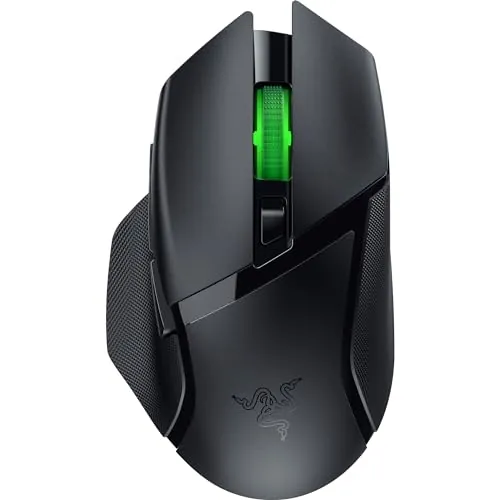
Logitech G502 LIGHTSPEED vs Razer Basilisk V3 X HyperSpeed: Controls, Receiver and Battery
The Logitech G502 LIGHTSPEED (910-005565) and Razer Basilisk V3 X HyperSpeed (RZ01-04870100-R3U1) are wireless gaming mice with different command layouts and power routines. Choose the G502 for its 11 programmable buttons, included receiver extension and rechargeable battery; choose the Basilisk if you prefer one AA cell, Bluetooth as an alternative to its HyperSpeed receiver, and Razer Hypershift secondary commands. Their control counts use different definitions, so this is a feature-fit guide, not a button-count ranking or performance test.
Read comparison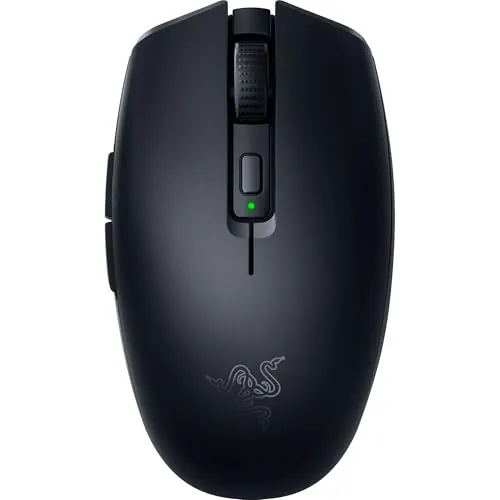
Razer Orochi V2 vs Logitech G305: Bluetooth, Receiver, and Battery Setup
The Razer Orochi V2 gives you Bluetooth or its stored 2.4 GHz dongle and accepts one AA or one AAA cell. The Logitech G305 uses its included LIGHTSPEED USB receiver and one AA cell. Compare the host connection, replacement-battery routine, and listed body dimensions before choosing.
Read comparison