
Products compared
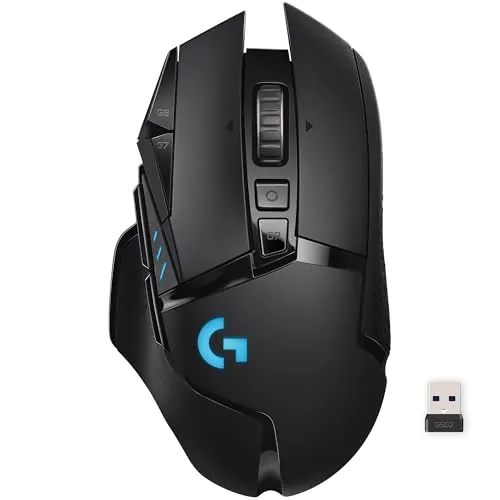
Logitech G
Logitech G502 LIGHTSPEED Wireless Gaming Mouse
US Black configuration; rechargeable LIGHTSPEED wireless mouse
Model 910-005565
Amazon ASIN B07L4BM851
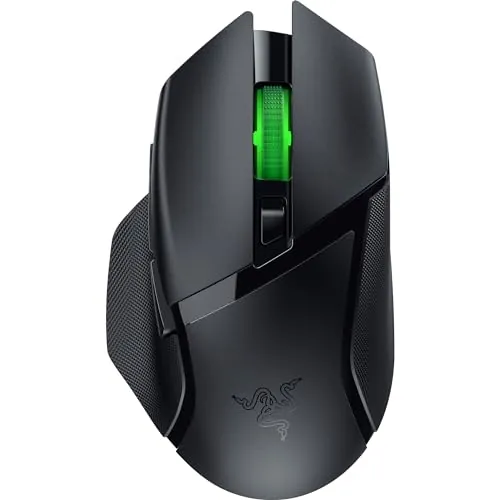
Razer
Razer Basilisk V3 X HyperSpeed Customizable Wireless Gaming Mouse
US Classic Black configuration; dual-mode wireless mouse powered by one AA battery
Model RZ01-04870100-R3U1
Amazon ASIN B0BXBC26X8
Differences that matter
What matters most to you?
Choose a priority to see what it changes.
Sources for Wireless setup and receiver handling
Start with the commands you actually assign
The G502 LIGHTSPEED lists 11 programmable buttons, a tilt-capable wheel and free-spin or notched scroll modes. The Basilisk V3 X HyperSpeed has seven programmable buttons and nine programmable controls by Razer's definitions; Synapse's Hypershift can place secondary commands on its controls. Those are different ways of describing a control layout, not a fair numeric ranking.
Before choosing, make a short list of the actions you want at hand—such as game abilities, push-to-talk or a work shortcut—and check each mouse's mapped controls. If a second command layer matters, the Basilisk's documented Hypershift workflow is the clearest fit in this pair. If you prefer a larger set of individually listed buttons and wheel modes, start with the G502's layout. Neither preference establishes comfort or in-game performance.
Choose the power routine you will keep using
The G502 uses a built-in rechargeable Li-polymer battery and Logitech lists its charging/data cable in the box. The technical page estimates up to 60 hours with lighting off and up to 48 hours with default lighting; those are manufacturer estimates under stated lighting conditions, not a prediction for every setup. POWERPLAY compatibility is optional and the charging system is sold separately.
The Basilisk requires one AA battery, so its upkeep means replacing a cell rather than plugging the mouse in to recharge. Razer's page publishes estimates for HyperSpeed and Bluetooth under its own assumptions. Because the manufacturers' test settings and usage assumptions differ, do not use those numbers to declare a runtime winner.
Check receiver and software steps before checkout
Logitech lists the G502 LIGHTSPEED receiver, an extension adapter and G HUB software; its support instructions describe connecting the receiver to the computer and charging over the supplied cable. Razer lists HyperSpeed Wireless (2.4 GHz) and Bluetooth for the exact US SKU. On this Basilisk model, the USB wireless dongle is stored under the removable top cover, and Synapse enables Hypershift and custom commands.
A practical pre-buy check is to confirm which connection your computer can use, whether you want software-based command setup, and what the chosen retailer offer currently includes. Razer's regional product page is used here for model-wide design and control facts; do not infer US package contents from it. Logitech documentation reviewed here does not establish whether the G502 supports Bluetooth, so treat that as unconfirmed rather than assuming either answer.
Product details
Logitech G502 LIGHTSPEED Wireless Gaming Mouse
- Programmable controls
- 11 programmable buttons; the wheel supports free-spin and notched scrolling, plus left/right tilt. Source
- Power routine
- Built-in rechargeable Li-polymer battery; charging/data cable included. Logitech lists up to 60 hours without lighting or 48 hours with default lighting. Source
- Receiver and software
- LIGHTSPEED receiver and receiver extension adapter are listed in the box; Logitech G HUB is the listed software. Source
Razer Basilisk V3 X HyperSpeed Customizable Wireless Gaming Mouse
- Programmable controls
- Razer describes seven programmable buttons and nine programmable controls; Hypershift adds a secondary command layer through Razer Synapse. Source
- Wireless options
- Razer lists HyperSpeed Wireless (2.4 GHz) and Bluetooth for this exact US SKU. Source
- Power and receiver storage
- Uses one AA battery; the wireless USB dongle has a storage compartment beneath the mouse's top cover. Source
Before you buy
Community discussions
Decide whether free-spin scrolling fits your tasks
Logitech G502 LIGHTSPEED Wireless Gaming Mouse
A new G502 LIGHTSPEED owner was trying the free-spin scroll wheel in a game and asked what other tasks might suit it.
What to check
Decide which tasks benefit from a freely spinning wheel and which are easier with individual steps.
Use a familiar mouse shape as a reference
Razer Basilisk V3 X HyperSpeed Customizable Wireless Gaming Mouse
A shopper comparing the Basilisk V3 X with the Logitech G305 says their current mouse shape is closer to the Basilisk and asks whether the G305 is a reasonable alternative.
What to check
Hold each mouse in your usual grip and check where your fingers land on the wheel and side buttons.
Common questions
Is the G502's 11-button count directly comparable with the Basilisk's 9 controls?
No. Logitech lists 11 programmable buttons. Razer separately describes seven programmable buttons and nine programmable controls, then explains that Hypershift can add secondary commands. Compare the actual buttons and command layer you would use instead of treating the figures as a shared scale.G502 LIGHTSPEED Wireless Gaming Mouse Technical SpecificationsRazer Basilisk V3 X HyperSpeed product details and FAQs
How are the two mice powered?
The G502 has a built-in rechargeable Li-polymer battery and a charging/data cable is listed in the box. The Basilisk requires one AA battery. Their published battery-life figures use different conditions, so they are not a head-to-head runtime result.G502 LIGHTSPEED Wireless Gaming Mouse Technical SpecificationsRazer Basilisk V3 X HyperSpeed product details and FAQs
Can I use Bluetooth with either mouse?
Razer lists Bluetooth and HyperSpeed Wireless on its U.S. page for Basilisk V3 X model RZ01-04870100-R3U1. Logitech's G502 LIGHTSPEED materials document the receiver and wired charging/data cable but do not list Bluetooth; check Logitech's current documentation if you need that mode.Razer Basilisk V3 X HyperSpeed (US exact SKU RZ01-04870100-R3U1)G502 LIGHTSPEED Wireless Gaming Mouse Technical Specifications
Does the G502 come with POWERPLAY?
No. Logitech lists the G502 as POWERPLAY-compatible, but POWERPLAY is a separate charging system; the G502's box contents list a receiver, receiver extension adapter and charging/data cable.G502 LIGHTSPEED Wireless Gaming Mouse (US part 910-005565)G502 LIGHTSPEED Wireless Gaming Mouse Technical Specifications
Sources and scope
Logitech lists 11 programmable G502 buttons. Razer lists seven programmable buttons on the Basilisk and counts nine controls with Hypershift. Compare the actual shortcuts you can reach and check which receiver the exact package includes.
Related comparisons
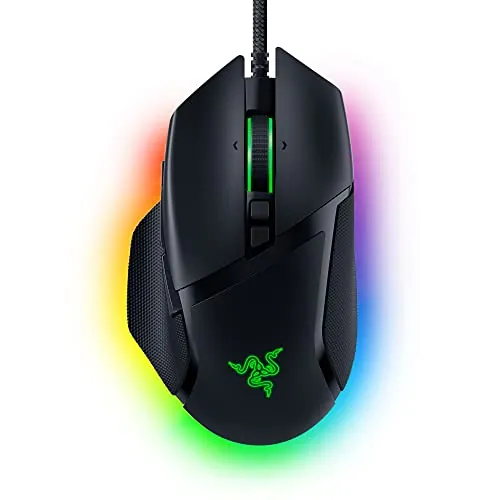
Razer Basilisk V3 vs Basilisk V3 X HyperSpeed
The black Basilisk V3 (RZ01-04000100-R3U1) is a wired, battery-free mouse with an officially specified four-way HyperScroll tilt wheel and notched/free-spin modes. The black Basilisk V3 X HyperSpeed (RZ01-04870100-R3U1) connects by 2.4 GHz or Bluetooth, takes one AA cell, and its exact-model guide says it has no tilt scroll wheel. Decide by cable, battery and wheel workflow; these specs do not establish a gaming-performance winner.
Read comparison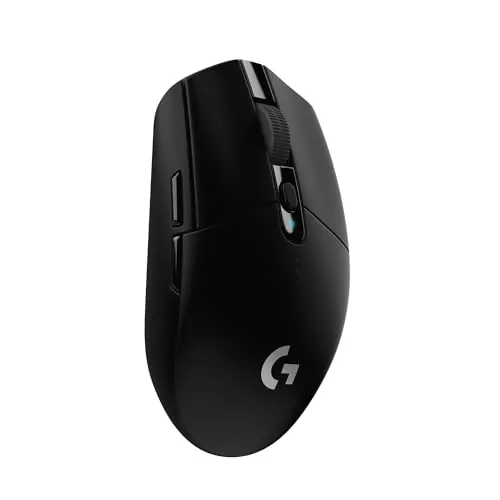
Logitech G305 vs G502 LIGHTSPEED: Receiver, Battery and Button Setup
Both are black, single-mouse Logitech G LIGHTSPEED models that use a USB wireless receiver. The G305 uses one replaceable AA and stores its nano receiver in the mouse; Logitech lists six programmable buttons and says advanced button settings use G HUB. G502 LIGHTSPEED has a built-in rechargeable battery, eleven programmable buttons, and a box list that includes a receiver extension adapter, charging/data cable and six adjustable weights. Logitech's setup directions let the G502 receiver sit on an extension cable near the mouse or plug directly into the computer, and the mouse can send data over its cable while charging. Before buying, check that you have a usable USB-A port for the listed receivers or a suitable adapter, decide whether you prefer AA replacement or charging, and map the shortcuts you actually need. Neither set of specifications proves tracking, latency, comfort or gaming superiority.
Read comparison