
Products compared
Razer
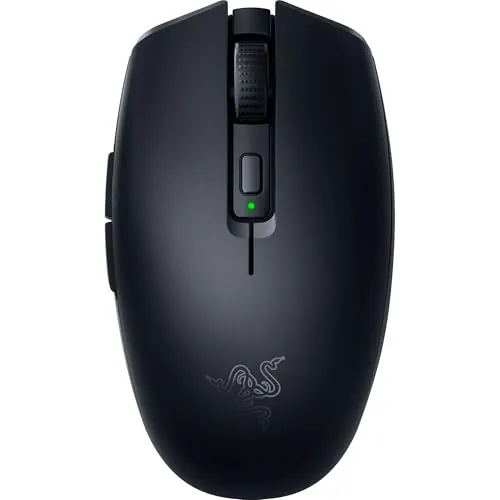
Razer Orochi V2 Wireless Gaming Mouse
Classic Black U.S. listing; confirm the exact RZ01-03730100-R3U1 code on the listing.
Model RZ01-03730100-R3U1
Amazon ASIN B0916N2LPZ
Logitech G
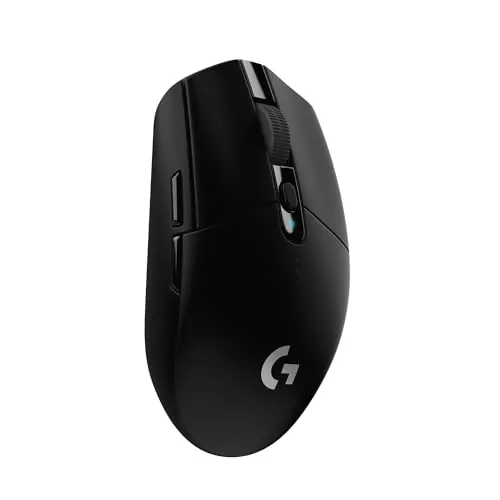
Logitech G305 LIGHTSPEED Wireless Gaming Mouse
Black U.S. listing; confirm part number 910-005280 on the exact listing.
Model 910-005280
Amazon ASIN B07CMS5Q6P
Differences that matter
What matters most to you?
Choose a priority to see what it changes.
Sources for Manufacturer-listed body dimensions
Start with the computer you will use
If your laptop has Bluetooth and you would rather not reserve a USB port for a mouse receiver, the Orochi V2 has a documented Bluetooth mode. It also has a HyperSpeed dongle stored beneath the top cover, so you can use the receiver when that connection is preferable. The G305 is a receiver-first choice: Logitech lists its included LIGHTSPEED USB nano receiver and a USB 2.0-or-higher port requirement.
For a desktop or gaming laptop where a compatible port is easy to spare, the G305's included receiver gives you a straightforward path. For a tablet or a port-constrained laptop, verify Bluetooth support on the host before choosing the Orochi V2 for that reason. Neither set of manufacturer specifications proves a comparative latency or tracking result.
Choose the battery routine you want to maintain
Both models use replaceable batteries rather than a built-in rechargeable pack. Razer says the Orochi V2 takes one AA or one AAA cell at a time; Logitech lists one AA cell for the G305. If you already keep one size on hand, that small practical difference can matter more than a maximum runtime printed on a product page.
Do not treat published hours as a direct endurance contest. Razer's current US page gives separate maxima for Bluetooth and HyperSpeed measured with a lithium AA, while Logitech lists up to 250 hours in performance mode and up to nine months in standard endurance use. The modes, usage descriptions, and test conditions differ, so these figures cannot tell you which will last longer in your routine.
Use dimensions as a space check, not a comfort score
Razer gives approximate Orochi V2 dimensions of 108 × 60 × 38 mm (length × width × height). Logitech lists the G305 as 116.6 × 62.15 × 38.2 mm (height × width × depth in Logitech's table). Because the manufacturers label the axes differently, use each set as a fit-planning reference and confirm the orientation you need before ordering for a tight compartment or travel case.
The numbers do not establish which shape feels better in your hand. Both makers list six programmable buttons; if remapping matters, check the current Razer Synapse or Logitech G HUB requirements for your operating system. Button count and software availability do not establish a performance winner.
Product details
Razer Orochi V2 Wireless Gaming Mouse
The Orochi V2 is the option to consider when Bluetooth or a choice between a single AA and AAA matters. Its wireless dongle stores under the top cover. Razer's listed dimensions are approximate; check the exact listing code and the connection mode you plan to use.
Logitech G305 LIGHTSPEED Wireless Gaming Mouse
The G305 is a receiver-first setup: the exact 910-005280 US product page identifies the Black version, and Logitech lists a USB receiver in the box, built-in receiver storage, and one AA battery. Make sure the host has a suitable USB port for the receiver.
- Wireless connection
- LIGHTSPEED 2.4 GHz through the included USB nano receiver Source
- Battery arrangement
- One replaceable AA cell; manufacturer runtime figures depend on mode and use Source
- Listed body dimensions
- 116.6 × 62.15 × 38.2 mm (Logitech labels these H × W × D) Source
- Programmable buttons
- 6; advanced settings require Logitech G HUB Source
Before you buy
Community discussions
Getting used to a battery-powered mouse
Logitech G305 LIGHTSPEED Wireless Gaming Mouse
A first-time wireless G305 owner asked whether other users turn it off when leaving it idle for several hours.
What to check
Compare the battery type and where each mouse can store its receiver. Decide when you would reach for a spare when working away from your desk.
Common questions
Can the Orochi V2 connect without its USB dongle?
Yes. Razer documents Bluetooth as well as 2.4 GHz HyperSpeed. Its dongle stores under the top cover when you do not need it.Razer Orochi V2: Lightweight Wireless Gaming Mouse | Razer United States
Can I put both an AA and AAA battery in the Orochi V2?
No. Razer says it is designed for one battery at a time; choose one AA or one AAA cell.Razer Orochi V2: Lightweight Wireless Gaming Mouse | Razer United States
Does the G305 include its receiver, and where does it go when traveling?
Logitech lists a LIGHTSPEED USB receiver in the box and built-in nano-receiver storage in the mouse.G305 LIGHTSPEED Wireless Gaming Mouse Technical Specifications | Logitech Support
Which one lasts longer on a battery?
These sources do not provide a controlled head-to-head runtime comparison. Razer's numbers depend on Bluetooth or HyperSpeed mode and a specified lithium-AA test; Logitech lists separate performance and endurance modes. Choose by connection and battery routine rather than ranking the quoted maxima.Razer Orochi V2: Lightweight Wireless Gaming Mouse | Razer United StatesG305 LIGHTSPEED Wireless Gaming Mouse Technical Specifications | Logitech Support
Sources and scope
This is a source-based feature-fit guide, not a hands-on or controlled comparison. Manufacturer battery-life figures use different modes and conditions and are not ranked. Razer describes its body dimensions as approximate. The listed dimensions do not establish hand comfort, and software support should be checked against the computer and current app version you use.
Related comparisons
Logitech G203 LIGHTSYNC vs G305 LIGHTSPEED: Wired Desk or Wireless Setup?
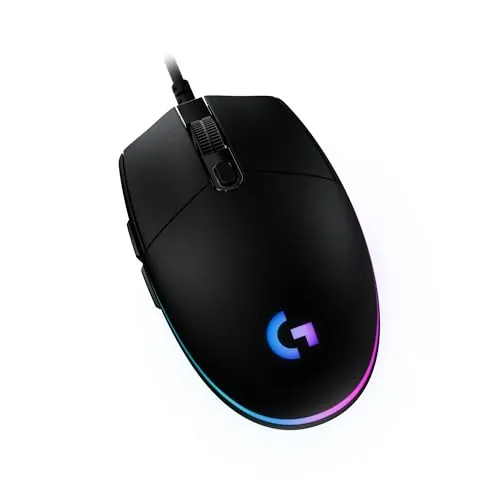
The assigned black G203 is the LIGHTSYNC model 910-005790, not a G203 Prodigy; it connects by cable and offers configurable LIGHTSYNC RGB. The black G305 910-005280 uses a LIGHTSPEED USB receiver and a replaceable AA battery, and Logitech lists its RGB lighting as none. Both have six buttons, so decide by connection, lighting and the setup changes you are willing to make rather than button count or untested gaming performance.
Read comparison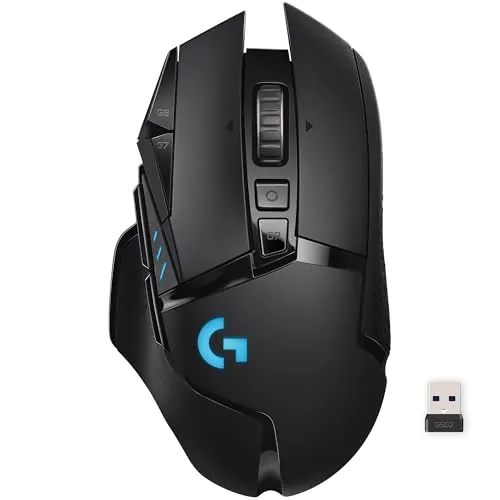
Logitech G305 vs G502 LIGHTSPEED: Receiver, Battery and Button Setup
Both are black, single-mouse Logitech G LIGHTSPEED models that use a USB wireless receiver. The G305 uses one replaceable AA and stores its nano receiver in the mouse; Logitech lists six programmable buttons and says advanced button settings use G HUB. G502 LIGHTSPEED has a built-in rechargeable battery, eleven programmable buttons, and a box list that includes a receiver extension adapter, charging/data cable and six adjustable weights. Logitech's setup directions let the G502 receiver sit on an extension cable near the mouse or plug directly into the computer, and the mouse can send data over its cable while charging. Before buying, check that you have a usable USB-A port for the listed receivers or a suitable adapter, decide whether you prefer AA replacement or charging, and map the shortcuts you actually need. Neither set of specifications proves tracking, latency, comfort or gaming superiority.
Read comparison