
Products compared
Logitech G
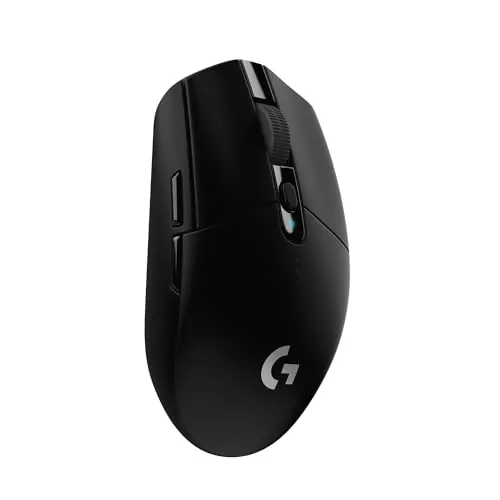
Logitech G305 LIGHTSPEED Wireless Gaming Mouse, Black
The exact black U.S. G305 uses LIGHTSPEED wireless through a USB receiver and one replaceable AA battery. The receiver stores under the battery cover. Its six programmable buttons include left/right click, wheel click, forward/back and DPI-cycle controls.
Model 910-005280; mouse M-R0071, receiver C-U0008
Amazon ASIN B07CMS5Q6P

Logitech G
Logitech G502 HERO Wired Gaming Mouse, Black
The exact black U.S. G502 HERO is a wired USB mouse. Logitech’s setup guide identifies 11 programmable controls; the separate wheel-mode switch is not programmable. The mouse supports up to five 3.6 g removable weights. It is the wired HERO model, not G502 LIGHTSPEED or G502 X.
Model 910-005469; mouse M-U0047
Amazon ASIN B07GBZ4Q68
Differences that matter
What matters most to you?
Choose a priority to see what it changes.
Sources for Cable, receiver and power routine
Sources for Programmable-button layout
Sources for Scroll-wheel operation and added weight option
Start with how the mouse connects
The G305 LIGHTSPEED removes the cable attached to the mouse but uses a USB receiver and one replaceable AA battery. Logitech’s quick-start guide shows opening the battery cover, retrieving the receiver and installing the battery; the receiver can plug directly into USB. The G502 HERO is wired USB and Logitech lists a 2.1 m cable. Decide whether your desk benefits more from no moving-mouse cable or from not managing a receiver and AA battery.
This is a setup difference, not a claim about wireless latency, tracking or gaming performance. The selected listing is the original wired G502 HERO, not the G502 LIGHTSPEED or later G502 X models.
Count commands, not marketing button totals
G305’s six programmable inputs are the two main clicks, wheel click, forward, back and DPI cycle. G502 HERO’s 11 inputs include the main clicks and wheel click too, then back/forward, three DPI controls, left/right wheel tilt and profile select. Its separate wheel-mode switch is not programmable. That makes the difference useful only if you can identify actions you will assign to the added controls.
Use Logitech’s top and side diagrams to inspect where the buttons sit, then compare them with your grip and planned shortcuts. The manuals show the control map; they do not establish fit or comfort for a particular hand.
Check the wheel and weight options
G502 HERO’s wheel supports two scroll modes, changed with a separate button below the wheel. Left and right wheel tilt are among its programmable inputs. Logitech documents up to five 3.6 g removable weights. G305’s technical specifications list no left/right wheel tilt and its six-control map does not include a mode-shift button.
If you use horizontal wheel scrolling or want the G502’s weight adjustment option, verify that these are worth the wired setup for your desk. The available sources describe functions, not better game results or a preferred feel.
A practical pre-buy check
Before checkout, choose a connection plan: receiver plus AA for G305, or an attached USB cable for G502 HERO. Then write the shortcuts you would actually bind. If that list fits the G305’s six-button map, the G502’s extra control count may not decide the purchase; if it includes wheel tilt, profile selection or more mapped actions, check the G502 diagram.
For customization, Logitech identifies G HUB; the G305 support page says advanced settings require it, while the G502 support page lists optional G HUB access. Check the current software/OS support and your USB setup before relying on a configured profile.
Product details
Logitech G305 LIGHTSPEED Wireless Gaming Mouse, Black
Choose this setup if losing the cable attached to the moving mouse matters more than avoiding a USB receiver and replaceable-AA routine. Check the G305 button diagram against the actions you want to program.
- Wireless and power
- LIGHTSPEED uses a separate USB receiver; the mouse uses one replaceable AA battery. The receiver is stored under the battery cover. Source
- Programmable controls
- Six programmable inputs: left/right click, wheel click, forward, back and DPI-cycle button. Advanced settings require Logitech G HUB. Source
- Exact black variant
- Logitech’s U.S. product page identifies the black G305 LIGHTSPEED model; the exact manufacturer SKU is 910-005280. Source
Logitech G502 HERO Wired Gaming Mouse, Black
Choose this model if you prefer a wired connection and can name actions for its added controls, wheel tilt or profile selection. Treat the wheel-mode switch separately from its programmable-button count.
- Wired connection
- G502 HERO connects by its attached cable; Logitech lists cable length as 2.1 m (6.89 ft). Source
- Programmable controls and wheel
- Eleven programmable inputs include main clicks, wheel click, back/forward, DPI controls, wheel tilt left/right, and profile select. A separate button switches the wheel between its two modes and is not programmable. Source
- Optional weight adjustment
- The G502 HERO accepts up to five 3.6 g weights; Logitech lists the optional weight set and case in the box contents. Source
Before you buy
Community discussions
Checking what a sideways wheel press does
Logitech G502 HERO Wired Gaming Mouse, Black
A G502 HERO owner accustomed to holding a previous mouse’s wheel sideways said their HERO scrolled horizontally one step per press in their setup.
What to check
Try the wheel positions in your own apps. If you rely on moving across columns, check the horizontal action before choosing.
Common questions
Does the G305 free up a USB port?
No. Logitech’s setup instructions use the LIGHTSPEED USB receiver, either connected directly to a USB port or through the receiver-extension setup shown in the guide. The wireless mouse has no cable attached to it, but the receiver still connects to the computer.G305 LIGHTSPEED Wireless Gaming Mouse Setup GuideG305 LIGHTSPEED Wireless Gaming Mouse Technical Specifications
Does G502 HERO’s 11-button count mean 11 extra buttons?
No. The setup guide counts left/right click and wheel click, plus back/forward, DPI shift/up/down, wheel tilt left/right, and profile select. A separate button switches wheel modes and is not programmable.G502 HERO Setup Guide
Does G502 HERO need a battery?
Logitech lists G502 HERO as a wired USB mouse with an attached cable. The G305 is the model in this pair that uses one replaceable AA battery.G502 HERO Gaming Mouse specifications and box contentsG305 LIGHTSPEED Wireless Gaming Mouse Technical Specifications
Can I add weights to the G502 HERO?
Yes. Logitech specifies up to five removable 3.6 g weights for G502 HERO. Check the exact box contents and setup guide for your purchase.G502 HERO Gaming Mouse specifications and box contentsG502 HERO Setup Guide
Sources and scope
The guide compares documented connection, battery, button, wheel, software and accessory details. It does not compare latency, tracking results, gaming performance, durability, long-session comfort, or hand fit. Logitech’s button diagrams show control placement, but do not establish whether a given person can reach or prefer those controls. The specified G305 runtime is not treated as a buyer guarantee or compared with the wired model.
Related comparisons
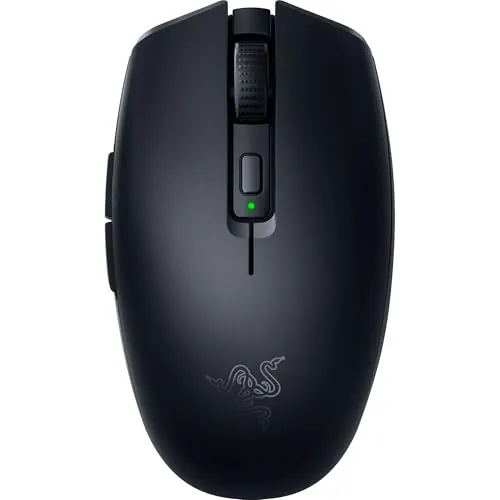
Razer Orochi V2 vs Logitech G305: Bluetooth, Receiver, and Battery Setup
The Razer Orochi V2 gives you Bluetooth or its stored 2.4 GHz dongle and accepts one AA or one AAA cell. The Logitech G305 uses its included LIGHTSPEED USB receiver and one AA cell. Compare the host connection, replacement-battery routine, and listed body dimensions before choosing.
Read comparison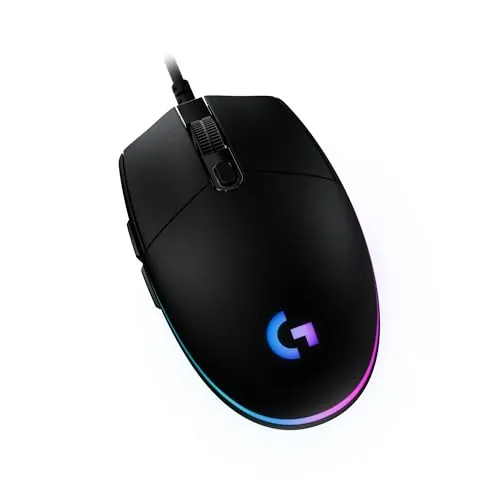
Logitech G203 LIGHTSYNC vs G305 LIGHTSPEED: Wired Desk or Wireless Setup?
The assigned black G203 is the LIGHTSYNC model 910-005790, not a G203 Prodigy; it connects by cable and offers configurable LIGHTSYNC RGB. The black G305 910-005280 uses a LIGHTSPEED USB receiver and a replaceable AA battery, and Logitech lists its RGB lighting as none. Both have six buttons, so decide by connection, lighting and the setup changes you are willing to make rather than button count or untested gaming performance.
Read comparison