
Products compared
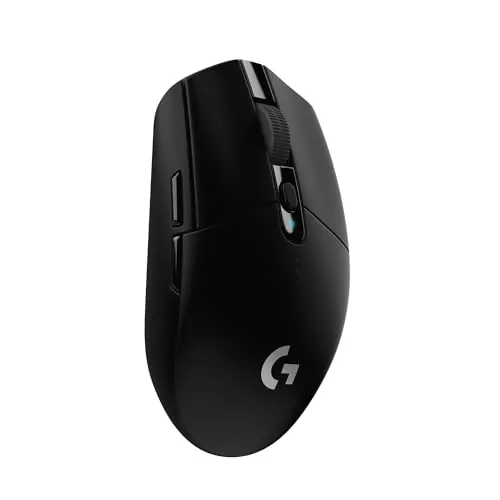
Logitech G
Logitech G305 LIGHTSPEED Wireless Gaming Mouse (Black)
Conventional optical mouse with a movable body, one included LIGHTSPEED USB receiver and one AA battery. Logitech's setup instructions direct users to insert the named receiver into a USB port.
Model G305 / 910-005280
Amazon ASIN B07CMS5Q6P
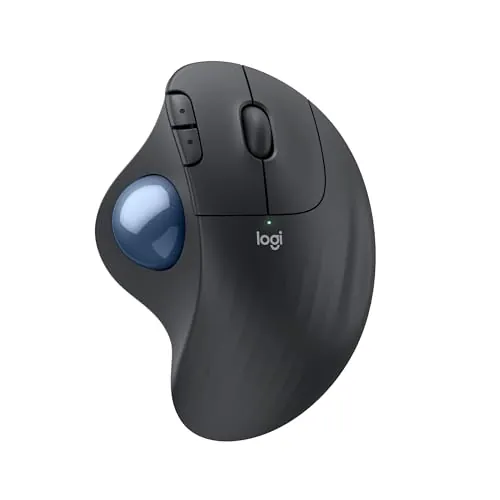
Logitech
Logitech ERGO M575S Wireless Trackball Mouse (Graphite + Blue Ball)
Stationary thumb-operated trackball with Bluetooth Low Energy or the included Logi Bolt USB receiver. The body stays in place while the thumb rolls the ball; the user's hand still needs room on the desk.
Model ERGO M575S / 910-007027
Amazon ASIN B0BBQ3ZYNY
Differences that matter
What matters most to you?
Choose a priority to see what it changes.
Sources for Battery and included connection accessory
Start with the way you want to steer
The G305 is a conventional optical mouse: you move its body over a surface to move the cursor. The M575S is a thumb-operated trackball; roll the ball while the body stays put. If you prefer the familiar move-the-mouse action, the G305 fits that preference. If a small sweep zone is the issue and thumb steering suits you, M575S avoids needing to slide the housing around. Logitech's feature descriptions do not establish a comfort or accuracy winner for an individual buyer.
The difference is operational. A trackball still needs room for its body and the hand using it; a conventional mouse needs the housing plus a workable movement path. The M575S listing dimensions can help you mark its approximate body area, but leave your own hand space rather than treating the number as a complete desk-fit result.
Check connection before committing to a host
G305's US specifications identify Logitech G's 2.4 GHz LIGHTSPEED wireless and a USB 2.0+ requirement; its setup guide shows the receiver plugged into a USB port. The specification lists the LIGHTSPEED receiver in the box. This is the connection path to plan around for this exact G305 model.
M575S gives you two documented routes: pair by Bluetooth Low Energy or plug its Logi Bolt receiver into a USB-A port. The exact support specification also lists platform support by connection type. Check your computer's current OS and available ports against Logitech's support page; a product name or general Logitech receiver does not prove compatibility with a specific host.
Mark the space your hand and device need
Logitech lists the G305 at 116.6 mm high, 62.15 mm wide and 38.2 mm deep. The M575S is listed at 134 × 100 × 48 mm (height × width × depth). For a rough desk check, compare the listed width and depth of each housing against the space beside your keyboard, then add the movement path for G305 or the hand-resting room needed for M575S.
Neither manufacturer gives a universal mouse-sweep distance or a personalized fit guarantee. Trace the zone you will actually use on your desk; body dimensions alone are not a definitive fit check.
Compare the AA and receiver package
Both exact models use one AA battery. Logitech lists an alkaline AA and LIGHTSPEED USB receiver with the G305; the M575S specification lists an AA and Logi Bolt USB receiver. Their documented receiver paths have different names and setup instructions, so match the route to the exact device rather than assuming the receiver you already own can be substituted.
This guide leaves battery runtime out of the recommendation. Logitech publishes estimates under different usage or connection conditions, and the M575S support article has a generic recharge notification alongside its AA-powered description. The model specification confirms a replaceable AA, but the conflicting wording is not used to claim USB charging or to rank endurance.
Product details
Logitech G305 LIGHTSPEED Wireless Gaming Mouse (Black)
- Connection and box
- LIGHTSPEED 2.4 GHz wireless; the specification lists a LIGHTSPEED USB receiver in the box and a USB 2.0+ port as the system requirement. Source
- Battery
- One replaceable AA alkaline battery is included. Source
- Body dimensions
- 116.6 mm high × 62.15 mm wide × 38.2 mm deep; the listed dimensions do not define the extra surface area needed to move the mouse. Source
Logitech ERGO M575S Wireless Trackball Mouse (Graphite + Blue Ball)
- Connection and box
- Bluetooth Low Energy or Logi Bolt receiver; the exact M575S specification lists a Logi Bolt USB receiver and one AA battery in the box. Its Bolt route requires an available USB-A port. Source
- Battery
- One user-replaceable AA battery; one AA is listed in the box. This guide does not compare estimated battery life. Source
- Body dimensions and movement
- 134 mm high × 100 mm wide × 48 mm deep. Thumb control moves the cursor without moving the mouse body, but the unit and hand still occupy desk space. Source
Before you buy
Community discussions
Checking M575S click and ball feel
Logitech ERGO M575S Wireless Trackball Mouse (Graphite + Blue Ball)
A laptop setup post lists the ERGO M575S and says its author preferred an older M570’s click pressure and smoother ball.
What to check
If you are switching from a mouse, try keeping the M575S in one spot while moving the pointer with your thumb. Pay attention to button pressure and how the ball feels to you.
Common questions
Does the ERGO M575S need less desk space than the G305?
It removes the need to move the mouse body for cursor travel, which can help when the available sweep area is limited. But its listed body is 100 mm wide by 48 mm deep, and your hand still needs room. Measure the actual housing and hand area; the published dimensions do not give a complete workspace requirement.ERGO M575S Wireless Trackball Mouse (Graphite + Blue Ball) - Logitech USSpecification - ERGO M575S - Logitech Support
Can either mouse connect directly by Bluetooth?
Logitech documents Bluetooth Low Energy for ERGO M575S. The G305 specification documents its LIGHTSPEED 2.4 GHz receiver and USB requirement. Choose M575S only if you also want thumb-ball control and its current host compatibility is confirmed.G305 LIGHTSPEED Wireless Gaming Mouse Technical Specifications - Logitech SupportSpecification - ERGO M575S - Logitech Support
Do both have a replaceable battery, and what comes in the box?
The G305 uses one replaceable AA alkaline battery; Logitech lists the battery and LIGHTSPEED USB receiver in the box. The M575S specification lists one user-replaceable AA and a Logi Bolt USB receiver in the box. Logitech's M575S support article says the unit is AA battery powered but also uses the word recharge in its low-battery notification; that wording does not establish built-in USB charging, so this guide makes no charging claim.G305 LIGHTSPEED Wireless Gaming Mouse Technical Specifications - Logitech SupportSpecification - ERGO M575S - Logitech SupportGetting Started - ERGO M575S - Logitech Support
Is the M575S an ergonomic or medical upgrade over the G305?
This comparison does not establish a health, comfort or ergonomic outcome for you. The practical documented distinction is thumb-ball control with no mouse-body travel versus a conventional mouse you move; consider your preferred action and desk setup without treating either as medical advice.G305 LIGHTSPEED Wireless Gaming Mouse (Black) - Logitech G USERGO M575S Wireless Trackball Mouse (Graphite + Blue Ball) - Logitech US
Sources and scope
This guide compares the US black G305 model 910-005280 (ASIN B07CMS5Q6P) with the Graphite + Blue Ball ERGO M575S model 910-007027 (ASIN B0BBQ3ZYNY). Logitech documents a moving optical mouse for G305 and thumb-operated trackball control for M575S. It does not establish comparative comfort, health outcomes, pointing accuracy, latency, gaming performance, reliability or battery endurance. The listed dimensions are device-body dimensions, not the space needed for a person's hand or a complete G305 movement path. Check compatibility for the exact computer and software version before ordering.
- G305 LIGHTSPEED Wireless Gaming Mouse (Black) - Logitech G US
- G305 LIGHTSPEED Wireless Gaming Mouse Technical Specifications - Logitech Support
- G305 LIGHTSPEED Setup Guide
- ERGO M575S Wireless Trackball Mouse (Graphite + Blue Ball) - Logitech US
- Getting Started - ERGO M575S - Logitech Support
- Specification - ERGO M575S - Logitech Support
Related comparisons

Logitech MX Vertical vs ERGO M575S: Mouse Movement, Desk Space and Power
These Logitech mice differ in how the cursor moves and what the desk must provide. MX Vertical uses a 57° upright grip, but the mouse still travels over a surface; ERGO M575S moves the cursor with its thumb-operated ball while its body stays in place. Check the exact 910-005447 and 910-007027 versions, then match Unifying versus Logi Bolt or Bluetooth to your computer and decide whether USB-C recharging or a replaceable AA battery fits your routine.
Read comparison
Logitech MX Master 4 vs MX Ergo S: Mouse Movement, Trackball and Switching
Both are rechargeable Logitech pointing devices, but they use different steering methods and switching controls. Compare desk motion, paired-computer count, the MX Master 4's Options+ Haptic Sense Panel, and the MX Ergo S base model's included Logi Bolt receiver before choosing.
Read comparison