
Products compared
Logitech
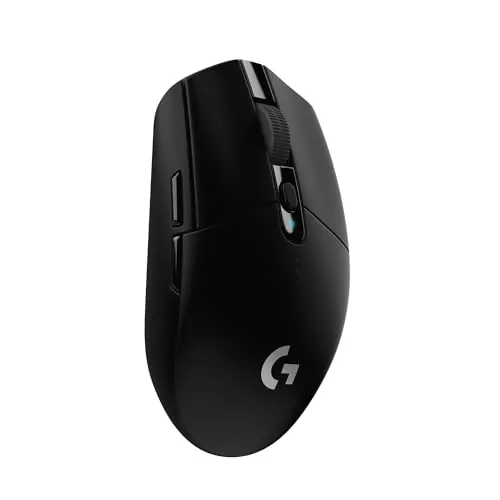
Logitech G305 LIGHTSPEED Wireless Gaming Mouse - Black
Black G305 LIGHTSPEED configuration; standard mouse with included LIGHTSPEED USB receiver; AA-powered.
Model 910-005280
Amazon ASIN B07CMS5Q6P
Logitech
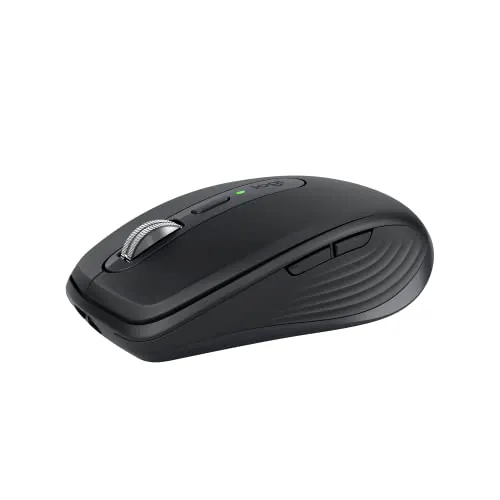
Logitech MX Anywhere 3S Compact Wireless Mouse - Graphite
Standard consumer Graphite MX Anywhere 3S, not the separate Mac or Business edition; USB receiver is not included.
Model 910-006925
Amazon ASIN B0BPY4ZQXG
Differences that matter
What matters most to you?
Choose a priority to see what it changes.
Sources for Receiver in the box or direct Bluetooth
Sources for Switching between computers and onboard controls
Sources for Power routine and included cable
Sources for Desk pouch and port-space check
First check the host connection you can actually use
G305's documented wireless path is its included LIGHTSPEED USB receiver; Logitech lists an available USB 2.0-or-later port as a system requirement. Its setup guide shows connecting the receiver directly to USB and also illustrates an extension-cable arrangement.
MX Anywhere 3S can pair directly with a Bluetooth Low Energy host. Logitech lists Logi Bolt as its compatible receiver, but says the receiver is not included with this Graphite consumer configuration. The G305 receiver uses LIGHTSPEED and is not a substitute for Bolt. If your laptop has no usable Bluetooth or your work policy requires a dongle, include a separate Bolt receiver in your setup plan.
Decide whether you need channel switching
If one mouse needs to move among several computers, Logitech documents MX Anywhere 3S pairing with up to three computers and switching channels with the Easy-Switch button. Its getting-started guide describes Bluetooth pairing for each channel; check the current product support page for the connection method you plan on each host.
The G305's maker-listed six buttons include a DPI button alongside left/right, wheel, Forward and Back controls. Its documented connection is receiver-based. This guide does not infer a gaming or pointer-performance advantage from the G305 name or specifications.
Plan how you will power and carry it
G305 takes one accessible replaceable AA, and Logitech lists an alkaline AA in the package. MX Anywhere 3S is rechargeable; the standard model's included cable is USB-A to USB-C. Logitech says the mouse can charge while you work, but it lists the mouse as wireless, so keep a Bluetooth or Bolt connection in your plan.
For a concrete bag check, G305 measures 116.6 × 62.15 × 38.2mm; MX Anywhere 3S is 100.5 × 65 × 34.4mm. Put those measurements against your own sleeve or organizer opening. The size comparison says nothing about personal comfort or how either mouse will handle for you.
Product details
Logitech G305 LIGHTSPEED Wireless Gaming Mouse - Black
- Included wireless receiver
- LIGHTSPEED USB nano receiver; Logitech lists an available USB 2.0 or later port as a system requirement. Source
- Power
- One accessible, replaceable AA battery; one alkaline AA is included. Source
- Size and controls
- 116.6 × 62.15 × 38.2 mm; six buttons including a DPI button. Source
Logitech MX Anywhere 3S Compact Wireless Mouse - Graphite
- Wireless connection and switching
- Direct Bluetooth Low Energy; can be paired with up to three computers and switched with Easy-Switch. A Logi Bolt receiver is compatible but sold separately. Source
- Power and cable
- Rechargeable battery; standard MX Anywhere 3S uses a USB-A to USB-C charging cable. The mouse remains a wireless model while charging. Source
- Size and controls
- 100.5 × 65 × 34.4 mm; MagSpeed scroll wheel, mode-shift button, Easy-Switch/connect button and Back/Forward buttons. Source
Before you buy
Community discussions
Planning a connection when Bluetooth is restricted
Logitech MX Anywhere 3S Compact Wireless Mouse - Graphite
A shopper considering the MX Anywhere 3S could use Bluetooth on their own devices but needed a USB receiver for work and could not install Options+ there.
What to check
Check which receiver comes in the box, how pairing is done and whether your employer allows it. Decide how you will connect before choosing by the number of saved devices.
Common questions
Can I use the G305 receiver with the MX Anywhere 3S?
No. G305 uses its LIGHTSPEED USB receiver; Logitech lists Logi Bolt as the compatible receiver for MX Anywhere 3S, and that receiver is not included. Use Bluetooth or a separately obtained Logi Bolt receiver for the MX.G305 LIGHTSPEED Wireless Gaming Mouse Technical SpecificationsMX Anywhere 3S Graphite (910-006925)
Does the MX Anywhere 3S include a receiver?
The standard consumer MX Anywhere 3S product page says a Logi Bolt receiver is compatible but not included. Its direct Bluetooth connection does not require a receiver when the host is compatible.MX Anywhere 3S Graphite (910-006925)Specification - MX Anywhere 3S
Can MX Anywhere 3S switch between computers?
Logitech says it can pair with up to three computers; a short press of the Easy-Switch button changes the selected channel. Confirm that each computer supports your chosen Bluetooth or Bolt connection.Getting Started - MX Anywhere 3SMX Anywhere 3S Graphite (910-006925)
Does the MX charging cable make it a wired mouse?
Logitech describes the included cable as a charging cable; the standard model's specification lists the mouse as wireless. Plan to connect over Bluetooth or Logi Bolt even when using the cable to charge.Specification - MX Anywhere 3SMX Anywhere 3S Graphite (910-006925)
Sources and scope
This is a feature and setup comparison of the assigned Logitech G305 910-005280 and standard Graphite MX Anywhere 3S 910-006925. It does not test gaming, pointer precision, latency, comfort, click noise, battery endurance or durability. Logitech's OS lists are identified as support at release; confirm current support for your computer and any software-dependent functions.
Related comparisons
Logitech MX Anywhere 3S vs MX Anywhere 2S Bluetooth Edition: Receivers, USB-C and OS Fit
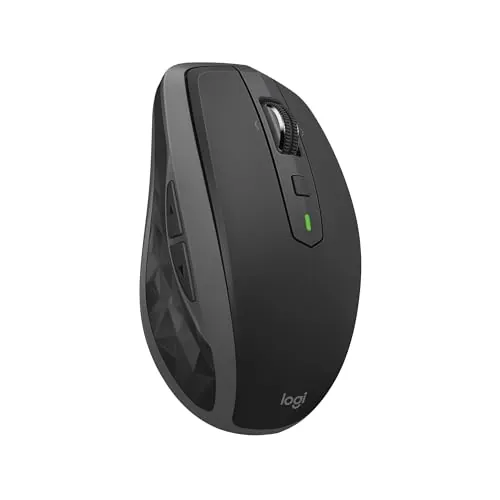
This comparison is for the assigned graphite SKUs: MX Anywhere 3S 910-006925 / ASIN B0BPY4ZQXG and MX Anywhere 2S Bluetooth Edition 910-007232 / ASIN B0CJXQVMHL. Both pair with up to three computers and support Bluetooth. The 3S can also use a Logi Bolt receiver, which Logitech says is not included; it cannot use a Unifying receiver. The 2S model family lists both Bluetooth and Unifying, but the assigned Bluetooth Edition listing says no USB receiver is included. Charging also differs: USB-C on the 3S, Micro-USB on the 2S. Decide by the receiver you own, the port and cable you want, and whether your computer can use Logitech's customization app.
Read comparison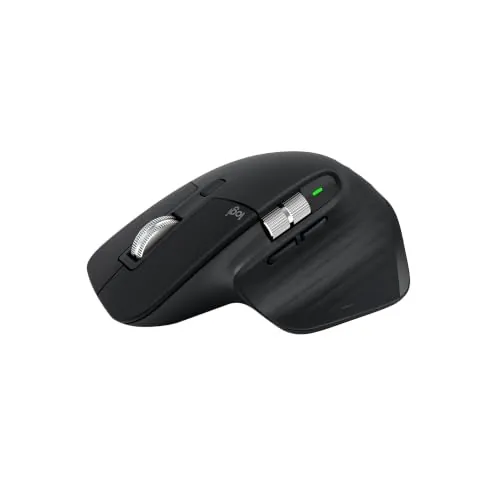
Logitech MX Anywhere 3S vs MX Master 3S Bluetooth Edition
Both assigned U.S. models support Bluetooth and can pair with up to three computers, but neither exact package includes a Logi Bolt receiver. MX Anywhere 3S weighs 95 g with its battery and scrolls horizontally by holding a side button while turning the main wheel; MX Master 3S Bluetooth Edition weighs 141 g and has a separate thumb wheel. Match the connection and control workflow to your computer before choosing.
Read comparison