
Products compared
Razer
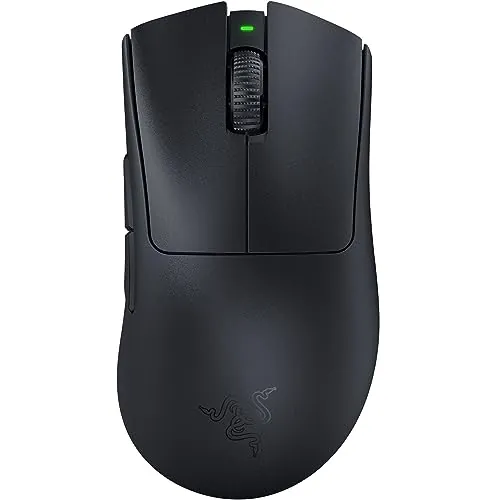
Razer DeathAdder V3 Pro Wireless Gaming Mouse (Black)
The selected U.S. listing identifies the black DeathAdder V3 Pro. Razer describes this model as a mid-to-large right-handed shape. Compare its published dimensions to a mouse you already use; these shape cues are not a fit or comfort test.
Model DeathAdder V3 Pro Black
Amazon ASIN B0B6XZLNHQ
Logitech G
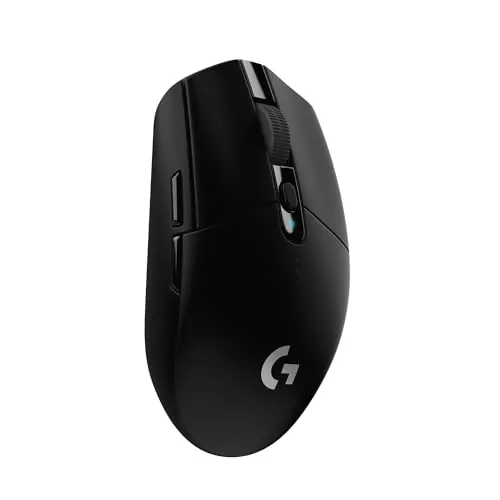
Logitech G305 LIGHTSPEED Wireless Gaming Mouse (Black)
The Logitech U.S. product page identifies the black G305 listing as 910-005280. Logitech Support lists a LIGHTSPEED USB receiver and one included replaceable AA battery. Its dimensions are published without a specific ergonomic shape description in the reviewed material.
Model 910-005280
Amazon ASIN B07CMS5Q6P
Differences that matter
What matters most to you?
Choose a priority to see what it changes.
Sources for Wireless receiver and extra dongle
Sources for On-mouse controls and setup software
Use size and shape descriptions as a screening step
Razer describes the DeathAdder V3 Pro as a mid-to-large mouse with a right-handed shape. Its newsroom lists approximate dimensions for the Black version. Logitech Support lists the G305 dimensions and weights with and without its AA battery, but the reviewed Logitech pages do not give a specific ergonomic hand-shape description.
Write down the length and width of a mouse that already suits your workspace, then compare those numbers with each maker’s dimensions. This helps screen for size; it cannot predict how a mouse will feel in a particular hand or grip. The stated weights also use different bases: the G305 numbers explicitly include/exclude its battery, while Razer’s 63 g statement does not specify the weighing condition. Do not read that as a controlled weight comparison.
Choose the power routine you want to maintain
The DeathAdder V3 Pro recharges over USB Type-C. The G305 uses one replaceable AA cell, and Logitech lists the alkaline AA in the box. That is a practical difference: plugging in to recharge versus replacing a standard battery.
Razer advertises up to 90 hours; Logitech lists up to 250 hours in Performance mode and up to 9 months of standard use in Endurance mode. The modes and conditions are different, and Logitech says battery life varies. These figures are not a matched runtime test and do not support declaring one winner.
Check the USB receiver and optional software before ordering
Both reviewed source sets describe receiver-based wireless setup. Razer says its standard HyperSpeed dongle comes with the mouse; its HyperPolling wireless dongle is sold separately. Logitech lists a LIGHTSPEED USB receiver in the box and says it stores inside the G305. Make sure the computer or hub you plan to use can host the receiver; Logitech lists USB 2.0+ as its system requirement.
Razer documents a bottom button that toggles power/DPI and points to Synapse 3 for remapping. Logitech lists six programmable buttons, a DPI button and optional G HUB for advanced settings. Confirm current OS/software support before relying on a custom mapping; Logitech labels its platform list “at release.”
A quick pre-buy comparison
First compare the published body dimensions against a mouse you already own. Second decide whether USB-C recharge or replaceable AA better fits your routine. Third verify receiver placement and check whether any extra Razer polling accessory is actually in the exact offer. If those checks do not resolve shape preference, product specifications alone cannot tell you which will feel better.
Product details
Razer DeathAdder V3 Pro Wireless Gaming Mouse (Black)
- Body and shape cue
- Razer describes a mid-to-large mouse with a right-handed ergonomic shape. Its newsroom lists approximate Black dimensions of 128 × 68 × 44 mm and a stated weight of 63 g. Source
- Power
- Rechargeable by USB Type-C; Razer lists up to 90 hours as a manufacturer claim, not a matched comparison result. Source
- Wireless setup
- Razer says the standard HyperSpeed dongle comes with the mouse. Its HyperPolling wireless dongle is a separate purchase. Source
Logitech G305 LIGHTSPEED Wireless Gaming Mouse (Black)
- Body size and weight basis
- 116.6 × 62.15 × 38.2 mm (H × W × D); 75 g without a battery and 99 g with one AA battery. Source
- Power
- One replaceable AA battery; Logitech lists up to 250 hours in Performance mode and up to 9 months of standard use in Endurance mode. Battery life varies by user, battery and computing conditions. Source
- Wireless setup
- A LIGHTSPEED USB receiver and one AA alkaline battery are listed in the box; receiver storage is built into the mouse. Source
Before you buy
Community discussions
Changing mouse shape after using a DeathAdder
Logitech G305 LIGHTSPEED Wireless Gaming Mouse (Black)
A longtime DeathAdder user described moving to a G305 after reconsidering their grip and the feel of their older mouse.
What to check
Try both shell shapes with the grip you actually use. Compare where your fingers reach the side buttons and how you lift the mouse.
Common questions
Which mouse is more comfortable?
The reviewed sources cannot determine personal comfort or hand fit. Razer describes its mouse as mid-to-large and right-handed; Logitech publishes G305 dimensions but no specific hand-shape description in the reviewed official pages. Compare measurements with a familiar mouse or try the exact model if possible.Razer DeathAdder V3 Pro Gaming Mouse (Razer United States)G305 LIGHTSPEED Wireless Gaming Mouse Technical Specifications (Logitech Support)
Is the Razer HyperPolling dongle included?
No. Razer says the standard HyperSpeed dongle comes with the DeathAdder V3 Pro and identifies the HyperPolling wireless dongle as a separate purchase. Verify the exact retailer bundle if package contents are important.Razer DeathAdder V3 Pro Gaming Mouse (Razer United States)
Does the G305 need a USB receiver and does it include a battery?
Logitech lists a LIGHTSPEED USB receiver and one AA alkaline battery in the box, and states that the receiver stores inside the mouse. The support page lists a USB 2.0+ port as the system requirement.G305 LIGHTSPEED Wireless Gaming Mouse Technical Specifications (Logitech Support)
Does the G305 last longer than the DeathAdder V3 Pro?
The official battery figures are not directly comparable. Razer advertises up to 90 hours for its rechargeable mouse; Logitech lists up to 250 hours in Performance mode or up to 9 months of standard use in Endurance mode and says battery life varies. Choose based on USB-C recharge versus replaceable AA, not a claimed runtime winner.Razer DeathAdder V3 Pro Gaming Mouse (Razer United States)G305 LIGHTSPEED Wireless Gaming Mouse Technical Specifications (Logitech Support)
Sources and scope
Check which receiver and cable the exact DeathAdder V3 Pro Black package includes. Published weight and battery figures use different conditions. Compare the outline and power method with your setup.
- Razer DeathAdder V3 Pro Gaming Mouse (Razer United States)
- The Legend Returns: Razer Unveils the Ultra-lightweight DeathAdder V3 Pro (Razer Newsroom)
- G305 LIGHTSPEED Wireless Gaming Mouse Technical Specifications (Logitech Support)
- G305 LIGHTSPEED Wireless Gaming Mouse, Black (Logitech G United States)
Related comparisons
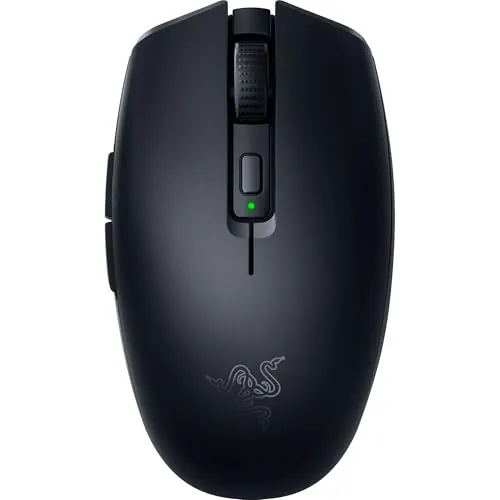
Razer Orochi V2 vs Logitech G305: Bluetooth, Receiver, and Battery Setup
The Razer Orochi V2 gives you Bluetooth or its stored 2.4 GHz dongle and accepts one AA or one AAA cell. The Logitech G305 uses its included LIGHTSPEED USB receiver and one AA cell. Compare the host connection, replacement-battery routine, and listed body dimensions before choosing.
Read comparison
Logitech G203 LIGHTSYNC vs G305 LIGHTSPEED: Wired Desk or Wireless Setup?
The assigned black G203 is the LIGHTSYNC model 910-005790, not a G203 Prodigy; it connects by cable and offers configurable LIGHTSYNC RGB. The black G305 910-005280 uses a LIGHTSPEED USB receiver and a replaceable AA battery, and Logitech lists its RGB lighting as none. Both have six buttons, so decide by connection, lighting and the setup changes you are willing to make rather than button count or untested gaming performance.
Read comparison