
Products compared

Logitech G
Logitech G502 HERO (Black, wired)
Black U.S. wired model; powered through its USB cable.
Model G502 HERO / 910-005469
Amazon ASIN B07GBZ4Q68
Logitech
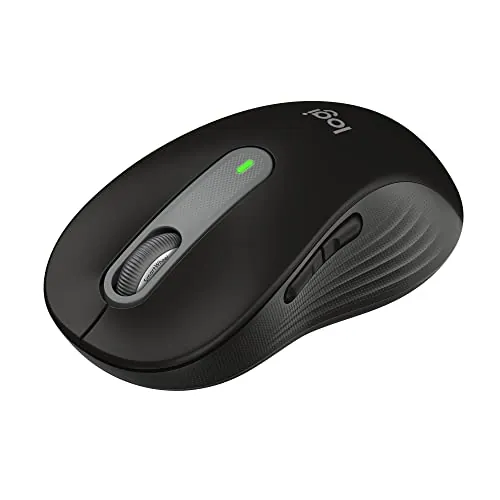
Logitech Signature M650 L (Black, Right Handed, Large)
Black large right-handed U.S. version. The M650 L Left is a separate handedness option.
Model Signature M650 L / 910-006265
Amazon ASIN B09KX9P829
Differences that matter
What matters most to you?
Choose a priority to see what it changes.
Sources for Connection and power routine
Sources for How you change scroll style
Sources for Software customization path
Start with the connection at your desk
The G502 HERO is the wired option: its setup guide uses the USB cable and calls for a powered computer USB port. Signature M650 L works over Bluetooth Low Energy or Logi Bolt and uses one replaceable AA alkaline battery. If you choose Bolt, Logitech's guide says its receiver sits inside the battery compartment; Bluetooth is the documented route that does not use that receiver.
Before buying, check the port you can use and the cable route on your desk. For M650 L, decide whether you want Bluetooth pairing or a receiver in a USB port, and include AA replacement in your routine. Neither page establishes a measured connection or battery-life comparison, so the choice here is about setup preferences.
Choose a wheel control you will use naturally
G502 HERO has a distinct, nonprogrammable button below the wheel for switching between two wheel modes. M650 L instead uses SmartWheel: Logitech says slow rotation gives line-by-line ratchet steps, while a faster flick engages inertia scrolling. That is a choice between a separate button and wheel-motion switching, not a claim that one mouse scrolls faster in a test.
For a desk workflow with long pages, ask whether you want to press a button when changing wheel mode or transition by how you move the wheel. If you require wireless operation and the G502's separate mode button together, neither documented configuration in this pair offers that combination.
Check size and software before checkout
This exact M650 L listing information is the black, large, right-handed variant. Logitech recommends M650 L for large hands and lists a separate M650 L Left option. Treat that label as a variant-selection aid, not a promise that a shape will feel comfortable for every person; verify the handedness and return terms on the exact listing.
The customization routes also differ. The G502 guide describes three onboard profiles customized with Logitech Gaming Software; the M650 support guide documents Logitech Options+ for changing the back/forward side buttons. If you depend on a particular mapping, confirm that software route on your computer before relying on it.
Product details
Logitech G502 HERO (Black, wired)
Logitech Signature M650 L (Black, Right Handed, Large)
- Connection and power
- Bluetooth Low Energy or Logi Bolt receiver; one replaceable AA alkaline battery. Source
- Scroll control
- SmartWheel changes between line-by-line ratchet and faster inertia scrolling with wheel motion. Source
- Size and handedness
- Logitech recommends M650 L for large hands and lists M650 L Left separately; the assigned model is right-handed. Source
- Side-button customization
- Logitech Options+ can customize the back/forward side buttons. Source
Before you buy
Community discussions
G502 HERO owner reports scrolling past a single step
Logitech G502 HERO (Black, wired)
An owner says their G502 HERO sometimes scrolls farther than intended when they want one downward step and asks whether the amount can be changed. The post does not identify the cause or a fix.
What to check
If controlled scrolling matters, compare the G502 HERO’s notched and free-spin wheel modes with your usual pages before choosing. This is one owner’s experience and does not establish a general wheel problem.
Common questions
Can I use the M650 L without a USB receiver?
Logitech documents Bluetooth Low Energy pairing as well as Logi Bolt receiver pairing. Choose the route your computer supports; if using Bolt, the guide says the receiver is inside the battery compartment.Getting Started - Signature M650
Which mouse has a separate wheel-mode button?
The G502 HERO setup guide identifies a separate, nonprogrammable wheel-mode shift button. Logitech describes the M650 L SmartWheel as changing scroll style through wheel motion.G502 HERO Setup GuideGetting Started - Signature M650
Is this M650 L the left-handed version?
No. The selected listing is the black, right-handed large M650 L. Logitech lists M650 L Left as a separate version, so verify the option before checkout if you need a left-handed mouse.Logitech M650 Wireless Mice - Small, Large, Left Handed Mouse
Sources and scope
This guide compares manufacturer-documented connection, controls and customization paths; it does not report hands-on fit, comfort, accuracy, scrolling-speed, gaming or reliability testing. The M650 family page distinguishes size and handedness variants but does not identify the selected Amazon ASIN; the current listing data supplies that exact ASIN-to-model identity. Prices and current offers are excluded.
Related comparisons

Logitech G502 HERO vs MX Vertical: Grip, Controls and Connection
These exact Logitech models answer different desk questions. The wired G502 HERO puts 11 programmable controls and an adjustable weight system in a conventional mouse layout. The right-hand MX Vertical uses a documented 57° upright angle, four customizable buttons, Bluetooth or a Unifying receiver, and USB-C cable operation. Neither shape is a fit guarantee; choose by the grip and control arrangement you want, then check the host connection and the exact model number.
Read comparison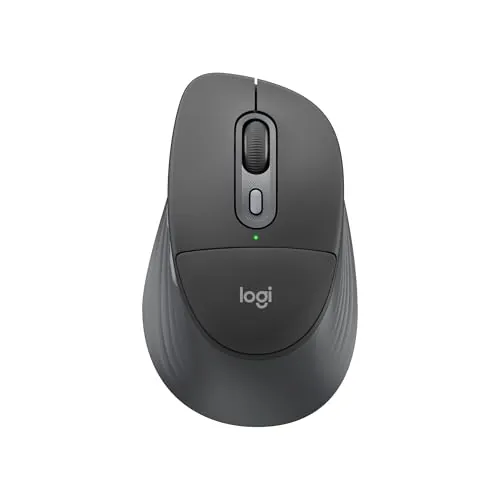
Logitech M650 L vs M850 L: Bolt Receiver or Three-Device Switching?
The black Logitech Signature M650 L includes a Logi Bolt receiver and also supports Bluetooth on one connection channel. The graphite Signature Comfort Plus M850 L is documented for Bluetooth Easy-Switch among up to three devices; Logitech describes it as Bolt-ready, but the worldwide box does not include that receiver. Choose by host setup and preferred hand-contact features, not an untested comfort claim.
Read comparison