
Products compared

Logitech G
Logitech G502 HERO Wired Gaming Mouse (Black)
The black G502 HERO is a USB-wired mouse. Logitech lists 11 programmable buttons and an adjustable weight compartment that accepts up to five 3.6 g weights; its setup diagram shows the left/right buttons, wheel, and side buttons.
Model 910-005469
Amazon ASIN B07GBZ4Q68

Logitech
Logitech MX Vertical Advanced Ergonomic Mouse (Graphite)
The Graphite MX Vertical is the U.S./AMR model 910-005447. Logitech describes a right-hand 57° upright design with four customizable buttons, Bluetooth or Unifying receiver operation, and USB-C cable use while switched on.
Model 910-005447
Amazon ASIN B07FNJB8TT
Differences that matter
Sources for Hand orientation and layout
Sources for Button and adjustment workflow
Sources for Cable, wireless and computer switching
Start with the grip and control arrangement
The G502 HERO and MX Vertical are not the same mouse with different wireless options. Logitech's G502 setup guide shows a familiar left/right-button and scroll-wheel layout with side controls. The MX Vertical data sheet identifies a right-handed design at a 57° angle. If you specifically want the upright orientation, that points to MX Vertical; if you prefer the conventional button arrangement, G502 HERO is the closer match.
Treat these as documented layouts, not comfort promises. A 57° specification cannot predict hand fit, and the cited G502 sources do not identify this model as a left- or right-hand-only design. If the grip shape is the deciding factor, checking the actual mouse in hand is more reliable than choosing from marketing claims.
Count the controls you will actually use
G502 HERO has 11 programmable buttons. Its setup guide maps the main buttons, wheel click, back and forward, DPI controls, wheel tilt and profile selection, and it explains how to insert up to five 3.6 g weights. Logitech's current G502 product page directs buyers to G HUB for button programming; the older printed guide's Logitech Gaming Software directions are legacy instructions.
MX Vertical's data sheet lists four customizable buttons, a cursor-speed switch and Logitech Options software for optional customization. Choose G502 if you have specific commands for its extra physical inputs or want the documented weight compartment. Choose MX Vertical if the more limited button arrangement and upright right-hand form better match your intended workflow. The numbers alone do not measure accuracy or gaming performance.
Match the connection to your desk and computer
G502 HERO is a wired USB mouse and its support page lists a 2.1 m cable. MX Vertical gives more routing choices: Logitech documents wireless pairing by Bluetooth or a Unifying receiver, plus corded USB use while the mouse is switched on. Its data sheet also lists Easy-Switch for pairing with up to three computers. A wireless requirement therefore narrows this pair to MX Vertical, while a USB-connected desk leaves both options open.
Before buying MX Vertical, check which connection your computer can use and whether you have an appropriate receiver port if you choose that route. The data sheet's compatibility table dates from 2021 and gives different supported OS versions by connection method, so confirm current OS and application support for your device. Avoid assuming that a Logitech receiver you already own is Unifying-compatible without checking its label.
Use this pre-buy checklist
First, read the model number on the exact offer: G502 HERO Black 910-005469 or MX Vertical Graphite 910-005447. For G502, confirm you want the USB cable and its mapped button layout; Logitech's exact support page lists optional 5 × 3.6 g weights and a case in the package. For MX Vertical, decide among Bluetooth, Unifying receiver and corded USB-C, and remember its built-in battery requires charging.
Second, check your hand orientation and control reach against the actual shape. Logitech labels MX Vertical right-handed, while the G502 evidence here only supports its conventional button layout. Neither source supplies a personal fit guarantee. One G502 support dimension is clearly anomalous, so this guide does not use its listed measurements to promise desk clearance.
Product details
Logitech G502 HERO Wired Gaming Mouse (Black)
- Controls
- 11 programmable buttons; the setup guide maps primary left/right buttons, wheel click, back/forward, DPI controls, wheel tilt and profile selection. Source
- Weight adjustment
- The setup guide documents up to five 3.6 g weights and a removable weight door; the exact 910-005469 support page lists the optional weights and case in the box. Source
- Connection
- Wired USB mouse; Logitech lists a 2.1 m cable and a USB port requirement. Source
Logitech MX Vertical Advanced Ergonomic Mouse (Graphite)
- Orientation and controls
- Right-handed, 57° vertical angle and four customizable buttons, according to the MX Vertical data sheet. Source
- Connection choices
- Bluetooth Low Energy, Logitech Unifying USB receiver, or USB-C cable for corded use while the mouse is switched on. The data sheet lists Easy-Switch for up to three paired computers. Source
- Power and software
- Built-in rechargeable Li-Po battery; Logitech lists a USB-C charging cable connection. Optional Logitech Options software for Windows and macOS enables the documented custom features; basic host compatibility varies by connection method in the 2021 data sheet. Source
Before you buy
Community discussions
Checking which button profile is active
Logitech G502 HERO Wired Gaming Mouse (Black)
A G502 HERO owner said some mouse buttons unexpectedly started performing different actions during a game. They used G HUB while sorting out the mappings.
What to check
If you switch to a different hand position or button layout, map your usual commands first. Try each action from your normal grip.
Trying both wheel modes at the desk
Logitech G502 HERO Wired Gaming Mouse (Black)
A recent G502 HERO buyer noticed a rattle when scrolling with the wheel in its stepped mode and asked whether others had heard it.
What to check
If you switch between short, precise scrolls and long documents, try both wheel modes and see whether their feel and sound fit your workspace.
Common questions
Can the MX Vertical be used while plugged in?
Yes. Logitech's setup instructions say to switch it on and connect the USB cable for corded use; the same mouse also supports Bluetooth and a Unifying USB receiver.Logitech Support: Getting Started - MX Vertical
Which one offers wireless operation?
Only MX Vertical has wireless connection options in the cited exact-model material: Bluetooth Low Energy or a Logitech Unifying receiver. Logitech identifies G502 HERO 910-005469 as a wired USB mouse.Logitech Support: Getting Started - MX VerticalLogitech Support: Specification - G502 HERO Gaming Mouse
Does the 57° MX Vertical shape prove it will be more comfortable?
No. Logitech documents a right-handed design and a 57° angle, but those specifications do not establish how an individual will feel using it. If hand fit matters, try the shape and reach before deciding.Logitech MX Vertical Advanced Ergonomic Mouse data sheet
What should I check before using the G502's programmable controls?
Logitech's current product page points to G HUB for button programming; the older setup guide includes legacy Logitech Gaming Software instructions. Use the current G HUB information rather than following outdated software steps, and confirm current support for your computer.Logitech G502 HERO Wired Gaming Mouse, Black, part 910-005469Logitech G502 HERO Setup GuideLogitech Support: Specification - G502 HERO Gaming Mouse
Sources and scope
This guide is limited to the black wired Logitech G502 HERO, part 910-005469, and the Graphite U.S./AMR Logitech MX Vertical, part 910-005447. The MX Vertical data sheet describes it as right-handed and lists a 57° angle; the G502 setup guide diagrams conventional top-facing left/right buttons. These documents do not establish which shape will fit an individual hand or feel more comfortable. G502 dimensions in Logitech Support contain a questionable height value, so dimensions are omitted. MX Vertical operating-system details come from a 2021 data sheet and should be checked against current support for the buyer's exact computer. No comparative comfort, health, tracking, gaming, latency, reliability or battery-life result is claimed.
Related comparisons
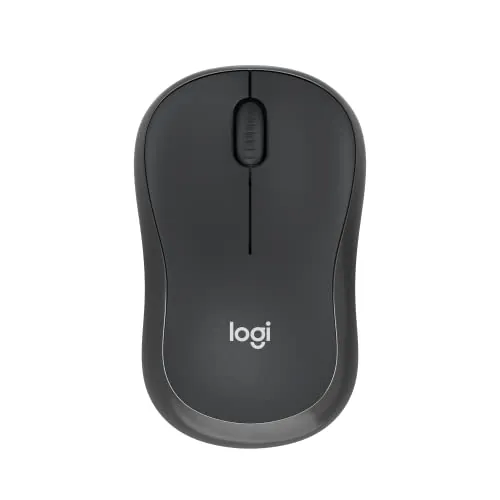
Logitech M240 Graphite vs MX Vertical Graphite: Handedness, Connection and Power
These are different desk setups, not a tested comfort comparison. Logitech describes the M240 Graphite as suitable for left- and right-handed use, with Bluetooth and a replaceable AA battery. MX Vertical Graphite is right-handed and supports Bluetooth, a Unifying receiver or a USB-C cable; Logitech also documents switching among up to three paired computers. Decide first who will use the mouse, then check the host connection you need and whether you prefer replacing an AA or recharging.
Read comparison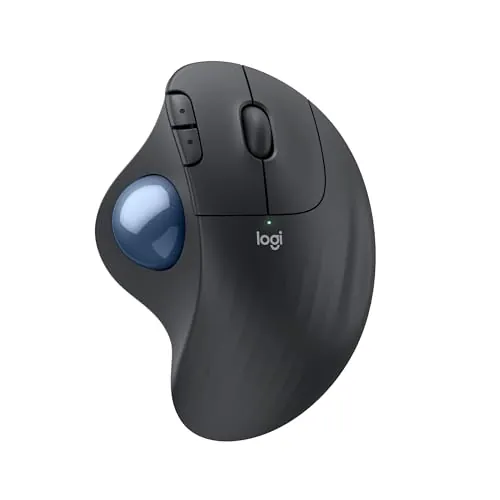
Logitech MX Vertical vs ERGO M575S: Mouse Movement, Desk Space and Power
These Logitech mice differ in how the cursor moves and what the desk must provide. MX Vertical uses a 57° upright grip, but the mouse still travels over a surface; ERGO M575S moves the cursor with its thumb-operated ball while its body stays in place. Check the exact 910-005447 and 910-007027 versions, then match Unifying versus Logi Bolt or Bluetooth to your computer and decide whether USB-C recharging or a replaceable AA battery fits your routine.
Read comparison