
Products compared
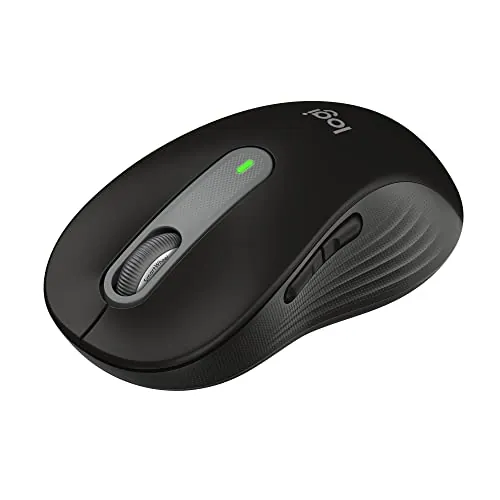
Logitech
Logitech Signature M650 L Wireless Mouse (Black)
U.S. black, large-size M650 L; standard right-hand model, not M650 L Left.
Model 910-006265
Amazon ASIN B09KX9P829
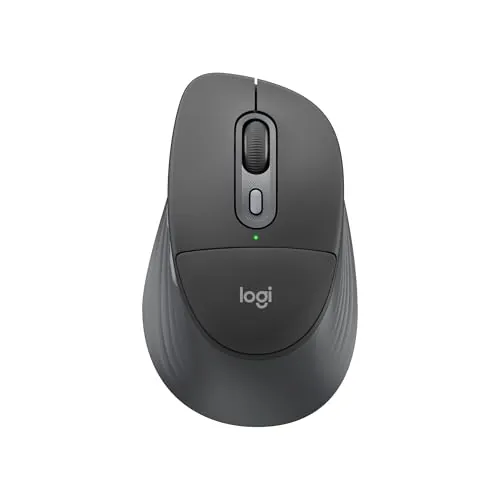
Logitech
Logitech Signature Comfort Plus M850 L Wireless Mouse (Graphite)
U.S. graphite consumer M850 L with palm cushion; distinguish from M850 L for Business.
Model 910-007709
Amazon ASIN B0GSHRCS7L
Differences that matter
What matters most to you?
Choose a priority to see what it changes.
Sources for Connection choice
Sources for Receiver in the box
Sources for Switching between computers or tablets
Sources for Hand-contact design and shared controls
Choose by the computer connection you actually need
For a one-host setup, the M650 L has two documented paths: Bluetooth Low Energy or the included Logi Bolt receiver. Logitech's setup guide says the receiver is stored inside the battery door and pairs on channel 1.
The M850 L is the more explicit multi-host choice: Logitech documents Bluetooth Easy-Switch for up to three devices with a tap. Its U.S. consumer page says no dongle is needed. A separate M850 L support specification describes Bolt readiness but says the receiver is not included in the worldwide package, with China as the exception. If you require a receiver, verify what the exact U.S. offer includes rather than assuming the M650 and M850 boxes match.
Treat shape as a personal-fit check, not a comfort ranking
Logitech recommends M650 L for large-sized hands. Its page describes a contoured shell, soft thumb area, and rubber side grips. The M850 L adds a built-in palm cushion, a sculpted shape, a thumb rest, and extended side grip. Those are different documented design cues, but no comparative measurement here establishes which one will feel better in your hand.
Both models list SmartWheel and customizable buttons. Logitech's M650 guide documents its wheel, Back/Forward buttons, channel setup, and software customization. The M850 page describes customization through Logi Options+ but does not provide a button count; there is no supported control-count winner.
A quick pre-buy check
List the computers or tablets you want to use. If you need tap-based switching among two or three Bluetooth hosts, the M850 L's documented Easy-Switch workflow fits that requirement. If you normally use one host and prefer a supplied Logi Bolt receiver option, the M650 L is the documented choice.
Then check the host connection: confirm Bluetooth Low Energy support, or an available USB port for the M650 L receiver. If M850 L receiver use matters, confirm the exact package and receiver separately; Logitech's worldwide package specification does not include one. Finally, compare the physical shapes if size or hand contact outweighs connection convenience.
Product details
Logitech Signature M650 L Wireless Mouse (Black)
Logitech Signature Comfort Plus M850 L Wireless Mouse (Graphite)
- Device switching
- Bluetooth Easy-Switch among up to three devices Source
- Receiver status
- Bolt receiver-ready; worldwide package does not include a receiver (China is the stated exception) Source
- Documented hand-contact features
- Built-in palm cushion, sculpted shape, thumb rest, and extended rubber side grip Source
Before you buy
Community discussions
M650 L size fit is personal
Logitech Signature M650 L Wireless Mouse (Black)
An M650 L buyer says the larger version felt right in their hand, partly because they were used to a larger mouse.
What to check
If you can try both, use your usual grip and see where your fingers reach the side buttons.
Common questions
Does the M650 L switch between three computers like the M850 L?
Logitech lists one connection channel for the M650 L. The M850 L product page lists Bluetooth Easy-Switch among up to three devices, selected with a tap.Specification - Signature M650Signature Comfort Plus M850 L
Which package includes the Logi Bolt receiver?
Logitech's M650 specification lists a Logi Bolt receiver in the box, inside the mouse. For M850 L, Logitech's support specification says Bolt-ready but says the receiver is not included in the worldwide package; China is the stated exception. The U.S. M850 L product page describes Bluetooth as a no-dongle connection.Specification - Signature M650Specification - Signature Comfort Plus M850 LSignature Comfort Plus M850 L
Can documentation tell me which one will feel more comfortable?
No. Logitech recommends the M650 L size for large-sized hands and describes the M850 L's cushion and sculpted shape, but those statements do not predict an individual fit or establish a comfort winner. Try the shapes if possible.Signature M650 Wireless Mice - Small, Large, Left Handed MouseSignature Comfort Plus M850 L
Do the two mice share any controls?
Both product pages describe SmartWheel scrolling and customizable buttons. Logitech's M650 getting-started guide shows the wheel and Back/Forward controls and explains button customization; the M850 page does not state its button count, so this guide does not compare counts.Signature M650 Wireless Mice - Small, Large, Left Handed MouseSignature Comfort Plus M850 LGetting Started - Signature M650
Sources and scope
This is a documentation-based feature-fit guide, not a hands-on comparison. It does not rank comfort, pointer performance, noise, or battery life. Logitech's M650 support specification lists dimensions that conflict with its U.S. product page, so no dimensions are used. The M850 L support specification's receiver statement is worldwide with a China exception; the U.S. product page describes Bluetooth and says no dongle is needed.
Related comparisons

Logitech G502 HERO vs M650 L
G502 HERO uses a powered USB cable and a separate wheel-mode button. Signature M650 L runs wirelessly on one AA battery and switches scroll styles with a flick of its SmartWheel. Choose by desk connection, wheel control and the software you plan to use.
Read comparison
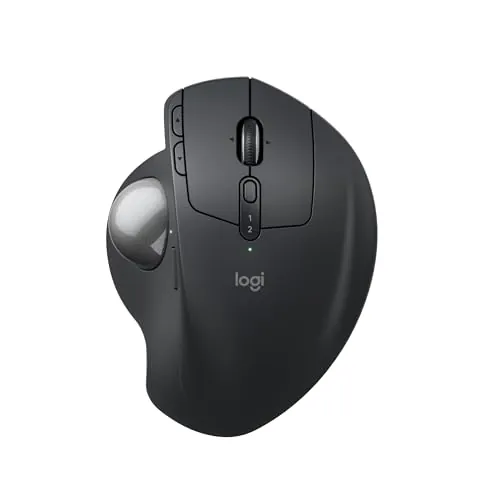
Logitech MX Master 4 vs MX Ergo S: Mouse Movement, Trackball and Switching
Both are rechargeable Logitech pointing devices, but they use different steering methods and switching controls. Compare desk motion, paired-computer count, the MX Master 4's Options+ Haptic Sense Panel, and the MX Ergo S base model's included Logi Bolt receiver before choosing.
Read comparison