
Products compared
Logitech
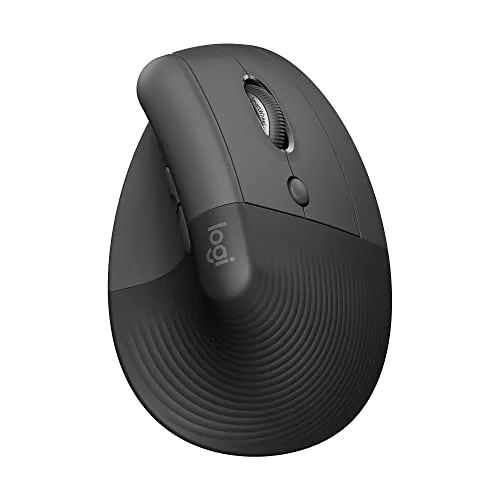
Logitech Lift Vertical Ergonomic Mouse
US Graphite right-handed Lift; vertical mouse with moving-mouse steering.
Model Lift Graphite, right-handed (910-006466)
Amazon ASIN B09J1TB35S
Logitech
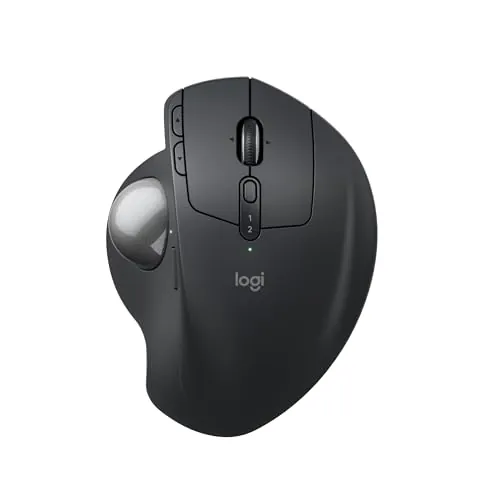
Logitech MX Ergo S Advanced Wireless Trackball
US Graphite base MX Ergo S configuration; distinct from MX Ergo S Plus with an extra wedge.
Model MX Ergo S Graphite base model (910-007259)
Amazon ASIN B0D6PTR6MP
Differences that matter
What matters most to you?
Choose a priority to see what it changes.
Sources for Saved devices and switch location
Sources for Wireless connection paths
Start with the movement you want
Lift is still a mouse: Logitech's setup guide describes it as a vertical mouse and places the Easy-Switch control on its underside. MX Ergo S is a thumb-operated trackball; Logitech describes thumb control on the product page and puts Easy-Switch on top. If you want the pointer to move without sliding the mouse body, MX Ergo S is the relevant design; if you want to keep moving a mouse, start with Lift.
These product descriptions explain controls, not personal fit, comfort, accuracy, or how quickly someone adapts. If the movement style is unfamiliar, trying the control before buying is more informative than treating the word ergonomic as a promise.
Count saved computers before choosing the switch
Lift can store up to three device channels, but its selector is underneath. MX Ergo S stores two, with its selector on top below the scroll wheel. For a three-computer setup, Lift has the channel count; for two computers, decide whether top-button access is worth choosing the trackball workflow.
Both guides document Bluetooth and Logi Bolt connection paths. Lift's guide shows its receiver under the battery door. MX Ergo S can connect with a Bolt receiver, but verify the exact retail pack if an included receiver matters to your setup.
Match the power routine to what you keep nearby
Lift runs on one AA battery; Logitech's setup guide depicts the AA and receiver in the mouse's battery compartment. MX Ergo S recharges through USB-C, and Logitech says the charging cable is not included. Choose the routine you will actually maintain, and have a suitable cable ready if you choose the rechargeable model.
The stated maximum battery-life figures are not a head-to-head runtime test and can depend on use. This guide does not rank lifetime cost or battery endurance.
Product details
Logitech Lift Vertical Ergonomic Mouse
Logitech MX Ergo S Advanced Wireless Trackball
Before you buy
Community discussions
A buyer wants a trackball for a crowded work surface
Logitech MX Ergo S Advanced Wireless Trackball
A shopper often works at mixers with limited desk space and is considering an MX Ergo S trackball.
What to check
Compare the room needed to move a mouse with the space occupied by the trackball and the equipment beside it.
Common questions
Do both mice support Logi Bolt?
Yes. Logitech's Lift setup guide describes Bluetooth Low Energy and Logi Bolt; MX Ergo S setup also documents Bluetooth or a Logi Bolt receiver. This does not establish that every retail bundle includes a receiver, so check the exact MX Ergo S box contents if needed.Getting Started - LIFT Vertical Ergonomic MouseGetting Started - MX Ergo S
Which one can stay paired with more computers?
Lift has up to three saved-device channels, selected with a button on the underside. MX Ergo S has two channels and puts its Easy-Switch button on top below the scroll wheel.Getting Started - LIFT Vertical Ergonomic MouseGetting Started - MX Ergo S
Does MX Ergo S include a charging cable?
No. Logitech's exact Graphite MX Ergo S product page says USB-C charging cable is not included. Lift uses one AA battery instead of a rechargeable USB-C routine.MX Ergo S - Wireless Trackball Mouse, Graphite, part 910-007259Getting Started - LIFT Vertical Ergonomic Mouse
Sources and scope
This guide covers the US Graphite right-handed Lift, part 910-006466, and the base Graphite MX Ergo S, part 910-007259. It does not cover Lift Left, Lift for Business, MX Ergo S Plus, or the original MX Ergo. The maker's descriptions do not establish that either model will feel comfortable or improve symptoms for a particular person. MX Ergo S supports a Logi Bolt receiver connection, but check the exact package listing if an included receiver matters; its USB-C charging cable is not included.
Related comparisons

Logitech Lift vs MX Vertical: Hand Fit, Receiver and Charging
These are both right-handed Logitech vertical mice, but Logitech positions them for different hand-size ranges. Lift uses one AA battery and a Logi Bolt receiver; MX Vertical recharges over USB-C, can stay connected by cable while charging, and uses a Unifying receiver. Bluetooth is available on both.
Read comparison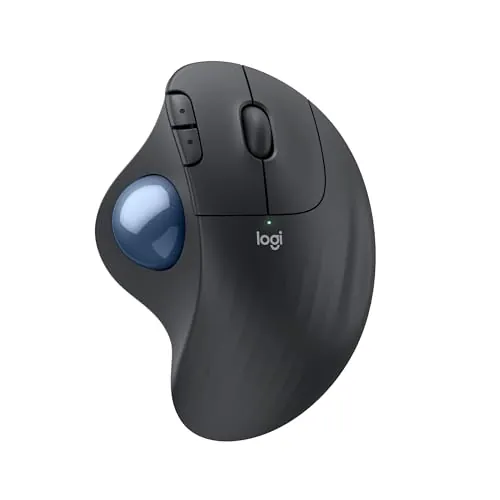
Logitech MX Ergo S vs ERGO M575S: Tilt, Thumb Controls and Power
Both are thumb-operated Logitech trackballs with Bluetooth and a Logi Bolt receiver in the manufacturer-listed box. The MX Ergo S adds a stated 20-degree tilt, a physical button for switching between speed and high-precision tracking, six customizable buttons and two-channel Easy-Switch; it recharges over USB-C, but the cable is not included. The ERGO M575S uses Logi Options+ for cursor-speed changes, offers three customizable buttons, and runs on one replaceable AA battery rated by Logitech for up to 18 months. Logitech's M575S support pages checked here do not state its saved-host count, so verify that requirement before relying on it for multi-computer switching.
Read comparison