
Products compared
Logitech
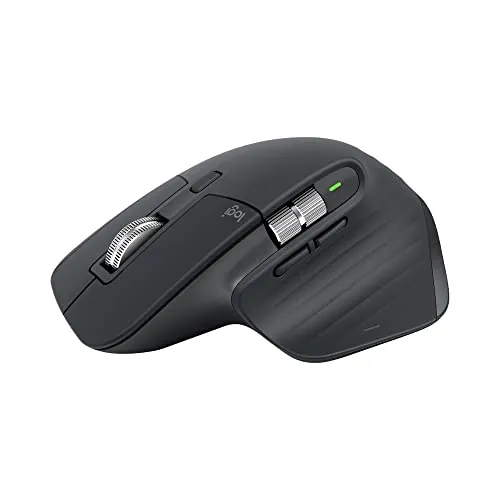
Logitech MX Master 3S Standard Edition (Graphite)
Graphite Standard Edition package; distinguish it from the separate Bluetooth Edition.
Model 910-006561
Amazon ASIN B0B11LJ69K
Logitech
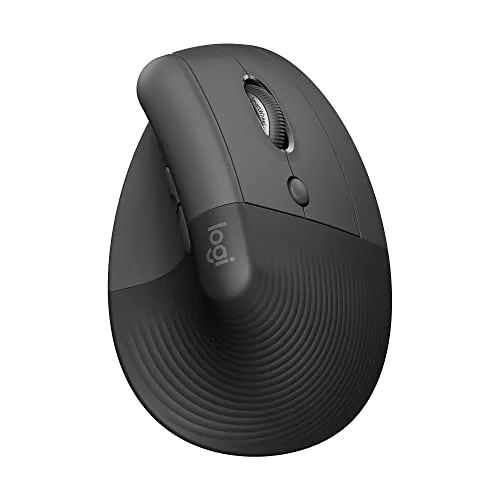
Logitech Lift Vertical Ergonomic Mouse (Right-Hand Graphite)
Right-hand Graphite Lift package; Logitech separately identifies a Lift Left.
Model 910-006466
Amazon ASIN B09J1TB35S
Differences that matter
What matters most to you?
Choose a priority to see what it changes.
Sources for Horizontal scroll input
Sources for Body shape and hand-size guidance
Sources for Wireless setup and exact receiver package
Choose the sideways-scroll motion you will use
MX Master 3S Standard Edition separates the axes: Logitech describes a dedicated thumb wheel for side-to-side movement alongside the main MagSpeed wheel. Lift retains horizontal scrolling, but its guide uses a different gesture: hold a side button while turning the top wheel.
If you move between spreadsheet columns or along a timeline throughout a task, consider whether separate scroll controls suit your workflow. For occasional sideways navigation, Lift’s gesture is another documented option. Check how your applications respond; no comparative speed or app-performance test is claimed.
Treat shape as a fit check, not an outcome claim
The MX Master 3S Standard Edition has a sculpted body; Logitech publishes its dimensions and weight. Lift is a 57-degree right-handed vertical shape Logitech positions for small-to-medium hands. This guidance can narrow what to try, but cannot tell you which mouse will feel comfortable.
Before buying, check which hand you use and whether you can reach the side controls while your hand rests on the body. Lift Left is separately identified and is not this comparison.
Match the box and power routine to your host
Both assigned packages support Bluetooth Low Energy and Logi Bolt. The MX Master 3S 910-006561 Standard Edition includes a USB-A receiver and USB-A-to-USB-C charging cable; Logitech’s distinct Bluetooth Edition does not list a receiver. Lift’s setup guide shows a Logi Bolt receiver stored under the battery door.
The 3S has an internal rechargeable battery; Lift uses one AA. If you depend on a receiver, verify USB-A or a suitable adapter. If you want custom wheel or button mappings, verify Options+ support for your OS and software. Shared connectivity alone does not distinguish these exact models.
Product details
Logitech MX Master 3S Standard Edition (Graphite)
The Standard Edition puts horizontal motion on its own thumb wheel, separate from the main wheel. Logitech distinguishes its receiver-and-cable package from a Bluetooth Edition that lists no receiver in the box.
Logitech Lift Vertical Ergonomic Mouse (Right-Hand Graphite)
Lift uses a right-handed vertical body at a 57-degree angle. For horizontal movement, its setup guide documents a side-button-plus-wheel gesture; its battery door also stores the receiver and uses one AA.
- Shape and intended hand range
- 57-degree vertical angle; Logitech describes Lift as a fit for small-to-medium hands; left-hand option is separately identified Source
- Horizontal scrolling
- Hold a side button while turning the top wheel; Logitech says the gesture is on by default and can be customized in Options+ Source
- Power and receiver
- One AA battery; setup guide shows a Logi Bolt receiver inside the battery door and connection to a USB-A host port Source
Before you buy
Community discussions
A buyer compares Lift and MX Master 3S grip and scrolling
Logitech MX Master 3S Standard Edition (Graphite)
A buyer comparing both models says the Lift fits snugly in their small-ish hand and describes the MX Master 3S as a conventional mouse with a separate horizontal wheel. These are one person's grip and control preferences, not a fit prediction for another hand.
What to check
Compare each shape with your own hand and decide whether you prefer a dedicated thumb wheel or Lift's documented button-plus-wheel horizontal-scroll gesture. Try the controls you expect to use before choosing when possible.
Lift uses a thumb-button and wheel gesture for horizontal scrolling
Logitech Lift Vertical Ergonomic Mouse (Right-Hand Graphite)
In an office-mouse discussion, a user says the Lift scrolls sideways when they click a thumb button and turn the main wheel. This describes that user's control workflow, not a speed or app-compatibility comparison.
What to check
If you often move horizontally through spreadsheets or desktop content, compare the MX Master 3S thumb wheel with Lift's button-plus-wheel gesture and check the behavior in your own applications.
Common questions
Can Lift scroll horizontally?
Yes. Logitech documents holding one of the side buttons while turning the wheel. The guide says this is on by default and can be customized in Logitech software.Getting Started - LIFT Vertical Ergonomic Mouse
Do both assigned packages include a Logi Bolt receiver?
The MX Master 3S 910-006561 Standard Edition lists one; its separate Bluetooth Edition lists only the mouse and user documentation. The Lift setup guide shows a Logi Bolt receiver inside the battery door. Check the exact 3S edition in the listing.Specification - MX Master 3SLogitech MX Master 3S package specification, SKU 910-006561Getting Started - LIFT Vertical Ergonomic Mouse
Which mouse uses a replaceable battery?
Lift uses one AA. MX Master 3S uses an internal rechargeable Li-Po battery and its Standard Edition includes a USB-A-to-USB-C cable. This is a servicing preference, not a runtime comparison.Specification - MX Master 3SGetting Started - LIFT Vertical Ergonomic Mouse
Sources and scope
This compares Logitech’s published controls, shape descriptions, package details and power formats. No comfort, ergonomic, health, task-speed, wireless-performance or battery-runtime test was conducted. App-specific mappings may depend on the host OS and application.
Related comparisons

Logitech MX Master 4 vs MX Ergo S: Mouse Movement, Trackball and Switching
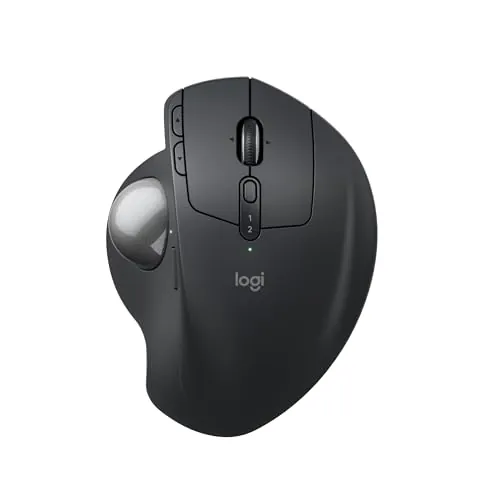
Both are rechargeable Logitech pointing devices, but they use different steering methods and switching controls. Compare desk motion, paired-computer count, the MX Master 4's Options+ Haptic Sense Panel, and the MX Ergo S base model's included Logi Bolt receiver before choosing.
Read comparison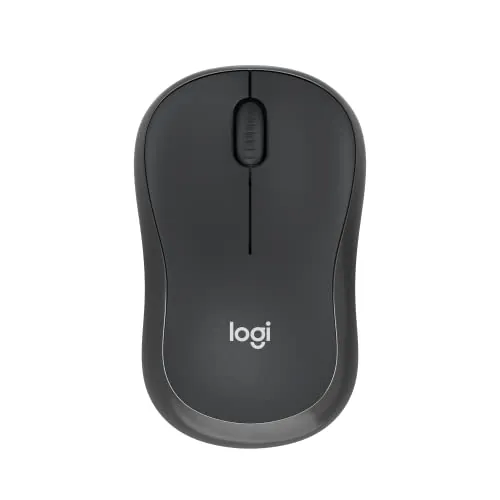

Logitech M240 Graphite vs MX Vertical Graphite: Handedness, Connection and Power
These are different desk setups, not a tested comfort comparison. Logitech describes the M240 Graphite as suitable for left- and right-handed use, with Bluetooth and a replaceable AA battery. MX Vertical Graphite is right-handed and supports Bluetooth, a Unifying receiver or a USB-C cable; Logitech also documents switching among up to three paired computers. Decide first who will use the mouse, then check the host connection you need and whether you prefer replacing an AA or recharging.
Read comparison