
Products compared
Logitech
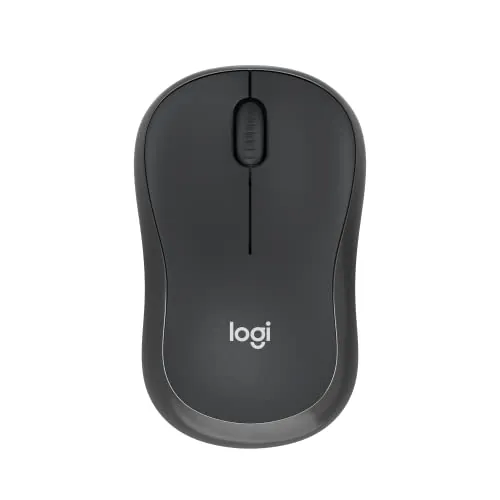
Logitech M240 Silent Bluetooth Mouse, Graphite
The assigned US listing is the Graphite M240 (910-007113). Logitech’s US page for this exact part describes direct Bluetooth connection without a receiver or occupied USB port.
Model 910-007113
Amazon ASIN B0BXNR9DB6
Logitech
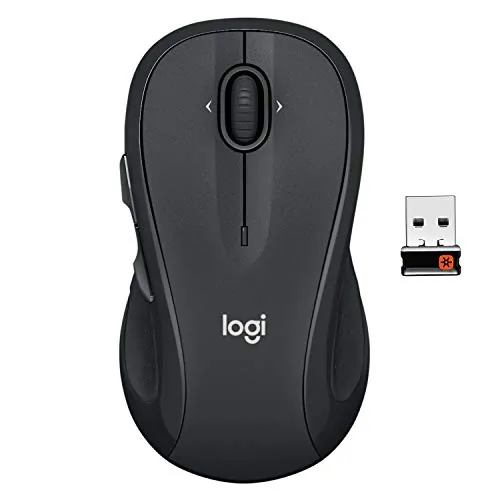
Logitech M510 Wireless Mouse, Graphite
The assigned US listing is the Graphite M510 part 910-006030. Logitech M510-family materials document a USB receiver setup and additional navigation controls; the exact receiver contents for this Graphite offer should be checked on its selected box/listing.
Model 910-006030
Amazon ASIN B087Z5WDJ2
Differences that matter
What matters most to you?
Choose a priority to see what it changes.
Sources for Host connection and port use
Sources for Buttons and scrolling
Sources for Published body dimensions
Sources for Software-dependent controls
Start with the computer connection
The M240 Graphite is the receiver-free choice when the computer has Bluetooth: Logitech says part 910-007113 pairs without a dongle or USB port. The M510 setup guide instead shows a Unifying receiver in a computer USB port. If you use a dock, USB-C-only laptop, or managed machine, check the actual adapter/port and receiver support before deciding. The exact M510 Graphite box contents remain to be verified.
Choose by controls you will use
M240 offers a scroll wheel and a software-customizable middle button. M510 adds back/forward buttons and horizontal tilt scrolling in Logitech’s M510 materials; the setup guide says horizontal scrolling requires software. If those controls matter, check software availability on your OS. This feature comparison does not establish that either mouse is faster, more accurate, or more comfortable.
Check the physical space, not a comfort promise
Logitech publishes the M240 at 99 × 60 × 39 mm and describes it as compact. An M510 family page lists 120 × 65 × 41 mm for an older M510 part. Use the figures as a rough space comparison for your desk or bag, not a result for hand fit; verify the exact M510 910-006030 packaging if a tight measurement matters.
A quick pre-buy check
1) Confirm whether the computer has Bluetooth or an available USB-A/adapter path. 2) If you want M510, confirm the seller identifies the receiver inside the exact Graphite 910-006030 box. 3) Check that Logitech software is allowed on your computer if you need M240 middle-button customization or M510 horizontal scroll. 4) Measure available desk or bag space against the listed dimensions.
Product details
Logitech M240 Silent Bluetooth Mouse, Graphite
- Connection
- Bluetooth; Logitech says no dongle or USB port is required. Source
- Body format
- Logitech describes the M240 as compact and ambidextrous. Published M240 body dimensions are 99 × 60 × 39 mm; dimensions are not a comfort or fit test. Source
- Controls
- The M240 has a scroll wheel and middle button; Logitech’s support guide documents software customization of the middle button. Source
Logitech M510 Wireless Mouse, Graphite
- Connection path
- The M510 setup guide shows a Logitech Unifying receiver plugged into a computer USB port. The exact receiver included with Graphite part 910-006030 is not confirmed by the opened manufacturer materials. Source
- Navigation controls
- The M510 guide identifies back/forward buttons and side-to-side scrolling; it says horizontal scrolling requires Logitech software. Source
- Body format
- Logitech describes the M510 as full-size. An older M510 part’s manufacturer-published dimensions are 120 × 65 × 41 mm; confirm body dimensions on current exact-part packaging if a close desk clearance matters. Source
Before you buy
Community discussions
Compact Bluetooth use in a snug laptop bag
Logitech M240 Silent Bluetooth Mouse, Graphite
One M240 owner chose it for a compact, basic Bluetooth setup and said it fit a smaller hand and a snug laptop bag. They had previously used a nano USB receiver.
What to check
Compare the M240’s Bluetooth pairing and compact shape with the M510’s full-size, receiver-based setup. Check available ports and the exact receiver in the box for your own desk or travel routine.
A user values standard buttons and AA power
Logitech M240 Silent Bluetooth Mouse, Graphite
A user who tried the M240 and M330 says they prefer a fingertip grip, standard buttons, a small mouse and AA power, and personally favored the M330 shape.
What to check
The M510 comparison includes extra side/navigation controls. Decide whether you would use those before choosing; this is one M240/M330 user’s button preference, not a report about the M510.
Common questions
Does the M240 use a USB receiver?
Logitech’s US M240 page for Graphite part 910-007113 describes a Bluetooth connection that needs no dongle or USB port.M240 Silent Bluetooth Mouse — US Graphite part 910-007113
What should I verify before buying the M510 Graphite?
Check that the exact 910-006030 offer includes the receiver you need. Logitech’s M510 setup guide shows a Unifying receiver plugged into a computer USB port, but the opened manufacturer materials do not confirm the contents of this exact Graphite package.Logitech Wireless Mouse M510 Setup Guide
Does the M510 horizontal scroll work without software?
Logitech’s M510 setup guide says side-to-side scrolling requires Logitech software. Check software availability for your computer before treating that control as essential.Logitech Wireless Mouse M510 Setup Guide
Are the published dimensions a comfort comparison?
No. They are manufacturer-published body dimensions used for a space check. They do not predict hand fit, comfort, tracking or productivity. The M510 dimensions cited are for an M510 family reference part, so check exact 910-006030 packaging if a close clearance matters.M240 Silent Bluetooth Mouse — US Graphite part 910-007113M510 Wireless Mouse — Logitech US family page (part 910-001822)
Sources and scope
This is a model-feature guide, not a pointer, comfort or latency test. Logitech’s exact US M240 Graphite page identifies part 910-007113. The listing data identifies the M510 Graphite as 910-006030, but the opened Logitech M510 product page and setup guide describe M510-family materials under other product references. They support the M510-family setup and controls, not the exact Graphite package contents. Check that the 910-006030 offer includes the receiver you need; do not infer that every Logitech USB receiver is interchangeable. Dimensions are manufacturer-published model-family figures, not measurements made for this guide.
- M240 Silent Bluetooth Mouse — US Graphite part 910-007113
- Getting Started - M240
- Microsoft Desktop Alternatives Matrix — Logitech-hosted
- Logitech Wireless Mouse M510 Setup Guide
- M510 Wireless Mouse — Logitech US family page (part 910-001822)
- M510 Wireless Mouse — Logitech US current family page (part 910-002533)
Related comparisons

Logitech M510 vs M720 Triathlon: Receiver, Bluetooth, and Scrolling
The selected U.S. retail items are M510 Comfort Plus Graphite (910-006030) and M720 Triathlon Black (910-006036). Logitech's M510 model documentation describes a Unifying USB receiver, line-by-line scrolling, and tilt scrolling. The M720 adds Bluetooth Low Energy, up to three paired-device channels with a physical Easy-Switch button, and a wheel that toggles between faster and line-by-line scrolling. Check your host OS and available ports: Logitech's current M510 receiver compatibility list names Windows 10/11, ChromeOS, and Linux, while its M720 materials also list macOS and iPadOS support. Logitech's public M510 and M720 model pages do not identify the two assigned retail part numbers, so verify the exact listing and in-box receiver before buying.
Read comparisonLogitech M240 Silent vs M720 Triathlon: Bluetooth, Switching and Hand Fit
These Logitech mice suit different desk routines. M240 Silent is a compact, either-hand Bluetooth mouse powered by one AA; M720 Triathlon is a full-size right-hand mouse with Bluetooth or an included Unifying receiver, three selectable device channels, and extra side and thumb controls. Check the exact M240 listing if you plan to use a Bolt receiver: its U.S. product page describes Bluetooth without a dongle, while Logitech's broader MR0105 specification lists Bolt as optional and not included.
Read comparison