
Products compared
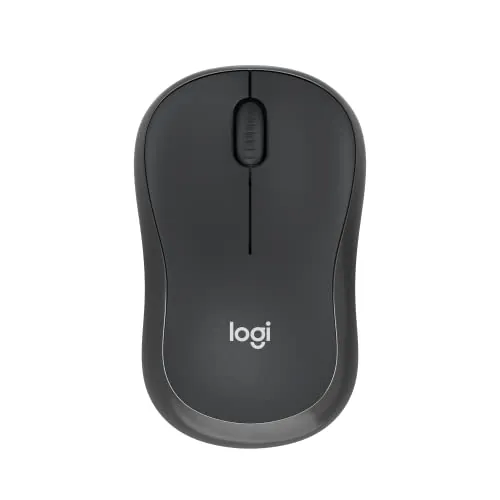
Logitech
Logitech M240 Silent Bluetooth Mouse, Graphite
A direct Bluetooth mouse with a replaceable AA battery and three listed buttons. Logitech Support's model specification also lists Logi Bolt receiver connectivity, but the receiver is not included; check whether you prefer Bluetooth or have a separate Bolt receiver.
Model 910-007113
Amazon ASIN B0BXNR9DB6
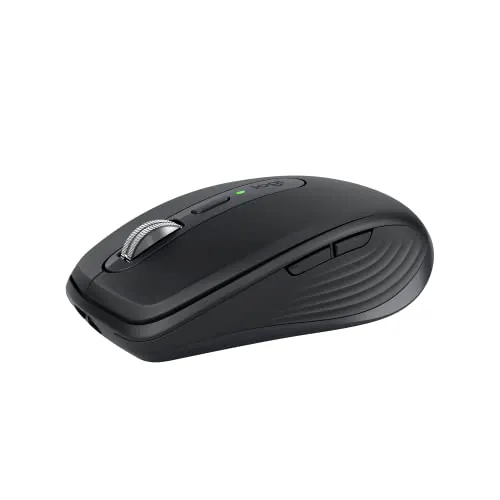
Logitech
Logitech MX Anywhere 3S Compact Wireless Mouse, Graphite
A rechargeable Bluetooth mouse with up to three Bluetooth device connections, six listed buttons and MagSpeed scroll modes. Logitech says it is compatible with a Logi Bolt receiver, sold separately; USB-C charging cable is included.
Model 910-006925
Amazon ASIN B0BPY4ZQXG
Differences that matter
What matters most to you?
Choose a priority to see what it changes.
Sources for Battery and charging routine
Sources for Bluetooth hosts and USB receiver
Sources for Buttons and scroll workflow
Start with how you connect to each computer
The M240 Graphite product page describes direct Bluetooth pairing with no dongle required. Logitech's M240 model specification also lists Logi Bolt receiver connectivity, marked not included. MX Anywhere 3S connects to as many as three Bluetooth devices and is compatible with Logi Bolt, but Logitech says the receiver is not in the box. In either case, Bluetooth lets you avoid buying a receiver when the host supports it; receiver use means sourcing the compatible Bolt unit separately.
If you work across several machines, the MX Anywhere 3S has the clearer documented switching case: its product page specifies up to three Bluetooth devices and its specification lists three host indicators. The M240 getting-started page shows Bluetooth pairing through device settings and a connectivity button, but it does not document a maximum saved-host count or a multi-host switching sequence. Check with Logitech if rapid host switching is a requirement rather than assuming the two work alike.
Choose a power routine and check the cable
M240 uses one replaceable AA alkaline cell. Logitech's estimate is up to 18 months with auto sleep, not a guaranteed replacement interval. MX Anywhere 3S has a rechargeable battery and Logitech lists an included USB-A-to-USB-C charging cable for this model (the for-Mac SKU has a different cable). Its up-to-70-day figure is a manufacturer estimate under its stated use assumptions, not a result measured against M240.
Before buying, decide whether you want to keep a spare AA or add mouse charging to your USB routine. Do not confuse the MX charging cable with a Bolt receiver: the cable is included; the separate radio receiver is not.
Count controls, not just the scroll wheel
M240 has left, right and middle click plus a separate connectivity control. Logitech's getting-started guide explains how to customize its middle button with Options+; software support is limited by the host operating system and should be checked for your device.
MX Anywhere 3S lists six buttons, including back/forward and a wheel mode-shift button. Its MagSpeed wheel has ratchet and hyper-fast modes according to Logitech. If you use browser back/forward, app shortcuts or different scroll modes, count those controls against your own workflow. This is a feature map, not a comfort or speed ranking.
A quick host-and-box check before checkout
For each host, mark Bluetooth Low Energy available or USB port available. If you select Bluetooth, review the model's listed OS version. If you select receiver, verify it is specifically Logi Bolt; neither Graphite package includes one. The MX Anywhere 3S does include its charging cable, and the M240 specification lists an AA battery in the box.
Then mark the controls you will use: the M240's left, right and middle click, or the MX Anywhere 3S's side back/forward buttons and wheel mode-shift. If your essential requirement is a known M240 multi-host switch pattern or receiver already in the box, these source pages do not promise it; ask Logitech or inspect the exact package before choosing.
Product details
Logitech M240 Silent Bluetooth Mouse, Graphite
- Power
- One replaceable, non-rechargeable AA alkaline battery; Logitech estimates up to 18 months with auto sleep. Source
- Buttons and host connection
- Left, right and middle click plus a separate connectivity control. Supports Bluetooth Low Energy; Logitech support specification lists Logi Bolt receiver as not included. Source
- Middle-button options
- Logitech's M240 Getting Started page documents middle-button customization using Options+; check supported host OS before relying on software features. Source
Logitech MX Anywhere 3S Compact Wireless Mouse, Graphite
- Power
- Rechargeable Li-Po battery; USB-A-to-USB-C charging cable is listed for MX Anywhere 3S. Logitech quotes up to 70 days per full charge; this is a maker estimate, not comparative endurance testing. Source
- Host connections and receiver
- Connects with up to three devices via Bluetooth. Compatible with Logi Bolt USB receiver, which Logitech says is not included. Source
- Buttons and scroll wheel
- Six listed buttons, including wheel mode-shift and Back/Forward; SmartShift scroll wheel. Product page describes ratchet and hyper-fast scroll modes. Source
Before you buy
Community discussions
Switching an M240 between two hosts
Logitech M240 Silent Bluetooth Mouse, Graphite
An M240 owner using a Mac and Android TV says switching between the two meant removing the mouse from Bluetooth settings and pairing it again.
What to check
If you switch between hosts, compare this owner’s reconnecting routine with the MX Anywhere 3S’s documented multi-host support. The post describes one setup rather than a general Bluetooth problem.
A compact M240 for a small hand and tight bag
Logitech M240 Silent Bluetooth Mouse, Graphite
One user chose the M240 for a compact, basic Bluetooth mouse and said its shape worked for their smaller hand and snug laptop bag.
What to check
The MX Anywhere 3S adds controls and USB-C charging. Compare its shape and charging routine with the compact M240 using your own grip and carry setup; this owner’s fit report is personal.
Common questions
Does either mouse include a Logi Bolt receiver?
No. Logitech says the receiver is not included for MX Anywhere 3S. The M240 support specification also labels its Logi Bolt receiver as not included; its U.S. product page describes Bluetooth as a direct no-dongle connection.MX Anywhere 3S — U.S. Graphite product pageSpecification - M240M240 Silent Bluetooth Mouse — U.S. Graphite product page
Which one documents switching among multiple Bluetooth devices?
Logitech lists MX Anywhere 3S for up to three Bluetooth devices. The M240 support pages reviewed here describe Bluetooth pairing and a connectivity button but do not specify a multi-host count or switching workflow, so check with Logitech if that function is essential.MX Anywhere 3S — U.S. Graphite product pageGetting Started - M240Specification - M240
What is the control difference?
M240 support specifications list left/right click, middle click and a connectivity button. MX Anywhere 3S lists six buttons, including Back/Forward and wheel mode-shift, and Logitech describes ratchet and hyper-fast scroll modes for its MagSpeed wheel.Specification - M240Specification - MX Anywhere 3SMX Anywhere 3S — U.S. Graphite product page
Sources and scope
This is a source-based feature and setup comparison, not a test of comfort, click noise, tracking, battery endurance or productivity. Logitech's M240 support specification lists both Bluetooth Low Energy and a Logi Bolt receiver, while the U.S. product page emphasizes direct Bluetooth use without a dongle. The Bolt receiver is not included in the exact U.S. M240 or MX Anywhere 3S product page. M240 support material documents Bluetooth pairing but does not state a maximum number of saved hosts or a multi-host switching workflow, so none is inferred.
Related comparisons
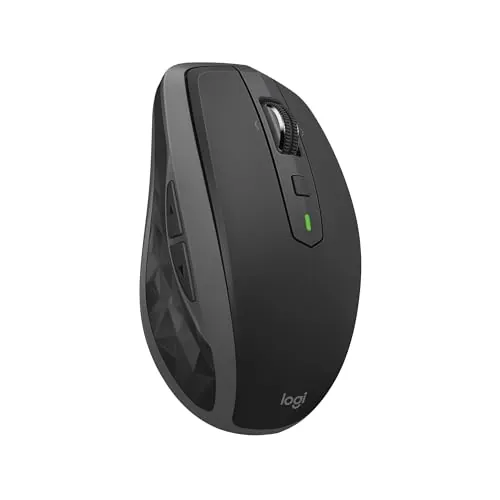
Logitech MX Anywhere 3S vs MX Anywhere 2S Bluetooth Edition: Receivers, USB-C and OS Fit
This comparison is for the assigned graphite SKUs: MX Anywhere 3S 910-006925 / ASIN B0BPY4ZQXG and MX Anywhere 2S Bluetooth Edition 910-007232 / ASIN B0CJXQVMHL. Both pair with up to three computers and support Bluetooth. The 3S can also use a Logi Bolt receiver, which Logitech says is not included; it cannot use a Unifying receiver. The 2S model family lists both Bluetooth and Unifying, but the assigned Bluetooth Edition listing says no USB receiver is included. Charging also differs: USB-C on the 3S, Micro-USB on the 2S. Decide by the receiver you own, the port and cable you want, and whether your computer can use Logitech's customization app.
Read comparison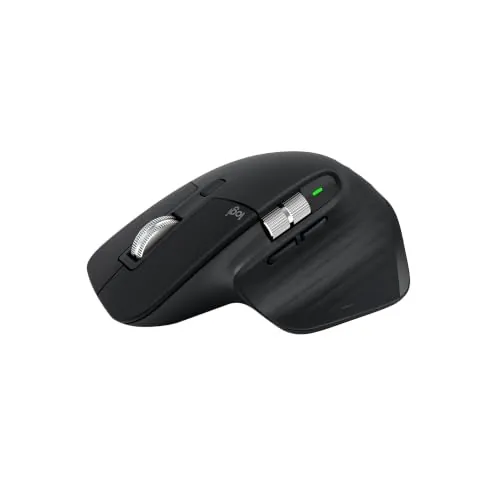
Logitech MX Anywhere 3S vs MX Master 3S Bluetooth Edition
Both assigned U.S. models support Bluetooth and can pair with up to three computers, but neither exact package includes a Logi Bolt receiver. MX Anywhere 3S weighs 95 g with its battery and scrolls horizontally by holding a side button while turning the main wheel; MX Master 3S Bluetooth Edition weighs 141 g and has a separate thumb wheel. Match the connection and control workflow to your computer before choosing.
Read comparison