
Products compared
Logitech
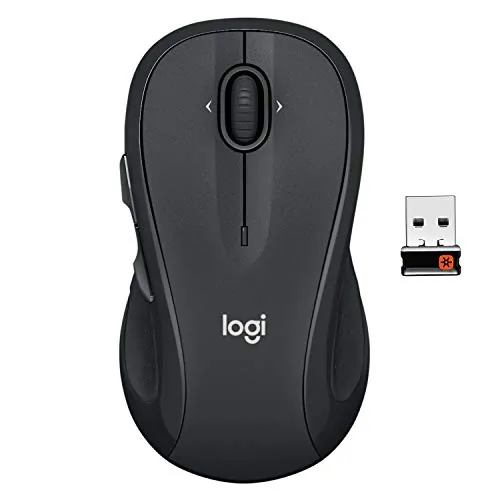
Logitech M510 Wireless Mouse
Graphite listed variants; verify the exact listing and receiver logo before purchase because the current Logitech M510 page displays a different part number.
Model 910-006030
Amazon ASIN B087Z5WDJ2
Logitech
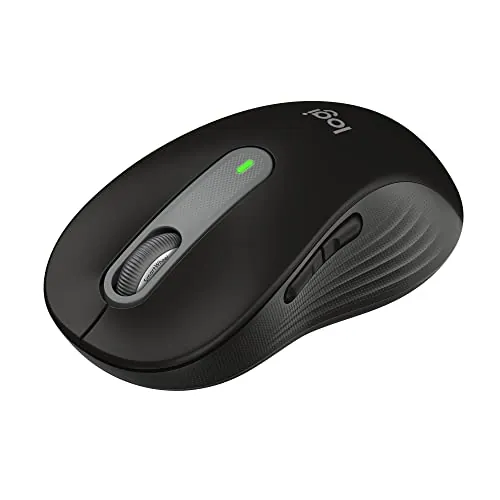
Logitech Signature M650 L Wireless Mouse, Black
Black listed variants; M650 L is the maker's large-size option. Check whether this exact listing includes the Logi Bolt receiver before choosing that connection route.
Model 910-006265
Amazon ASIN B09KX9P829
Differences that matter
What matters most to you?
Choose a priority to see what it changes.
Sources for Host connection path
Sources for Size and handedness selection
Start with the computer's connection options
The listing data pair is M510 910-006030 Graphite versus Signature M650 L 910-006265 Black. Logitech's M510 support explains Unifying USB receiver pairing and says an M510 pairs only with a receiver bearing the Unifying logo. The M510 product-family page also describes plugging in its USB receiver. Because the opened product page shows another M510 part number, use those as M510-family instructions and confirm the exact selected listing/receiver before assuming the 910-006030 package contents.
For M650 and M650 L, Logitech documents Bluetooth Low Energy or Logi Bolt receiver pairing. Its support walkthrough shows a Bolt receiver taken from the battery compartment, but it does not independently establish the contents of the selected 910-006265 Amazon offer. If the computer has Bluetooth LE, that gives a documented no-receiver pairing option; if you need Bolt, check the exact box listing first.
Choose the side-to-side gesture you prefer
For horizontal movement across a wide spreadsheet, Logitech describes tilting the M510 wheel. The M650/M650 L support guide instead documents pressing and holding a side button while scrolling with the wheel. Both descriptions give a concrete way to move sideways; neither establishes which feels easier for you, so try the gesture if that motion is central to your day.
For vertical navigation, Logitech describes M510 line-by-line wheel scrolling. M650/M650 L adds SmartWheel behavior that switches between line-by-line precision and inertia scrolling with a flick. Treat that as a choice of control modes, not proof that one mouse is faster in your applications.
Check size and the exact name before ordering
The selected item is M650 L, not the standard M650 or the separately named M650 L Left. Logitech's family page recommends M650 L for large-sized hands and labels M650 L Left for left-handed users. Treat those as fit/category distinctions from the manufacturer, not a guarantee about personal comfort.
This buyer answer is deliberately narrow: it uses the official connection and scroll procedures that apply to the M510 and M650/M650 L families, and preserves the listing data's precise part numbers and ASINs. Since the opened M510 product page's part number and the selected listing data part differ, and exact M650 Bolt box contents remain unconfirmed, verify the package label and included receiver before selecting a hardware-only setup.
Product details
Logitech M510 Wireless Mouse
- Documented M510-family horizontal scroll
- Tilt the wheel for side-to-side scrolling; the M510 family page also describes line-by-line wheel scrolling. Source
- Receiver family
- M510 support says it pairs only with Logitech Unifying receivers showing the Unifying logo; selected-part box contents should be checked. Source
Logitech Signature M650 L Wireless Mouse, Black
- Documented connection options
- Bluetooth Low Energy or Logi Bolt receiver pairing are documented for M650/M650 L; exact selected-box receiver inclusion remains to be verified. Source
- Documented wheel workflow
- SmartWheel supports line-by-line and inertia scroll modes; horizontal scroll uses a side-button-plus-wheel action. Source
Before you buy
Community discussions
Check finger rest when replacing an M510
Logitech Signature M650 L Wireless Mouse, Black
In a discussion about replacing an M510 with the large M650, a commenter missed the M510’s finger rest and said their finger could press a side button accidentally.
What to check
Check where your fingers rest in your usual grip, especially if you use the side buttons.
Common questions
Can the M510 use the M650's Logi Bolt receiver?
Logitech says an M510 connects only with Unifying USB receivers that display the Unifying logo. The M650 family's Logi Bolt option is a different documented route, so do not assume the receivers are interchangeable.Using my M510 with a different USB receiverGetting Started - Signature M650 and M650 L
Does the selected black M650 L include a Logi Bolt receiver?
The M650/M650 L support guide explains how to use a Bolt receiver and depicts it in the battery compartment, but the exact Amazon ASIN package was not independently confirmed against that guide. Check the current listing's box contents; Bluetooth Low Energy pairing is documented too.Getting Started - Signature M650 and M650 L
Which one gives a direct horizontal-scroll gesture?
Logitech describes tilting the wheel on the M510. For M650/M650 L, support describes holding a side button while moving the wheel. Pick the gesture that best matches your spreadsheets, timelines, or other wide pages.Logitech M510 Wireless Mouse product page (M510 family; displayed part differs from selected listing data part)Getting Started - Signature M650 and M650 L
Sources and scope
The selected listing information identify M510 910-006030 Graphite and M650 L 910-006265 Black. The opened Logitech M510 product page currently displays part 910-002533, and the M650 family pages do not establish that the selected Amazon ASIN's Bolt receiver contents match the support setup illustration. Treat the maker instructions as model-family operating guidance, not proof of every exact retail-box component. No hands-on comparison, comfort, click-noise, tracking, scroll-speed, reliability, or battery-life test is represented.
Related comparisons

Logitech M510 vs M720 Triathlon: Receiver, Bluetooth, and Scrolling
The selected U.S. retail items are M510 Comfort Plus Graphite (910-006030) and M720 Triathlon Black (910-006036). Logitech's M510 model documentation describes a Unifying USB receiver, line-by-line scrolling, and tilt scrolling. The M720 adds Bluetooth Low Energy, up to three paired-device channels with a physical Easy-Switch button, and a wheel that toggles between faster and line-by-line scrolling. Check your host OS and available ports: Logitech's current M510 receiver compatibility list names Windows 10/11, ChromeOS, and Linux, while its M720 materials also list macOS and iPadOS support. Logitech's public M510 and M720 model pages do not identify the two assigned retail part numbers, so verify the exact listing and in-box receiver before buying.
Read comparison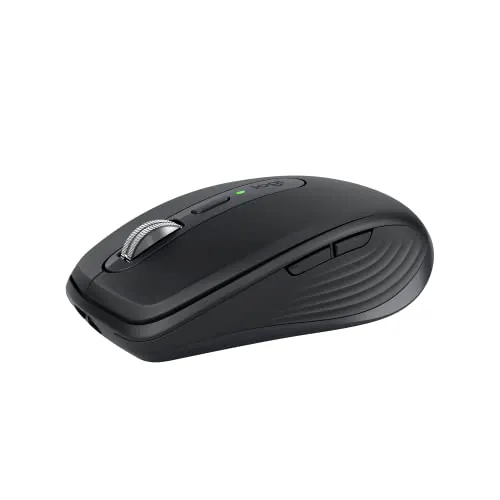
Logitech MX Anywhere 3S vs Signature M650 L: Receiver, Wheel, and Desk Space
The MX Anywhere 3S documents Bluetooth switching among up to three computers and recharges over USB-C, but its compatible Logi Bolt receiver is sold separately. The Signature M650 L includes a Bolt receiver and AA battery. Compare the exact model names, scroll controls, and published body measurements before choosing.
Read comparison