
Products compared
Logitech
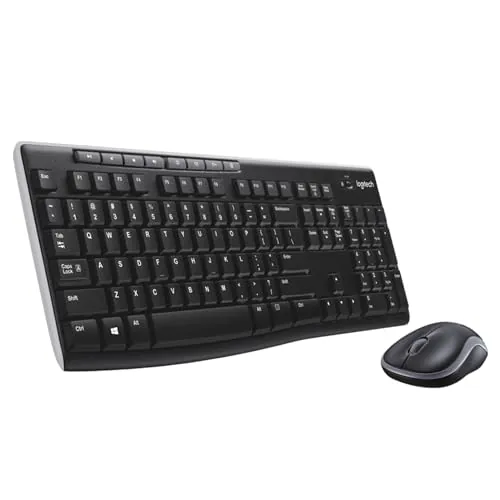
Logitech MK270 Wireless Combo (U.S. Black)
The Logitech U.S. Black data sheet identifies part 920-008813 and describes a full-size keyboard with number pad, eight media controls, and an Advanced 2.4 GHz USB receiver. The model row specifies a 103-key U.S. layout.
Model MK270 · 920-008813
Amazon ASIN B079JLY5M5
Dell
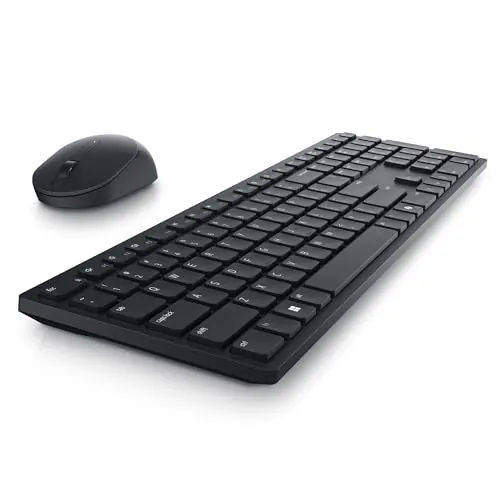
Dell Advanced Wireless Keyboard and Mouse KM520
Dell’s May 2026 guide covers the KM520 with KB520 keyboard and MS520 mouse. Before relying on the guide’s package or feature details, compare the exact seller model label with those guide names; the selected offer’s package mapping is not independently confirmed.
Model KM520
Amazon ASIN B0GVP57N7Z
Differences that matter
What matters most to you?
Choose a priority to see what it changes.
Sources for Operating systems named by the manufacturer
Sources for Receiver and desk setup
Sources for Keyboard shortcuts and media controls
Start with the host you need to connect
The MK270 920-008813 sheet explicitly lists Windows 7, Windows 8, Windows 10 or later, and Chrome OS. Dell’s KM520 guide lists Windows 10/11, macOS 11 or later, Linux, Ubuntu, ChromeOS, and Android 9.0 or later. These lists help identify documented fit; they do not prove incompatibility for a platform a manufacturer leaves unlisted.
Both sources describe a 2.4 GHz USB receiver path. Check for a suitable free port at the device you will use. If you need a USB-C adapter or Bluetooth, verify that exact requirement separately because the cited documents do not confirm either one.
Choose the key workflow you will actually use
The Logitech sheet lists eight media controls, a full-size 103-key U.S. layout with number pad, and optional Logitech Options for Windows and macOS. That is the more direct fit if those listed keys and that layout are your priority.
Dell’s KM520 guide shows a Copilot key, but limits it to supported Windows 11 devices and approved markets. It also describes assigning global or app-specific shortcuts to programmable keys and mouse buttons through Dell Display and Peripheral Manager. Dell’s current DDPM support article describes a Windows app and lists Windows 10/11 requirements; verify them before relying on app customization.
Check the receiver, exact package, and desk space
Dell says one Universal Pairing USB receiver serves both devices and is stored inside the mouse. Its guide also cautions that some listed package items may be optional or unavailable in some countries. Before checkout, match the exact offer’s model label and confirm the receiver and any other item you need are in that box.
There is a model-label check for this comparison: Dell’s opened manual names KM520 with KB520/MS520. The exact offer’s package mapping is not independently confirmed, so check its model label and box contents before relying on the guide. For placement, compare the Logitech’s listed 442 × 149 mm keyboard footprint with Dell’s KB520 listed 432.71 × 122.11 mm dimensions, then leave separate space for mouse movement.
Product details
Logitech MK270 Wireless Combo (U.S. Black)
Dell Advanced Wireless Keyboard and Mouse KM520
- Documented host list
- Windows 10/11, macOS 11 or later, Linux, Ubuntu, ChromeOS, and Android 9.0 or later. Source
- Receiver setup
- The guide describes one Dell Universal Pairing USB receiver for both keyboard and mouse and says the receiver is stored in the mouse; its package-contents note warns that some items may be optional or unavailable by country. Source
- Keyboard dimensions
- 432.71 mm length × 122.11 mm width × 26.11 mm height in the KB520 specification table. Source
Before you buy
Community discussions
Keeping the receiver with the matching keyboard and mouse
Logitech MK270 Wireless Combo (U.S. Black)
Someone using several Logitech MK270 combos at an office asked how to tell which keyboard and mouse go together.
What to check
Check which receiver the exact combo comes with. If you use more than one set, plan how you will keep each receiver with its keyboard and mouse.
Checking which parts of your current keyboard layout you want to keep
Logitech MK270 Wireless Combo (U.S. Black)
An MK270 user wanted a lower-profile keyboard with the same layout they were used to.
What to check
Compare the spacing and location of the keys you use most. Try the exact layout and position both the keyboard and mouse on your desk.
Common questions
Which one explicitly lists Windows 7 or 8?
Logitech’s U.S. 920-008813 sheet names Windows 7 and Windows 8. Dell’s KM520 guide lists Windows 10 and 11 and other current platforms, but does not list Windows 7 or 8. That omission does not establish that KM520 cannot work there; ask Dell if those versions are required.MK270 Wireless Keyboard and Mouse Combo Data SheetDell Advanced Wireless Keyboard and Mouse KM520 User’s Guide
Can I use the Dell shortcut app on every operating system listed for KM520?
Do not assume that. Dell’s KM520 guide describes shortcut assignment through Dell Display and Peripheral Manager, and Dell identifies DDPM as a Windows app with Windows 10/11 requirements. Check the current app requirements for your computer before choosing it for software-based shortcuts.Dell Advanced Wireless Keyboard and Mouse KM520 User’s GuideDell Display and Peripheral Manager for Windows
Do these documents confirm Bluetooth or a USB-C adapter?
No. The reviewed setup descriptions specify 2.4 GHz USB receivers and do not establish Bluetooth pairing or an included USB-C adapter. Check the exact model and package if either is required.MK270 Wireless Keyboard and Mouse Combo Data SheetDell Advanced Wireless Keyboard and Mouse KM520 User’s Guide
Sources and scope
Manufacturer documentation supports a conditional feature-fit decision, not a speed, comfort, reliability, or connection-performance winner. Dell’s guide identifies KM520/KB520/MS520, but does not independently confirm that the selected offer’s exact package matches those names. Neither cited receiver description establishes Bluetooth support or an included USB-C adapter. Confirm the exact seller model, box contents, and host requirements before purchase.
Related comparisons
Logitech MK470 vs MK295: Compact Number Pad or Full-Size Layout?
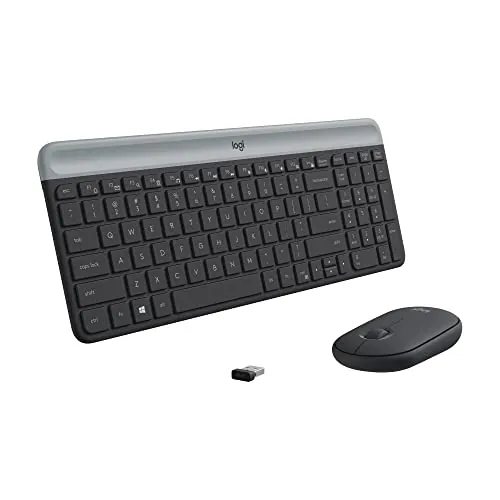
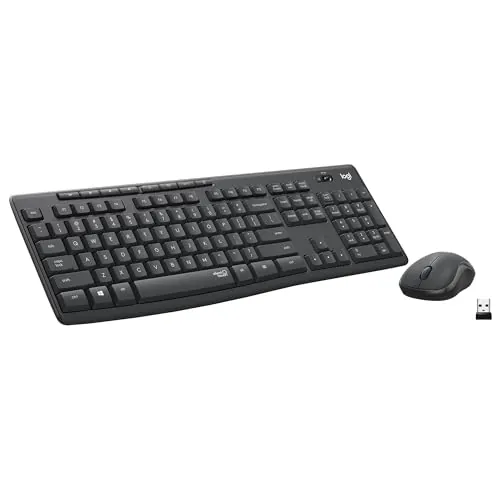
The Logitech MK470 and MK295 are both Graphite keyboard-and-mouse combos with a number pad, but the keyboard takes a different amount of desk space and uses a different key construction. MK470 pairs a compact number-pad layout and low-profile scissor keys with 12 FN shortcuts. MK295 uses a full-size layout, plunger keys and 8 convenience shortcuts plus media hotkeys. Logitech lists a 2.4 GHz non-Unifying USB-A receiver for both, so neither is a Bluetooth or Unifying-receiver choice. Both use replaceable AA/AAA batteries with the same stated keyboard and mouse life estimates; those are manufacturer figures, not a comparative battery test.
Read comparison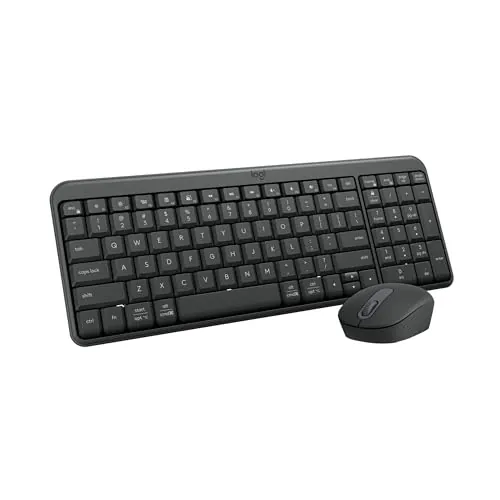
Logitech MK295 920-009782 vs MK250 920-013510: USB Receiver or Bluetooth?
Both Logitech sets include a keyboard and mouse with a number pad on the keyboard. The practical difference is how they connect and how much keyboard space you want: MK295 920-009782 shares one USB-A 2.4 GHz receiver and uses a full-size keyboard with eight shortcuts, while MK250 920-013510 uses Bluetooth without a dongle and a compact keyboard. MK250’s K250 keyboard and M196 mouse are paired separately, so check that setup and your operating-system shortcuts before buying.
Read comparison