
Products compared
Logitech
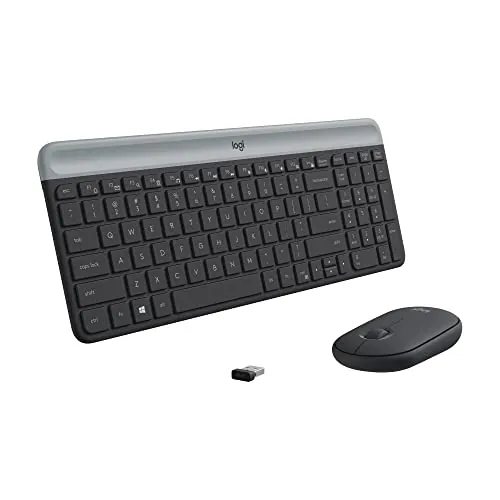
Logitech MK470 Slim Wireless Combo, Graphite
The assigned U.S. listing is the Graphite MK470 Slim Combo, Logitech part 920-009437. It has a compact keyboard with a number pad and low-profile scissor keys, plus a slim mouse. The set connects through a 2.4 GHz non-Unifying receiver with a USB-A plug.
Model MK470 / 920-009437
Amazon ASIN B07VD4Q84X
Logitech
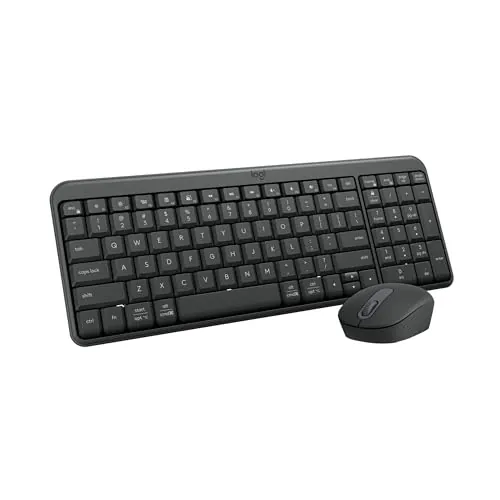
Logitech MK250 Compact Bluetooth Wireless Combo, Graphite
The assigned U.S. listing is the Graphite Bluetooth MK250 Combo, Logitech part 920-013510. Logitech’s current setup materials identify its two devices as the Logi K250 keyboard and Logi M196 mouse. Both use Bluetooth LE; this is not the older receiver-based Wireless Desktop MK250.
Model MK250 / 920-013510
Amazon ASIN B0F36RKWDH
Differences that matter
What matters most to you?
Choose a priority to see what it changes.
Sources for Key construction and everyday feel preference
Sources for Compact layout and number pad
Sources for Keyboard dimensions as listed by Logitech
Start with the computer connection you can use
MK470’s exact U.S. Graphite product page identifies part 920-009437. Its support sheet lists a 2.4 GHz non-Unifying receiver with a USB-A connector. If your computer has a free USB-A port and you want to plug in one receiver for the combo, that is the clearer setup path. Logitech’s MK470 support list names Windows and Chrome OS at release; check present-day support for your specific operating system.
MK250 part 920-013510 uses Bluetooth LE and does not need a dongle. Its setup guide treats the keyboard and mouse as two devices: add Logi K250, enter the random code shown by the computer and press Enter, then add Logi M196 separately. Choose MK250 only if Bluetooth is available and you are comfortable completing both pairings.
Choose the key profile and check both desk zones
Both combos retain a number pad. Logitech identifies MK470’s keyboard as compact with low-profile scissor keys and 12 FN shortcuts; its product page describes a laptop-like key profile. Logitech calls MK250’s keys deep-profile and its keyboard space-saving. Pick the construction that matches what you like using rather than treating either description as a measured comfort or typing-speed result.
The support tables list keyboard dimensions as well as mouse dimensions, but the MK470 keyboard table labels 373.5 mm as Height and 143.9 mm as Width, while MK250 labels 369.9 mm as Length and 136.9 mm as Height. Because the axes are not named consistently, use the exact listing diagrams and measure your own desk. Also leave room for the mouse separately; a keyboard measurement is not the combo’s total footprint.
Plan batteries and confirm the exact carton
Logitech lists replaceable cells for both combos: two AAA batteries in each keyboard and one AA in each mouse. MK250’s current support sheet specifically says the keyboard batteries and mouse battery are installed in the box. MK470’s sheet gives the battery types and expects them to be replaced by the user; check the seller's carton details if included batteries matter.
The listed life estimates are not directly comparable test results. Logitech lists MK470 keyboard/mouse estimates separately and MK250 support lists up to 12 months for each device; usage conditions affect runtime. Treat those figures as planning references, not a promise that one combo will last longer in your home.
Product details
Logitech MK470 Slim Wireless Combo, Graphite
- Keyboard profile and layout
- Compact layout with a number pad and low-profile scissor keys; Logitech lists 12 FN shortcuts. Source
- Connection and host requirement
- 2.4 GHz non-Unifying receiver with a USB-A connector. Logitech’s support sheet lists Windows and Chrome OS requirements at release. Source
- Keyboard dimensions and power
- The manufacturer table lists Height 373.5 mm, Width 143.9 mm and Depth 21.3 mm; keyboard power is 2 replaceable AAA cells. Mouse dimensions and power are listed separately. Source
Logitech MK250 Compact Bluetooth Wireless Combo, Graphite
- Keyboard profile and layout
- Compact keyboard with a number pad and deep-profile keys; the mouse is the small, ambidextrous M196. Source
- Connection and setup
- Bluetooth Low Energy with no USB dongle. Pair the K250 keyboard and M196 mouse separately; keyboard pairing can require entering the displayed code and pressing Enter. Source
- Keyboard dimensions and box batteries
- The manufacturer table lists Height 136.9 mm, Length 369.9 mm and Depth 22.8 mm. Logitech lists the box as keyboard, mouse, user document, 2 AAA batteries installed in the keyboard and 1 AA battery installed in the mouse. Source
Before you buy
Community discussions
Checking which combo can leave your laptop ports free
Logitech MK250 Compact Bluetooth Wireless Combo, Graphite
A shopper wanted a wireless keyboard and mouse for a MacBook without using a dongle. A reply pointed them toward the Logitech MK250.
What to check
Compare each kit’s connection options and check whether your computer needs a receiver or adapter. Decide how many ports you want to leave free.
Common questions
Does the MK470 connect to a computer by Bluetooth?
The exact MK470 technical sheet specifies a 2.4 GHz non-Unifying receiver and says the receiver has a USB-A connector. It does not document Bluetooth for this combo, so plan on using its receiver rather than a Bluetooth-only setup.MK470 Technical Specifications — Logitech Support
Why does the MK250 keyboard connect but the mouse does not?
Logitech lists the combo devices separately as Logi K250 and Logi M196. Pair the mouse separately in Bluetooth settings; pairing the keyboard alone is only part of the combo setup.Getting Started: MK250, Logi K250 keyboard and M196 mouse — Logitech SupportSpecification: MK250 — Logitech Support
Do either of these compact combos include a number pad?
Yes. Logitech describes both keyboards as compact while retaining a number pad. The more visible distinction is MK470's low-profile scissor keys and USB-A receiver versus MK250's deep-profile keys and Bluetooth LE setup.MK470 Slim Combo, Graphite 920-009437 — U.S. Logitech product pageMK470 Technical Specifications — Logitech SupportMK250 Compact Bluetooth Wireless Combo, Graphite 920-013510 — U.S. Logitech product page
Sources and scope
This guide covers the U.S. Graphite Logitech MK470 Slim Combo part 920-009437 and the newer Bluetooth MK250 Combo part 920-013510. It does not refer to the older Logitech Wireless Desktop MK250 receiver-based product. Logitech’s MK470 dimension table labels its keyboard’s 373.5 mm measurement as Height, while the MK250 table labels 369.9 mm as Length; do not compare those different axis labels as if they were aligned. No hands-on typing, comfort, noise, latency or battery-life comparison was performed. Operating-system support is stated by Logitech as at release; verify current support for the exact computer.
- MK470 Slim Combo, Graphite 920-009437 — U.S. Logitech product page
- MK470 Technical Specifications — Logitech Support
- MK250 Compact Bluetooth Wireless Combo, Graphite 920-013510 — U.S. Logitech product page
- Specification: MK250 — Logitech Support
- Getting Started: MK250, Logi K250 keyboard and M196 mouse — Logitech Support
Related comparisons
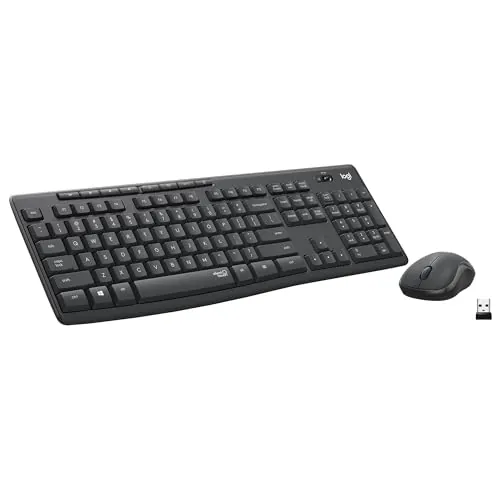
Logitech MK470 vs MK295: Compact Number Pad or Full-Size Layout?
The Logitech MK470 and MK295 are both Graphite keyboard-and-mouse combos with a number pad, but the keyboard takes a different amount of desk space and uses a different key construction. MK470 pairs a compact number-pad layout and low-profile scissor keys with 12 FN shortcuts. MK295 uses a full-size layout, plunger keys and 8 convenience shortcuts plus media hotkeys. Logitech lists a 2.4 GHz non-Unifying USB-A receiver for both, so neither is a Bluetooth or Unifying-receiver choice. Both use replaceable AA/AAA batteries with the same stated keyboard and mouse life estimates; those are manufacturer figures, not a comparative battery test.
Read comparisonLogitech MK295 920-009782 vs MK250 920-013510: USB Receiver or Bluetooth?
Both Logitech sets include a keyboard and mouse with a number pad on the keyboard. The practical difference is how they connect and how much keyboard space you want: MK295 920-009782 shares one USB-A 2.4 GHz receiver and uses a full-size keyboard with eight shortcuts, while MK250 920-013510 uses Bluetooth without a dongle and a compact keyboard. MK250’s K250 keyboard and M196 mouse are paired separately, so check that setup and your operating-system shortcuts before buying.
Read comparison