
Products compared
Razer
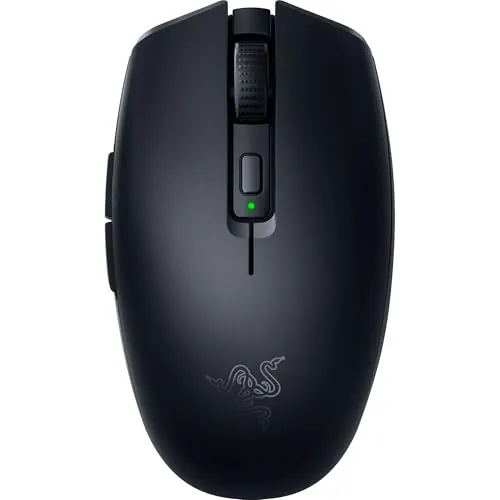
Razer Orochi V2 Wireless Gaming Mouse, Black
Black Orochi V2 with dual-mode 2.4 GHz HyperSpeed and Bluetooth LE; accepts one AA or AAA cell at a time and stores its USB dongle under the top cover.
Model RZ01-03730100-R3U1
Amazon ASIN B0916N2LPZ
Logitech
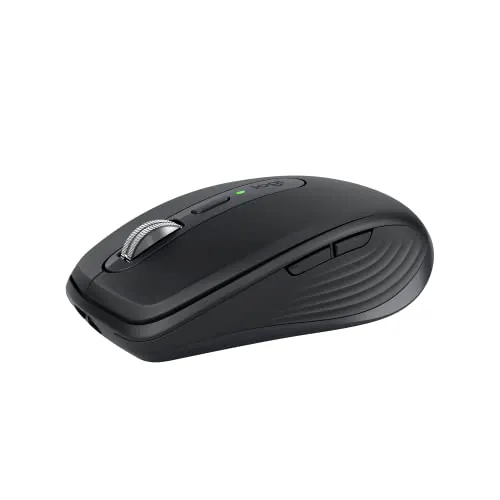
Logitech MX Anywhere 3S Compact Wireless Mouse, Graphite
Graphite rechargeable mouse with USB-C charging, Bluetooth device channels and MagSpeed wheel modes; a Logi Bolt USB receiver is compatible but not included.
Model 910-006925
Amazon ASIN B0BPY4ZQXG
Differences that matter
Sources for Power and charging routine
Sources for Receiver and Bluetooth setup
Sources for Wheel and button routine
Sources for Travel-size check
Choose the power routine before the mouse
The black Razer Orochi V2 runs from one AA or AAA cell at a time. Razer's product announcement says the package includes a lithium AA and that AAA is sold separately. Its support page documents two connection modes, Bluetooth LE and 2.4 GHz HyperSpeed, and says the USB receiver stores beneath the top cover. That is a compact packing routine if you want a receiver and replaceable-cell option together.
The Graphite Logitech MX Anywhere 3S has a rechargeable internal battery and Logitech lists a USB-A-to-USB-C cable for the standard 3S. You can continue using it while charging according to Logitech's U.S. page. It also supports a Logi Bolt receiver, but that receiver is not included, so check your computer's Bluetooth and USB options before deciding what else to carry.
A two-mode mouse or a multi-host Bluetooth mouse
Razer documents Bluetooth LE and HyperSpeed USB wireless for the Orochi V2. Its documentation also describes the stored USB dongle and a single dongle's support for an Orochi V2 plus a Razer wireless keyboard. The sources reviewed here do not show a three-computer Easy-Switch workflow for the Orochi V2.
Logitech documents up to three paired computers and a short Easy-Switch button press to change channels. Its U.S. product page says the three-device connection is via Bluetooth; a Logi Bolt receiver can be used when needed, but is a separate purchase. Make the host connection plan first if a tablet, a locked-down work computer or a USB-only setup is involved.
Compare wheel controls and the actual travel footprint
Razer describes a tactile scroll wheel and six independently programmable buttons. Logitech describes a MagSpeed wheel with line-by-line and free-spinning modes, plus a button for changing modes and an Easy-Switch control for the host channel. Choose by the control routine you want; these descriptions are not evidence of better gaming, scrolling speed or productivity.
Razer lists approximate Orochi V2 dimensions of 108 × 60 × 38 mm and mass under 60 g without a battery. Logitech's support page lists the MX Anywhere 3S at 100.5 × 65 × 34.4 mm and 95 g with battery. Compare these with a pocket or work surface you measure. The weight basis is different, and neither listing proves the mouse will fit a particular hand or case.
Treat battery estimates as separate maker claims
Razer publishes up to 950 hours in Bluetooth LE mode and up to 425 hours with HyperSpeed wireless. Logitech publishes up to 70 days per full charge for the MX Anywhere 3S. The reviewed Logitech material does not state a workload for that day count, and Razer's mode-specific hour estimates are not shown under a matching test protocol. These figures help identify the type of power routine each maker documents; they do not establish which mouse lasts longer for your usage.
Product details
Razer Orochi V2 Wireless Gaming Mouse, Black
- Battery format
- One AA or one AAA at a time; Razer's launch information says a lithium AA is included and AAA is not. Source
- Wireless and receiver storage
- Dual-mode 2.4 GHz HyperSpeed or Bluetooth LE; USB receiver storage compartment is under the top cover. Source
- Listed size and mass
- Approximately 108 × 60 × 38 mm; under 60 g excluding battery, per Razer. Source
Logitech MX Anywhere 3S Compact Wireless Mouse, Graphite
- Charging
- Internal rechargeable 500 mAh Li-Po battery; Logitech lists an included USB-A-to-USB-C charging cable for MX Anywhere 3S. Source
- Host connections
- Bluetooth LE can pair with up to three computers; compatible with Logi Bolt USB receiver only, which is not included. Source
- Listed size and mass
- 100.5 × 65 × 34.4 mm; 95 g with battery (Logitech support specification). Source
- Scroll control
- MagSpeed wheel supports line-by-line and free-spinning modes, with a top mode-shift button and an Easy-Switch button for device channels. Source
Before you buy
Community discussions
A buyer's receiver check for a specific 3S package
Logitech MX Anywhere 3S Compact Wireless Mouse, Graphite
A buyer reports that an MX Anywhere 3S from Logitech’s Canadian store arrived without a USB receiver. That is their package experience in Canada; it does not establish what is included with a U.S. Graphite listing.
What to check
Check the exact U.S. offer’s included-items list and whether you need to buy a Logi Bolt receiver. Do not assume another region’s package is identical.
Choosing a smaller mouse to move between workspaces
Logitech MX Anywhere 3S Compact Wireless Mouse, Graphite
An MX Anywhere 3S owner who moves between classrooms and office work liked the smaller body compared with the larger MX Master 3S they used at work.
What to check
Try your usual grip on each shape, and check what receiver, battery or charging cable you would need to pack.
Common questions
Does the Orochi V2 use AA or AAA, and does it include a receiver?
Razer says it accepts one AA or one AAA battery at a time; its product announcement states that a lithium AA is included and AAA is not. The Orochi V2's Razer support page shows the USB wireless dongle stored beneath the top cover. Confirm the exact box if a specific battery type is essential.Outlast and outplay with the Razer Orochi V2Razer Orochi V2 | RZ01-0373 Support & FAQs
Can the MX Anywhere 3S switch between computers?
Logitech documents Easy-Switch channels for up to three paired computers. Its U.S. Graphite product page says Bluetooth supports up to three devices; it is also compatible with Logi Bolt USB receiver, but that receiver is not included.Getting Started - MX Anywhere 3SMX Anywhere 3S Graphite - Logitech U.S.
Are the published battery figures directly comparable?
No direct comparison is established here. Razer publishes up to 950 hours in BLE and 425 hours in HyperSpeed mode; Logitech publishes up to 70 days per charge. The reviewed Logitech source does not state a usage workload for that day count, and the two makers' conditions are not shown as matched.Razer Orochi V2 | RZ01-0373 Support & FAQsOutlast and outplay with the Razer Orochi V2MX Anywhere 3S Graphite - Logitech U.S.Specification - MX Anywhere 3S
What wheel controls differ?
Razer calls the Orochi V2 scroll wheel tactile. Logitech documents a MagSpeed wheel that shifts between line-by-line and free-spinning modes, either automatically through SmartShift or manually with its mode-shift button.Outlast and outplay with the Razer Orochi V2Getting Started - MX Anywhere 3S
Sources and scope
This is a feature and packaging comparison based on manufacturer sources, not a gaming, comfort, tracking, click-noise or battery-endurance test. Razer publishes separate battery-hour estimates for Bluetooth LE and HyperSpeed; Logitech says up to 70 days per charge, but the reviewed Logitech source does not state a workload or wireless mode for that estimate. Those figures are not a head-to-head result. Listed mouse dimensions do not establish fit in a particular bag or hand. No price or offer claim is made.
Related comparisons

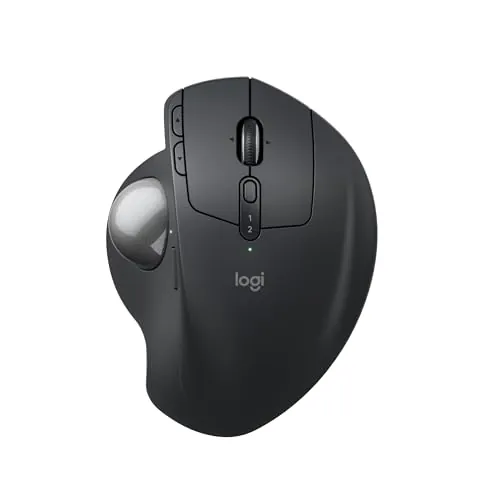
Logitech MX Master 4 vs MX Ergo S: Mouse Movement, Trackball and Switching
Both are rechargeable Logitech pointing devices, but they use different steering methods and switching controls. Compare desk motion, paired-computer count, the MX Master 4's Options+ Haptic Sense Panel, and the MX Ergo S base model's included Logi Bolt receiver before choosing.
Read comparison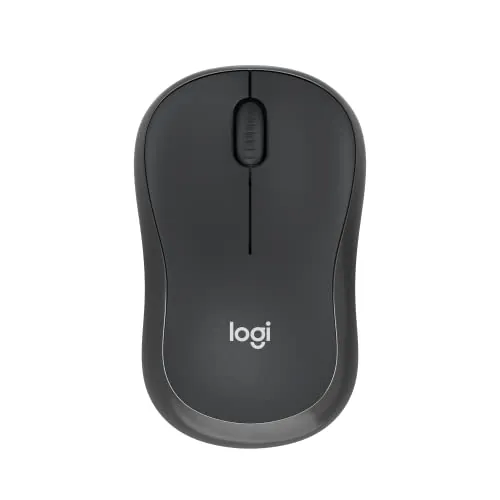

Logitech M240 Graphite vs MX Vertical Graphite: Handedness, Connection and Power
These are different desk setups, not a tested comfort comparison. Logitech describes the M240 Graphite as suitable for left- and right-handed use, with Bluetooth and a replaceable AA battery. MX Vertical Graphite is right-handed and supports Bluetooth, a Unifying receiver or a USB-C cable; Logitech also documents switching among up to three paired computers. Decide first who will use the mouse, then check the host connection you need and whether you prefer replacing an AA or recharging.
Read comparison