
Products compared
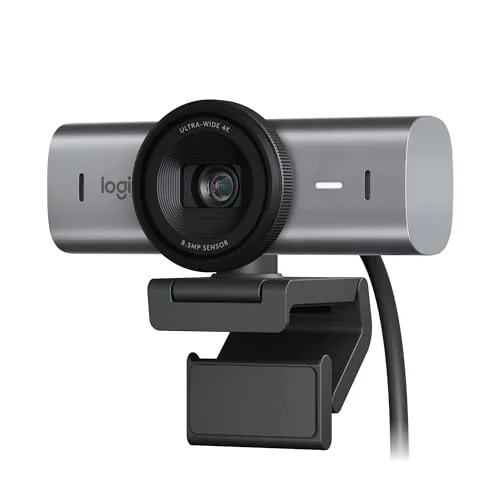
Logitech
Logitech MX Brio 4K Webcam, Graphite
U.S. Graphite model with part number 960-001545.
Model 960-001545
Amazon ASIN B0BFJ4CRKD
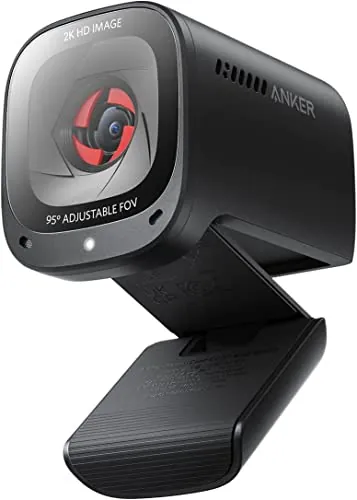
Anker
Anker PowerConf C200 2K Webcam, Black
U.S. PowerConf C200 listing; Anker's A3369 Black SKU is A3369011. The exact U.S. retail-box contents should be checked on the selected listing.
Model A3369
Amazon ASIN B09MFMTMPD
Differences that matter
Sources for Manufacturer-listed capture modes
Sources for Software framing and image controls
Sources for Documented host-side cable
Sources for Mount and box-content checks
Pick the mode your software can actually use
The meaningful published capture split is 4K/30 or 1080p/60 on MX Brio versus up to 2K/30 on PowerConf C200. That helps narrow the choice if you have a defined recording or streaming mode. It does not rank image quality, and neither camera's maximum mode guarantees the output of a conferencing app or computer. Check the resolution and frame-rate controls in the app you plan to use before paying for a mode you may not be able to select.
For ordinary 30-fps capture needs, C200 may already meet the stated mode requirement. MX Brio makes sense when its additional listed mode is actually useful to your workflow. Keep the comparison on capability fit: no source here measures image appearance, low-light output, focus behavior or microphone performance side by side.
Check the host port, software and exact box
The included-cable descriptions point to different desk setups. Logitech lists a USB-C cable that supports USB 3.0 and identifies the lead as USB-C to USB-C. Anker's A3369 manual describes the provided lead as USB-C at the camera and USB-A at the computer. If your laptop or dock has only the other connector, do not assume a plug adapter preserves the required data mode; verify an exact alternative cable and host specification first.
Both cameras have software framing controls, but the tools differ. Logitech's guide lists Logi Options+ for conferencing and G HUB for streaming, with crop/field-of-view/position and additional image adjustments. C200's FOV choices and manual zoom/framing are in AnkerWork; Anker's FAQ says C200 is not AI-Frame enabled. Check software support on your operating system if you rely on these adjustments.
The U.S. MX Brio setup page names the webcam, USB-C cable and mounting clip with removable adaptor in the box. The C200 manual documents the camera-side and host-side cable plugs and says a desk tripod is not provided; the official U.S. page identifies A3369 but does not confirm the current U.S. Amazon box contents. Anker's Japanese page maps Black to A3369011 and warns that its package can change. Treat that page as a hardware identity clue, not proof of what the U.S. seller ships.
Product details
Logitech MX Brio 4K Webcam, Graphite
Before you buy
Community discussions
Choosing the field of view on a Linux computer
Anker PowerConf C200 2K Webcam, Black
A C200 owner said the camera worked on Ubuntu but they could not use AnkerWork there to narrow their framing.
What to check
Check which field-of-view adjustments are available on each host and whether the meeting app can make the crop you need.
Checking whether your crop stays on a shared computer
Anker PowerConf C200 2K Webcam, Black
A C200 shopper wanted to set the field of view on their own computer and use it on shared work computers where staff could not install AnkerWork.
What to check
Test whether your crop stays in effect when the camera is moved to another computer. Check which controls the meeting app offers on that shared desk.
Common questions
Does PowerConf C200 support 60 fps?
No. Anker's C200 support FAQ says it supports 30 fps only, and the A3369 manual lists its resolution choices at 30 fps. MX Brio lists 1080p/60 and 4K/30; verify that your chosen app and computer can use the mode you want.PowerConf C200 A3369 FAQAnker PowerConf C200 User Manual (A3369, English section)MX Brio UHD 4K Webcam, Graphite
Which cable is documented for each camera?
Logitech's MX Brio setup page lists a USB-C cable supporting USB 3.0 and calls it USB-C to USB-C. The C200 A3369 manual describes the provided cable as USB-C at the camera and USB-A at the computer. Check the exact U.S. seller box and your computer's ports before ordering.Getting Started - MX BRIOAnker PowerConf C200 User Manual (A3369, English section)
Do either cameras require their framing software?
The maker documents framing adjustments in software for both: Logitech lists Logi Options+ or G HUB, while Anker lists AnkerWork for C200. Check support for your operating system and app if you plan to use those controls; the cited control features do not establish picture-quality differences.Getting Started - MX BRIOAnker PowerConf C200 2K WebcamPowerConf C200 A3369 FAQ
Sources and scope
This is a documentation-based feature and setup comparison, not a camera test. Capture modes do not guarantee that a conferencing app, computer, USB port or network will deliver that output. Logitech's U.S. setup page documents the MX Brio cable and mount contents. The exact-model A3369 manual documents a provided USB-C-to-USB-A cable and states that a tripod is not included, while the official U.S. soundcore page documents the A3369 model; the reviewed sources do not verify the contents of the exact U.S. Amazon ASIN's current box. Anker Japan identifies A3369011 as the Black SKU, but its sales-market packaging terms do not establish the U.S. box. Confirm the selected listing before purchase.
Related comparisons

Elgato Facecam 4K vs Logitech MX Brio: Frame Rates, Focus and Desk Use
Elgato Facecam 4K can output 4K60, but only as MJPG over USB 3.0; USB 2.0 tops out at 1080p60. Logitech MX Brio's published maximum is 4K30 or 1080p60 and requires USB-C with USB 3.0 support. The Elgato uses fixed focus and has no built-in mic; MX Brio adds autofocus, dual mics and a rotating privacy shutter.
Read comparison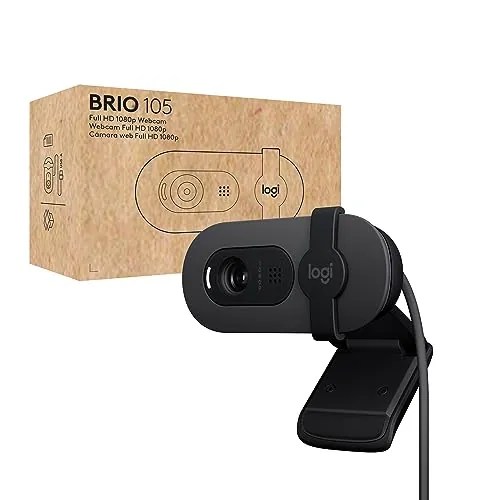
Logitech Brio 105 960-001579 vs MX Brio 960-001545: 1080p Calls or 4K Capture?
The Graphite Logitech Brio 105 (960-001579) tops out at 1080p/30, has fixed focus and an attached USB-A cable. The Graphite MX Brio (960-001545) lists 4K/30 and 1080p/60 modes, a USB-C 3.0 connection, advanced Logitech software controls and a tilt-down Show Mode. These are published capabilities, not an image-quality test: check your video app, computer port and software policy before choosing the higher-spec camera.
Read comparison