
Products compared

Logitech
Logitech MX Keys S Wireless Illuminated Keyboard
The selected listing is the Graphite U.S. MX Keys S, Logitech part 920-011558. Logitech documents Bluetooth or Logi Bolt pairing, Easy-Switch channels for up to three computers, OS-related key glyph placement, USB-C charging and Options+ controls.
Model 920-011558 (Graphite)
Amazon ASIN B0BKW3LB2B
Apple
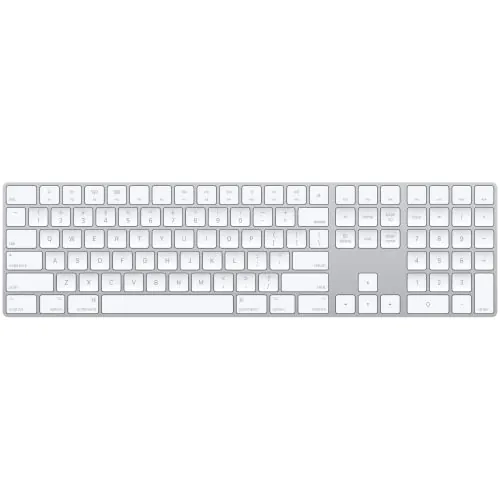
Apple Magic Keyboard with Numeric Keypad - US English
The selected listing maps to Apple's US English Magic Keyboard with Numeric Keypad, part MXCJ3LL/A. Apple's current exact U.S. page lists Bluetooth and a Lightning port, and includes a Lightning-to-USB-A cable. Apple's guide provides Mac pairing, re-pairing and Keyboard settings steps for this keyboard family.
Model MXCJ3LL/A
Amazon ASIN B0DWTT6Z7H
Differences that matter
What matters most to you?
Choose a priority to see what it changes.
Sources for Connect one keyboard to several computers
Sources for Match key legends and settings to the operating system
Sources for Check charging and wired setup ports
Sources for Measure the keyboard footprint
Start with the computers you will actually switch between
Logitech documents pairing MX Keys S with up to three computers, then changing a saved channel with a short Easy-Switch press. The setup guide supports either Bluetooth or the included Logi Bolt USB receiver. That is a concrete fit for one keyboard moved between a desktop, laptop and another workstation.
Apple's guide for the Magic Keyboard with Numeric Keypad gives a different Mac setup sequence: pair with the Lightning cable, then remove the current pairing before pairing to a different Mac. It does not document the same three saved channels. If you use one Mac most of the time, the extra pairing step may not matter; if you switch often, consider which exact workflow you prefer.
Check the OS labels and customization path
Logitech describes a universal layout and a Mac layout and shows special-character positions for Windows/Linux/Android versus macOS/iOS users. Options+ adds controls for supported settings such as backlight and Smart Actions. Check which labels are printed on the exact 920-011558 Graphite offer and whether you want to install Logitech software on the computers you use.
Apple identifies MXCJ3LL/A as the US English numeric-keypad version. Its guide shows modifier-key, shortcut, text and input-source changes in Mac Keyboard settings. This describes Apple's documented Mac path; it does not establish that the Logitech keyboard cannot be set up with a Mac or that Apple's keyboard cannot pair with Apple's mobile devices listed on its product page.
Check charging connectors and desk space
The assigned Logitech model charges over USB-C, and its support guide says you can continue typing while charging. Apple MXCJ3LL/A uses Lightning and the exact product page lists a Lightning-to-USB-A cable; Apple's guide uses that cable to pair the keyboard with a Mac and recharge it. If your desk host lacks USB-A, check what adapter or Bluetooth setup you will use before relying on the Apple cable for pairing.
The official dimension pages list Logitech at 430.20 × 131.63 mm (length × width) and Apple at 41.87 × 11.49 cm (width × depth). Compare the long side and front-to-back measurements with the desk tray you actually use, then reserve room for the cable or receiver. The size figures are fit checks, not ergonomic or typing-quality evidence.
Product details
Logitech MX Keys S Wireless Illuminated Keyboard
- Computer switching
- Pair with up to three computers; short-press Easy-Switch to change a paired channel Source
- Connection and host fit
- Bluetooth Low Energy or included Logi Bolt USB receiver; Logitech lists Windows, macOS, Linux, ChromeOS, iPadOS, iOS and Android support subject to basic-function/software limits Source
- Charging
- USB-C charging; Logitech says typing can continue while charging Source
- Published body size
- 43.02 cm long × 13.16 cm wide (Logitech's labels); published dimensions, not a desk-fit guarantee Source
Apple Magic Keyboard with Numeric Keypad - US English
- Language and layout
- US English numeric-keypad layout with document navigation controls and full-size arrow keys Source
- Connections and cable
- Bluetooth and Lightning port; the exact U.S. product page lists a Lightning-to-USB-A cable in the box Source
- Pairing and Mac settings
- Apple's guide describes cable pairing with a Mac, removing an existing pairing before pairing to a different Mac, and modifier-key/shortcut/text/input-source settings in macOS Source
- Published body size
- 41.87 cm wide × 11.49 cm deep; height ranges 0.41–1.09 cm Source
Before you buy
Community discussions
Testing a two-computer switch in both directions
Logitech MX Keys S Wireless Illuminated Keyboard
One owner linked an MX Keys S and MX Master 3S across two computers and could only get both devices to switch together in one direction.
What to check
List which keyboard and mouse you would use on each computer. Confirm the needed pairing and software, then test both switch directions.
Common questions
Can MX Keys S switch between more than one computer?
Logitech says it can pair with up to three computers. Pair each computer on an Easy-Switch channel; once paired, a short press changes channels.Logitech Getting Started - MX Keys S
Is Apple MXCJ3LL/A the USB-C Magic Keyboard with Numeric Keypad?
No. Apple's exact US English MXCJ3LL/A product page lists a Lightning port and a Lightning-to-USB-A cable. Confirm the part number because other Apple numeric-keypad keyboards have different ports and features.Apple Magic Keyboard with Numeric Keypad — U.S. English, MXCJ3LL/A
How do I pair Apple's keyboard with a different Mac?
Apple's guide says to remove the current pairing in Bluetooth settings, then pair the keyboard again with the other Mac. This is the guide's documented Mac-to-Mac flow, not a claim about every host or a measured pairing delay.Apple Magic Keyboard with Numeric Keypad User Guide
Which keyboard fits a narrow desk tray?
Compare the published long side and front-to-back depth with your tray: Logitech lists 43.02 × 13.16 cm using length × width labels; Apple lists 41.87 × 11.49 cm using width × depth labels. Measure the space and cable clearance because these published outer measurements do not guarantee your tray fit.Logitech MX Keys S SpecificationsApple Magic Keyboard with Numeric Keypad — U.S. English, MXCJ3LL/A
Sources and scope
This is a documented setup and feature-fit comparison, not a typing, comfort, noise, latency, reliability or battery-life test. Logitech’s support materials describe MX Keys S family behavior; the product page and current listing data identify the exact assigned Graphite SKU 920-011558. Apple's guide is for the Magic Keyboard with Numeric Keypad family and does not print MXCJ3LL/A; Apple's exact U.S. Store page identifies that SKU and its Lightning/USB-A contents. The Apple guide's remove-and-pair instructions are specific to moving between Macs and should not be generalized into an unsupported claim about every OS or stored-pairing limit. Manufacturer pages do not map the assigned Amazon ASINs themselves.
Related comparisons

Logitech MX Keys S vs Wave Keys: Choose by Lighting, Layout and Power
These two Logitech keyboards share Bluetooth, an included Logi Bolt receiver and Easy-Switch workflows, so connection alone does not settle the choice. MX Keys S (920-011558) has a low-profile layout, adaptive backlighting and a USB-C charging port you can use while typing. Wave Keys (920-011898) has a wave-shaped layout with an attached cushioned palm rest, uses two included AAA batteries, and its Logitech consumer FAQ says its keys are not backlit. Check your lighting, desk layout, host operating systems and power preference before choosing; neither model is a universal comfort winner.
Read comparison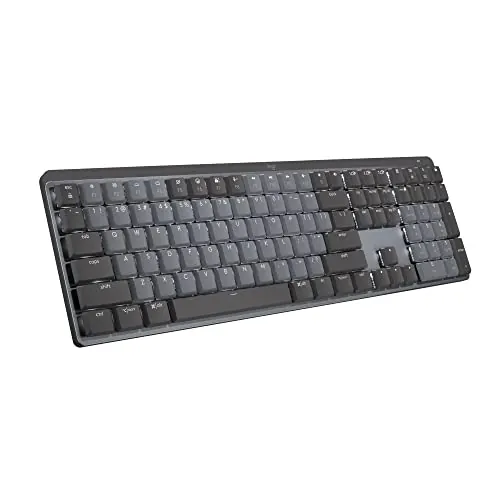
Logitech MX Keys S vs MX Mechanical: Scissor or Tactile Quiet?
The Graphite MX Keys S uses scissor keys; the assigned full-size MX Mechanical is the Tactile Quiet low-profile mechanical version. Logitech lists 1.8 mm total travel for MX Keys S and 3.2 mm for MX Mechanical. Both support lighting, Bluetooth LE or a Logi Bolt receiver, and switching among up to three devices. Choose by a typing style you already know you want; these specifications do not establish typing speed, comfort or sound superiority.
Read comparison