
Products compared

Logitech
Logitech MX Keys S Wireless Keyboard Graphite
US Graphite configuration; full-size keyboard with numpad
Model 920-011558
Amazon ASIN B0BKW3LB2B
Apple
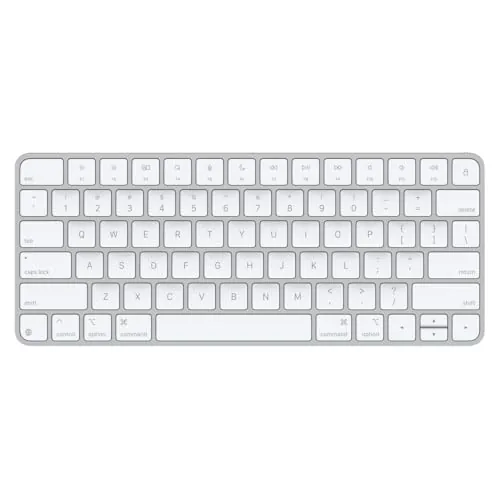
Apple Magic Keyboard USB-C US English
US English standard Magic Keyboard with USB-C; older part number MXCL3LL/A
Model MXCL3LL/A
Amazon ASIN B0DL6LV7Q6
Differences that matter
What matters most to you?
Choose a priority to see what it changes.
Sources for Layout and numeric keypad
Sources for Connection and switching routine
Sources for Backlighting and desk fit
What the exact listings change
Start with the part numbers. This guide is for Logitech MX Keys S Graphite 920-011558 and Apple Magic Keyboard USB-C US English MXCL3LL/A. Apple’s June 2026 US list identifies the older part as the standard USB-C US-English model. Apple’s later institutional list shows a newer part for the same description, so do not treat the part numbers as interchangeable.
The practical split is clear for Logitech: a documented full-size-with-numpad layout, backlighting, receiver or Bluetooth LE connection options, and a one-key switch among up to three devices. Apple’s documented path is more Mac-centered: connect by USB-C cable to pair and charge, then unplug for Bluetooth use. The cited Apple setup does not settle whether MXCL3LL/A offers a multi-host shortcut.
Match the keyboard to your hosts
List every computer, tablet or phone you plan to use and the connection you want at each desk. For MX Keys S, check Logitech’s OS requirements separately for Logi Bolt and Bluetooth LE; one-key switching among up to three devices is documented. Apple’s cited tech page lists requirements for the standard 2024 USB-C family but does not name MXCL3LL/A. Check the exact offer if device compatibility is a close call.
If your workflow depends on switching among several hosts, MX Keys S has the directly documented three-device shortcut. That is not evidence that Apple lacks a similar behavior; the reviewed Apple sources leave it unresolved. If you want the Apple keyboard, verify its exact-part instructions rather than assuming either behavior.
Check layout, light and available space
Choose MX Keys S when you want a full-size-with-numpad layout and backlighting. Logitech lists the exact product under that layout category and says its keys illuminate as hands approach and adapt to the environment. Its support specification gives family dimensions of 430.20 mm by 131.63 mm.
Apple’s June 2026 list maps MXCL3LL/A to the standard USB-C US-English keyboard. Apple’s cited 2024-family specification lists a 10.98-inch width and 4.52-inch depth but does not identify this older part. Measure your available area and verify the seller’s part if the footprint is decisive. The sources used here do not confirm whether this exact older Apple part has backlighting.
Product details
Logitech MX Keys S Wireless Keyboard Graphite
- Layout
- Listed by Logitech in its Full Size with numpad category Source
- Connection choices
- Logi Bolt USB receiver or Bluetooth Low Energy; OS requirements vary by connection Source
- Device switching
- One-key switching among up to three devices Source
- Backlighting
- Keys illuminate as hands approach and adapt to the environment; lighting customization is available through Logi Options+ Source
- Listed dimensions
- 430.20 mm long × 131.63 mm wide (MX Keys S family support specification) Source
Apple Magic Keyboard USB-C US English
- Exact part identity
- Apple’s June 2026 US list maps MXCL3LL/A to Magic Keyboard (USB-C), US English; a later list shows a newer part for the same description Source
- Setup routine
- Apple’s standard USB-C family guide describes connecting to a Mac by cable for pairing and charging, then unplugging for Bluetooth use Source
- Apple system requirements
- Published on the standard 2024 USB-C family page; that page does not name MXCL3LL/A, so verify the older offer if requirements are decisive Source
Before you buy
Community discussions
Activating the backlight while charging
Logitech MX Keys S Wireless Keyboard Graphite
An MX Keys S owner said they could trigger the backlight by moving a hand near the keyboard on battery, but needed a keypress when they kept the cable connected.
What to check
Try both keyboards in the room where you type. If you rely on backlighting, check what turns it on when the MX Keys S is plugged in.
Common questions
Does Apple Magic Keyboard MXCL3LL/A switch between multiple devices with a shortcut?
The Apple support pages reviewed for the standard USB-C Magic Keyboard explain Mac cable setup and Bluetooth use but do not establish an MXCL3LL/A multi-host shortcut or limit. Treat that capability as unknown and check Apple’s documentation for the exact part if it matters.Set up your Magic Keyboard, Magic Mouse, or Magic Trackpad with your MacMagic Keyboard (USB-C) - Tech SpecsNASPO PSS - Apple Branded (June 2026)
Which one has a numeric keypad and backlighting?
Logitech lists MX Keys S in its Full Size with numpad category and documents smart backlighting on the exact 920-011558 product page. Apple’s June 2026 US list identifies MXCL3LL/A as the standard US-English USB-C Magic Keyboard; the cited pages do not verify backlighting for that older part.Computer Keyboards - Full Size with numpad categoryBuy MX Keys S KeyboardNASPO PSS - Apple Branded (June 2026)
Can I use Logitech MX Keys S with a tablet or phone?
Logitech’s MX Keys S support specification lists Bluetooth LE requirements that include iPadOS 14 or later, iOS 14 or later and Android 9.0 or later; it notes basic-function support without software on non-Windows/macOS systems. Verify the current OS and app needs for your device.Specification - MX Keys S
Are these keyboards proven to type more comfortably or last longer?
No. The cited sources document design, connection, lighting and setup features, but this comparison includes no controlled typing, comfort, speed, battery-life or long-term reliability test.Buy MX Keys S KeyboardSpecification - MX Keys SMagic Keyboard (USB-C) - Tech Specs
Sources and scope
This is a feature-fit comparison, not a typing, comfort, speed, battery or durability test. Apple’s June 2026 US list maps MXCL3LL/A to the standard USB-C US-English Magic Keyboard, but the cited 2024-family technical page does not name that older part. Apple multi-host behavior for MXCL3LL/A and its exact dimensions remain unverified. Do not assume a newer Apple part is identical.
Related comparisons

Logitech MX Keys S vs Wave Keys: Choose by Lighting, Layout and Power
These two Logitech keyboards share Bluetooth, an included Logi Bolt receiver and Easy-Switch workflows, so connection alone does not settle the choice. MX Keys S (920-011558) has a low-profile layout, adaptive backlighting and a USB-C charging port you can use while typing. Wave Keys (920-011898) has a wave-shaped layout with an attached cushioned palm rest, uses two included AAA batteries, and its Logitech consumer FAQ says its keys are not backlit. Check your lighting, desk layout, host operating systems and power preference before choosing; neither model is a universal comfort winner.
Read comparison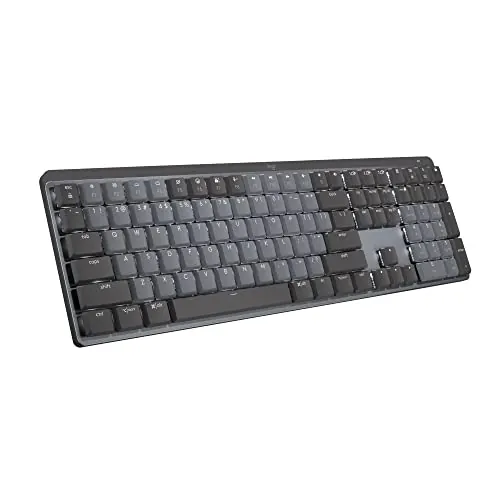
Logitech MX Keys S vs MX Mechanical: Scissor or Tactile Quiet?
The Graphite MX Keys S uses scissor keys; the assigned full-size MX Mechanical is the Tactile Quiet low-profile mechanical version. Logitech lists 1.8 mm total travel for MX Keys S and 3.2 mm for MX Mechanical. Both support lighting, Bluetooth LE or a Logi Bolt receiver, and switching among up to three devices. Choose by a typing style you already know you want; these specifications do not establish typing speed, comfort or sound superiority.
Read comparison