
Products compared
Logitech
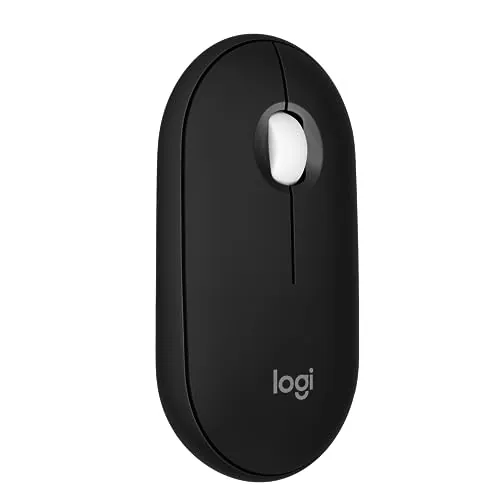
Logitech Pebble Mouse 2 M350s, Black
A Bluetooth mouse with a physical scroll wheel, customizable middle click, Easy-Switch for up to three paired devices, and one replaceable AA alkaline battery. A Logi Bolt receiver is an optional separate purchase for this exact standalone mouse listing.
Model 910-007168
Amazon ASIN B0BT4GFFGR
Apple
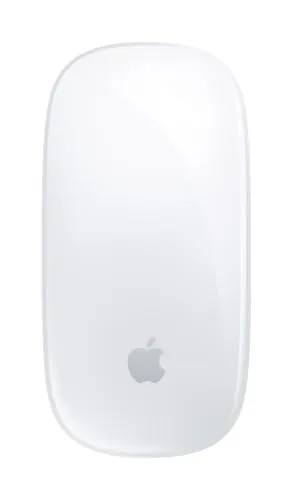
Apple Magic Mouse (USB-C), White Multi-Touch Surface
The white USB-C edition of Magic Mouse uses Bluetooth and a Multi-Touch surface for Apple-documented scrolling and page-swiping gestures. It has a rechargeable battery and includes a woven USB-C charge cable.
Model MXK53AM/A
Amazon ASIN B0DL72PK1P
Differences that matter
What matters most to you?
Choose a priority to see what it changes.
Sources for Everyday scrolling and middle action
Sources for Bluetooth, receiver and device switching
Sources for Battery and charging routine
Sources for Mac/iPad operating-system check
Start with the way you scroll
Pebble Mouse 2 M350s keeps a physical scroll wheel and middle click. Logitech's setup guide shows how to customize the middle button and scroll-wheel behavior through Logi Options+. That is the relevant distinction if you prefer a wheel and discrete middle-button action; the optional settings are app-based.
The compared Apple product is the white USB-C Magic Mouse, part MXK53AM/A. Apple documents a Multi-Touch surface for swiping between pages and scrolling through documents. That makes gesture preference central to the choice. The documentation does not establish whether either method is more comfortable, precise or fast for a particular user.
Map the connection to your actual devices
Logitech documents M350s Bluetooth Low Energy pairing with up to three devices, selected by the Easy-Switch button. If a device lacks Bluetooth and you prefer a USB receiver, Logitech supports Logi Bolt—but says the receiver must be purchased separately for M350s. The support page identifies the Pebble 2 Combo Multi-OS, not the standalone mouse, as the bundle that includes that receiver. A USB-A port is required for the described Bolt setup, so check the host or plan an appropriate port adapter.
Apple lists Bluetooth for this Magic Mouse and says it pairs automatically with a Mac. Its page does not specify multi-host switching, so do not assume the same three-device button workflow or assume it is impossible. If moving one mouse between a Mac and iPad is essential, confirm Apple's current instructions for those exact hosts before buying.
Choose the power routine and verify the operating system
M350s uses one AA alkaline battery, which Logitech shows replacing by lifting off the mouse's top case. Magic Mouse is rechargeable and includes a woven USB-C charge cable. The distinction is a replaceable cell versus scheduled recharging, not a battery-life contest. Treat Apple's cable as a charging cable: the product page does not establish a wired tracking mode.
For basic Bluetooth compatibility, Logitech lists macOS 11 or later and iPadOS 14 or later for M350s. It links custom middle-button and wheel features to Logi Options+, whose current system requirements should be checked separately. Apple lists macOS 15.1 or later and iPadOS 18.1 or later for this USB-C Magic Mouse. Check the version installed on the device you plan to use, especially if it is older.
A quick pre-purchase setup check
1. Read the model line: M350s 910-007168 or Apple MXK53AM/A USB-C. 2. List the host devices and minimum OS versions. 3. Decide whether you want a scroll wheel or Multi-Touch gestures. 4. For Logitech, choose Bluetooth or add a separately purchased Bolt receiver and confirm USB-A access; don't assume a receiver is in this standalone box. 5. Choose between AA replacement and charging over USB-C. If you rely on switching among multiple Apple devices, verify Apple's current setup path because the cited product page does not document a multi-host switch.
This checklist resolves the practical tradeoff without guessing at hand fit or pointing performance. Keep comparing if the exact host/OS, included receiver or Apple multi-device behavior is still a purchase-critical unknown.
Product details
Logitech Pebble Mouse 2 M350s, Black
- Connection and paired devices
- Bluetooth Low Energy; pairs with up to three devices and switches with its Easy-Switch button Source
- Controls
- Physical scroll wheel and customizable middle click; Logi Options+ is needed for customization Source
- Power and receiver
- Requires one AA alkaline battery; compatible Logi Bolt receiver must be purchased separately for this mouse Source
Apple Magic Mouse (USB-C), White Multi-Touch Surface
Before you buy
Community discussions
Trying the mouse with the computers you carry
Logitech Pebble Mouse 2 M350s, Black
A commenter using the Pebble Mouse 2 M350s said they switched it among three Bluetooth devices and found it convenient for their hand size.
What to check
Check how the wheel and surface controls feel on your main computer. If you also use a second device, try the pairing and switching routine.
Common questions
Is this Apple Magic Mouse the USB-C or Lightning model?
The selected listing is the white Magic Mouse USB-C, model MXK53AM/A. Apple's exact product page labels it USB-C and lists a USB-C port plus a woven USB-C charge cable. Confirm that model on the retailer listing instead of relying on a generic Magic Mouse title.Magic Mouse (USB-C) - White Multi-Touch Surface
Does the standalone M350s include a USB receiver?
Logitech's support guide says M350s can use a Logi Bolt receiver, but that receiver must be purchased separately; Logitech distinguishes the Pebble 2 Combo Multi-OS as the package that includes one. The selected listing is the standalone black M350s, so plan on Bluetooth unless the exact retailer package explicitly says otherwise.Getting Started - Pebble Mouse 2 M350sPebble Mouse 2 M350s, U.S. black model 910-007168
Can I switch the M350s between a Mac and an iPad?
Logitech documents pairing up to three devices and selecting among them with the Easy-Switch button. It lists M350s Bluetooth support for macOS 11 or later and iPadOS 14 or later. Check your exact OS versions; Apple's page does not document an equivalent switch-button flow for the Magic Mouse in this comparison.Getting Started - Pebble Mouse 2 M350sMagic Mouse (USB-C) - White Multi-Touch Surface
Do I need Logi Options+ to use the M350s?
Logitech documents Bluetooth pairing separately from its Options+ customization instructions. The mouse can pair over Bluetooth; use the app if you want its documented customizable middle-button and scroll-wheel settings, and check the current app requirements for your device.Getting Started - Pebble Mouse 2 M350s
Sources and scope
Check the minimum OS for your Mac or iPad. The M350s lists pairing with up to three devices and its Bolt receiver is sold separately. If you need multi-device switching on the Magic Mouse, verify the steps on your exact devices.
Related comparisons
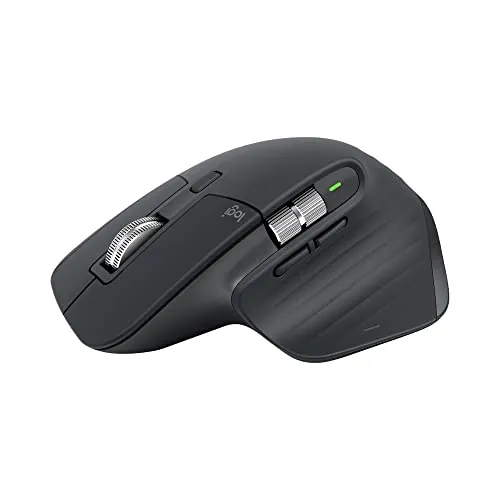
Logitech MX Master 3S vs Apple Magic Mouse USB-C: Scroll Controls, Mac Setup, and Host Switching
Consider the Logitech MX Master 3S Graphite (model 910-006561) if you want a physical MagSpeed wheel, a thumb wheel or a documented Easy-Switch routine for up to three computers. Choose the white USB-C Apple Magic Mouse (MXK53AM/A) if you prefer Multi-Touch gestures and its documented Mac pairing and charging path. Before checkout, confirm the exact Logitech edition and receiver bundle and check your computer’s ports and operating system. These are feature-fit recommendations, not test results.
Read comparison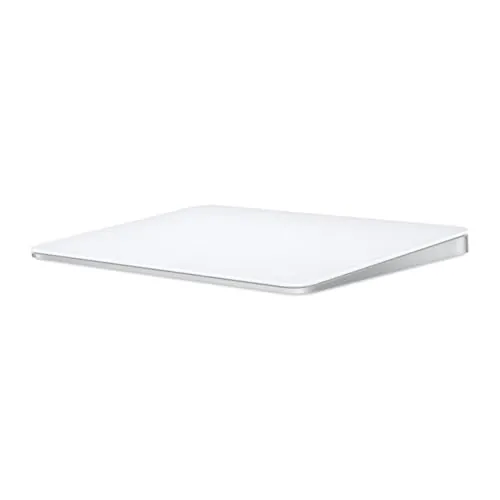
Apple Magic Mouse vs Magic Trackpad: Gestures, Desk Space and Charging
The white USB-C Magic Mouse (MXK53AM/A) combines mouse movement with a touch surface for scrolling and swipes. The white USB-C Magic Trackpad (MXK93AM/A) adds a broad glass surface, documented pinch and rotate gestures, and Force Touch. Both include a USB-C charge cable and list macOS 15.1 or later; only the Trackpad remains usable while charging.
Read comparison