
Products compared
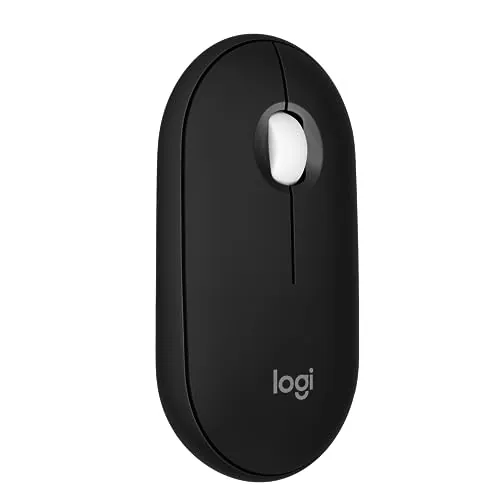
Logitech
Logitech Pebble Mouse 2 M350s Wireless Mouse — Black
Black U.S. variant; choose this when Bluetooth or the documented optional Logi Bolt path and configurable middle button fit your setup.
Model 910-007168
Amazon ASIN B0BT4GFFGR

Logitech
Logitech M720 Triathlon Multi-Device Wireless Mouse — Black
Black U.S. listing; its model documentation lists Bluetooth and Unifying, with a tilt wheel and dedicated side and thumb buttons. Confirm the exact seller box contents before assuming a receiver is included.
Model 910-006036
Amazon ASIN B087Z6LSHW
Differences that matter
What matters most to you?
Choose a priority to see what it changes.
Sources for Receiver path
Sources for Repeat actions while scrolling
Sources for Multiple computers and software
Sources for Battery routine
Start with the computer and receiver you already have
If your computers support Bluetooth, both models document Bluetooth Low Energy, and both can switch among three devices. That may make a receiver unnecessary for your setup. If a receiver matters, distinguish the named standards: Logitech’s M350s guide documents Bluetooth and an optional Logi Bolt receiver, while the M720 technical specification lists Bluetooth and a Unifying receiver.
There is a package-level caveat for M720. The selected retailer offer is ASIN B087Z6LSHW, part 910-006036, but the current manufacturer M720 shop source available for this comparison is a different part number. The technical specification is useful for the model’s documented connection options and its listed box contents; it is not confirmation of the exact seller’s current package. Check the B087Z6LSHW offer before assuming a Unifying receiver is included. The M350s guide explicitly says Bolt is sold separately except in Pebble 2 Combo.
Match the controls to the actions you repeat
M350s puts customization on the middle button: Logitech documents app-specific assignments and a gesture routine that holds the middle button while you move the mouse. Options+ also exposes scroll settings, with smooth-scroll controls documented for Windows. This path suits a buyer who wants the middle control to trigger a chosen desktop action and is willing to set it up in supported software.
M720 has more named physical navigation controls in the cited product documentation: a button to change scroll-wheel mode, wheel tilt for horizontal scrolling, two side buttons and a thumb button. If those are actions you use often, map your workflow to those controls before buying. This describes the documented layout only; it does not establish a comfort, speed or productivity advantage.
Use this pre-buy checklist for your actual setup
1. List every host: desktop, work laptop and tablet. Mark which has Bluetooth and which has an available USB port. Both models document switching among three paired devices, but your receiver and software needs can differ by host.
2. If reusing a Logitech receiver, read the printed name or logo before checkout. M350s documents Logi Bolt; M720 documentation lists Unifying. The M350s guide does not establish Unifying compatibility, so do not treat that pairing as verified. For M720, verify that the exact seller offer includes the receiver you expect.
3. Name the actions you need: horizontal scrolling, side navigation, a thumb shortcut or a customizable middle-button gesture. Compare those actions with each manufacturer-documented control layout.
4. If button customization is important, check Options+ host support first. Logitech documents M350s smooth-scroll controls for Windows; software customization is separate from basic device pairing.
5. Do not use device-switch count or battery type as the deciding factor without another need: the documented specs list three-device switching and one replaceable AA for both models.
Product details
Logitech Pebble Mouse 2 M350s Wireless Mouse — Black
- Documented connections
- Bluetooth Low Energy or an optional Logi Bolt USB receiver; Logitech says Bolt is sold separately except with Pebble 2 Combo. Source
- Switching and controls
- Pair up to three devices and switch with Easy-Switch. The middle button is customizable; Logitech also documents a hold-and-move gesture workflow. Source
- Power
- One replaceable AA battery. Source
Logitech M720 Triathlon Multi-Device Wireless Mouse — Black
- Documented connections
- The M720 technical specification lists Bluetooth Low Energy and a Unifying receiver; verify the receiver included with the exact Amazon offer. Source
- Scrolling and buttons
- Logitech documents a button to switch scroll-wheel mode, a tilt wheel for horizontal scrolling, two side buttons and a thumb button. Source
- Device switching and power
- The technical specification lists three Easy-Switch channels and one replaceable AA battery. Source
Before you buy
Community discussions
A buyer opens an M350s box expecting a USB receiver
Logitech Pebble Mouse 2 M350s Wireless Mouse — Black
A buyer who names the Pebble Mouse 2 M350s says their store purchase did not include a USB receiver and asks whether one should have been in the box. The post does not identify the exact seller bundle or establish that an item was missing.
What to check
Decide whether Bluetooth is enough for your hosts or whether you want the separate Logi Bolt receiver. Check the exact standalone or Combo listing's included-items list before checkout; do not assume that an M350s and M720 receiver are the same type.
A user asks whether an M350s middle-button shortcut follows Bluetooth device switching
Logitech Pebble Mouse 2 M350s Wireless Mouse — Black
An M350s user says they switch among three Bluetooth devices, set a middle-button shortcut using Options+ on Windows, then did not see the shortcut take effect after switching to Android. They ask whether that setting is stored on the mouse; this is one user's setup, not a general support guarantee.
What to check
If you rely on a customized middle-button action across paired hosts, confirm how that action is configured on each intended device. Bluetooth Easy-Switch changes the active connection; this thread does not establish that it also transfers button settings.
Common questions
Does Pebble Mouse 2 M350s include a Logi Bolt receiver?
Logitech says Bolt is sold separately except with Pebble 2 Combo. Check the exact retail package before buying if you need the receiver in the box.Getting Started — Pebble Mouse 2 M350s
Does the M720 listing include a Unifying receiver?
Logitech’s M720 technical specification lists a Unifying receiver among the model’s box contents, but the exact selected Amazon offer maps to part 910-006036 and its current seller box contents were not independently confirmed here. Check that offer’s included-items section before checkout.M720 Triathlon Technical Specifications
Which mouse has horizontal scrolling and dedicated side controls?
Logitech’s M720 product page documents wheel tilt for horizontal scrolling and separate side and thumb buttons. M350s documentation instead describes a customizable middle button and gesture actions.M720 Triathlon U.S. product pageGetting Started — Pebble Mouse 2 M350s
Can either mouse switch between several devices?
Yes. Logitech documents up to three paired devices for M350s and three Easy-Switch channels for M720. Both use a replaceable AA battery according to their model documentation.Getting Started — Pebble Mouse 2 M350sM720 Triathlon Technical Specifications
Sources and scope
This guide compares manufacturer-documented connections and controls, not comfort, cursor performance, latency or battery endurance. Logitech’s M720 technical specification lists a Unifying receiver in the model’s box contents, but the currently selected Amazon ASIN maps to part 910-006036 and the current Logitech shop source available for this research was a different M720 part number. Confirm the exact B087Z6LSHW listing’s included receiver before relying on the model-level box list. M350s documentation describes Bluetooth and optional Bolt; it does not establish Unifying receiver support, so this guide treats that combination as unverified rather than declaring it incompatible.
Related comparisons

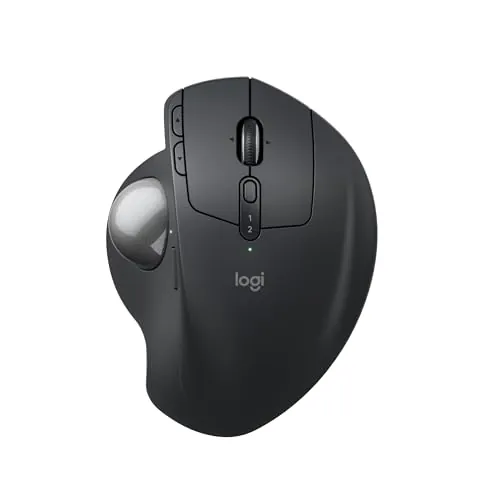
Logitech MX Master 4 vs MX Ergo S: Mouse Movement, Trackball and Switching
Both are rechargeable Logitech pointing devices, but they use different steering methods and switching controls. Compare desk motion, paired-computer count, the MX Master 4's Options+ Haptic Sense Panel, and the MX Ergo S base model's included Logi Bolt receiver before choosing.
Read comparison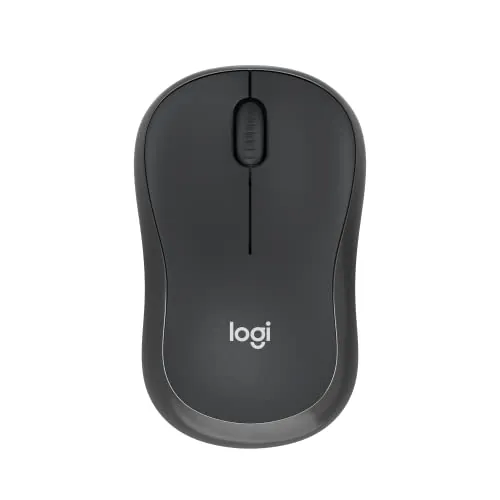

Logitech M240 Graphite vs MX Vertical Graphite: Handedness, Connection and Power
These are different desk setups, not a tested comfort comparison. Logitech describes the M240 Graphite as suitable for left- and right-handed use, with Bluetooth and a replaceable AA battery. MX Vertical Graphite is right-handed and supports Bluetooth, a Unifying receiver or a USB-C cable; Logitech also documents switching among up to three paired computers. Decide first who will use the mouse, then check the host connection you need and whether you prefer replacing an AA or recharging.
Read comparison